
- Age rating4+
- CategoryTravel
- DeveloperGiovanni Monaco
- LanguagesGerman+ 7 more
- Size38.0 MB
Links to the official App Store page
Download.org hosts no file of Geoshot. The button opens its official App Store page, published by Giovanni Monaco. Listing last checked on Nov 12, 2026.
Screenshots


About
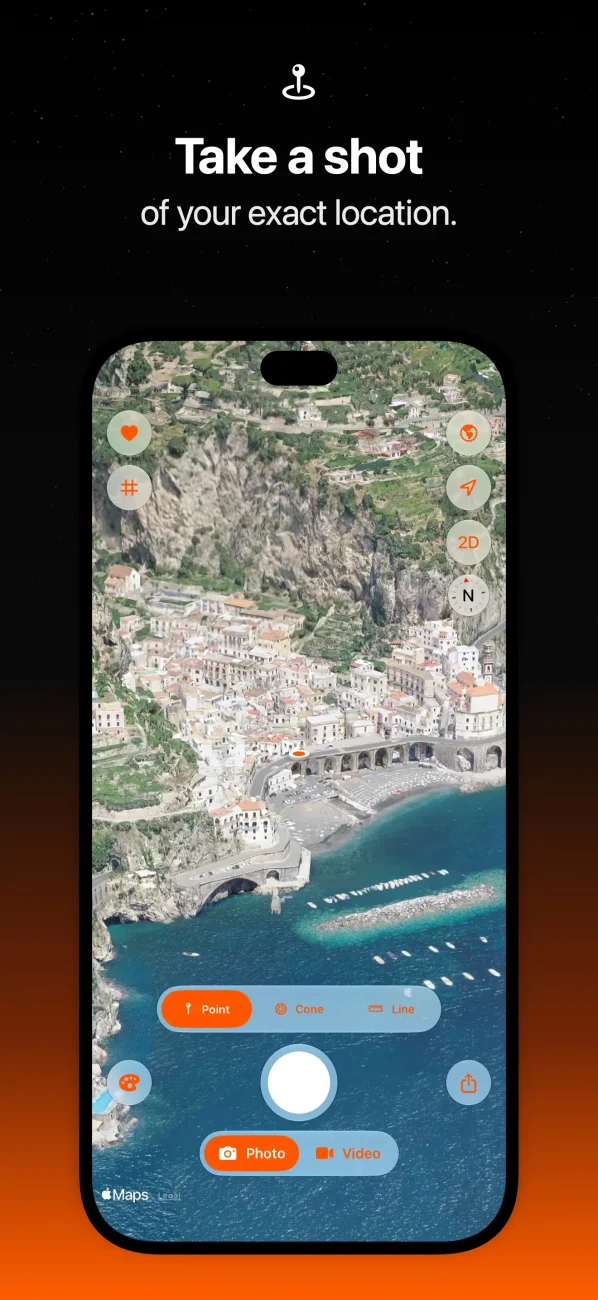
Geoshot turns the map around you into clean, shareable photos and cinematic videos.
Open the app and the map is already centered on your precise position, ready to capture.
PHOTO
• Point – mark exactly where you are.
• Field of view – draw a cone to show where you’re looking. Set direction, aperture, reach and opacity by dragging on the map or with precise sliders.
• Measurement line – draw a line from your position and see its distance.
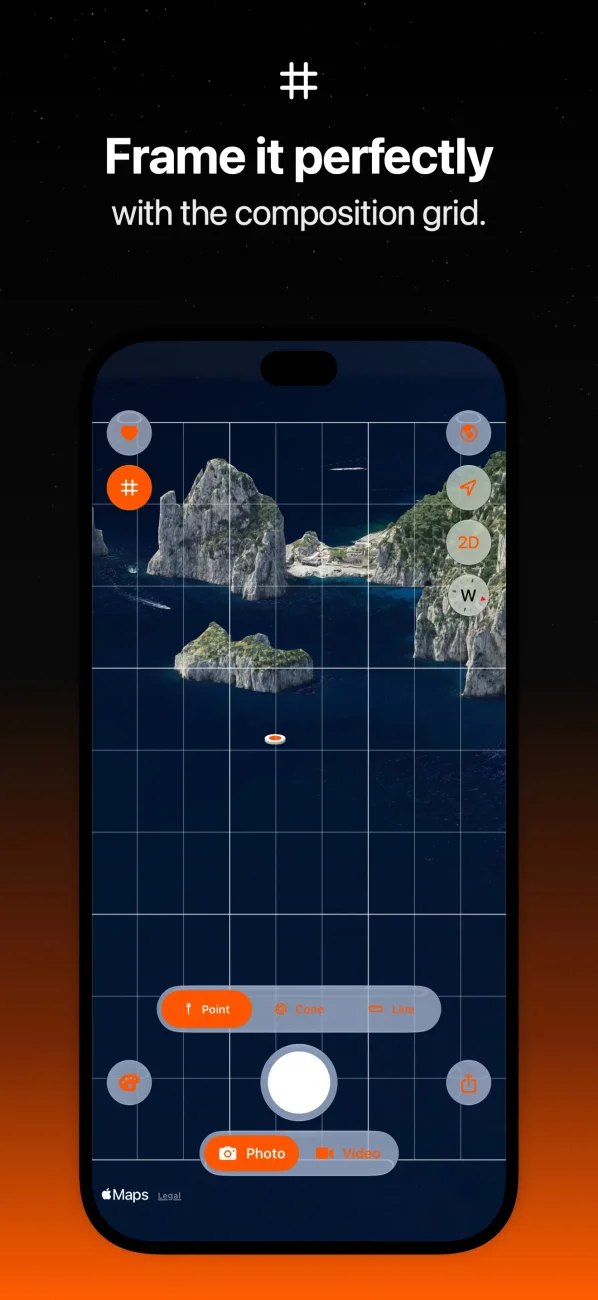
• Grid – compose your shot with a framing grid.
• Pick the marker color that fits your style.
VIDEO
• Drone shots – choose Orbit to circle your position clockwise or counterclockwise, Push in for a closer view, or Push out to reveal the landscape.
• Preview the movement before recording, choose the duration and save the video straight to Photos.
MAP STYLES
Satellite, Hybrid, Standard and Minimal, in 3D or 2D.
SAVE AND SHARE
Save to Photos or share in one tap. An optional Geoshot watermark can sign your exports.
Made for hikers, travelers, guides, photographers and anyone who wants to say "I’m here" with style.
Geoshot uses your location only while you use the app and never collects your data.
What’s new
Version 2.0 · Oct 28, 2026
• Field of view – draw a cone to show where you’re looking, then adjust its direction, aperture, reach and opacity.
• Measurement line – draw a line from your position and see its distance.
• Drone-style videos – Orbit, Push in and Push out shots of the map around you. Preview the movement, choose the duration and save to Photos.
• Composition grid, marker colors and four map styles (Satellite, Hybrid, Standard and Minimal) in 3D or 2D.
• Optional Geoshot watermark on exported photos and videos.
• Geoshot now speaks Italian, French, Spanish, German, Simplified Chinese, Traditional Chinese and Russian.
• A brand-new app icon.
• Performance improvements and bug fixes.
App privacy
What Giovanni Monaco declares on the App Store about how this app handles data.
-
Data not collected
The developer does not collect any data from this app.
Privacy practices may vary, for example with the features you use or your age.
Information
- Seller
- Giovanni Monaco
- Category
- Travel
- Version
- 2.0
- Updated
- Oct 28, 2026
- Released
- Jun 14, 2024
- Size
- 38.0 MB
- Requires
- iOS 18.0 or later
- Age rating
- 4+
- Languages
- German, English, French, Italian, Russian, Spanish, Traditional Chinese, Simplified Chinese
- Copyright
- © 2026 Giovanni Monaco
You might also like
-
 RealGONavigation
-
 Oika - Haptic WayfindingGuidance in open spaces
-
 MuralinkFind and collect murals
-
 CircumTimeReal-time train schedules
-
 PastportTravel
-
 Search ParkingNavigation
-
 Car-pe DiemTrasferimenti senza stress!
-
 Ferrovia - Treni in direttaTravel
-
 SavAppIl borgo, nelle tue mani.
-
 iOS Travel MapKeep track of visited places