
Hammer: HTTP Stream Inspector
Capture Web Traffic
Dirancang untuk iPhone, iPad
Gratis
- Batasan usia4+
- KategoriAlat Pengembang
- PengembangBARATHEON TECHNOLOGY LIMITED
- BahasaInggris
- Ukuran253,1 MB
Tertaut ke halaman resmi App Store
Download.org tidak menyimpan file Hammer: HTTP Stream Inspector apa pun. Tombol ini membuka halaman aplikasi di App Store, tempat BARATHEON TECHNOLOGY LIMITED menerbitkannya. Halaman terakhir diperiksa pada 13/11/2026.
Tangkapan layar

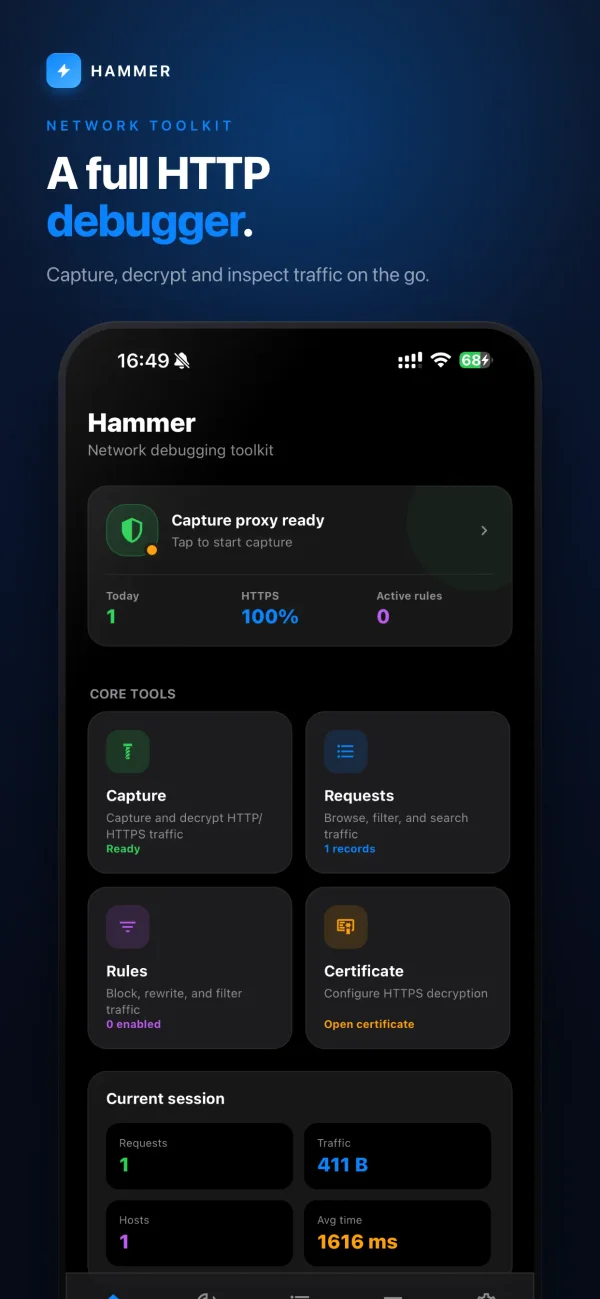

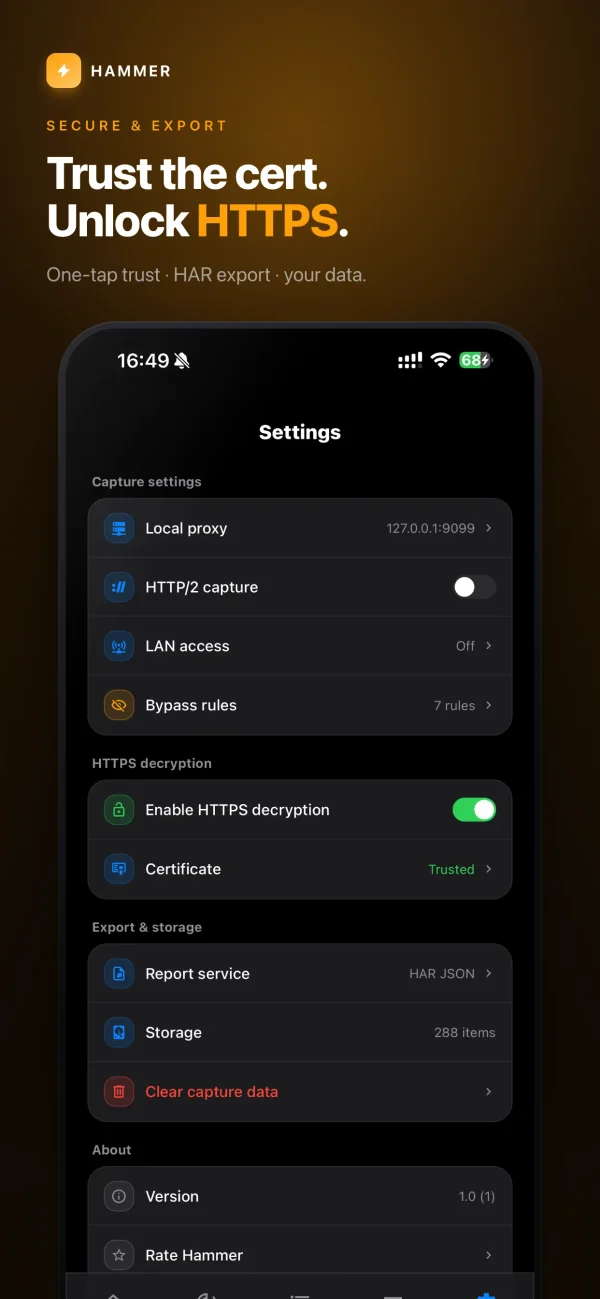
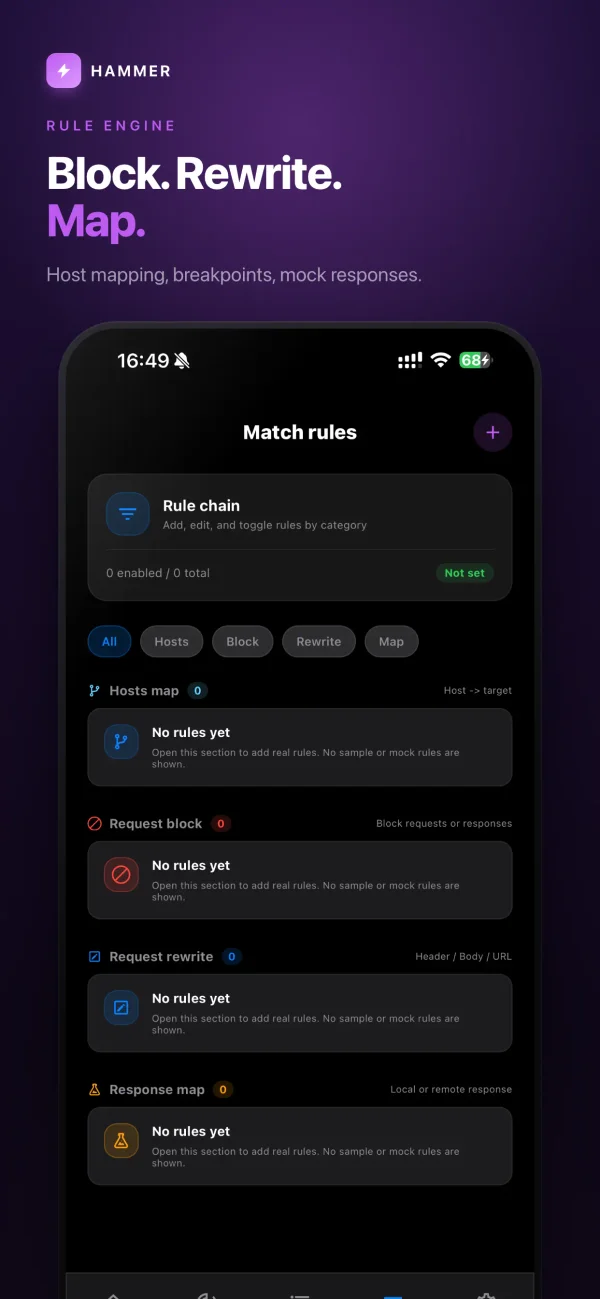
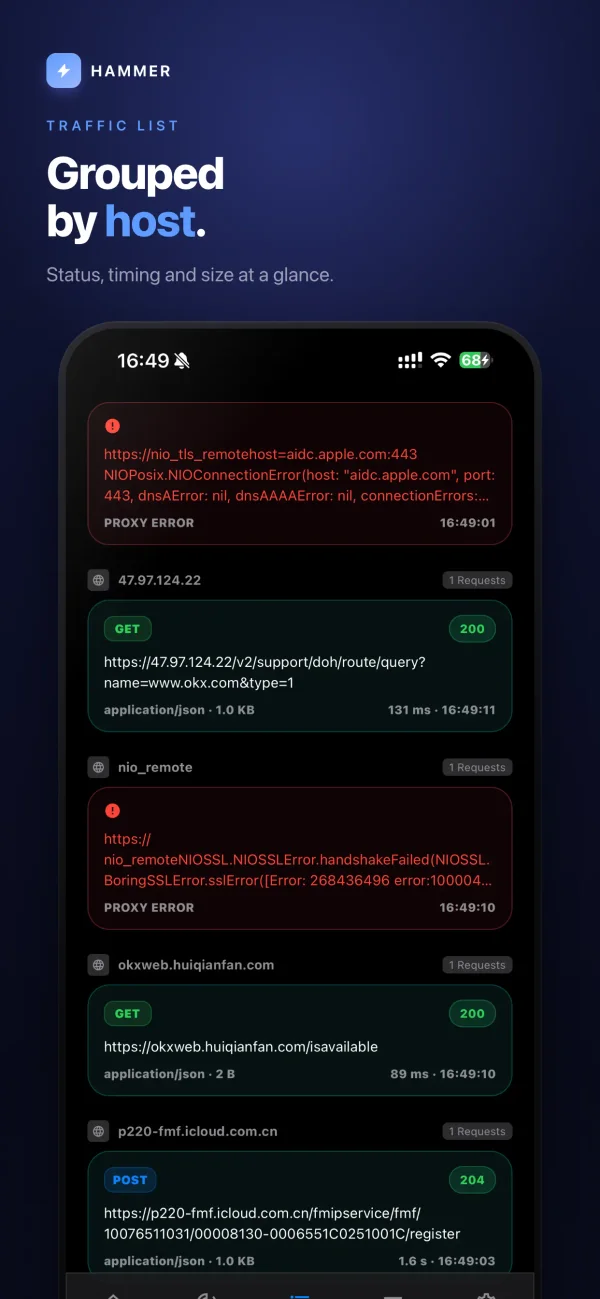
Tentang
Pengembang belum menyediakan teks ini dalam bahasa Anda.
Hammer is a professional HTTP and HTTPS debugging toolkit for developers, QA engineers, mobile teams, and technical users who need a clear way to inspect, analyze, and troubleshoot network traffic on iPhone and iPad.
Whether you are testing an API, debugging a mobile app, checking request headers, reviewing response data, or exporting sessions for deeper analysis, Hammer helps you understand what is happening between your app, website, and backend services.
Designed for local-first network inspection, Hammer keeps captured data on your device by default. Requests, responses, headers, cookies, and session history remain local unless you choose to export or share them.
How Hammer Works:
Hammer uses Apple's public Network Extension framework and a Packet Tunnel Provider to enable on-device traffic capture.
When you tap Start and approve the iOS system configuration prompt, Hammer creates a local Packet Tunnel. Traffic included in the active capture session is routed through Hammer's local proxy process on the same device, where requests and responses can be inspected and displayed.
The Packet Tunnel does not connect your traffic to a remote VPN server. Hammer does not provide anonymous browsing, change your virtual location, or hide your public IP address. iOS displays VPN-related permission text and may show a VPN status indicator because Apple manages Packet Tunnel Provider configurations through its VPN configuration infrastructure.
Key Features:
Live Traffic Capture
Capture HTTP and HTTPS requests in real time. Review method, host, path, status code, protocol, timing, size, and request details in a clean debugging interface.
Detailed Request Inspector
Inspect URL parameters, request and response headers, message bodies, status codes, timing metrics, and content types.
HTTPS Debugging
Use optional certificate-based HTTPS inspection in development, testing, or other authorized environments. Certificate installation and trust are controlled by the user through iOS Settings.
Request History
Keep capture sessions organized locally so you can revisit traffic, compare results, and investigate issues after testing.
Rules and Filters
Manage rules for bypassing hosts, blocking traffic, rewriting requests, mapping responses, and controlling traffic during debugging.
HAR Export
Export captured sessions as HAR files for desktop analysis, bug reports, team collaboration, or long-term debugging records.
Local Proxy Workflow
Use Hammer's on-device Packet Tunnel and local proxy workflow to inspect traffic from apps, browsers, and services you are authorized to analyze.
Clean Debugging Interface
Work with readable request lists, structured detail views, protocol statistics, favorites, and practical tools for repeated debugging.
Local-First Privacy
Captured network content is processed and stored locally by default. Hammer does not require an account, and the Packet Tunnel does not upload captured traffic to a remote VPN server. Data leaves your device only when you explicitly export, share, or submit it through a user-initiated action.
Hammer is useful for:
• Debugging mobile app API requests
• Inspecting HTTP and HTTPS traffic
• Reviewing headers, cookies, and response bodies
• Testing backend services and REST APIs
• Checking status codes, redirects, and timing
• Exporting HAR files for issue reports
• Managing traffic rules during development
• Investigating network behavior during QA testing
Hammer is intended for legitimate development, testing, and debugging workflows. Use it only with apps, websites, services, and network traffic that you own or have permission to inspect.
Yang baru
Versi 1.1 · 17/9/2026
1 - New Breakpoint Rules let you pause matching requests or responses before forwarding, then choose to continue or drop them.
2 - New Script Rules let you transform matching requests and responses with custom JavaScript.
3 - Improved rule management with search, enable/disable controls, editing, deletion, and clearer rule summaries.
4 - General stability and usability improvements.
Privasi aplikasi
Yang dinyatakan BARATHEON TECHNOLOGY LIMITED di App Store tentang cara aplikasi ini menangani data.
-
Data yang tidak ditautkan dengan Anda
Dapat dikumpulkan, tetapi tidak ditautkan dengan identitas Anda.
- Konten pengguna
- Pengenal
Praktik privasi dapat bervariasi, misalnya berdasarkan fitur yang Anda gunakan atau usia Anda.
Informasi
- Penjual
- BARATHEON TECHNOLOGY LIMITED
- Kategori
- Alat Pengembang
- Versi
- 1.1
- Diperbarui
- 17/9/2026
- Dirilis
- 11/9/2026
- Ukuran
- 253,1 MB
- Memerlukan
- iOS 16.6 atau yang lebih baru
- Batasan usia
- 4+
- Harga
- Gratis
- Bahasa
- Inggris
- Hak cipta
- © Hammer.DevTeam
Mungkin Anda juga suka
-
 HTTPGlass: HTTPS DebuggerAlat Pengembang
-
 HTTrailAlat Pengembang
-
 Tracer - inspect https trafficAlat Pengembang
-
 EzsshAlat Pengembang
-
 Odin ADEAlat Pengembang
-
 Herdwick: Agents over SSHAlat Pengembang
-
 HTTP RequestKlien API & Debugger
-
 Cloak Proxy: HTTPS DebuggerAlat Pengembang
-
 WiFi Vision ExplorerAlat Pengembang
-
 Curlie: API & cURL ClientAlat Pengembang