
- 対象年齢4+
- カテゴリ開発ツール
- 開発元BARATHEON TECHNOLOGY LIMITED
- 言語英語
- サイズ253.1 MB
App Storeの公式ページにリンクしています
Download.orgはHammer: HTTP Stream Inspectorのファイルを一切ホストしていません。ボタンを押すと、BARATHEON TECHNOLOGY LIMITEDが公開しているApp Storeのアプリページが開きます。ページの最終確認:2026/11/13。
スクリーンショット


概要
開発元はこのテキストをお使いの言語で提供していません。
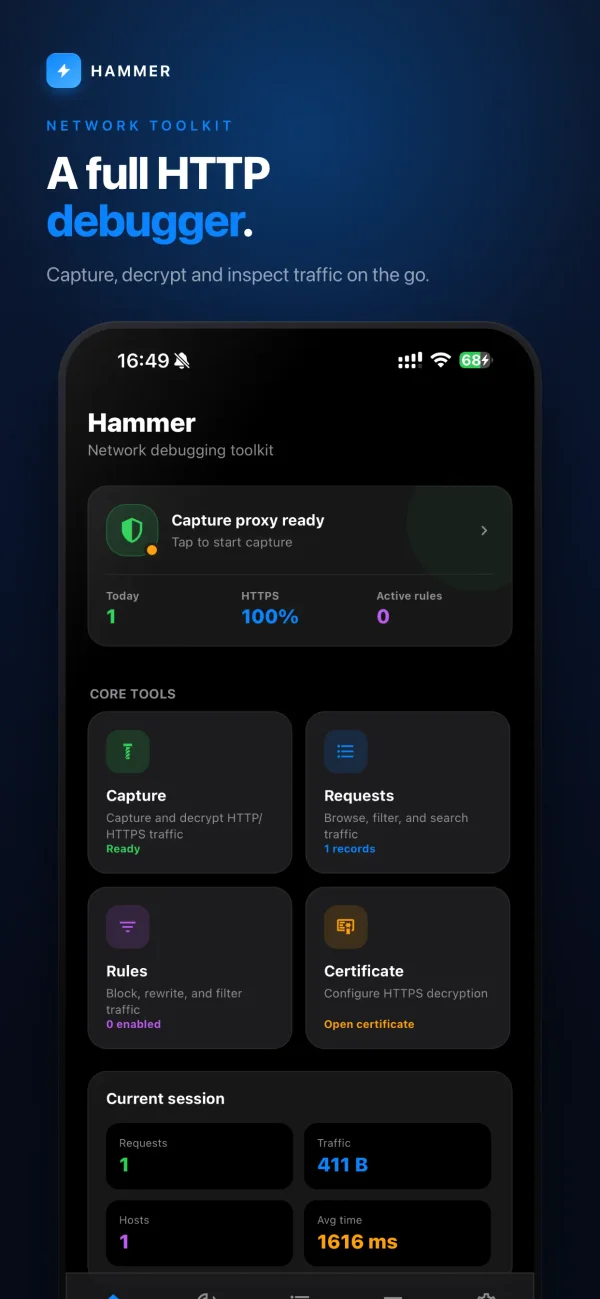
Hammer is a professional HTTP and HTTPS debugging toolkit for developers, QA engineers, mobile teams, and technical users who need a clear way to inspect, analyze, and troubleshoot network traffic on iPhone and iPad.
Whether you are testing an API, debugging a mobile app, checking request headers, reviewing response data, or exporting sessions for deeper analysis, Hammer helps you understand what is happening between your app, website, and backend services.
Designed for local-first network inspection, Hammer keeps captured data on your device by default. Requests, responses, headers, cookies, and session history remain local unless you choose to export or share them.
How Hammer Works:
Hammer uses Apple's public Network Extension framework and a Packet Tunnel Provider to enable on-device traffic capture.
When you tap Start and approve the iOS system configuration prompt, Hammer creates a local Packet Tunnel. Traffic included in the active capture session is routed through Hammer's local proxy process on the same device, where requests and responses can be inspected and displayed.
The Packet Tunnel does not connect your traffic to a remote VPN server. Hammer does not provide anonymous browsing, change your virtual location, or hide your public IP address. iOS displays VPN-related permission text and may show a VPN status indicator because Apple manages Packet Tunnel Provider configurations through its VPN configuration infrastructure.
Key Features:
Live Traffic Capture
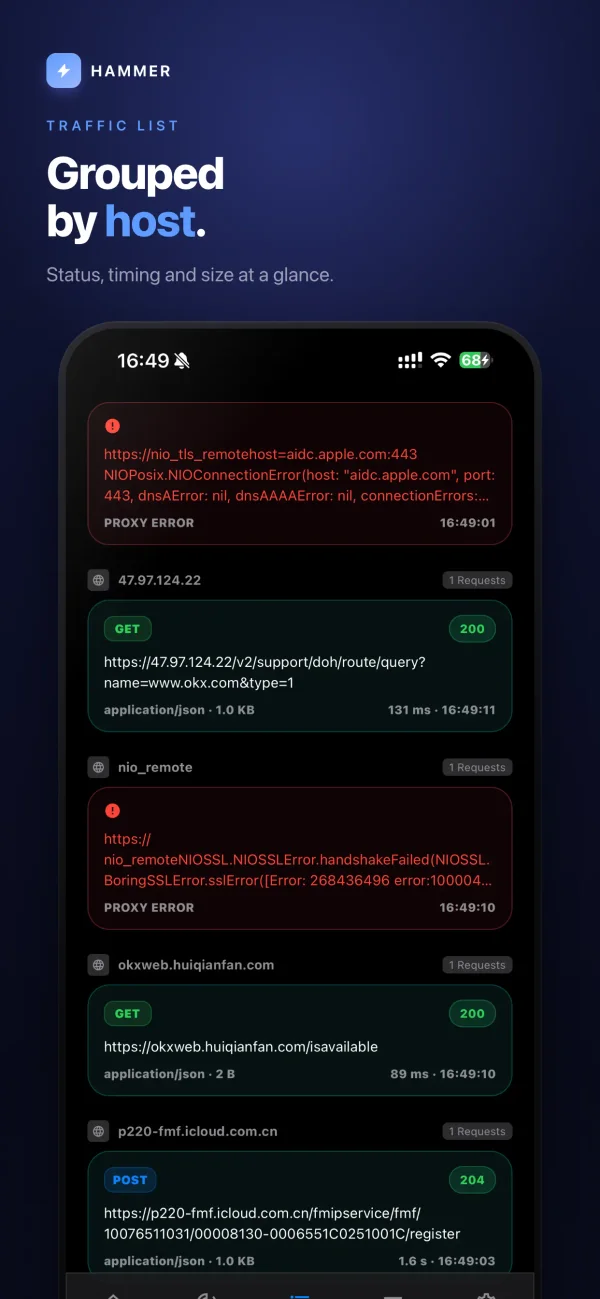
Capture HTTP and HTTPS requests in real time. Review method, host, path, status code, protocol, timing, size, and request details in a clean debugging interface.
Detailed Request Inspector
Inspect URL parameters, request and response headers, message bodies, status codes, timing metrics, and content types.
HTTPS Debugging
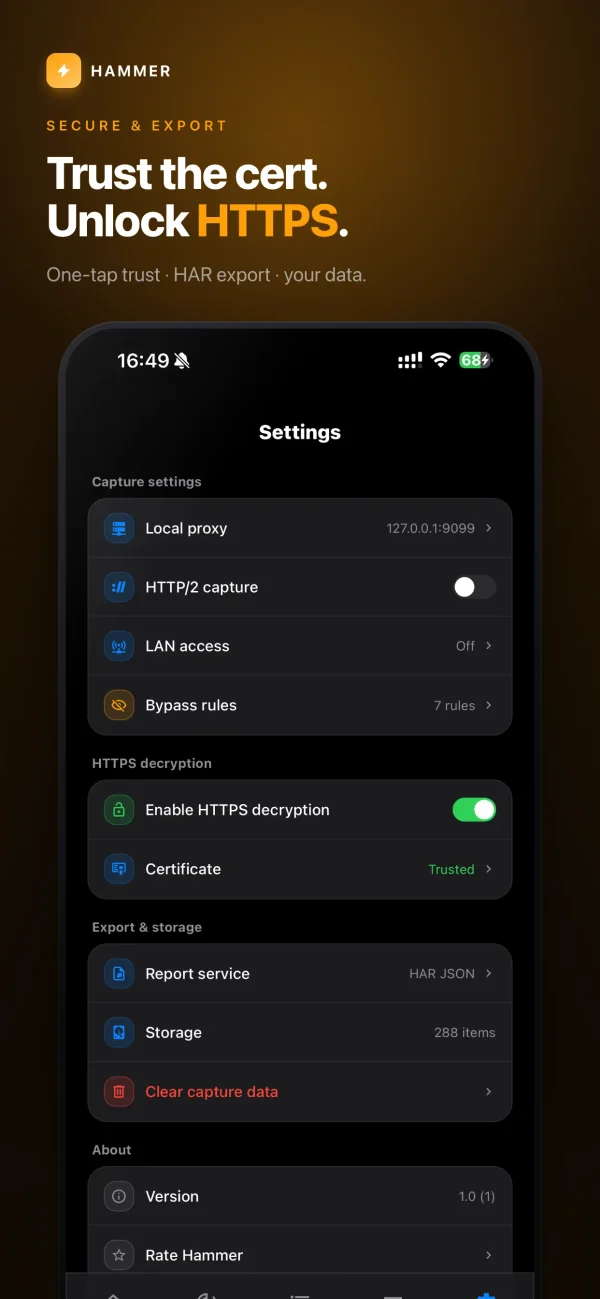
Use optional certificate-based HTTPS inspection in development, testing, or other authorized environments. Certificate installation and trust are controlled by the user through iOS Settings.
Request History
Keep capture sessions organized locally so you can revisit traffic, compare results, and investigate issues after testing.
Rules and Filters
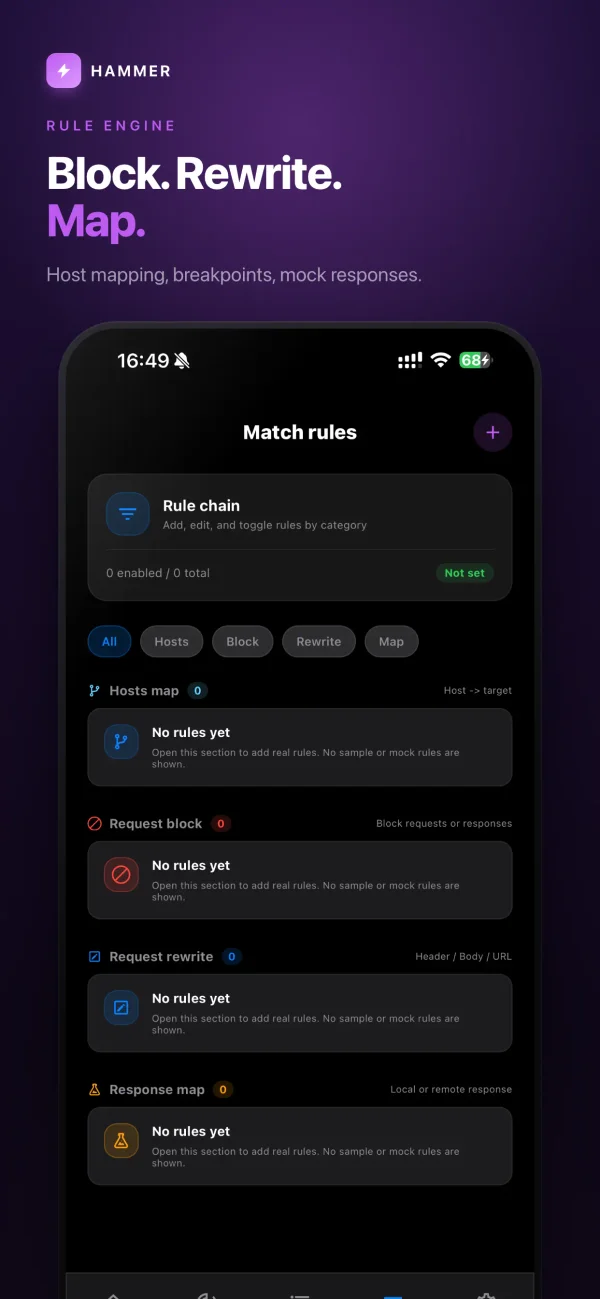
Manage rules for bypassing hosts, blocking traffic, rewriting requests, mapping responses, and controlling traffic during debugging.
HAR Export
Export captured sessions as HAR files for desktop analysis, bug reports, team collaboration, or long-term debugging records.
Local Proxy Workflow
Use Hammer's on-device Packet Tunnel and local proxy workflow to inspect traffic from apps, browsers, and services you are authorized to analyze.
Clean Debugging Interface
Work with readable request lists, structured detail views, protocol statistics, favorites, and practical tools for repeated debugging.
Local-First Privacy
Captured network content is processed and stored locally by default. Hammer does not require an account, and the Packet Tunnel does not upload captured traffic to a remote VPN server. Data leaves your device only when you explicitly export, share, or submit it through a user-initiated action.
Hammer is useful for:
• Debugging mobile app API requests
• Inspecting HTTP and HTTPS traffic
• Reviewing headers, cookies, and response bodies
• Testing backend services and REST APIs
• Checking status codes, redirects, and timing
• Exporting HAR files for issue reports
• Managing traffic rules during development
• Investigating network behavior during QA testing
Hammer is intended for legitimate development, testing, and debugging workflows. Use it only with apps, websites, services, and network traffic that you own or have permission to inspect.
新機能
バージョン 1.1 · 2026/9/17
1 - New Breakpoint Rules let you pause matching requests or responses before forwarding, then choose to continue or drop them.
2 - New Script Rules let you transform matching requests and responses with custom JavaScript.
3 - Improved rule management with search, enable/disable controls, editing, deletion, and clearer rule summaries.
4 - General stability and usability improvements.
アプリのプライバシー
このアプリのデータの取り扱いについて、BARATHEON TECHNOLOGY LIMITEDがApp Storeで申告している内容です。
-
ユーザーに関連付けられないデータ
収集される場合がありますが、ユーザーの識別情報には関連付けられません。
- ユーザーコンテンツ
- ID
プライバシーの取り扱いは、ご利用の機能やお客様の年齢などに応じて異なる場合があります。
情報
- 販売元
- BARATHEON TECHNOLOGY LIMITED
- カテゴリ
- 開発ツール
- バージョン
- 1.1
- 更新日
- 2026/9/17
- リリース
- 2026/9/11
- サイズ
- 253.1 MB
- 必要条件
- iOS 16.6以降
- 対象年齢
- 4+
- 価格
- 無料
- 言語
- 英語
- 著作権
- © Hammer.DevTeam