
HerePrint
Dirancang untuk iPhone, iPod touch
Gratis · Pembelian dalam aplikasi
- Batasan usia4+
- KategoriKegunaan
- PengembangXiamen Hanin Co.,Ltd.
- BahasaInggris+ 15 lainnya
- Ukuran344,1 MB
Tertaut ke halaman resmi App Store
Download.org tidak menyimpan file HerePrint apa pun. Tombol ini membuka halaman aplikasi di App Store, tempat Xiamen Hanin Co.,Ltd. menerbitkannya. Halaman terakhir diperiksa pada 21/11/2026.
Tangkapan layar

Tentang
Pengembang belum menyediakan teks ini dalam bahasa Anda.
[Introduction]
HerePrint is a fantastic App that support a variety of series of printers. In order to meet your different usage needs in daily printing scenarios, HerePrint can automatically select and provide corresponding features for you by judging the equipment model of the printer you hold. Therefore, whether it is office file printing, daily storage labels, or handbook making, everything can be done through HerePrint.
[How to use it]
1. Press and hold the switch to turn on the printer equipment.
2. Turn on the Bluetooth of the mobile phone.
3. Open this APP.
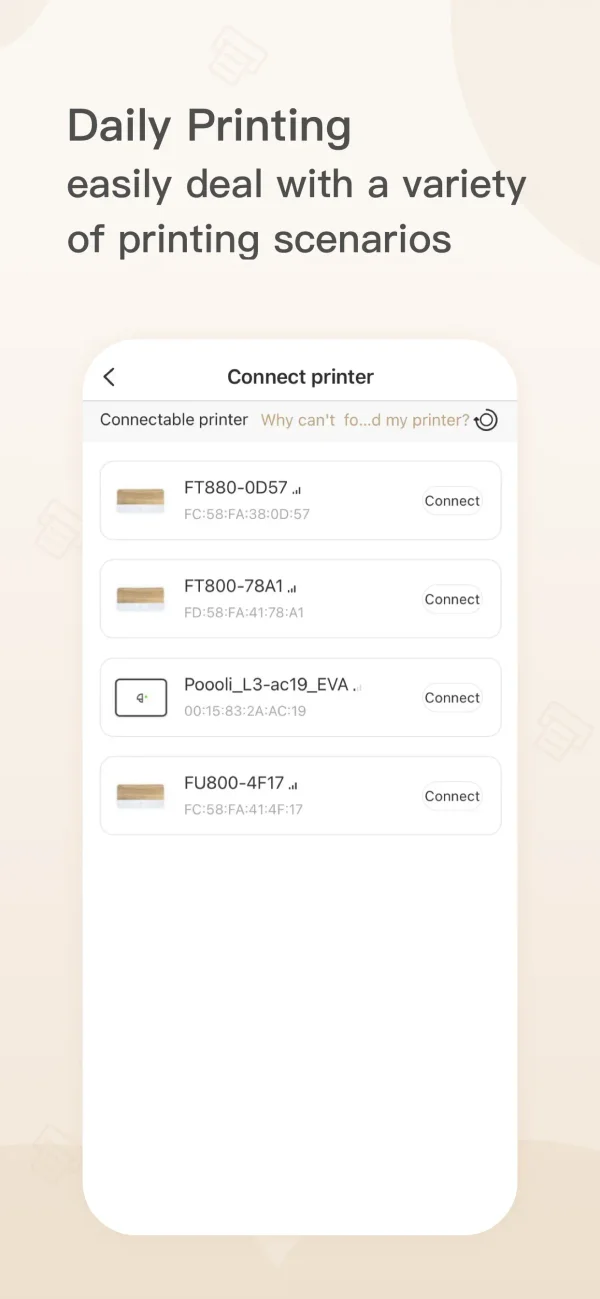
4. Click [Connect Printer] on the home page to select the printing device you want to connect.
5. Click [Connect] (Note: work printing series models need to be connected to the network, you need to connect to the WIFI network or open the mobile phone hotspot to distribute the network to the printer).
6. After the connection is successful, you can start printing!
[Features]
By using HerePrint, you can enjoy the following features
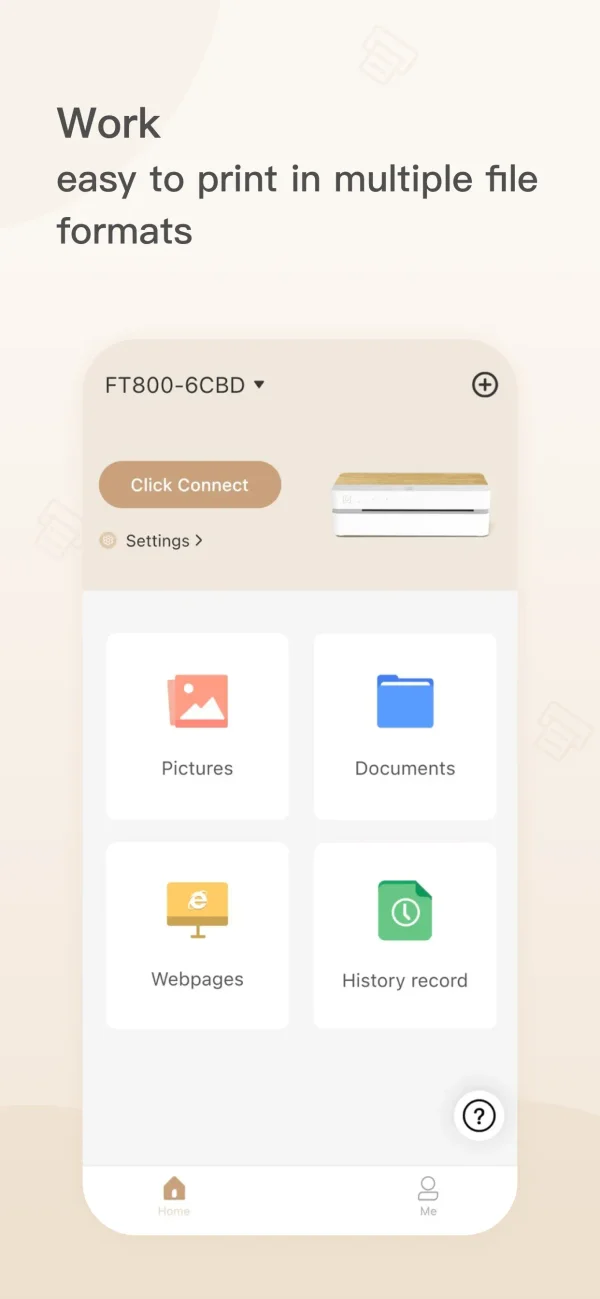
1.Office file printing: mainly used for A4, A5 printing, suitable for work printing models are mainly FU800, FT800, MT810, MT800Q, MT800
[Print pictures]: Select the pictures you need to print in the album.
[Print File]: Select and print the required file in File Explorer.
[Print webpage]: Search for the content to be printed in the browser, or print the webpage by entering the webpage address.
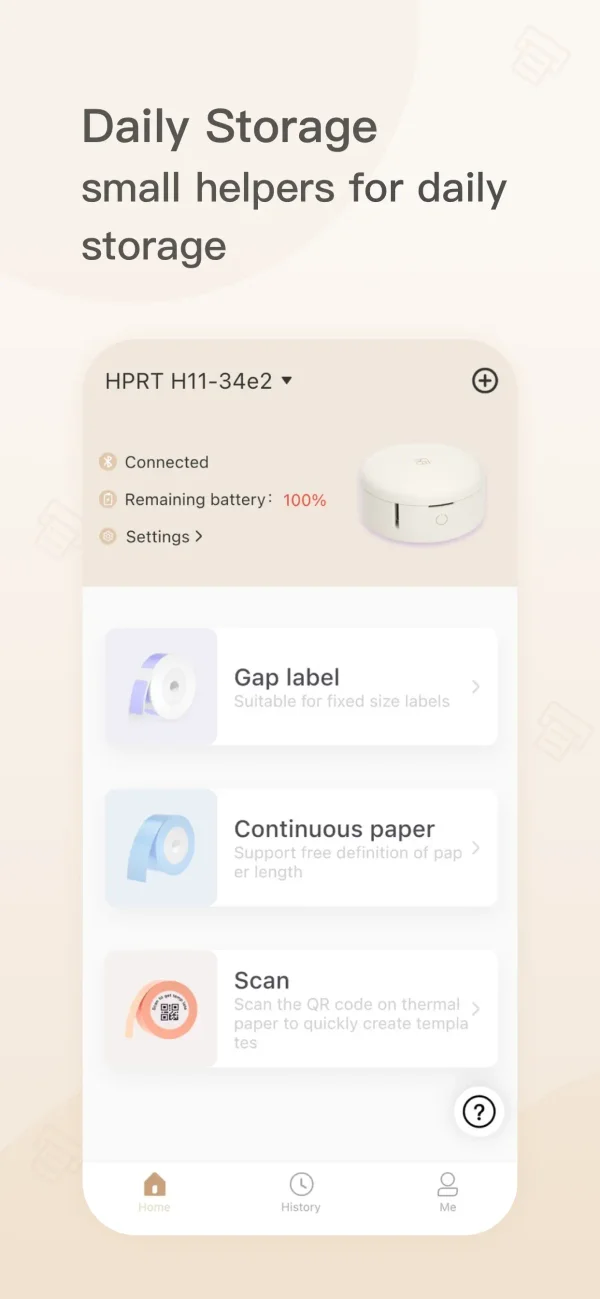
2. Daily storage labels: mainly used to print labels, suitable for daily storage printing models are mainly Qutie, M11, H11, H11 HD
[Gap Label]: Create the label content that needs to be printed, and print the label of fixed size.
[Continuous note]: Create the content of the note to be printed, and edit the length of the note freely.
[Scan Code and Touch]: Scan the QR code on the printer consumables to quickly create templates.
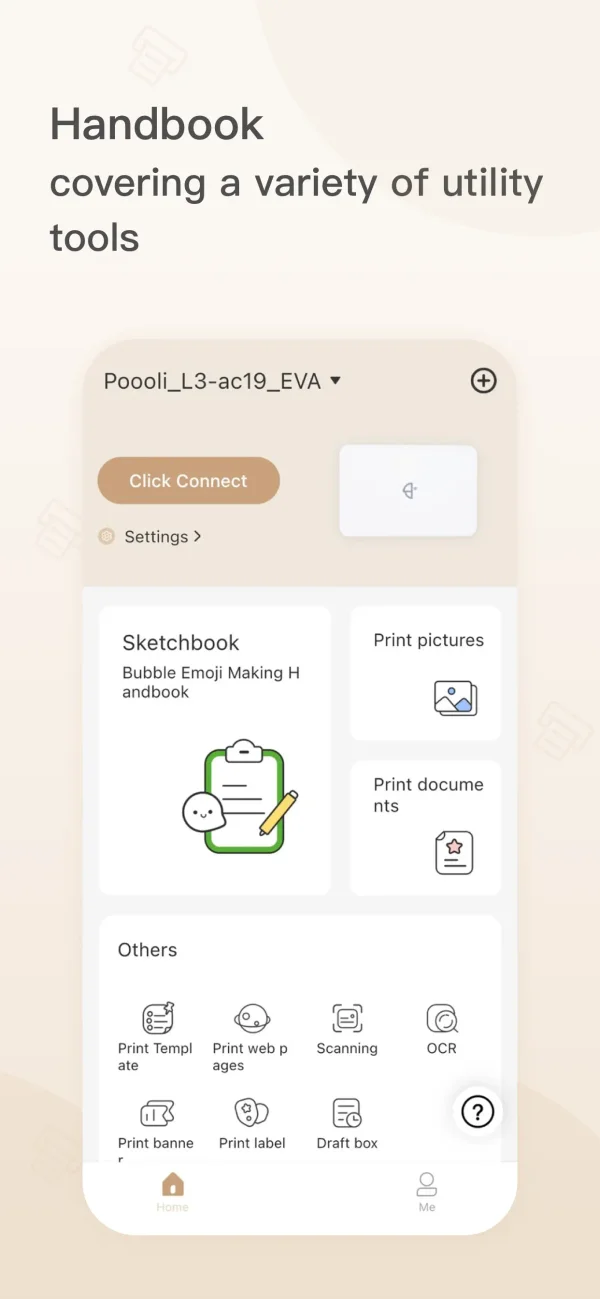
3. Handbook making: It is mainly used for custom creation and printing. The models suitable for handbook printing mainly include L1, L2, L3, L5, L5S, L8, L8S, T260, T360
[Play with Notes]: Provide a large number of materials to create personal handbook print content.
[Picture] [Doc] [Web page]: Can print a variety of file formats.
[Document Scanning] [Text Recognition]: Document scanning, OCR text extraction, your practical gadget.
[Banner] [Label]: Customize editing and create banners or labels to increase printing fun.
[Template printing]: Provide Post-it Note, list, calendar templates, free hands, save time and worry.
Customer service email: cs2@hprt.com
Yang baru
Versi 3.20.3 · 2/11/2026
- Added support for STAR-MT610 printers.
- Added support for AD-2014ADW laser printers.
- Added an App Store rating option in Settings and in-app rating prompts.
- Improved text and date layouts in the label editor.
- Improved Thai text layout and the default Japanese font.
- Improved translations and language switching.
- Improved text color and style controls.
- Corrected model information and device categories for L8 and L10 printers.
Privasi aplikasi
Yang dinyatakan Xiamen Hanin Co.,Ltd. di App Store tentang cara aplikasi ini menangani data.
-
Data yang digunakan untuk melacak Anda
Dapat digunakan untuk melacak Anda di aplikasi dan situs web milik perusahaan lain.
- Data penggunaan
-
Data yang ditautkan dengan Anda
Dapat dikumpulkan dan ditautkan dengan identitas Anda.
- Info kontak
- Pengenal
- Data penggunaan
-
Data yang tidak ditautkan dengan Anda
Dapat dikumpulkan, tetapi tidak ditautkan dengan identitas Anda.
- Lokasi
- Pengenal
- Data penggunaan
- Diagnostik
Praktik privasi dapat bervariasi, misalnya berdasarkan fitur yang Anda gunakan atau usia Anda.
Informasi
- Penjual
- Xiamen Hanin Co.,Ltd.
- Kategori
- Kegunaan
- Versi
- 3.20.3
- Diperbarui
- 2/11/2026
- Dirilis
- 21/7/2022
- Ukuran
- 344,1 MB
- Memerlukan
- iOS 13.0 atau yang lebih baru
- Batasan usia
- 4+
- Harga
- Gratis
- Pembelian dalam aplikasi
- Ya
- Bahasa
- Inggris, Cheska (Republik Cheska), Belanda, Prancis, Jerman, Italia, Jepang, Korea, Portugis, Rusia, Tionghoa Sederhana, Spanyol + 4 lainnya
- Hak cipta
- © 2025 Xiamen Hanin Co.,Ltd.