
- 対象年齢4+
- カテゴリユーティリティ
- 開発元Xiamen Hanin Co.,Ltd.
- 言語英語ほか15言語
- サイズ344.1 MB
App Storeの公式ページにリンクしています
Download.orgはHerePrintのファイルを一切ホストしていません。ボタンを押すと、Xiamen Hanin Co.,Ltd.が公開しているApp Storeのアプリページが開きます。ページの最終確認:2026/11/21。
スクリーンショット

概要
開発元はこのテキストをお使いの言語で提供していません。
[Introduction]
HerePrint is a fantastic App that support a variety of series of printers. In order to meet your different usage needs in daily printing scenarios, HerePrint can automatically select and provide corresponding features for you by judging the equipment model of the printer you hold. Therefore, whether it is office file printing, daily storage labels, or handbook making, everything can be done through HerePrint.
[How to use it]
1. Press and hold the switch to turn on the printer equipment.
2. Turn on the Bluetooth of the mobile phone.
3. Open this APP.
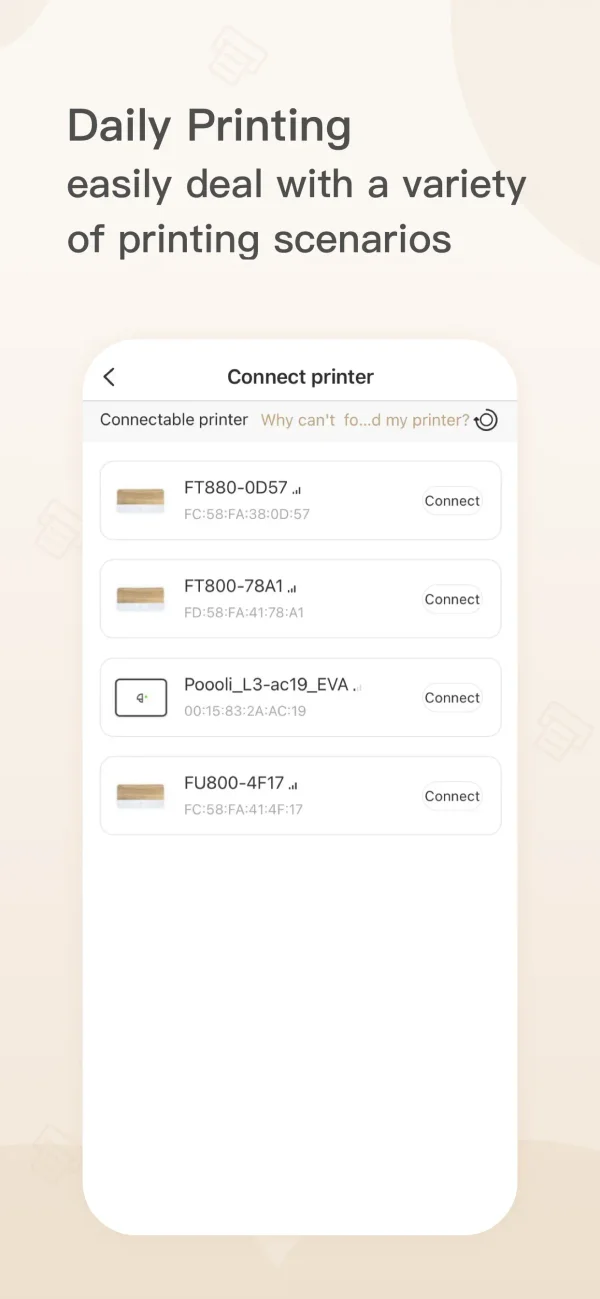
4. Click [Connect Printer] on the home page to select the printing device you want to connect.
5. Click [Connect] (Note: work printing series models need to be connected to the network, you need to connect to the WIFI network or open the mobile phone hotspot to distribute the network to the printer).
6. After the connection is successful, you can start printing!
[Features]
By using HerePrint, you can enjoy the following features
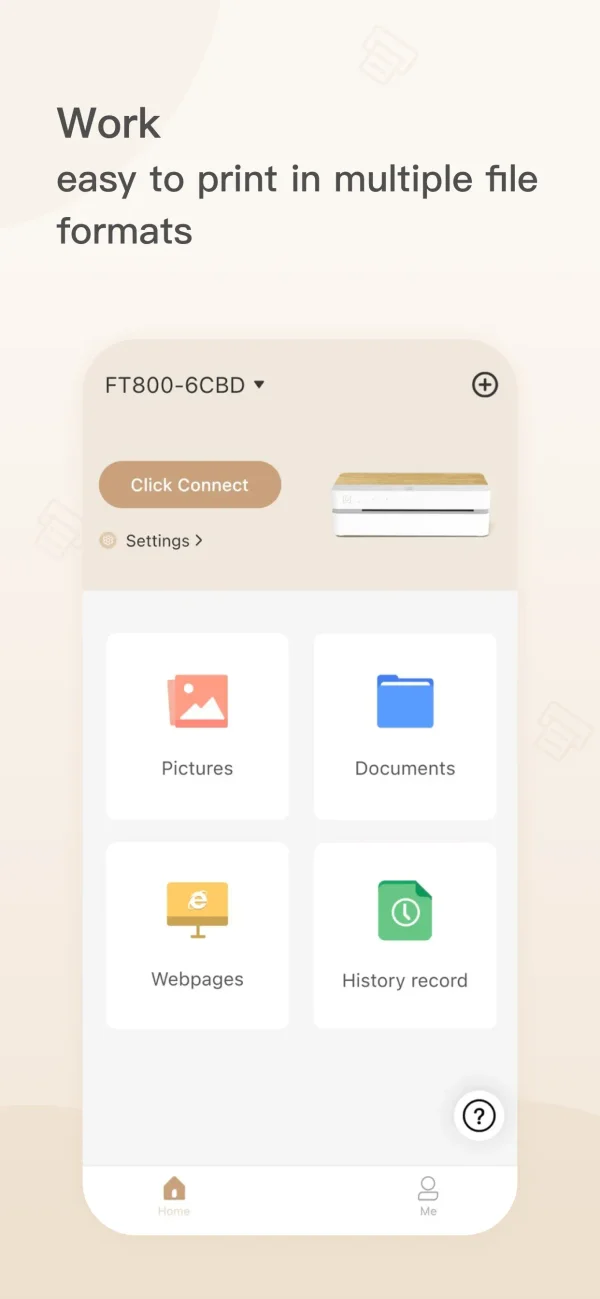
1.Office file printing: mainly used for A4, A5 printing, suitable for work printing models are mainly FU800, FT800, MT810, MT800Q, MT800
[Print pictures]: Select the pictures you need to print in the album.
[Print File]: Select and print the required file in File Explorer.
[Print webpage]: Search for the content to be printed in the browser, or print the webpage by entering the webpage address.
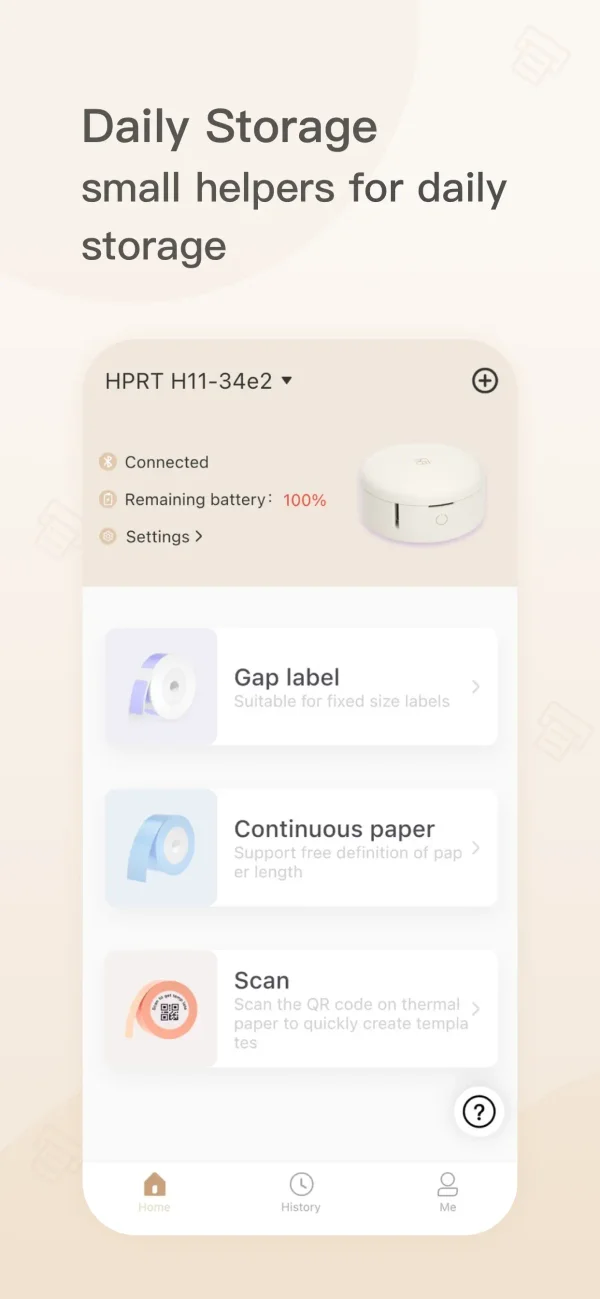
2. Daily storage labels: mainly used to print labels, suitable for daily storage printing models are mainly Qutie, M11, H11, H11 HD
[Gap Label]: Create the label content that needs to be printed, and print the label of fixed size.
[Continuous note]: Create the content of the note to be printed, and edit the length of the note freely.
[Scan Code and Touch]: Scan the QR code on the printer consumables to quickly create templates.
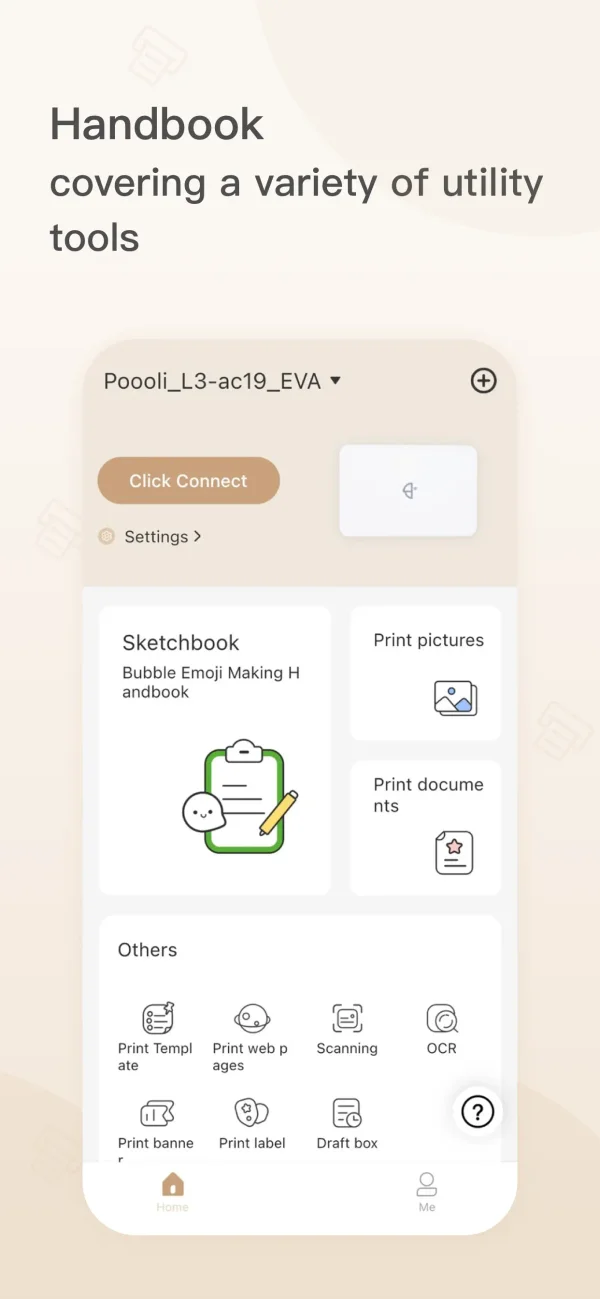
3. Handbook making: It is mainly used for custom creation and printing. The models suitable for handbook printing mainly include L1, L2, L3, L5, L5S, L8, L8S, T260, T360
[Play with Notes]: Provide a large number of materials to create personal handbook print content.
[Picture] [Doc] [Web page]: Can print a variety of file formats.
[Document Scanning] [Text Recognition]: Document scanning, OCR text extraction, your practical gadget.
[Banner] [Label]: Customize editing and create banners or labels to increase printing fun.
[Template printing]: Provide Post-it Note, list, calendar templates, free hands, save time and worry.
Customer service email: cs2@hprt.com
新機能
バージョン 3.20.3 · 2026/11/2
- Added support for STAR-MT610 printers.
- Added support for AD-2014ADW laser printers.
- Added an App Store rating option in Settings and in-app rating prompts.
- Improved text and date layouts in the label editor.
- Improved Thai text layout and the default Japanese font.
- Improved translations and language switching.
- Improved text color and style controls.
- Corrected model information and device categories for L8 and L10 printers.
アプリのプライバシー
このアプリのデータの取り扱いについて、Xiamen Hanin Co.,Ltd.がApp Storeで申告している内容です。
-
ユーザーのトラッキングに使用されるデータ
他社のアプリやウェブサイトを横断してユーザーをトラッキングする目的で使用される場合があります。
- 使用状況データ
-
ユーザーに関連付けられたデータ
収集され、ユーザーの識別情報に関連付けられる場合があります。
- 連絡先情報
- ID
- 使用状況データ
-
ユーザーに関連付けられないデータ
収集される場合がありますが、ユーザーの識別情報には関連付けられません。
- 位置情報
- ID
- 使用状況データ
- 診断
プライバシーの取り扱いは、ご利用の機能やお客様の年齢などに応じて異なる場合があります。
情報
- 販売元
- Xiamen Hanin Co.,Ltd.
- カテゴリ
- ユーティリティ
- バージョン
- 3.20.3
- 更新日
- 2026/11/2
- リリース
- 2022/7/21
- サイズ
- 344.1 MB
- 必要条件
- iOS 13.0以降
- 対象年齢
- 4+
- 価格
- 無料
- アプリ内課金
- あり
- 言語
- 英語, チェコ語, オランダ語, フランス語, ドイツ語, イタリア語, 日本語, 韓国語, ポルトガル語, ロシア語, 簡体字中国語, スペイン語 ほか4言語
- 著作権
- © 2025 Xiamen Hanin Co.,Ltd.