HumanScan
AI Text & Speech Detector
Dirancang untuk iPhone, iPad
Gratis · Pembelian dalam aplikasi
- Batasan usia4+
- KategoriKegunaan
- PengembangExcelltech Inc.
- BahasaInggris
- Ukuran3,8 MB
Tertaut ke halaman resmi App Store
Download.org tidak menyimpan file HumanScan apa pun. Tombol ini membuka halaman aplikasi di App Store, tempat Excelltech Inc. menerbitkannya. Halaman terakhir diperiksa pada 6/11/2026.
Tangkapan layar
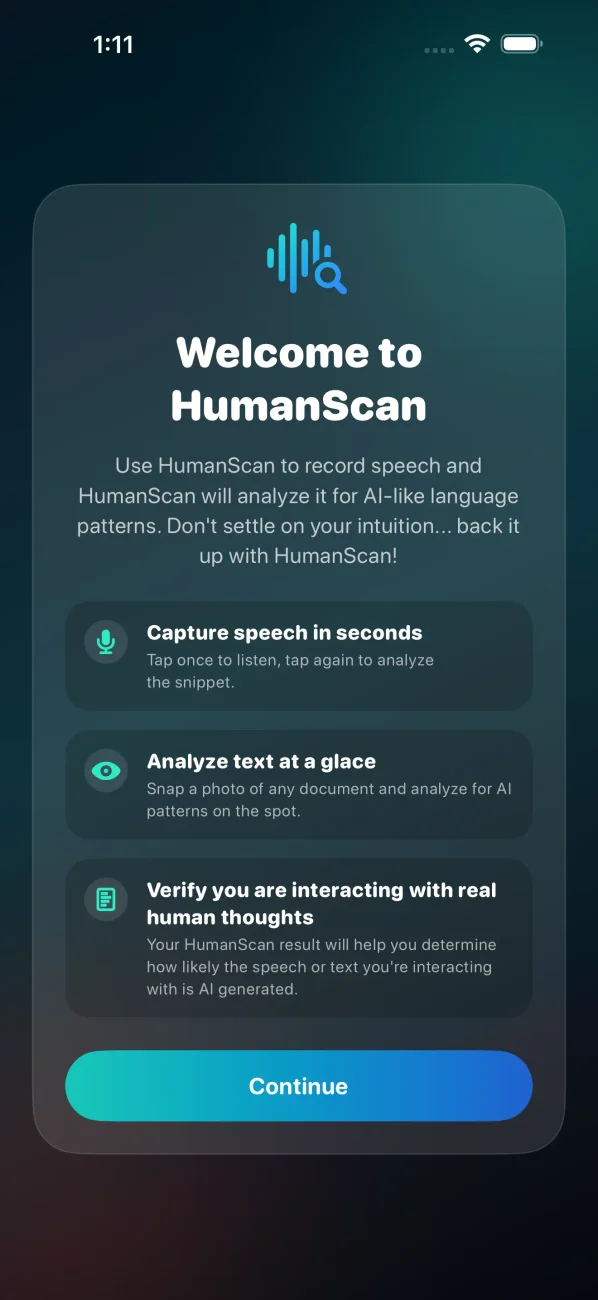
Tentang
Pengembang belum menyediakan teks ini dalam bahasa Anda.
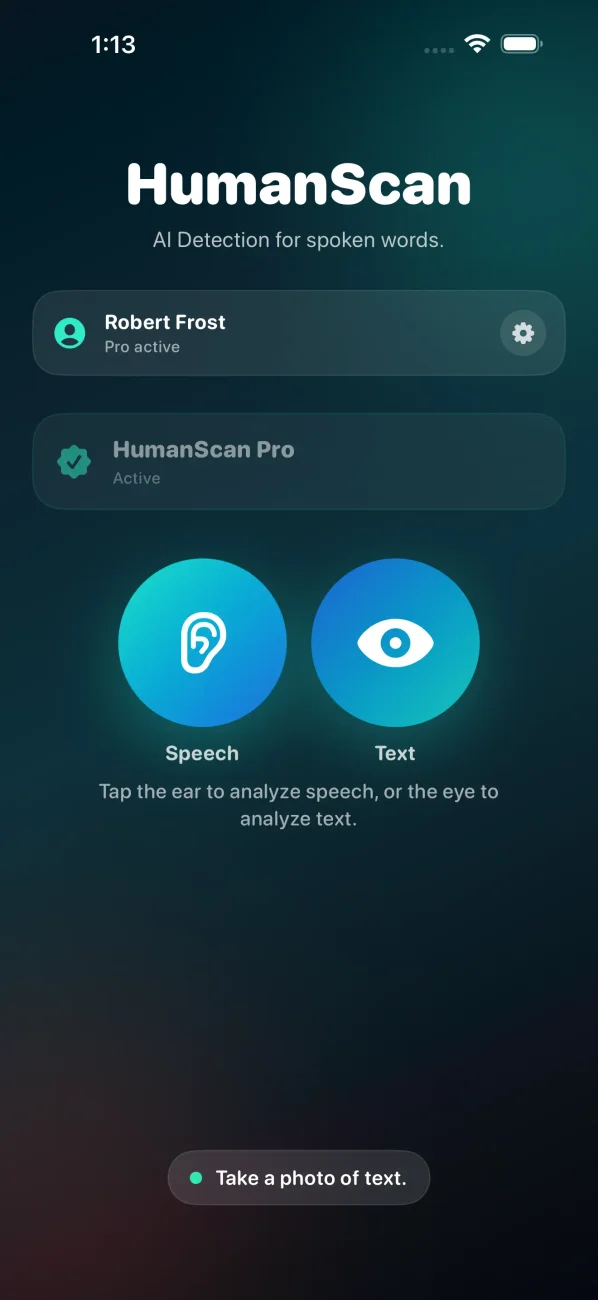
HumanScan helps you analyze spoken or written content for AI-like writing patterns.
Record a short speech sample, scan a photo of text, or review captured wording to see whether it resembles AI-generated writing. Whether you are listening to a presentation, reviewing a speech, checking a printed script, looking at notes, evaluating social content, or simply curious about how human something sounds or reads, HumanScan gives you a fast, simple way to take a closer look.
HumanScan does not analyze a person’s voice, identity, or intent. Instead, it focuses on the words themselves — the phrasing, structure, and patterns in the transcript or captured text.
How it works
Record spoken content
Capture a short speech sample and convert it into a transcript.
Scan text from a photo
Take a photo of written or printed text and use HumanScan to analyze the captured wording.
Analyze the text
HumanScan checks the wording for patterns commonly associated with AI-generated writing.
Review the result
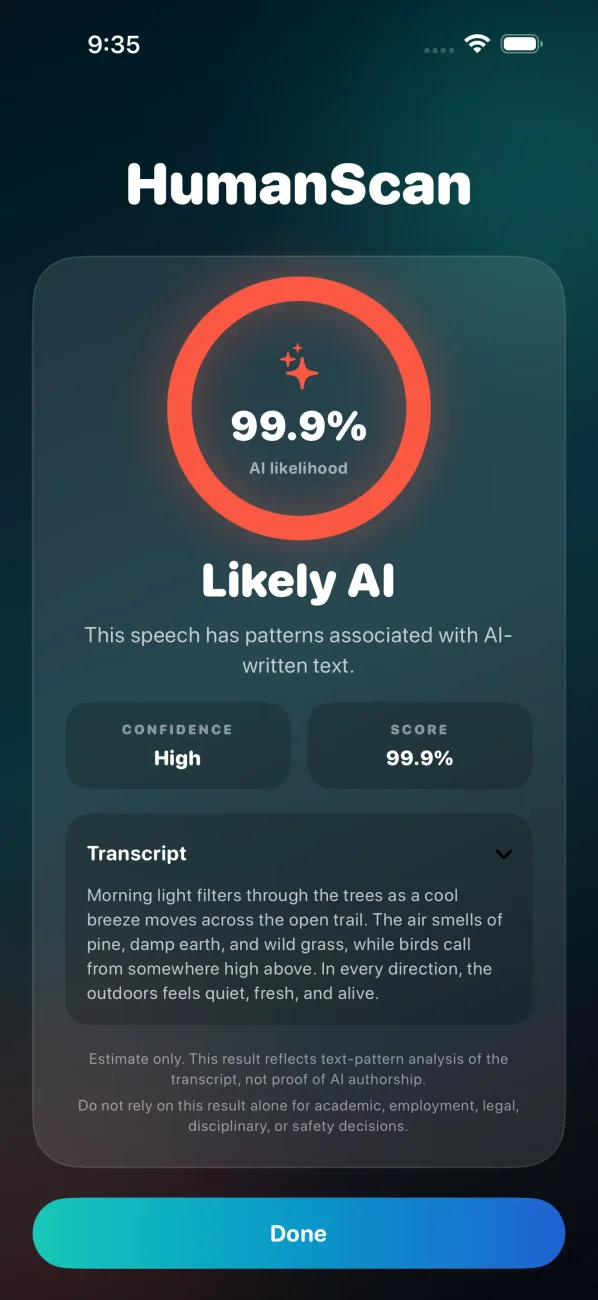
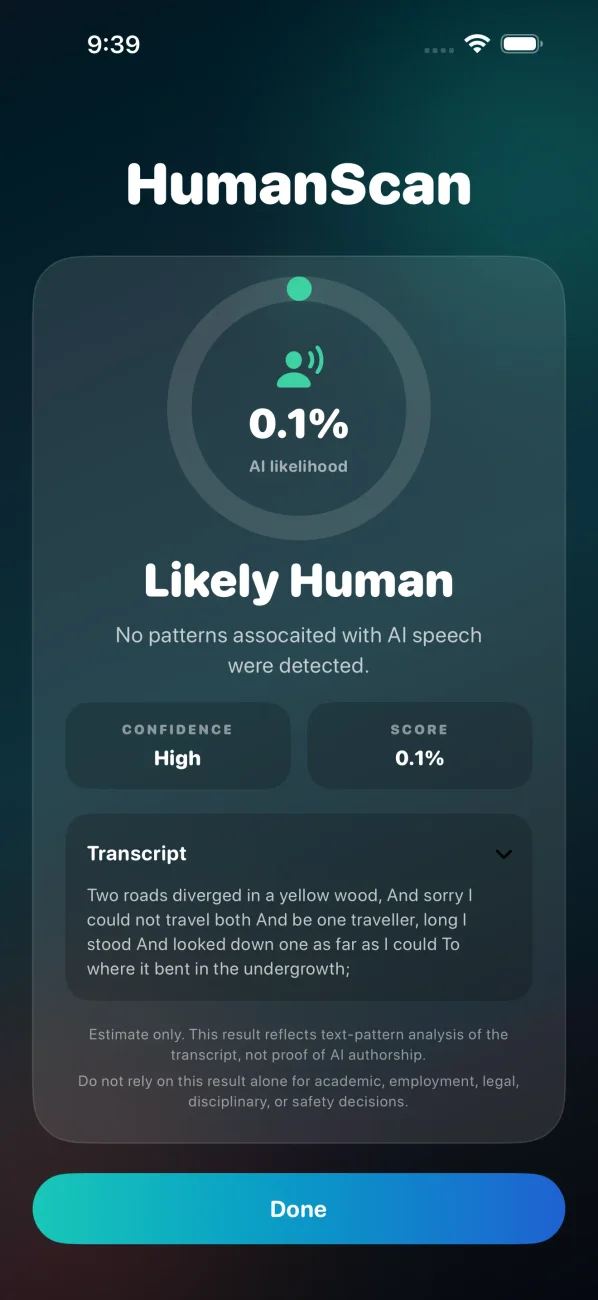
See a clear result, confidence level, and text preview so you can better understand what was analyzed.
Key features
• Record speech directly in the app
• Convert spoken words into text
• Take a photo of written or printed text
• Analyze transcripts and captured text for AI-like writing patterns
• View confidence-based results
• Review the text used for analysis
• Simple, fast, focused interface
• Designed for speeches, presentations, videos, podcasts, conversations, scripts, notes, and short written samples
HumanScan can be useful when you want to check whether content may have started as AI-written text. It is ideal for reviewing speeches, social videos, podcasts, presentations, prepared statements, lectures, sales scripts, printed notes, screenshots, handouts, or any short sample where the wording feels unusually polished, generic, or scripted.
Important note
HumanScan provides an estimate based on text analysis. It cannot prove whether someone used AI, and results should not be treated as definitive evidence. Use HumanScan as a helpful signal, not a final judgment.
HumanScan Pro
Upgrade to HumanScan Pro to unlock 100 scans per month and analyze more speech samples, transcripts, and captured text whenever you need them.
Get a fast second look at whether content sounds human, scripted, or AI-like with HumanScan.
End User License Agreement: https://www.apple.com/legal/internet-services/itunes/dev/stdeula/
Yang baru
Versi 1.01 · 8/5/2026
We've added the ability to HumanScan text from a photo capture
Privasi aplikasi
Yang dinyatakan Excelltech Inc. di App Store tentang cara aplikasi ini menangani data.
-
Data yang ditautkan dengan Anda
Dapat dikumpulkan dan ditautkan dengan identitas Anda.
- Info kontak
- Konten pengguna
- Data penggunaan
- Umgebung
-
Data yang tidak ditautkan dengan Anda
Dapat dikumpulkan, tetapi tidak ditautkan dengan identitas Anda.
- Diagnostik
Praktik privasi dapat bervariasi, misalnya berdasarkan fitur yang Anda gunakan atau usia Anda.
Informasi
- Penjual
- Excelltech Inc.
- Kategori
- Kegunaan
- Versi
- 1.01
- Diperbarui
- 8/5/2026
- Dirilis
- 16/10/2026
- Ukuran
- 3,8 MB
- Memerlukan
- iOS 26.0 atau yang lebih baru
- Batasan usia
- 4+
- Harga
- Gratis
- Pembelian dalam aplikasi
- Ya
- Bahasa
- Inggris
- Hak cipta
- © Excelltech Inc., 2026
Mungkin Anda juga suka
-
 HumanMeter - AI ScannerKegunaan
-
 VPN PortalKegunaan
-
 Units - Pro Unit ConverterKegunaan
-
 Antica - Identifikasi Antik AINilai Koin, Perangko & Antik
-
 Pintu GarasiBuka garasi melalui Bluetooth
-
 Widgets for Home AssistantKegunaan
-
 Network Analyzer Pro: IP ToolsKegunaan
-
 Coloring Pop – Buat Seni Fotokarya seni - penuh warna
-
 Secure Safior - ShieldestraKegunaan
-
 ConvertHub: Any File & FormatKegunaan