- Age rating4+
- CategoryUtilities
- DeveloperExcelltech Inc.
- LanguagesEnglish
- Size3.8 MB
Links to the official App Store page
Download.org hosts no file of HumanScan. The button opens its official App Store page, published by Excelltech Inc. Listing last checked on Nov 6, 2026.
Screenshots
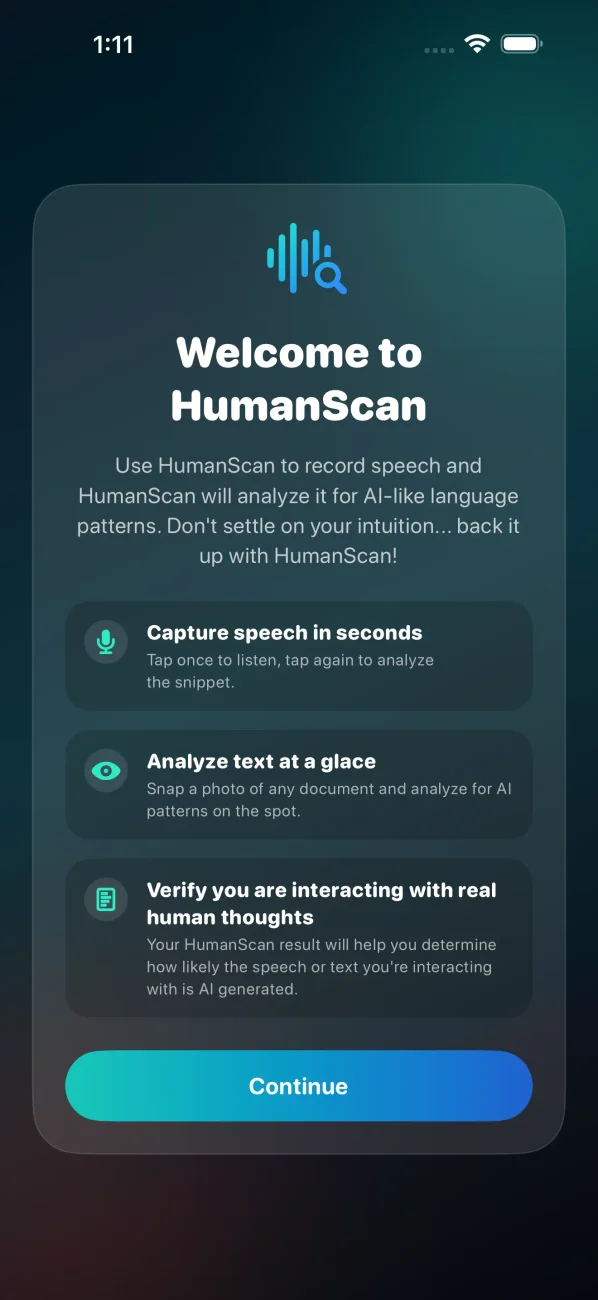
About
HumanScan helps you analyze spoken or written content for AI-like writing patterns.
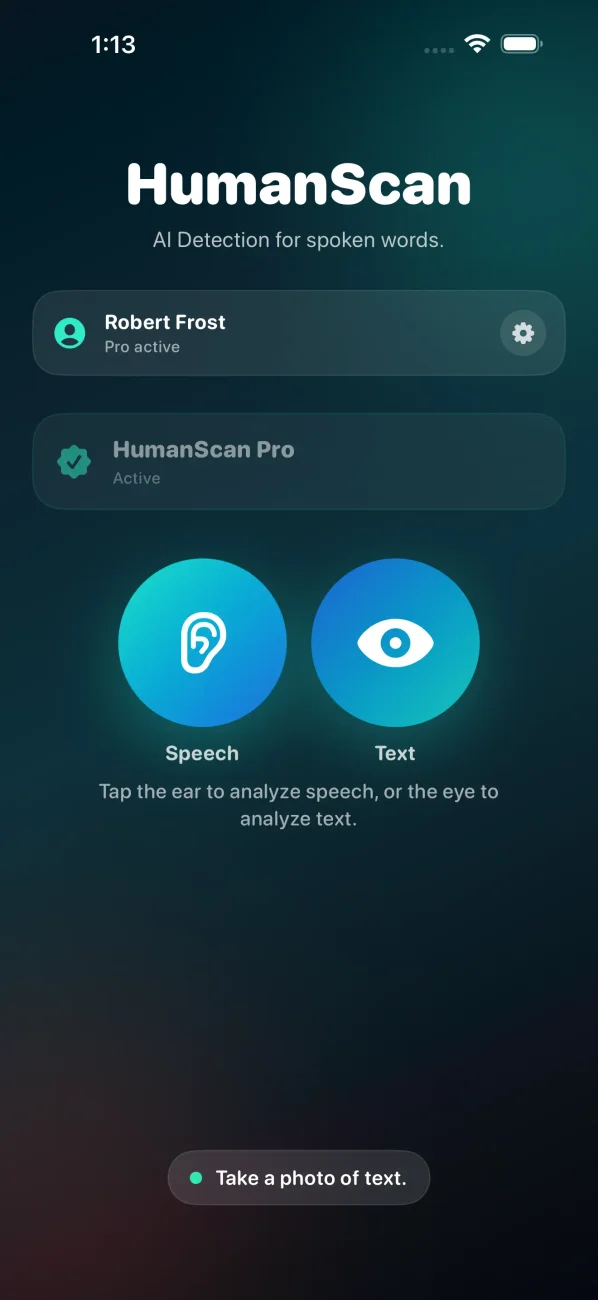
Record a short speech sample, scan a photo of text, or review captured wording to see whether it resembles AI-generated writing. Whether you are listening to a presentation, reviewing a speech, checking a printed script, looking at notes, evaluating social content, or simply curious about how human something sounds or reads, HumanScan gives you a fast, simple way to take a closer look.
HumanScan does not analyze a person’s voice, identity, or intent. Instead, it focuses on the words themselves — the phrasing, structure, and patterns in the transcript or captured text.
How it works
Record spoken content
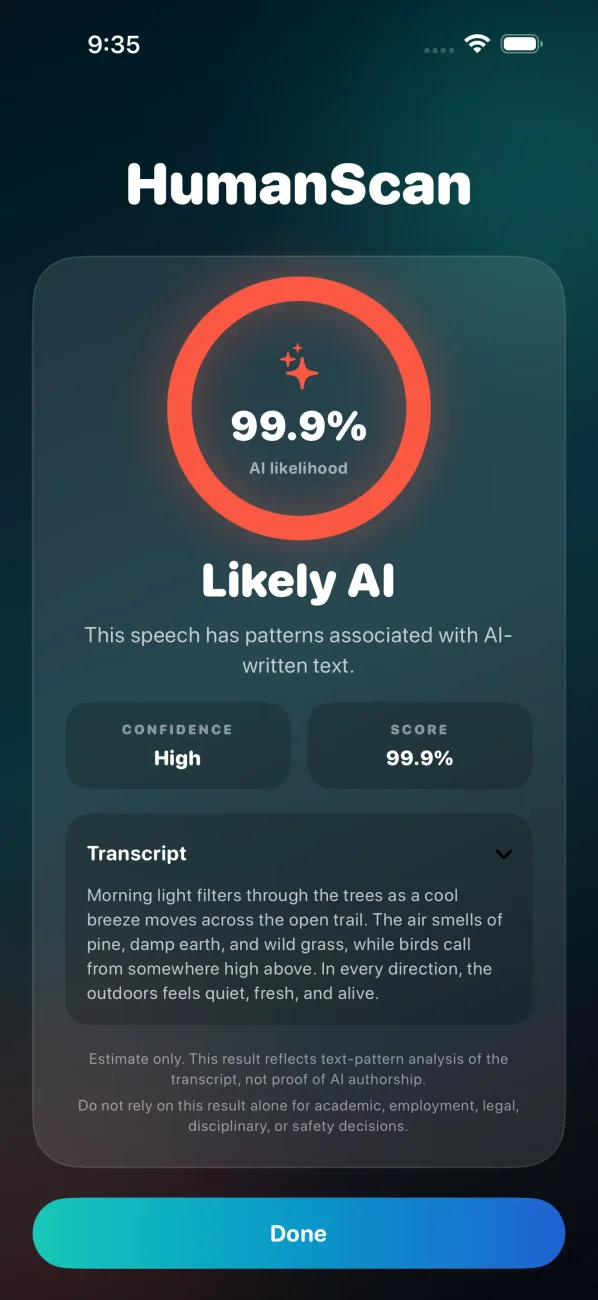
Capture a short speech sample and convert it into a transcript.
Scan text from a photo
Take a photo of written or printed text and use HumanScan to analyze the captured wording.
Analyze the text
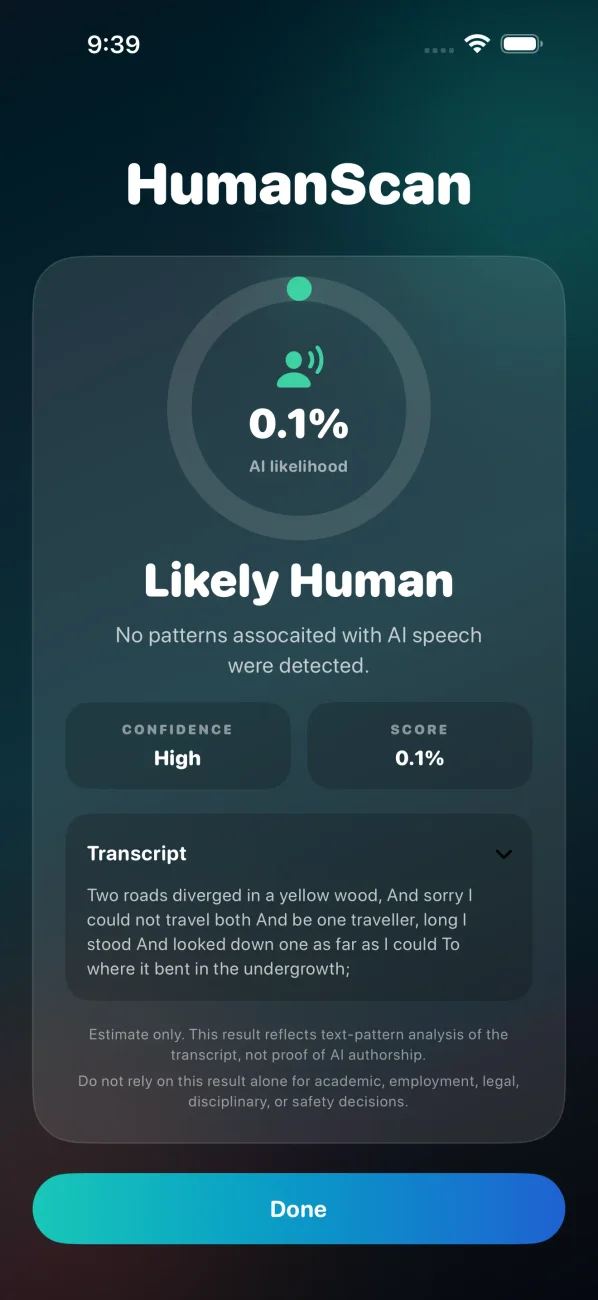
HumanScan checks the wording for patterns commonly associated with AI-generated writing.
Review the result
See a clear result, confidence level, and text preview so you can better understand what was analyzed.
Key features
• Record speech directly in the app
• Convert spoken words into text
• Take a photo of written or printed text
• Analyze transcripts and captured text for AI-like writing patterns
• View confidence-based results
• Review the text used for analysis
• Simple, fast, focused interface
• Designed for speeches, presentations, videos, podcasts, conversations, scripts, notes, and short written samples
HumanScan can be useful when you want to check whether content may have started as AI-written text. It is ideal for reviewing speeches, social videos, podcasts, presentations, prepared statements, lectures, sales scripts, printed notes, screenshots, handouts, or any short sample where the wording feels unusually polished, generic, or scripted.
Important note
HumanScan provides an estimate based on text analysis. It cannot prove whether someone used AI, and results should not be treated as definitive evidence. Use HumanScan as a helpful signal, not a final judgment.
HumanScan Pro
Upgrade to HumanScan Pro to unlock 100 scans per month and analyze more speech samples, transcripts, and captured text whenever you need them.
Get a fast second look at whether content sounds human, scripted, or AI-like with HumanScan.
End User License Agreement: https://www.apple.com/legal/internet-services/itunes/dev/stdeula/
What’s new
Version 1.01 · May 8, 2026
We've added the ability to HumanScan text from a photo capture
App privacy
What Excelltech Inc. declares on the App Store about how this app handles data.
-
Data linked to you
May be collected and linked to your identity.
- Contact info
- User content
- Usage data
- Umgebung
-
Data not linked to you
May be collected but is not linked to your identity.
- Diagnostics
Privacy practices may vary, for example with the features you use or your age.
Information
- Seller
- Excelltech Inc.
- Category
- Utilities
- Version
- 1.01
- Updated
- May 8, 2026
- Released
- Oct 16, 2026
- Size
- 3.8 MB
- Requires
- iOS 26.0 or later
- Age rating
- 4+
- In-app purchases
- Yes
- Languages
- English
- Copyright
- © Excelltech Inc., 2026
You might also like
-
 HumanMeter - AI ScannerVideo, Photo, Audio & Text
-
 VPN PortalSecure & Fast VPN Connection
-
 Units - Pro Unit ConverterConvert 800+ units & currency
-
 Antica - AI Antique IdentifierID Coin, Stamp Value Appraiser
-
 Garage Door ControlOpen the garage via Bluetooth
-
 Widgets for Home AssistantHome Assistant Widgets
-
 Network Analyzer Pro: IP ToolsWiFi scanner & internet speed
-
 Coloring Pop – Make Photo Artartwork - fun, & colorful
-
 Secure Safior - ShieldestraUtilities
-
 ConvertHub: Any File & FormatFile Photo Video & Audio