
Internet Quality
WiFi & Network AR Analyzer
Dirancang untuk iPhone, iPad
Gratis · Pembelian dalam aplikasi
- Batasan usia4+
- KategoriKegunaan
- PengembangRastislav Cervenak
- BahasaInggris
- Ukuran40,5 MB
Tertaut ke halaman resmi App Store
Download.org tidak menyimpan file Internet Quality apa pun. Tombol ini membuka halaman aplikasi di App Store, tempat Rastislav Cervenak menerbitkannya. Halaman terakhir diperiksa pada 25/11/2026.
Tangkapan layar
Tentang
Pengembang belum menyediakan teks ini dalam bahasa Anda.
Internet Quality finds what's wrong with your connection, maps your Wi-Fi room by room and keeps a live score on your router and your internet.
FIND OUT WHAT'S WRONG
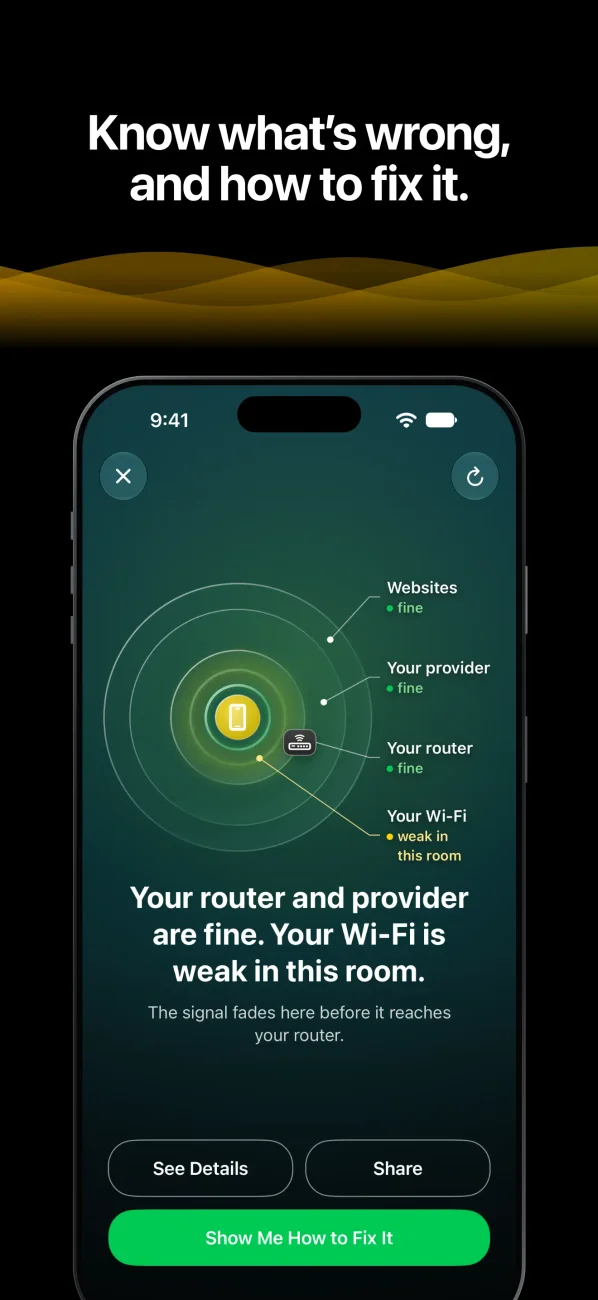
Tap Check Your Connection. In about a minute, Internet Quality tests your Wi-Fi, router, provider, DNS and websites, then names the part at fault in plain words, or tells you all is well.
• Step-by-step fixes for a weak room, websites that are slow to find, a lost connection, or a line that fills up when your home is busy
• Works on mobile data too
• Check with a helper (Pro): a second iPhone or iPad on your Wi-Fi shows whether your Wi-Fi or your internet holds you back
• A report for your provider (Pro): proof to send when the fault is theirs
• Your recent checks and saved AR maps wait in History
WI-FI OR INTERNET? SEE IT LIVE
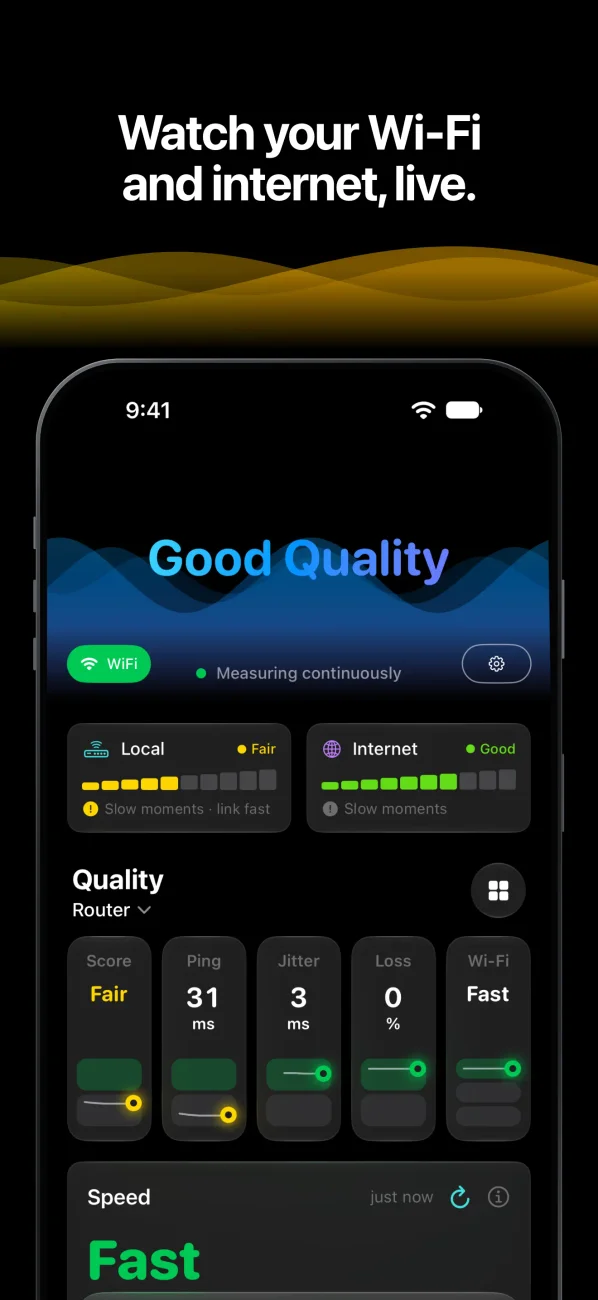
A live quality score, charted as it happens, with your router and your internet rated on their own, so you know whether it's your Wi-Fi or your provider.
• Excellent, Good, Fair, Poor or Critical at a glance
• Router and Internet each name the cause when something slips
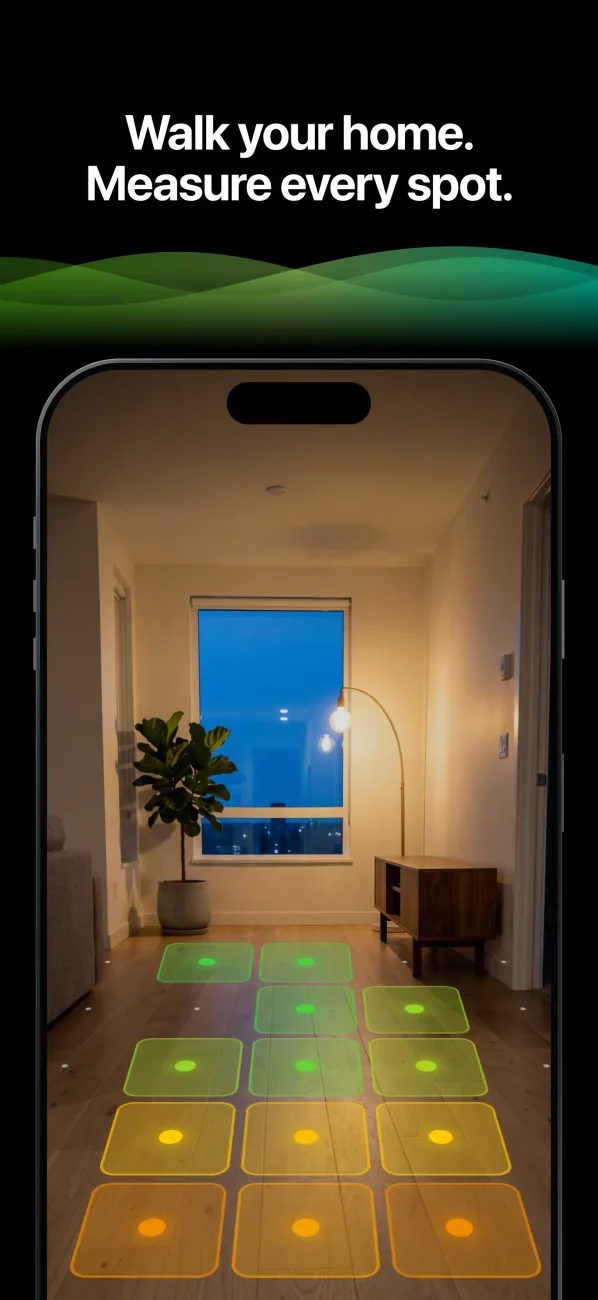
AR WI-FI MAP
Walk through your home with your iPhone camera and see each spot you pass colored by quality.
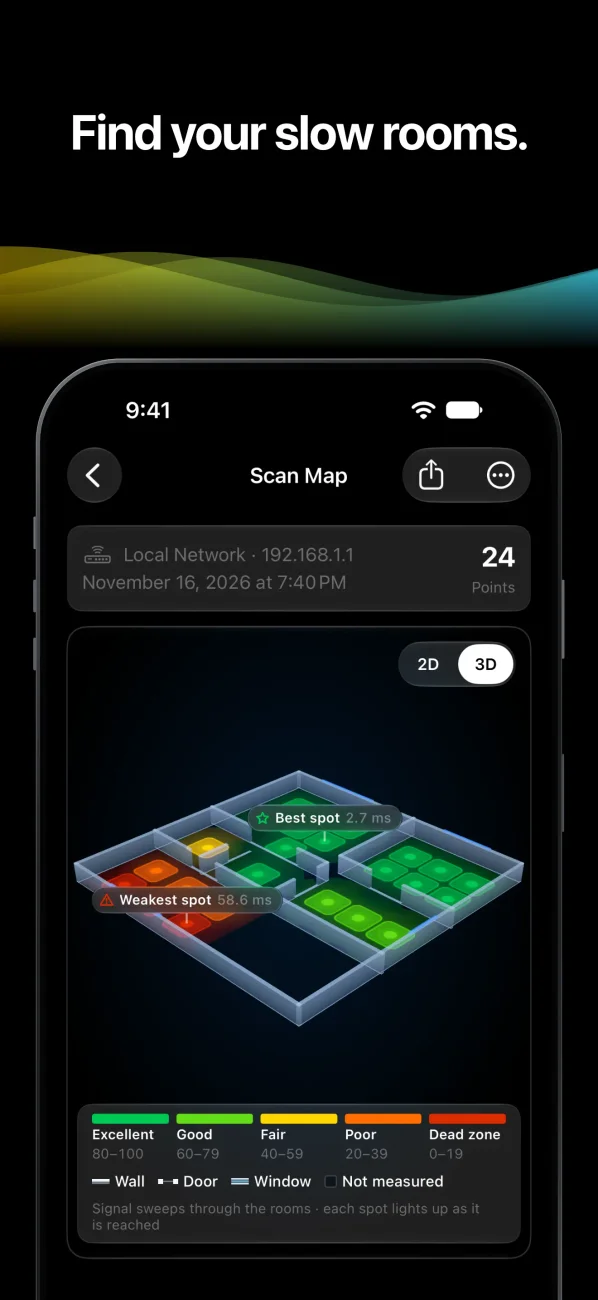
• A heat map fitted to your real room outline
• Revisit every saved scan as a 2D floor plan or a 3D map, with your best and weakest spots marked
• Share it as a post or story image
WHY NOT SIGNAL STRENGTH (dBm)?
iOS doesn't let apps read Wi-Fi signal strength, so Internet Quality shows what matters more: how well your Wi-Fi actually works where you stand.
SPEED TESTS
• Quick internet speed check, free
• Deep test: your exact download and upload (Pro)
• Wi-Fi link test: see what your Wi-Fi can really carry next to your internet speed, so you know whether a new router or a mesh point would help (Pro)
ALWAYS AT HAND
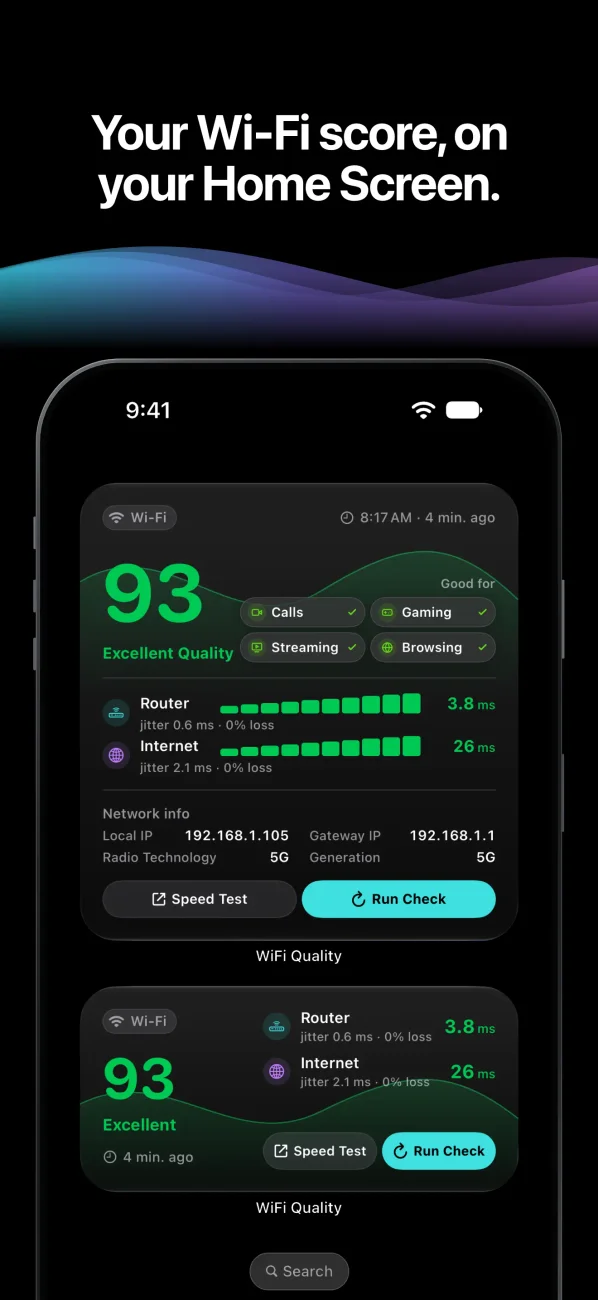
• A Home Screen widget with your connection quality and a one-tap re-check
• Network details: Wi-Fi name and connection type
• Customizable dashboard, designed for iPhone and iPad with Liquid Glass
PRO
• Full Connection Checks: see every number, check with a helper, and send your provider a report
• Connection Insights: jitter, packet loss, latency history, IPs and connection details
• Internet and Wi-Fi speed tests: exact download and upload, plus what your Wi-Fi can really carry
• Unlimited AR heat maps
• Advanced widgets: live internet monitoring on your Home Screen
• Pro Analytics: advanced charts, scores and trend tracking
Yang baru
Versi 4.1.1 · 24/11/2026
Improved the Wi-Fi speed test: when you check your connection, your Wi-Fi speed is now more accurate.
Privasi aplikasi
Yang dinyatakan Rastislav Cervenak di App Store tentang cara aplikasi ini menangani data.
-
Data yang tidak ditautkan dengan Anda
Dapat dikumpulkan, tetapi tidak ditautkan dengan identitas Anda.
- Data penggunaan
- Diagnostik
- Data lainnya
Praktik privasi dapat bervariasi, misalnya berdasarkan fitur yang Anda gunakan atau usia Anda.
Informasi
- Penjual
- Rastislav Cervenak
- Kategori
- Kegunaan
- Versi
- 4.1.1
- Diperbarui
- 24/11/2026
- Dirilis
- 31/8/2019
- Ukuran
- 40,5 MB
- Memerlukan
- iOS 26.0 atau yang lebih baru
- Batasan usia
- 4+
- Harga
- Gratis
- Pembelian dalam aplikasi
- Ya
- Bahasa
- Inggris
- Hak cipta
- © Rastislav Cervenak
Mungkin Anda juga suka
-
 NetSpot WiFi AnalyzerKegunaan
-
 Wifi Signal Strength AnalyzerKegunaan
-
 AR WiFi&5GKegunaan
-
 Penganalisis JaringanPemindai Jaringan, Pemindai IP
-
 Network UtilityKegunaan
-
 NetScan - wifi analyzerip & Network scanner - Ping
-
 Analyzer WiFiKegunaan
-
 Network Analyzer: WiFi ScanKegunaan
-
 Network Analyzer Pro: IP ToolsKegunaan
-
 Ubiquiti WiFimanKegunaan