
Internet Quality
WiFi & Network AR Analyzer
Được thiết kế cho iPhone, iPad
Miễn phí · Mua hàng trong ứng dụng
- Độ tuổi4+
- Danh mụcTiện Ích
- Nhà phát triểnRastislav Cervenak
- Ngôn ngữTiếng Anh
- Kích thước40,5 MB
Liên kết đến trang App Store chính thức
Download.org không lưu trữ tệp nào của Internet Quality. Nút này mở trang ứng dụng trên App Store, nơi Rastislav Cervenak phát hành ứng dụng. Trang được kiểm tra lần cuối: 25/11/2026.
Ảnh chụp màn hình
Giới thiệu
Nhà phát triển chưa cung cấp nội dung này bằng ngôn ngữ của bạn.
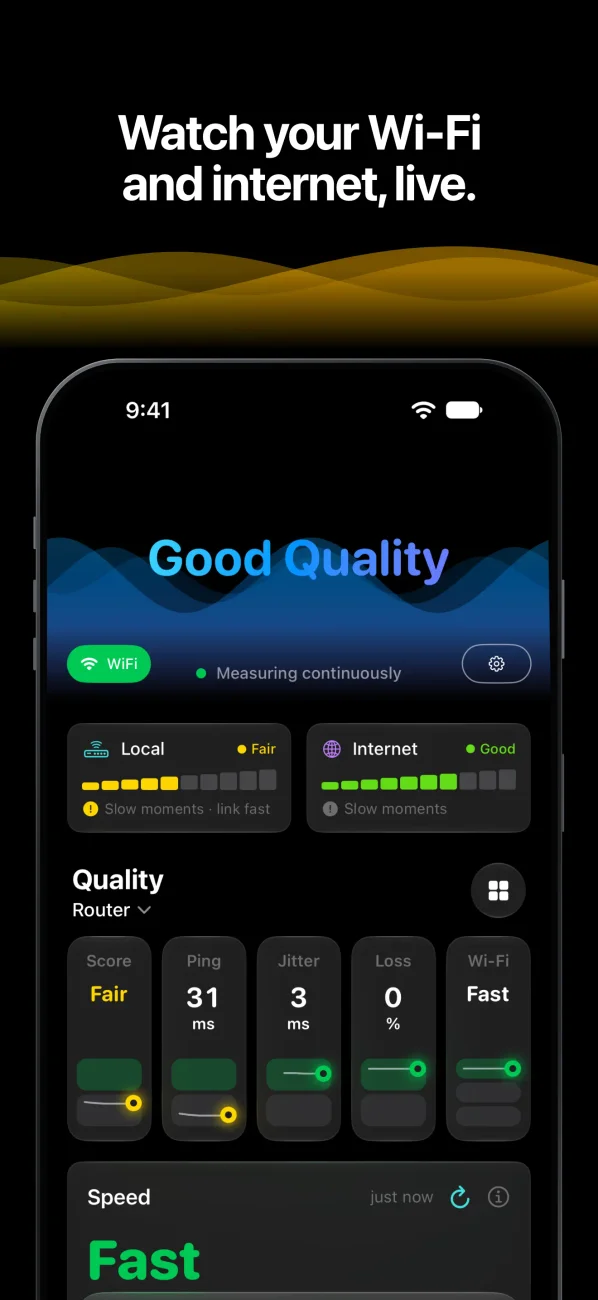
Internet Quality finds what's wrong with your connection, maps your Wi-Fi room by room and keeps a live score on your router and your internet.
FIND OUT WHAT'S WRONG
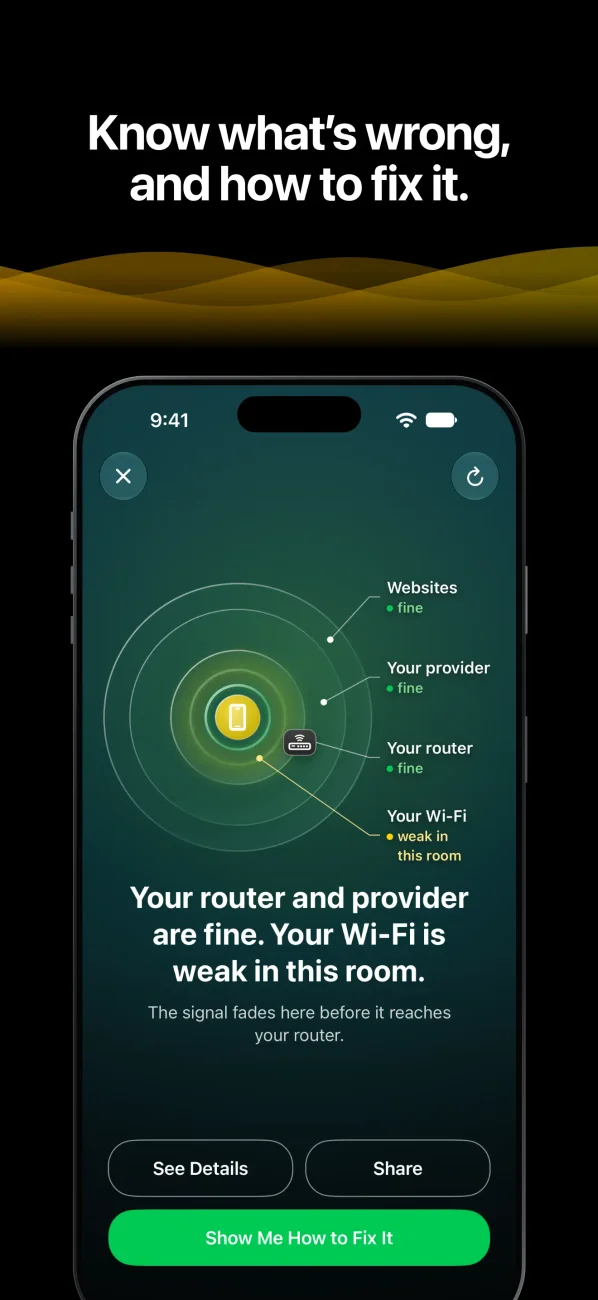
Tap Check Your Connection. In about a minute, Internet Quality tests your Wi-Fi, router, provider, DNS and websites, then names the part at fault in plain words, or tells you all is well.
• Step-by-step fixes for a weak room, websites that are slow to find, a lost connection, or a line that fills up when your home is busy
• Works on mobile data too
• Check with a helper (Pro): a second iPhone or iPad on your Wi-Fi shows whether your Wi-Fi or your internet holds you back
• A report for your provider (Pro): proof to send when the fault is theirs
• Your recent checks and saved AR maps wait in History
WI-FI OR INTERNET? SEE IT LIVE
A live quality score, charted as it happens, with your router and your internet rated on their own, so you know whether it's your Wi-Fi or your provider.
• Excellent, Good, Fair, Poor or Critical at a glance
• Router and Internet each name the cause when something slips
AR WI-FI MAP
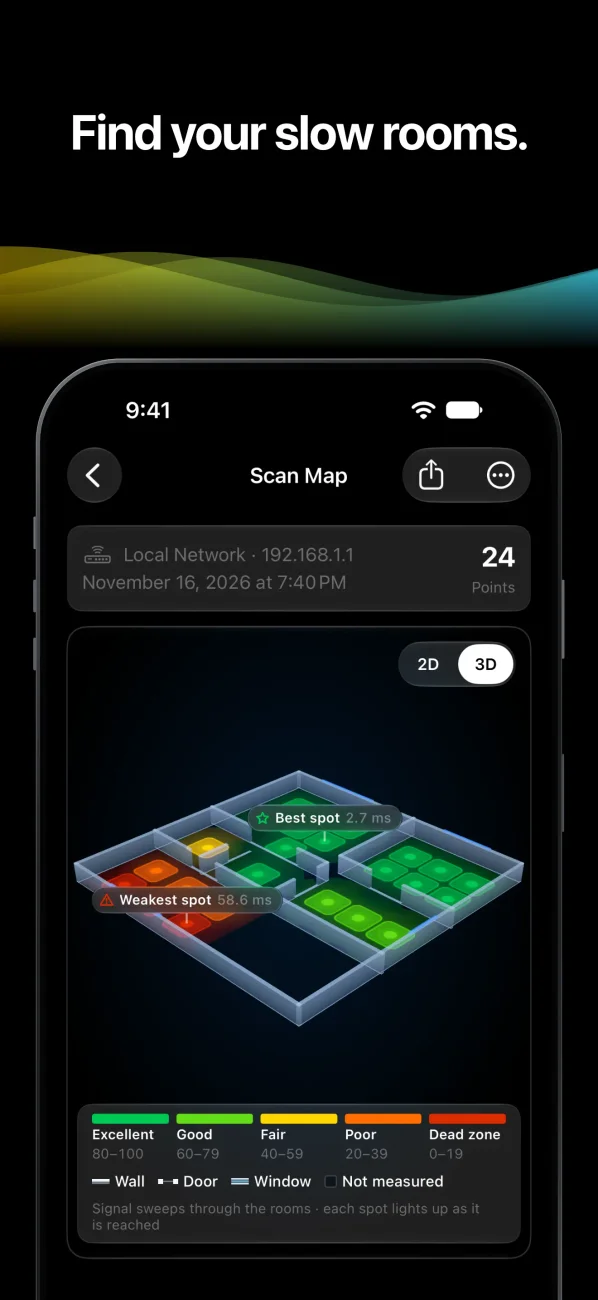
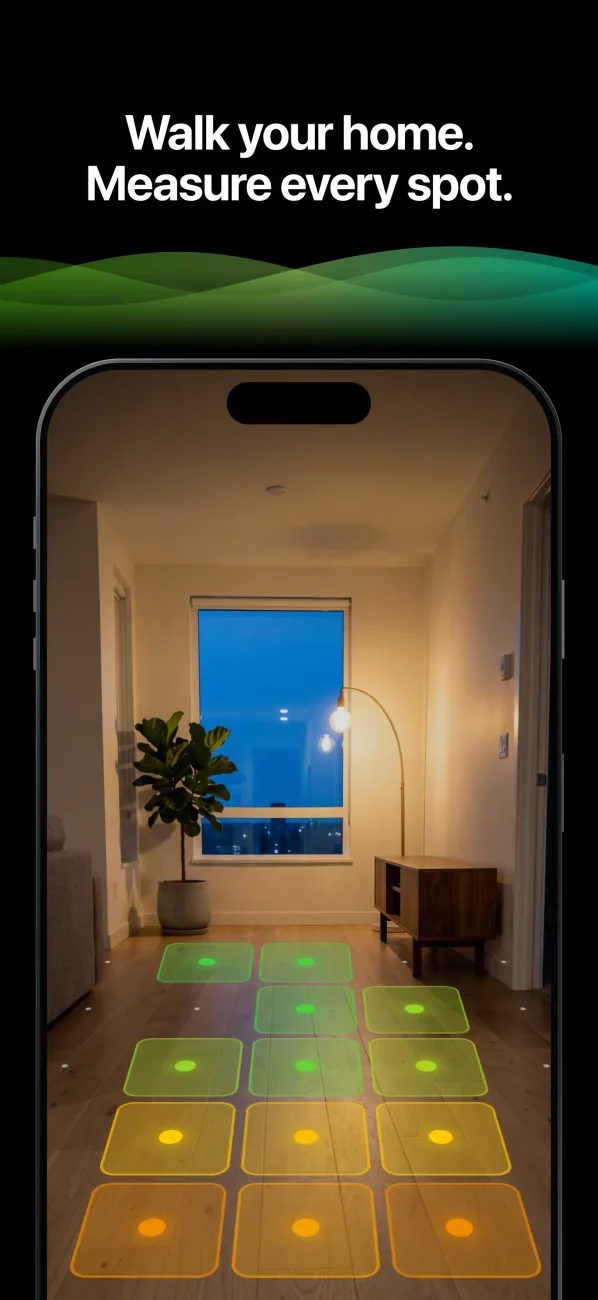
Walk through your home with your iPhone camera and see each spot you pass colored by quality.
• A heat map fitted to your real room outline
• Revisit every saved scan as a 2D floor plan or a 3D map, with your best and weakest spots marked
• Share it as a post or story image
WHY NOT SIGNAL STRENGTH (dBm)?
iOS doesn't let apps read Wi-Fi signal strength, so Internet Quality shows what matters more: how well your Wi-Fi actually works where you stand.
SPEED TESTS
• Quick internet speed check, free
• Deep test: your exact download and upload (Pro)
• Wi-Fi link test: see what your Wi-Fi can really carry next to your internet speed, so you know whether a new router or a mesh point would help (Pro)
ALWAYS AT HAND
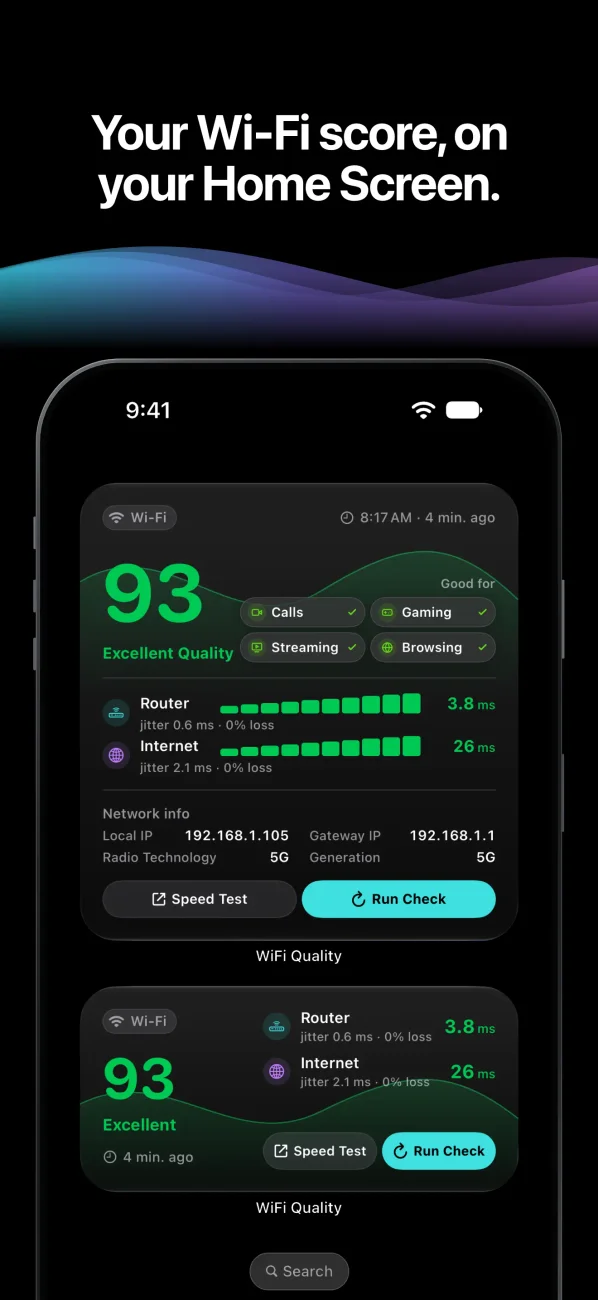
• A Home Screen widget with your connection quality and a one-tap re-check
• Network details: Wi-Fi name and connection type
• Customizable dashboard, designed for iPhone and iPad with Liquid Glass
PRO
• Full Connection Checks: see every number, check with a helper, and send your provider a report
• Connection Insights: jitter, packet loss, latency history, IPs and connection details
• Internet and Wi-Fi speed tests: exact download and upload, plus what your Wi-Fi can really carry
• Unlimited AR heat maps
• Advanced widgets: live internet monitoring on your Home Screen
• Pro Analytics: advanced charts, scores and trend tracking
Có gì mới
Phiên bản 4.1.1 · 24/11/2026
Improved the Wi-Fi speed test: when you check your connection, your Wi-Fi speed is now more accurate.
Quyền riêng tư của ứng dụng
Những gì Rastislav Cervenak khai báo trên App Store về cách ứng dụng này xử lý dữ liệu.
-
Dữ liệu không liên kết với bạn
Có thể được thu thập nhưng không liên kết với danh tính của bạn.
- Dữ liệu sử dụng
- Chẩn đoán
- Dữ liệu khác
Phương thức đảm bảo quyền riêng tư có thể khác nhau, chẳng hạn như tuỳ theo các tính năng bạn sử dụng hoặc độ tuổi của bạn.
Thông tin
- Người bán
- Rastislav Cervenak
- Danh mục
- Tiện Ích
- Phiên bản
- 4.1.1
- Cập nhật
- 24/11/2026
- Phát hành
- 31/08/2019
- Kích thước
- 40,5 MB
- Yêu cầu
- iOS 26.0 trở lên
- Độ tuổi
- 4+
- Giá
- Miễn phí
- Mua hàng trong ứng dụng
- Có
- Ngôn ngữ
- Tiếng Anh
- Bản quyền
- © Rastislav Cervenak
Có thể bạn cũng thích
-
 NetSpot WiFi AnalyzerTiện Ích
-
 Wifi Signal Strength AnalyzerTiện Ích
-
 AR WiFi&5GTiện Ích
-
 Phân Tích Mạng: Máy Quét WiFiPhân Tích WiFi, Máy Quét Mạng
-
 Network UtilityTiện Ích
-
 NetScan - wifi analyzerip & Network scanner - Ping
-
 Analyzer WiFiTiện Ích
-
 Network Analyzer: WiFi ScanTiện Ích
-
 Network Analyzer Pro: IP ToolsTiện Ích
-
 Ubiquiti WiFimanTiện Ích