Loopdrill - Music Practice
Slow Down & Loop Music
Dirancang untuk iPhone, iPad, Mac
Gratis · Pembelian dalam aplikasi
- Batasan usia4+
- KategoriMusik
- PengembangHyeong-soo Kim
- BahasaInggris+ 4 lainnya
- Ukuran3,4 MB
Tertaut ke halaman resmi App Store
Download.org tidak menyimpan file Loopdrill - Music Practice apa pun. Tombol ini membuka halaman aplikasi di App Store, tempat Hyeong-soo Kim menerbitkannya. Halaman terakhir diperiksa pada 16/11/2026.
Tangkapan layar
Tentang
Pengembang belum menyediakan teks ini dalam bahasa Anda.
Loopdrill is a music practice player for anyone who learns songs by ear. Bring in a track from Files or Apple Music, slow it down without changing the key, mark the passage you are working on, and loop it until it sits under your fingers.
Core playback tools are free. There are no ads and no subscription.
SLOW DOWN WITHOUT CHANGING THE KEY
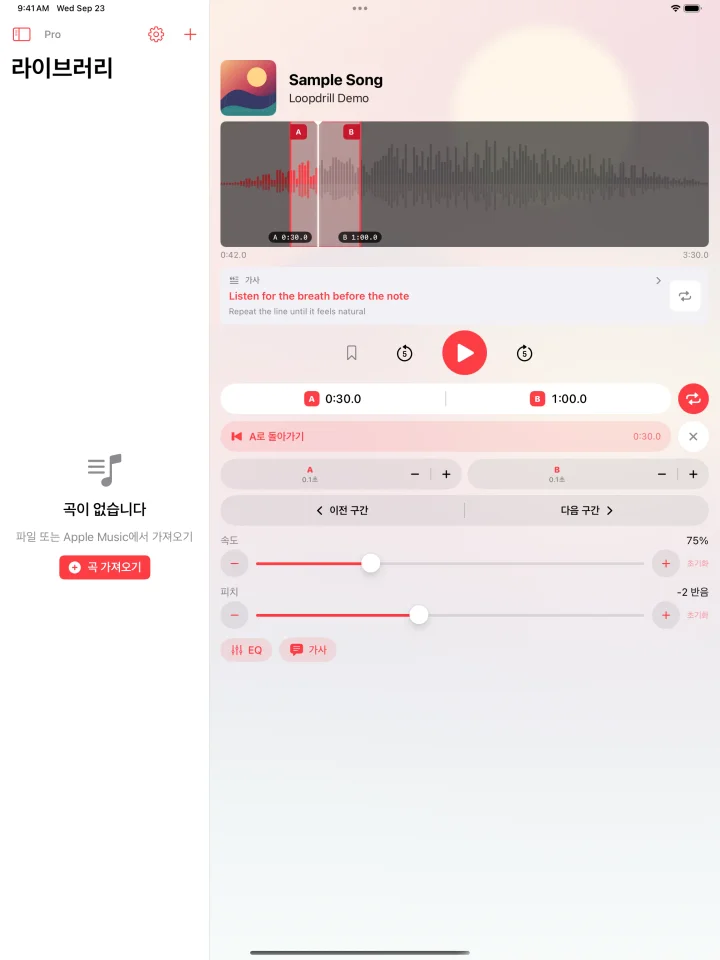
Play anywhere from 25% to 200% speed while the pitch stays exactly where it was. Slow a solo down to hear every note, then bring it back up step by step.
LOOP THE PART YOU ARE PRACTISING
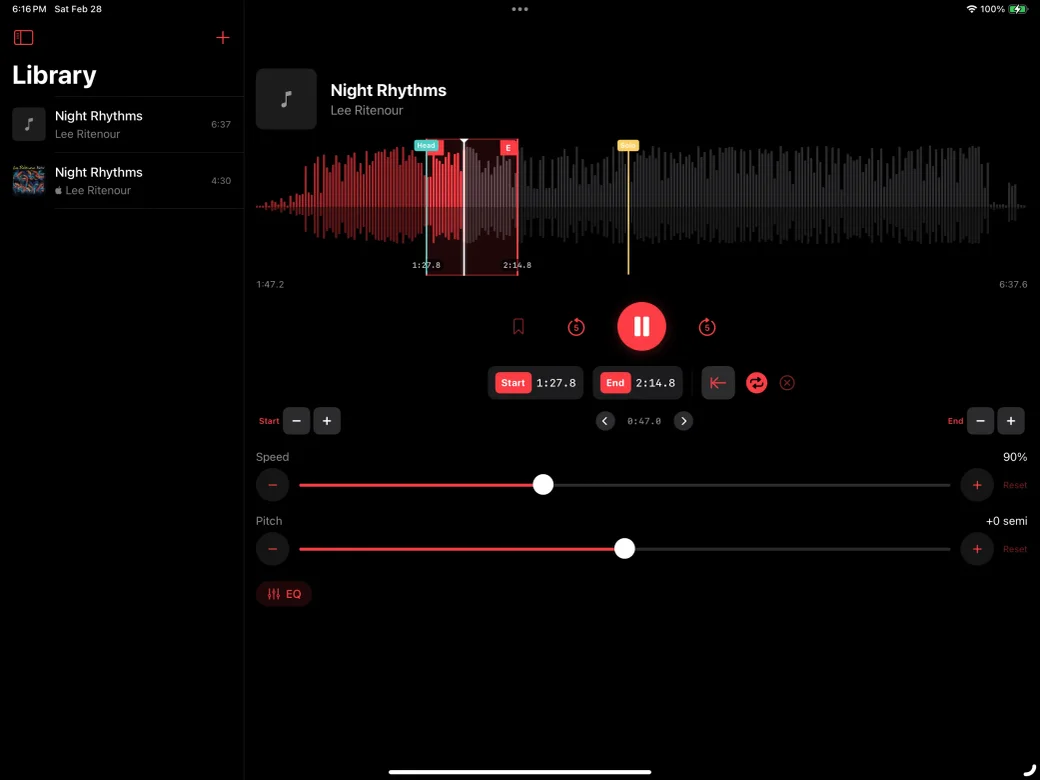
Set A and B on the waveform and the section repeats until you stop it. Drag either handle to adjust the range. Long-press a handle or the playhead to move it at one-tenth speed with a magnified view, so a loop can start exactly on the downbeat.
SEE THE SONG
The full waveform shows the shape of the track. Tap to jump, drag to scrub, and use bookmarks to mark verse, chorus, bridge and solo so you can get back to them instantly.
TRANSPOSE IMPORTED FILES
Shift the pitch from -12 to +12 semitones to match your tuning, a capo position or a more comfortable vocal range. A 10-band equalizer with presets such as Bass Boost and Vocal helps you bring the part you are copying to the front.
APPLE MUSIC AND YOUR OWN FILES
Play songs from your Apple Music library, or import MP3, AAC, WAV, AIFF and M4A files from the Files app. Speed control, loops and bookmarks work with both. Pitch shifting and EQ apply to imported files; Apple Music playback does not allow these two controls.
IPHONE, IPAD AND MAC
On iPad the library and player sit side by side. On Mac you get keyboard shortcuts for play, seek, loop and lyrics, and file import from Finder. One download covers all three, and the Apple Watch companion controls playback from your wrist.
LYRICS PRACTICE PRO (OPTIONAL ONE-TIME PURCHASE)
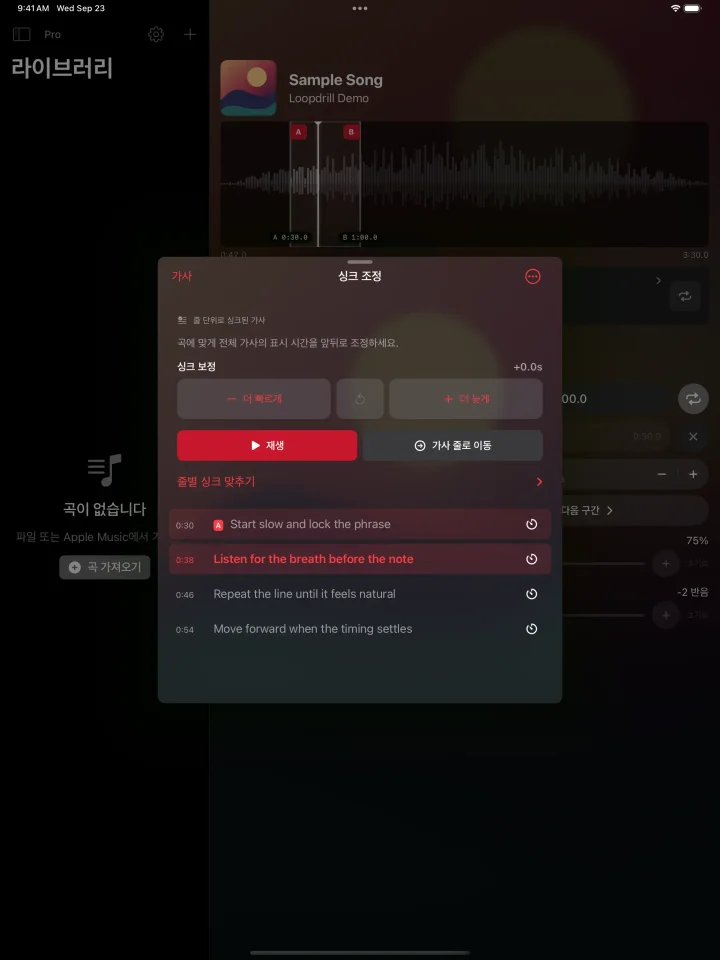
Follow timed lyrics, hold to select consecutive lines and loop a passage, and edit timestamps or the sync offset. Import multiple audio files or folders with matching LRC files. Try all Pro tools for 7 days using your own audio and LRC files that you have permission to use. Start the trial explicitly; there is no subscription or automatic payment. Your audio, lyrics and edits remain after expiry. Continue with an optional one-time Pro purchase at the displayed local price, or restore an existing purchase with the same Apple Account. Restoring does not restart the trial. Pro and trial availability depend on your App Store region. Pro includes practice tools, not a lyrics catalog or AI transcription.
Who Loopdrill is for
- Guitarists, bassists, pianists and drummers copying parts by ear
- Singers working on phrasing and timing
- Students preparing pieces for lessons and exams
- Transcribers who need to hear every detail
- Language learners who repeat audio in short sections
Privacy: your audio, lyrics and bookmarks stay on your device. Usage statistics are shared only if you opt in.
Yang baru
Versi 1.3.2 · 22/10/2026
Loopdrill 1.3.2
- Speed buttons now change playback speed by exactly 5 percentage points, with accurate percentage displays on iPhone, iPad, Mac and Apple Watch.
- Re-enabling Loop Line on the currently playing lyric keeps the current position. Selecting another line or setting the loop while paused still starts at that line.
- Improved adaptive layouts for iPhone Duo, including lyrics and controls around the fold. EQ, bookmarks and song editing stay open as the window changes size.
Privasi aplikasi
Yang dinyatakan Hyeong-soo Kim di App Store tentang cara aplikasi ini menangani data.
-
Data yang tidak ditautkan dengan Anda
Dapat dikumpulkan, tetapi tidak ditautkan dengan identitas Anda.
- Pengenal
- Data penggunaan
- Diagnostik
- Data lainnya
Praktik privasi dapat bervariasi, misalnya berdasarkan fitur yang Anda gunakan atau usia Anda.
Informasi
- Penjual
- Hyeong-soo Kim
- Kategori
- Musik
- Versi
- 1.3.2
- Diperbarui
- 22/10/2026
- Dirilis
- 2/3/2026
- Ukuran
- 3,4 MB
- Memerlukan
- iOS 17.0 atau yang lebih baru
- Batasan usia
- 4+
- Harga
- Gratis
- Pembelian dalam aplikasi
- Ya
- Bahasa
- Inggris, Jepang, Korea, Tionghoa Sederhana, Spanyol
- Hak cipta
- © 2026 Hyeong-soo Kim
Mungkin Anda juga suka
-
 악보바다 MobileMusik
-
 Music Speed Changer・AudioMusik
-
 mymusic5: Sheet Music & PianoMusik
-
 AudioTweak: Change Music SpeedMusik
-
 Anytune: Transcribe & PracticeMusik
-
 Up Tempo: Pitch, Speed ChangerMusik
-
 Slow Down Music | Transcribe+Musik
-
 AudioStretch LiteMusik
-
 Piascore – Sheet Music ReaderMusik
-
 Metronome: Tempo LiteMusik