Loopdrill - Music Practice
Slow Down & Loop Music
iPhone, iPad, Mac için tasarlandı
Ücretsiz · Uygulama içi satın alma
- Yaş sınırı4+
- KategoriMüzik
- GeliştiriciHyeong-soo Kim
- Dillerİngilizce+ 4 dil daha
- Boyut3,4 MB
Resmi App Store sayfasına bağlanır
Download.org, Loopdrill - Music Practice için hiçbir dosya barındırmaz. Düğme, uygulamanın App Store üzerindeki sayfasını açar; uygulamayı orada Hyeong-soo Kim yayınlar. Sayfanın son kontrolü: 16.11.2026.
Ekran görüntüleri
Hakkında
Geliştirici bu metni dilinizde sunmamış.
Loopdrill is a music practice player for anyone who learns songs by ear. Bring in a track from Files or Apple Music, slow it down without changing the key, mark the passage you are working on, and loop it until it sits under your fingers.
Core playback tools are free. There are no ads and no subscription.
SLOW DOWN WITHOUT CHANGING THE KEY
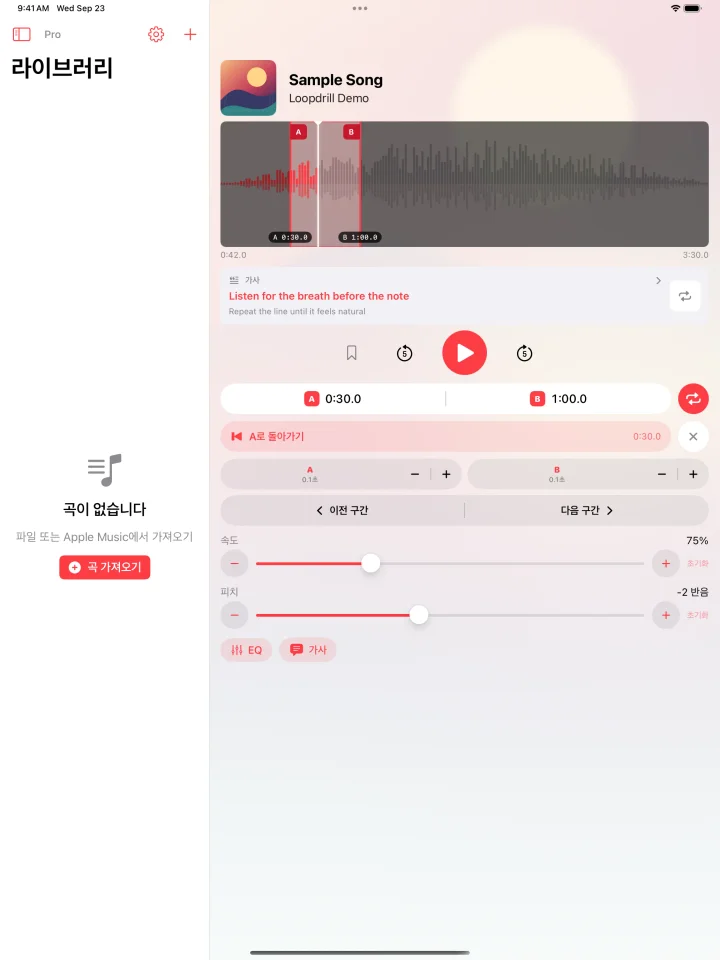
Play anywhere from 25% to 200% speed while the pitch stays exactly where it was. Slow a solo down to hear every note, then bring it back up step by step.
LOOP THE PART YOU ARE PRACTISING
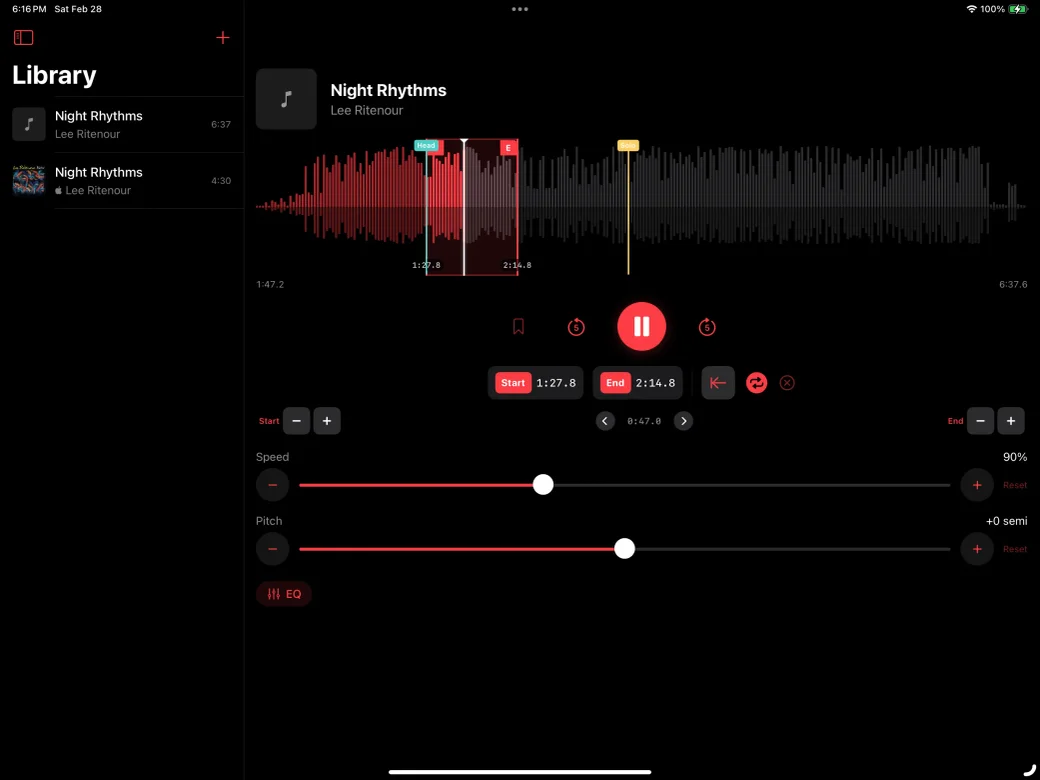
Set A and B on the waveform and the section repeats until you stop it. Drag either handle to adjust the range. Long-press a handle or the playhead to move it at one-tenth speed with a magnified view, so a loop can start exactly on the downbeat.
SEE THE SONG
The full waveform shows the shape of the track. Tap to jump, drag to scrub, and use bookmarks to mark verse, chorus, bridge and solo so you can get back to them instantly.
TRANSPOSE IMPORTED FILES
Shift the pitch from -12 to +12 semitones to match your tuning, a capo position or a more comfortable vocal range. A 10-band equalizer with presets such as Bass Boost and Vocal helps you bring the part you are copying to the front.
APPLE MUSIC AND YOUR OWN FILES
Play songs from your Apple Music library, or import MP3, AAC, WAV, AIFF and M4A files from the Files app. Speed control, loops and bookmarks work with both. Pitch shifting and EQ apply to imported files; Apple Music playback does not allow these two controls.
IPHONE, IPAD AND MAC
On iPad the library and player sit side by side. On Mac you get keyboard shortcuts for play, seek, loop and lyrics, and file import from Finder. One download covers all three, and the Apple Watch companion controls playback from your wrist.
LYRICS PRACTICE PRO (OPTIONAL ONE-TIME PURCHASE)
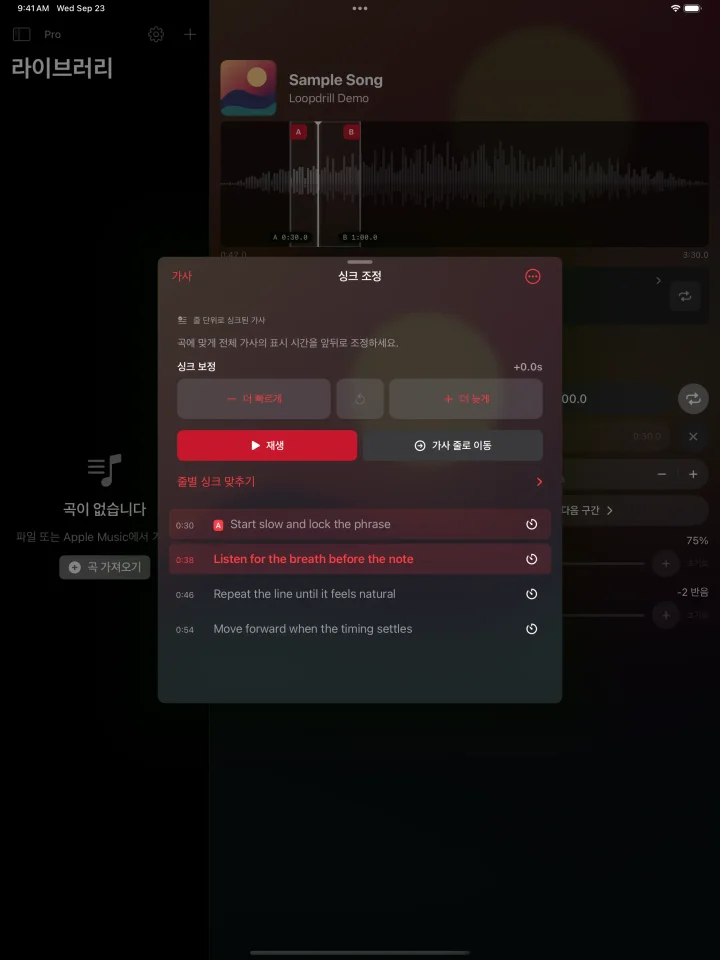
Follow timed lyrics, hold to select consecutive lines and loop a passage, and edit timestamps or the sync offset. Import multiple audio files or folders with matching LRC files. Try all Pro tools for 7 days using your own audio and LRC files that you have permission to use. Start the trial explicitly; there is no subscription or automatic payment. Your audio, lyrics and edits remain after expiry. Continue with an optional one-time Pro purchase at the displayed local price, or restore an existing purchase with the same Apple Account. Restoring does not restart the trial. Pro and trial availability depend on your App Store region. Pro includes practice tools, not a lyrics catalog or AI transcription.
Who Loopdrill is for
- Guitarists, bassists, pianists and drummers copying parts by ear
- Singers working on phrasing and timing
- Students preparing pieces for lessons and exams
- Transcribers who need to hear every detail
- Language learners who repeat audio in short sections
Privacy: your audio, lyrics and bookmarks stay on your device. Usage statistics are shared only if you opt in.
Yenilikler
Sürüm 1.3.2 · 22.10.2026
Loopdrill 1.3.2
- Speed buttons now change playback speed by exactly 5 percentage points, with accurate percentage displays on iPhone, iPad, Mac and Apple Watch.
- Re-enabling Loop Line on the currently playing lyric keeps the current position. Selecting another line or setting the loop while paused still starts at that line.
- Improved adaptive layouts for iPhone Duo, including lyrics and controls around the fold. EQ, bookmarks and song editing stay open as the window changes size.
Uygulama gizliliği
Bu uygulamanın verileri nasıl işlediği hakkında Hyeong-soo Kim tarafından App Store üzerinde yapılan beyan.
-
Sizinle ilişkilendirilmeyen veriler
Toplanabilir ancak kimliğinizle ilişkilendirilmez.
- Tanımlayıcılar
- Kullanım verileri
- Tanılama
- Diğer veriler
Gizlilik uygulamaları, örneğin kullandığınız özelliklere veya yaşınıza göre değişiklik gösterebilir.
Bilgiler
- Satıcı
- Hyeong-soo Kim
- Kategori
- Müzik
- Sürüm
- 1.3.2
- Güncellendi
- 22.10.2026
- Yayın tarihi
- 02.03.2026
- Boyut
- 3,4 MB
- Gereksinim
- iOS 17.0 veya sonrası
- Yaş sınırı
- 4+
- Fiyat
- Ücretsiz
- Uygulama içi satın alma
- Evet
- Diller
- İngilizce, Japonca, Korece, Basitleştirilmiş Çince, İspanyolca
- Telif hakkı
- © 2026 Hyeong-soo Kim
Bunları da beğenebilirsiniz
-
 악보바다 MobileMüzik
-
 Music Speed Changer・AudioMüzik
-
 mymusic5: Sheet Music & PianoMüzik
-
 AudioTweak: Change Music SpeedMüzik
-
 Anytune: Transcribe & PracticeMüzik
-
 Up Tempo: Ton ve HızVokal kaldırma ve looper
-
 Müzik Yavaşlatma | Transcribe+Sesi İzole Et, Tonu Değiştir
-
 AudioStretch LiteMüzik
-
 Piascore – Dijital notalarMüzik
-
 Metronome: Tempo LiteMüzik