Lumisan
Glow & Light Effects Editor
Dirancang untuk iPhone, iPad
Gratis · Pembelian dalam aplikasi
- Batasan usia4+
- KategoriGrafik & Desain
- PengembangYuma Satoi
- BahasaInggris+ 7 lainnya
- Ukuran7,7 MB
Tertaut ke halaman resmi App Store
Download.org tidak menyimpan file Lumisan apa pun. Tombol ini membuka halaman aplikasi di App Store, tempat Yuma Satoi menerbitkannya. Halaman terakhir diperiksa pada 12/11/2026.
Tangkapan layar

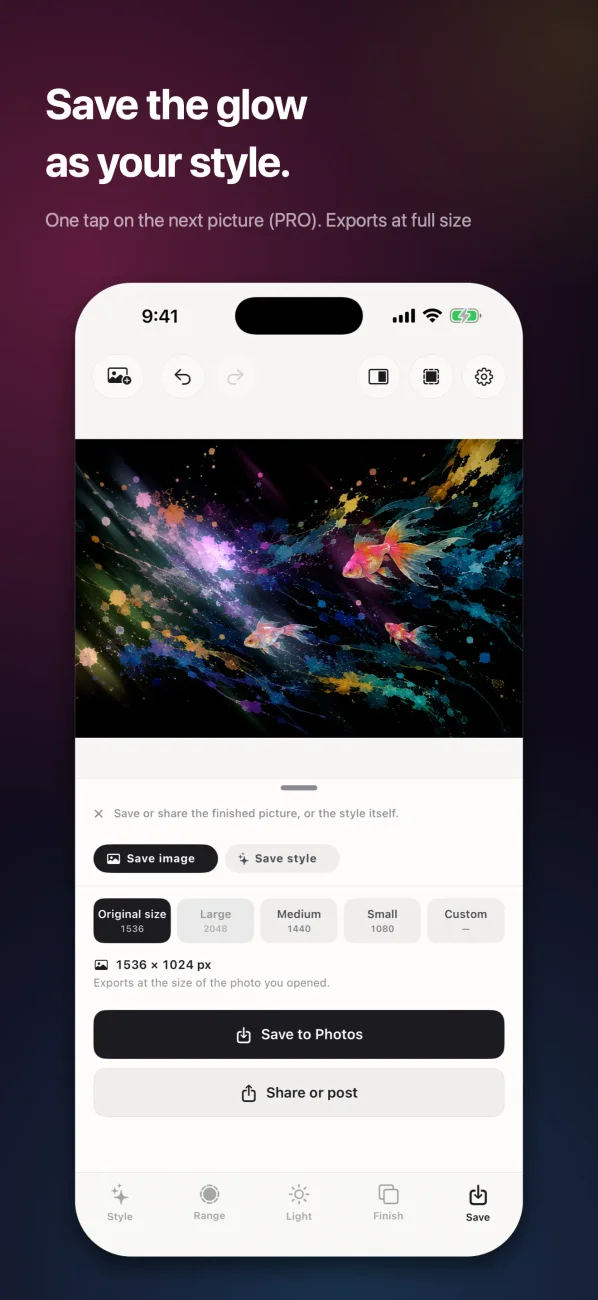
Tentang
Pengembang belum menyediakan teks ini dalam bahasa Anda.
Turn photos and illustrations into something that glows.
Lumisan reads the brightness, edges, and saturation in your image to find where the light should live — then blends in a soft glow, sparkling patterns, or holographic color shifts. From a subtle highlight to a full holographic wash, it's built for real photos and artwork, not just neon stickers.
Everything is processed on your device. Nothing is ever uploaded.
Five simple steps get you there: Style → Area → Light → Finish → Save.
STYLE
– 30 ready-made presets, one tap away
– Save your favorite settings as a My Style and reuse them on any image
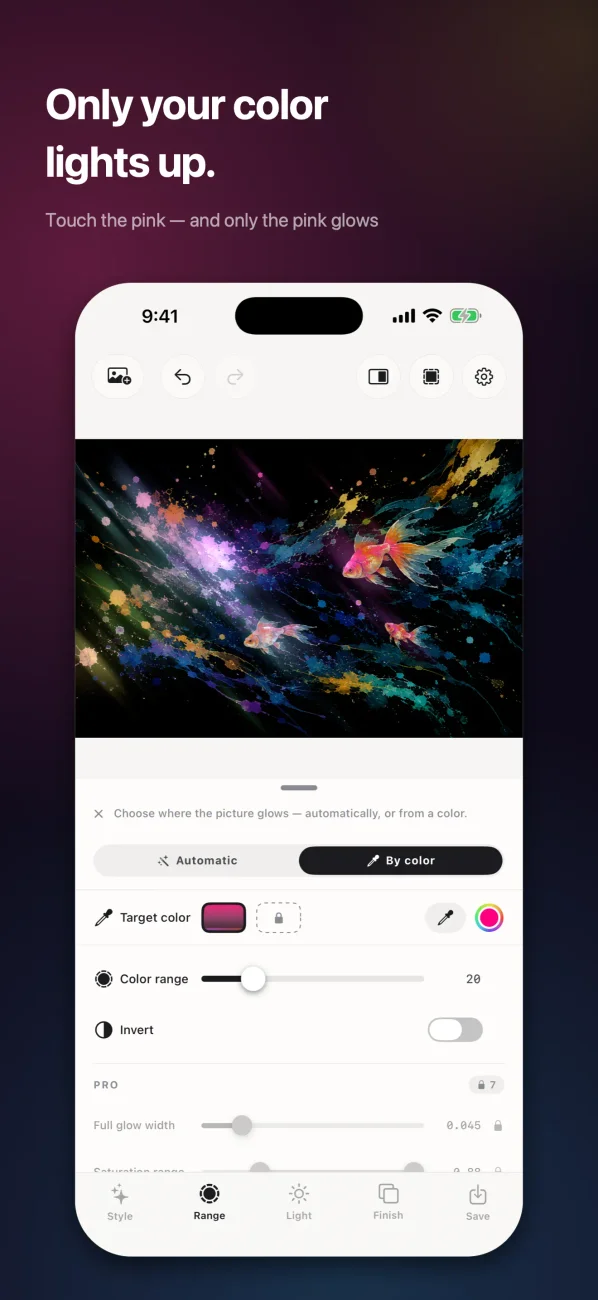
AREA — CHOOSE WHERE IT GLOWS
– Auto-detect highlights, edges, and saturation
– Pick a color with the eyedropper and glow only that color (up to 4 colors)
– Invert the selection to glow everything except what you picked
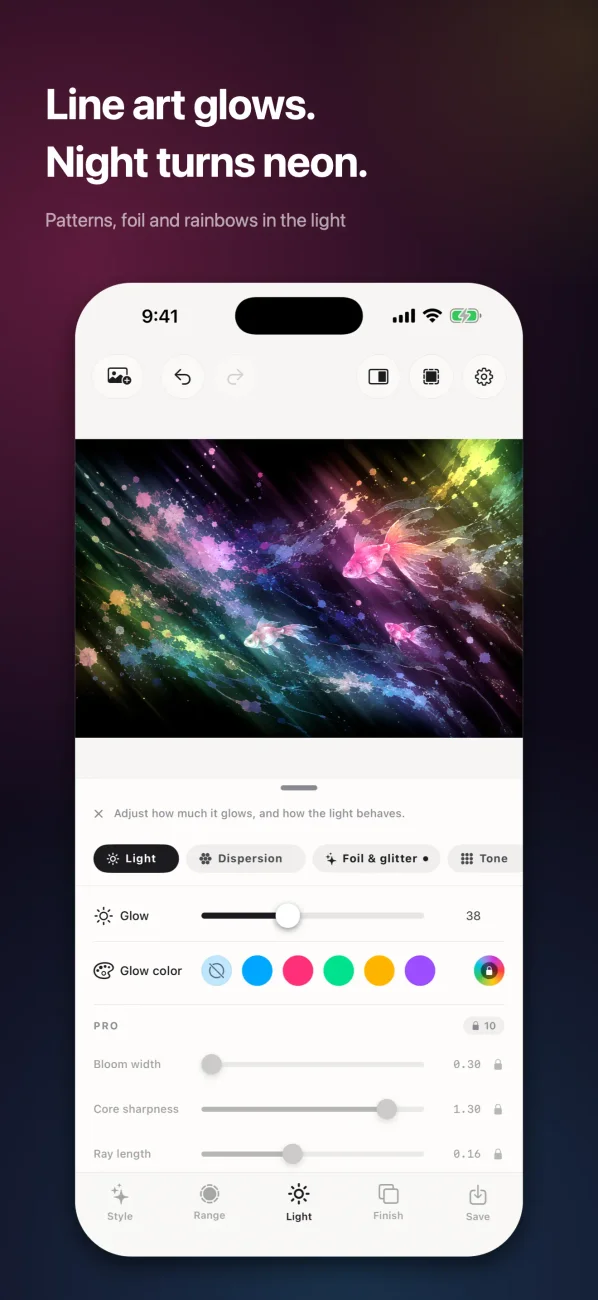
LIGHT
– Adjust glow amount, spread, and color to taste
– 64 pro-level parameters covering spread width, core sharpness, light rays, and background darkening
– Full custom glow color
PATTERNS
– Prism — rainbow light bending through your image
– Holo & Glitter — rainbow, ice, lattice, sparkle, and stardust, in hearts, stars, and more
– Halftone — dots, lines, and grids for a printed-poster look
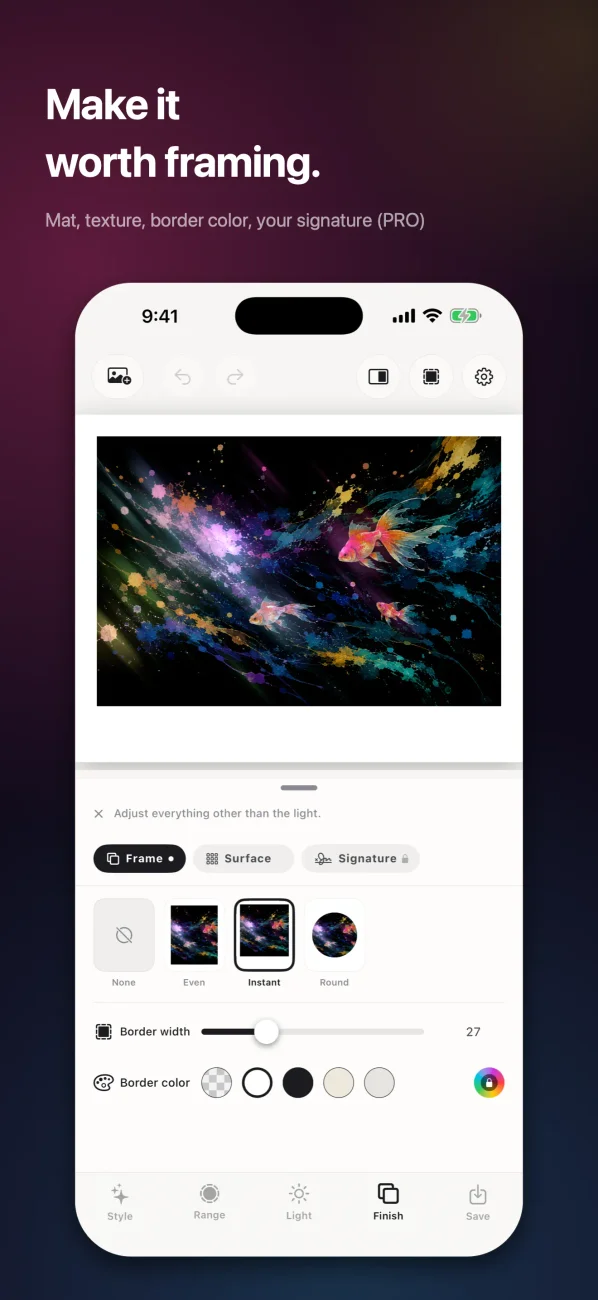
FINISH
– Frames: none, even border, instant-photo style, or circle
– Paper textures: plain, aged, or canvas
– Add a signature in 5 fonts
EDIT WITH CONFIDENCE
– Undo/redo up to 64 steps
– Auto-saves your progress — pick up right where you left off
– Import directly from any app's share sheet
EXPORT
– Original, 2048, 1440, 1080, or custom size
– Re-rendered at your chosen resolution, so fine patterns and glitter never get crushed
– Save straight to Photos or share anywhere
Great for:
– Eye-catching posts for Instagram and TikTok
– Turning fan art or portraits into something special
– Giving photos a poster or zine-style finish
Every preset and the full editing/saving flow are free to try. Lumisan PRO (a one-time purchase — no subscription) unlocks all 64 detail parameters, full custom glow colors, colors 2–4 for masking, signatures, My Styles, and your last 30 edits.
Yang baru
Versi 1.1.1 · 30/10/2026
Lumisan now runs on iPad and iPhone Duo.
On a wide screen the picture sits on the left and the controls on the right, so you can adjust the light while seeing the whole picture. On iPad in portrait, the controls sit below the picture.
Double-tap the picture to zoom in. Save and share straight from the toolbar, without switching to the Save tab.
Privasi aplikasi
Yang dinyatakan Yuma Satoi di App Store tentang cara aplikasi ini menangani data.
-
Data yang tidak ditautkan dengan Anda
Dapat dikumpulkan, tetapi tidak ditautkan dengan identitas Anda.
- Pengenal
- Data penggunaan
Praktik privasi dapat bervariasi, misalnya berdasarkan fitur yang Anda gunakan atau usia Anda.
Informasi
- Penjual
- Yuma Satoi
- Kategori
- Grafik & Desain
- Versi
- 1.1.1
- Diperbarui
- 30/10/2026
- Dirilis
- 3/9/2026
- Ukuran
- 7,7 MB
- Memerlukan
- iOS 17.0 atau yang lebih baru
- Batasan usia
- 4+
- Harga
- Gratis
- Pembelian dalam aplikasi
- Ya
- Bahasa
- Inggris, Prancis, Jerman, Jepang, Korea, Portugis, Spanyol, Tionghoa Tradisional
- Hak cipta
- © 2026 Lumisan.
Mungkin Anda juga suka
-
 HDR LOGOGrafik & Desain
-
 Blendy Layers: Gradient MakerGrafik & Desain
-
 SpinDoodlyGrafik & Desain
-
 ParticleFluidGrafik & Desain
-
 TileodileGrafik & Desain
-
 Photo MosaicsGrafik & Desain
-
 SHADR: Creative Visual ToolsGrafik & Desain
-
 Fractal AtlasGrafik & Desain
-
 Phi TilesGrafik & Desain
-
 Image Filters for ShortcutsGrafik & Desain