Lumisan
Glow & Light Effects Editor
Designed for iPhone, iPad
Free · In-app purchases
- Age rating4+
- CategoryGraphics & Design
- DeveloperYuma Satoi
- LanguagesEnglish+ 7 more
- Size7.7 MB
Links to the official App Store page
Download.org hosts no file of Lumisan. The button opens its official App Store page, published by Yuma Satoi. Listing last checked on Nov 12, 2026.
Screenshots

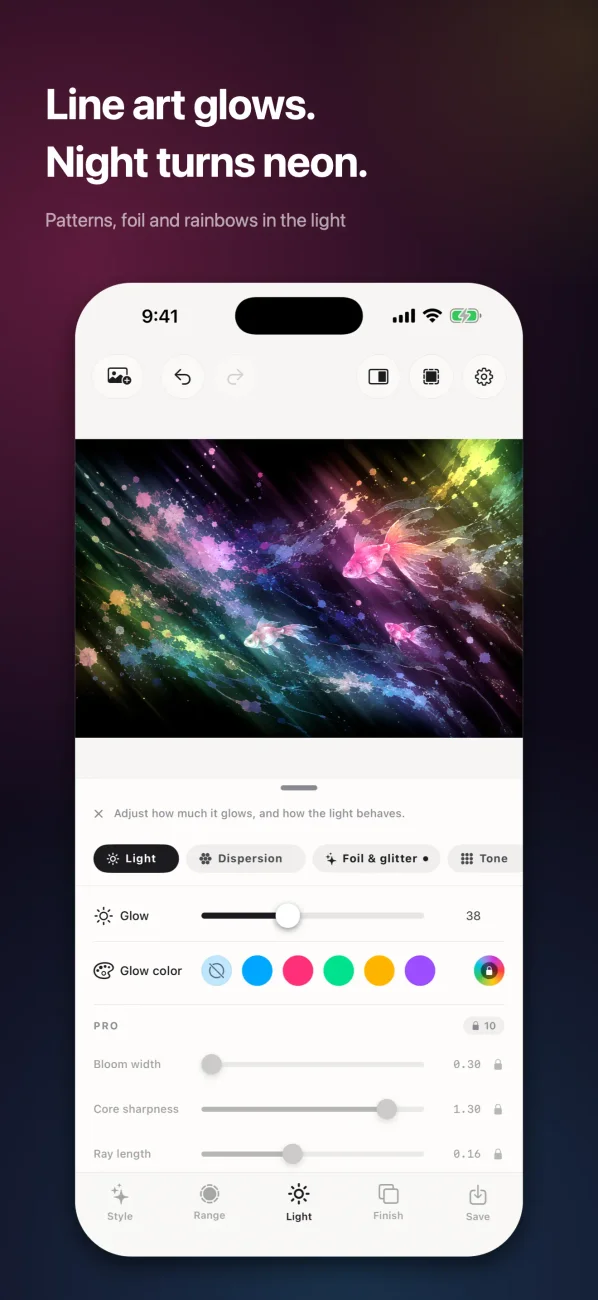
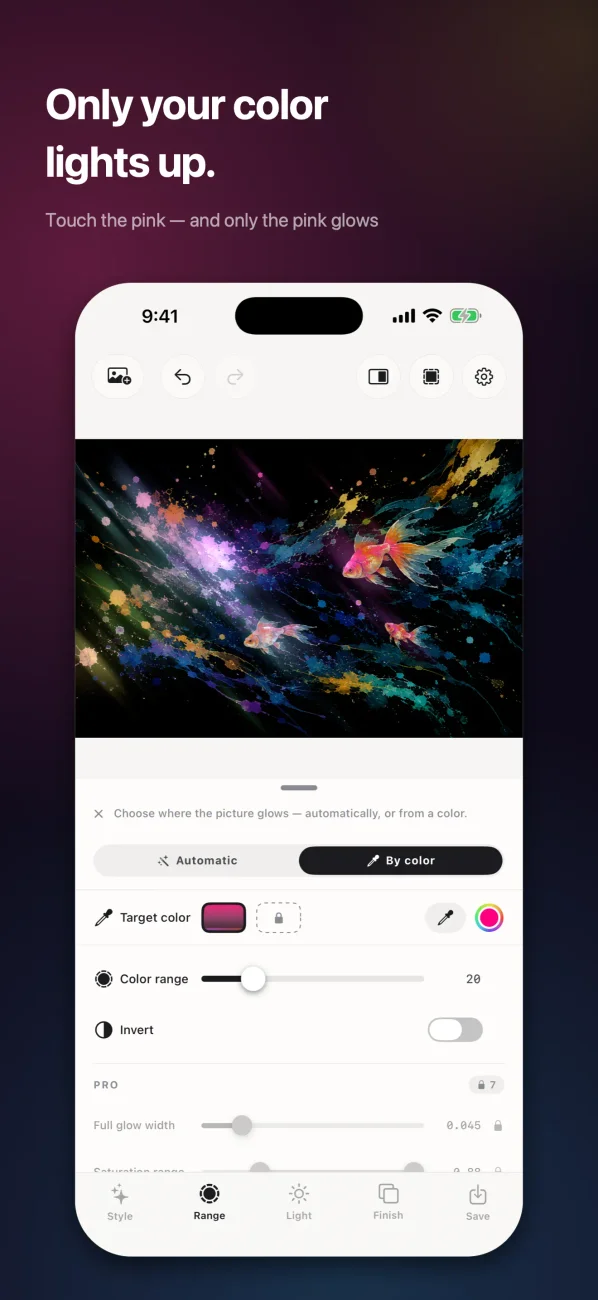
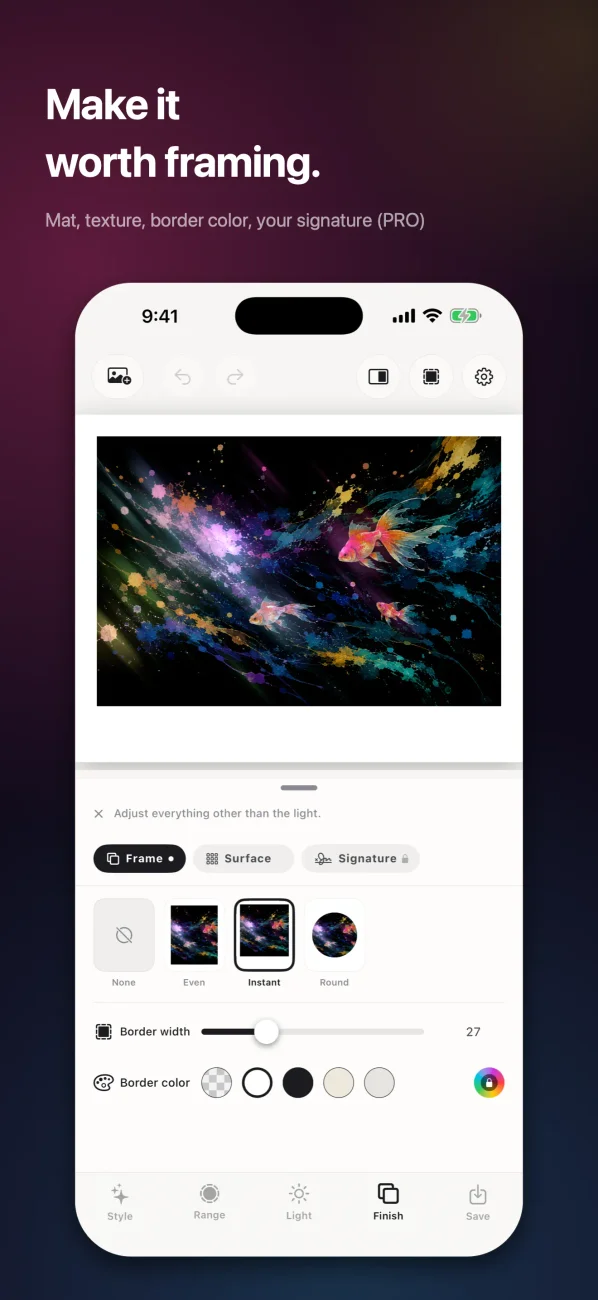
About
Turn photos and illustrations into something that glows.
Lumisan reads the brightness, edges, and saturation in your image to find where the light should live — then blends in a soft glow, sparkling patterns, or holographic color shifts. From a subtle highlight to a full holographic wash, it's built for real photos and artwork, not just neon stickers.
Everything is processed on your device. Nothing is ever uploaded.
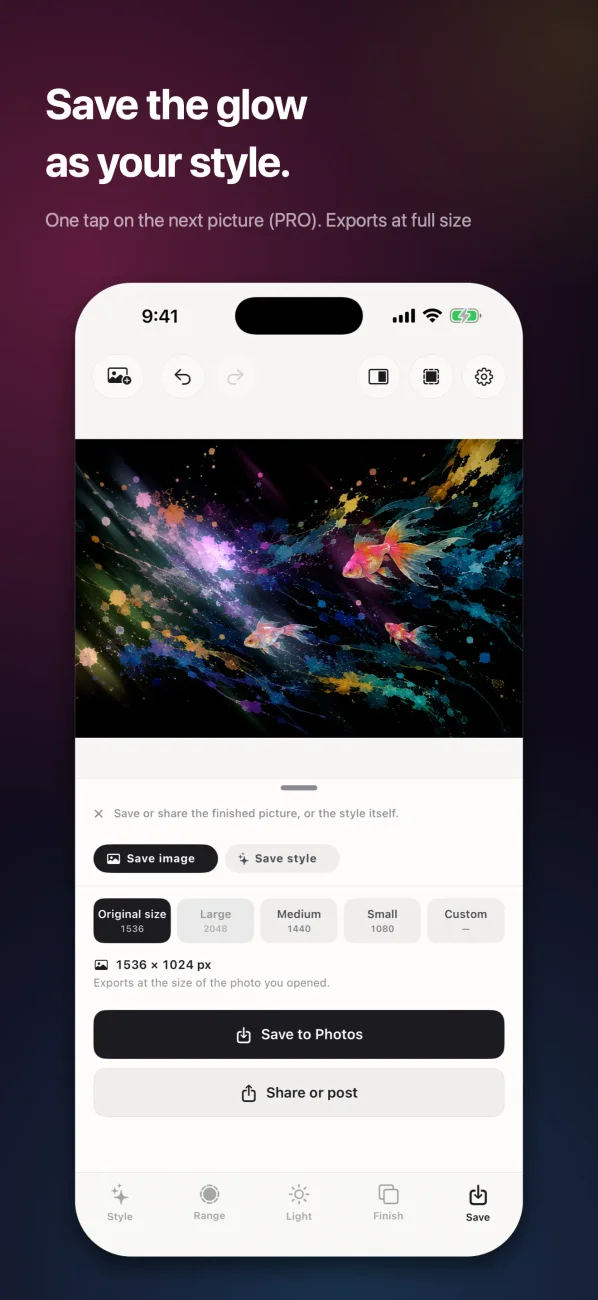
Five simple steps get you there: Style → Area → Light → Finish → Save.
STYLE
– 30 ready-made presets, one tap away
– Save your favorite settings as a My Style and reuse them on any image
AREA — CHOOSE WHERE IT GLOWS
– Auto-detect highlights, edges, and saturation
– Pick a color with the eyedropper and glow only that color (up to 4 colors)
– Invert the selection to glow everything except what you picked
LIGHT
– Adjust glow amount, spread, and color to taste
– 64 pro-level parameters covering spread width, core sharpness, light rays, and background darkening
– Full custom glow color
PATTERNS
– Prism — rainbow light bending through your image
– Holo & Glitter — rainbow, ice, lattice, sparkle, and stardust, in hearts, stars, and more
– Halftone — dots, lines, and grids for a printed-poster look
FINISH
– Frames: none, even border, instant-photo style, or circle
– Paper textures: plain, aged, or canvas
– Add a signature in 5 fonts
EDIT WITH CONFIDENCE
– Undo/redo up to 64 steps
– Auto-saves your progress — pick up right where you left off
– Import directly from any app's share sheet
EXPORT
– Original, 2048, 1440, 1080, or custom size
– Re-rendered at your chosen resolution, so fine patterns and glitter never get crushed
– Save straight to Photos or share anywhere
Great for:
– Eye-catching posts for Instagram and TikTok
– Turning fan art or portraits into something special
– Giving photos a poster or zine-style finish
Every preset and the full editing/saving flow are free to try. Lumisan PRO (a one-time purchase — no subscription) unlocks all 64 detail parameters, full custom glow colors, colors 2–4 for masking, signatures, My Styles, and your last 30 edits.
What’s new
Version 1.1.1 · Oct 30, 2026
Lumisan now runs on iPad and iPhone Duo.
On a wide screen the picture sits on the left and the controls on the right, so you can adjust the light while seeing the whole picture. On iPad in portrait, the controls sit below the picture.
Double-tap the picture to zoom in. Save and share straight from the toolbar, without switching to the Save tab.
App privacy
What Yuma Satoi declares on the App Store about how this app handles data.
-
Data not linked to you
May be collected but is not linked to your identity.
- Identifiers
- Usage data
Privacy practices may vary, for example with the features you use or your age.
Information
- Seller
- Yuma Satoi
- Category
- Graphics & Design
- Version
- 1.1.1
- Updated
- Oct 30, 2026
- Released
- Sep 3, 2026
- Size
- 7.7 MB
- Requires
- iOS 17.0 or later
- Age rating
- 4+
- Price
- Free
- In-app purchases
- Yes
- Languages
- English, French, German, Japanese, Korean, Portuguese, Spanish, Traditional Chinese
- Copyright
- © 2026 Lumisan.
You might also like
-
 HDR LOGOCreate Brighter HDR Logos
-
 Blendy Layers: Gradient MakerGradients & mosaic backgrounds
-
 SpinDoodlyEndless spin art creations
-
 ParticleFluidGraphics & Design
-
 TileodileGeometric pattern & SVG studio
-
 Photo MosaicsCamera roll collages
-
 SHADR: Creative Visual ToolsImage Effects & Generative Art
-
 Fractal AtlasExplore fractals, zoom deep
-
 Phi TilesCreate Infinite Geometric Art
-
 Image Filters for ShortcutsAutomate your image workflows