
Markflow — Markdown Reader
Open .md files anywhere
Dirancang untuk iPhone, iPad
Gratis
- Batasan usia4+
- KategoriProduktivitas
- PengembangSantiago Alonso Alexandre
- BahasaInggris
- Ukuran6,5 MB
Tertaut ke halaman resmi App Store
Download.org tidak menyimpan file Markflow — Markdown Reader apa pun. Tombol ini membuka halaman aplikasi di App Store, tempat Santiago Alonso Alexandre menerbitkannya. Halaman terakhir diperiksa pada 15/11/2026.
Tangkapan layar

Tentang
Pengembang belum menyediakan teks ini dalam bahasa Anda.
The markdown reader you've been missing.
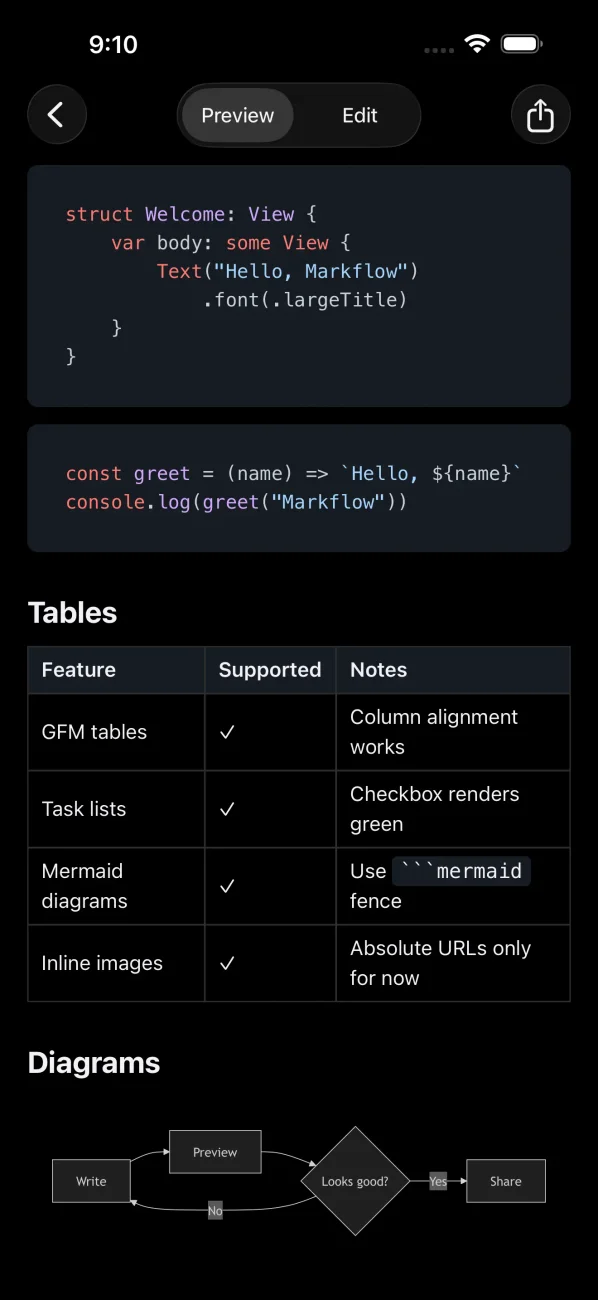
Markflow opens .md files from Files, Mail, Safari downloads, or the share sheet and renders them properly. GitHub-flavored markdown, syntax-highlighted
code, mermaid diagrams, tables, task lists, and more.
Originals are never touched. Edits live in memory until you explicitly Save, Save as New File, or Share a copy.
WHAT YOU CAN DO
• Open any .md, .markdown, or .mdown file from any app
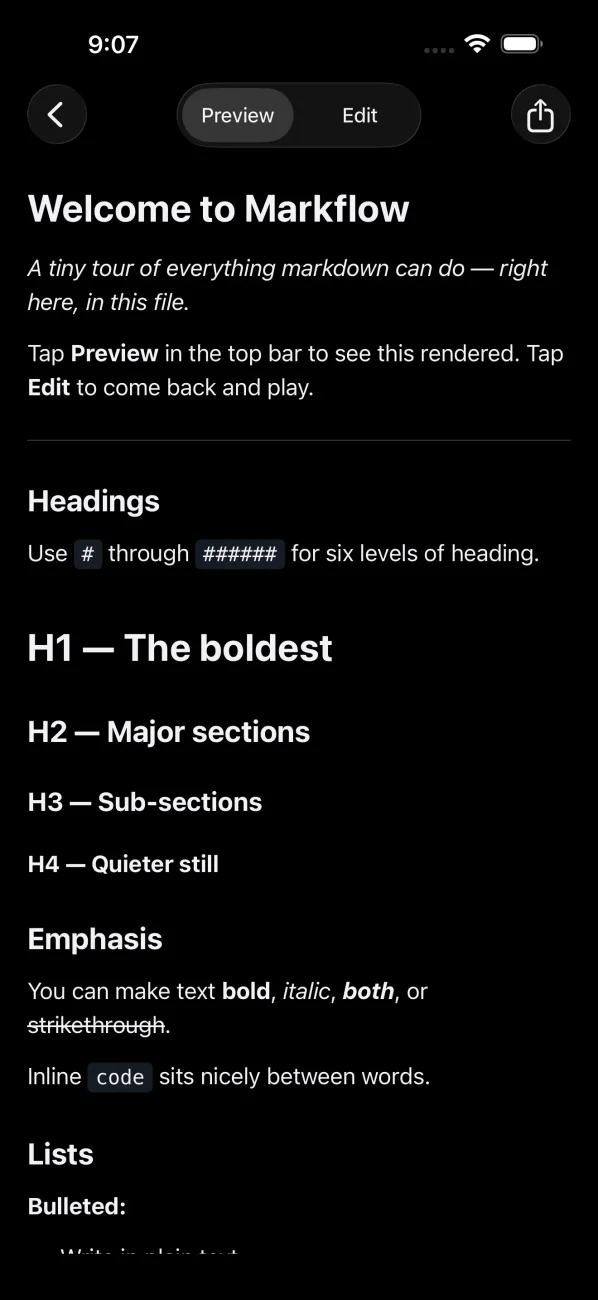
• Read with a clean, native preview
• Edit with a markdown toolbar above the keyboard. Bold, italic, headings, lists, links, images, code, quotes, all one tap away.
• Pinch to zoom in both Preview and Edit
• Export an edited copy via the system share sheet
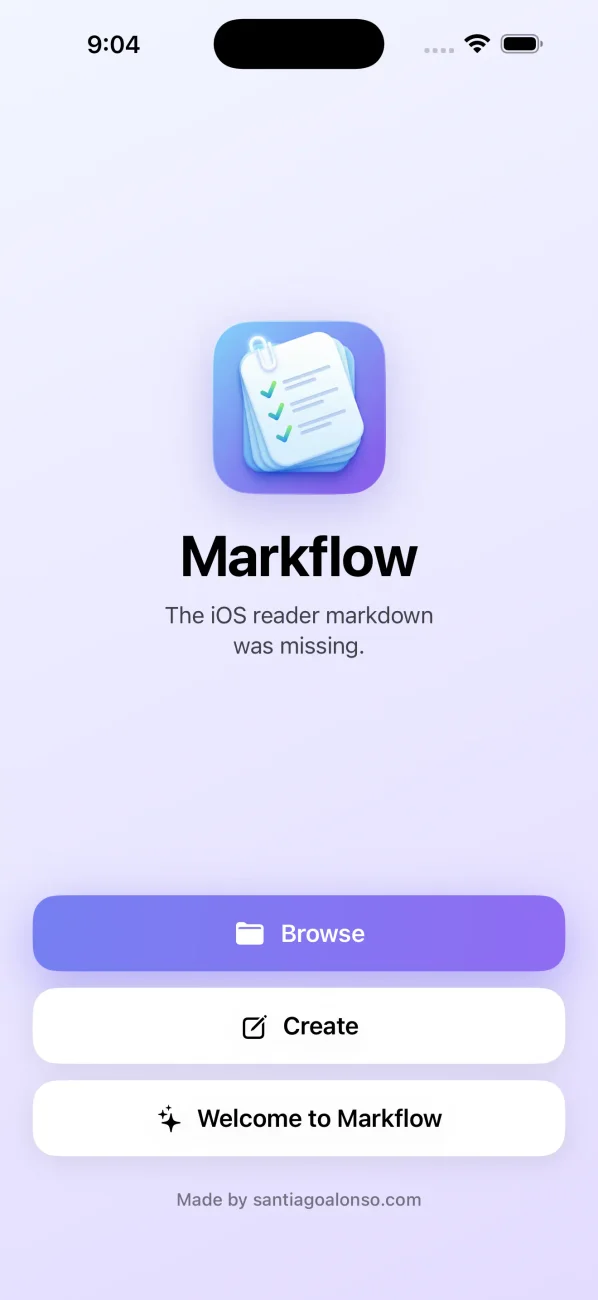
• Tap Create to start a new blank file, or "Welcome to Markflow" for a full feature tour
WHAT IT RENDERS
• Headings, lists, blockquotes, links, images
• Syntax-highlighted code blocks
• Mermaid flowcharts and diagrams
• GitHub-flavored markdown tables
• Task lists with checkboxes
• Inline images (absolute URLs)
PRIVACY
Markflow makes zero network requests and collects zero data. No accounts. No login. No analytics. No tracking. No ads. The renderer is a sandboxed local
file with a Content Security Policy that blocks all remote resources.
Your files stay on your device.
DESIGN
Built native with SwiftUI and the Liquid Glass nav bar. Light and dark mode. Adaptive home screen. Stock Apple Human Interface Guidelines throughout.
WHO IT'S FOR
• Writers who keep notes in markdown
• Developers reading READMEs and docs on the go
• Anyone who's been emailed a .md and had nowhere to open it
• People who want a markdown reader that does one thing well
Open source. MIT licensed. github.com/madebysan/markflow
Yang baru
Versi 0.2.0 · 12/5/2026
v0.2.0 — Themes, fonts, and a lot more
NEW
• Pick from 5 color themes (Indigo, Forest, Sunset, Ocean, Graphite). Each is tuned for both light and dark mode.
• Switch between System, Light, and Dark from Settings.
• Choose your reading font: System, Rounded, Charter, Monospace, iA Writer, or JetBrains Mono.
• Editor and Preview font sizes are independently adjustable.
• Recent files appear on the Home screen.
• Insert images directly into your markdown via the photo picker. On Save, images are copied next to your .md file so they render in any other markdown app too.
• Export any document as a PDF.
• Filename shows in the nav bar. Tap the menu to rename in place.
POLISHED
• Floating glass toolbar in the editor with larger touch targets and a working hide-keyboard button.
• Single-icon mode toggle: tap the eye to read, pencil to write.
• Swipe from the left edge to dismiss any open document.
• Settings shortcut from inside any document's menu.
• Softer light/dark home palette.
PRIVACY
Markflow continues to make zero network requests and collect no data. This release ships with the App Store privacy manifest.
Privasi aplikasi
Yang dinyatakan Santiago Alonso Alexandre di App Store tentang cara aplikasi ini menangani data.
-
Data tidak dikumpulkan
Pengembang tidak mengumpulkan data apa pun dari aplikasi ini.
Praktik privasi dapat bervariasi, misalnya berdasarkan fitur yang Anda gunakan atau usia Anda.
Informasi
- Penjual
- Santiago Alonso Alexandre
- Kategori
- Produktivitas
- Versi
- 0.2.0
- Diperbarui
- 12/5/2026
- Dirilis
- 26/4/2026
- Ukuran
- 6,5 MB
- Memerlukan
- iOS 26.0 atau yang lebih baru
- Batasan usia
- 4+
- Harga
- Gratis
- Bahasa
- Inggris
- Hak cipta
- © 2026 Santiago Alonso
Mungkin Anda juga suka
-
 Notelane - Markdown EditorProduktivitas
-
 Marked — Markdown EditorProduktivitas
-
 Bookmark Manager - MarkfullyProduktivitas
-
 SaveIt - Save Links & NotesProduktivitas
-
 Marklens: Markdown ReaderProduktivitas
-
 Markdown.md - Notes & PreviewProduktivitas
-
 ClippsProduktivitas
-
 Turing NoteProduktivitas
-
 AI Notes: Smart WritingProduktivitas
-
 Kitten NarratorProduktivitas