MeerTimer: Time Tracker
Project Timer & Work Hours Log
Dirancang untuk iPhone, iPad, Mac
Gratis · Pembelian dalam aplikasi
- Batasan usia4+
- KategoriProduktivitas
- PengembangRockstarsoft
- BahasaInggris+ 14 lainnya
- Ukuran20,2 MB
Tertaut ke halaman resmi App Store
Download.org tidak menyimpan file MeerTimer: Time Tracker apa pun. Tombol ini membuka halaman aplikasi di App Store, tempat Rockstarsoft menerbitkannya. Halaman terakhir diperiksa pada 18/11/2026.
Tangkapan layar

Tentang
Pengembang belum menyediakan teks ini dalam bahasa Anda.
Tap a project — the timer starts. Tap another — time switches over. MeerTimer shows where your hours really go, project by project and task by task, in clear reports. No account: everything stays on your device.
HOW IT WORKS
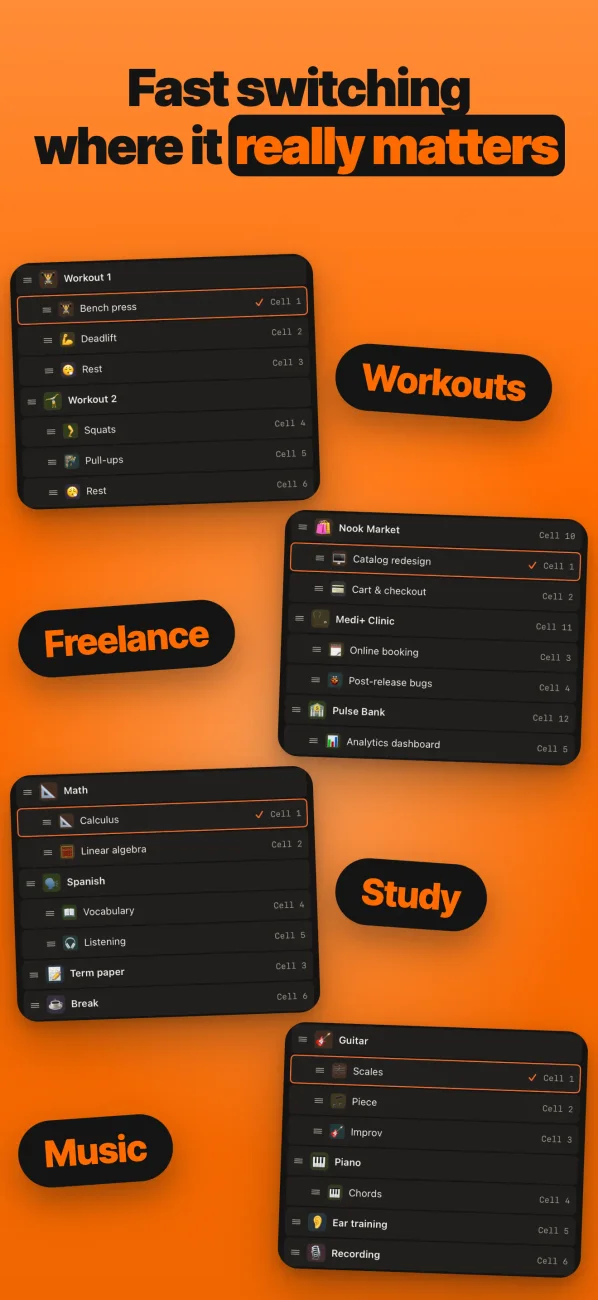
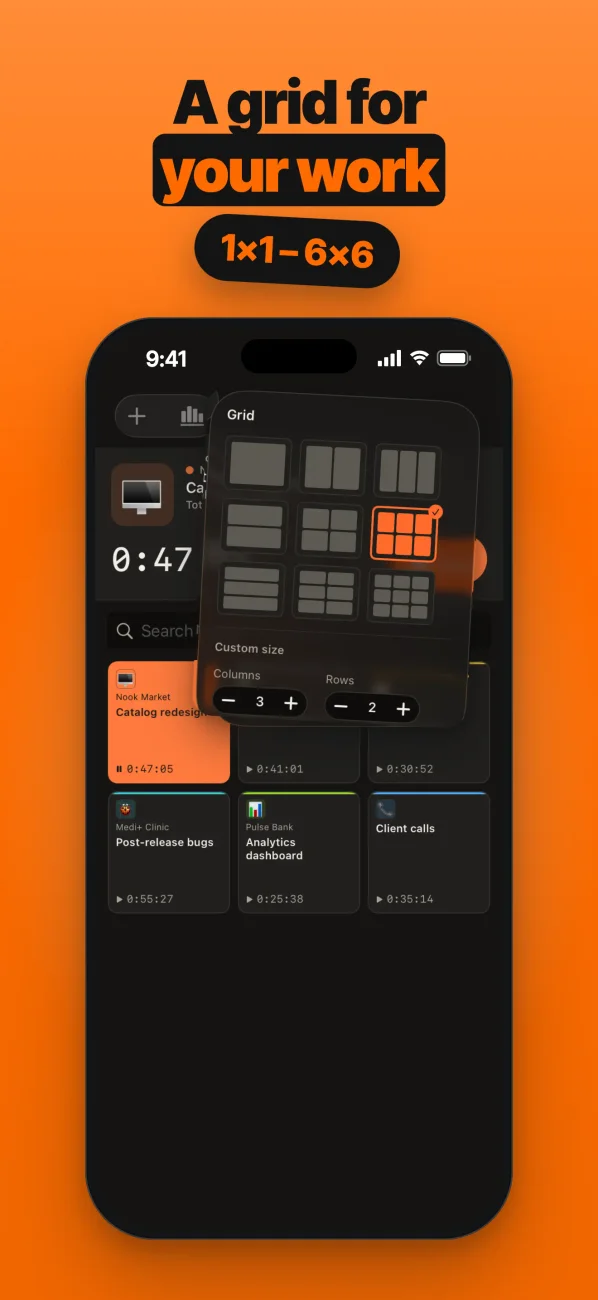
• The main screen is a big timer for the current task and a grid of your projects. One tap starts, a second tap stops, a tap on another cell switches — no extra buttons.
• The grid goes from 1×1 to 6×6, and the cells fit your iPhone or iPad screen.
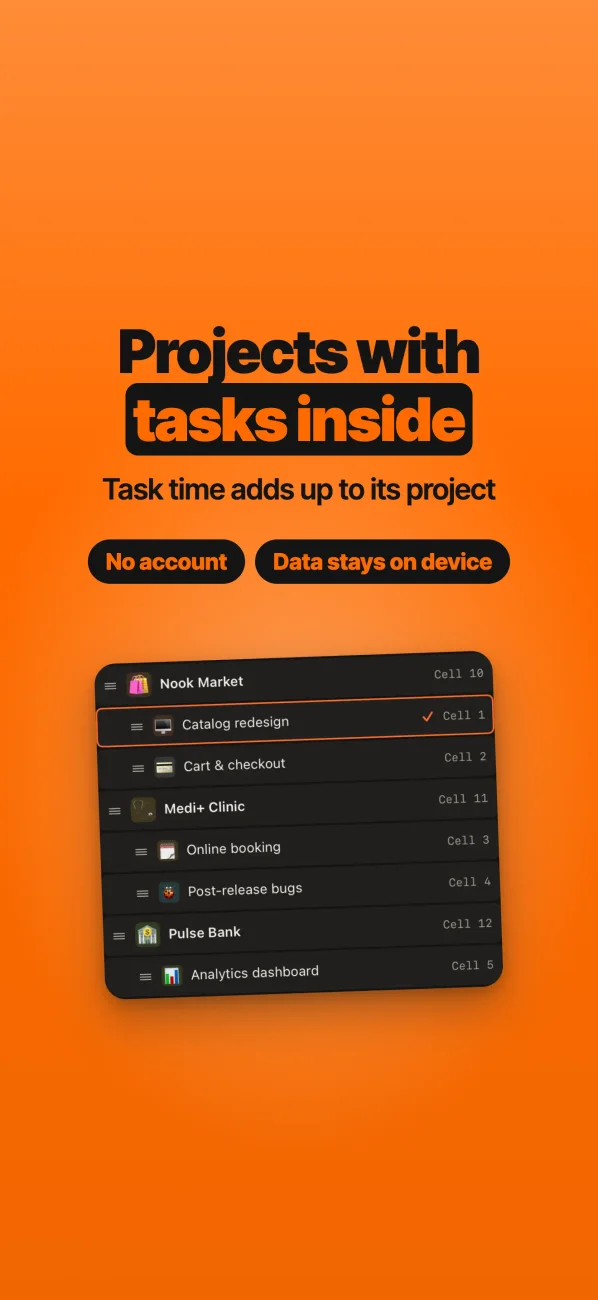
• Projects with tasks inside: "Client website" → "Design feedback", "Order form". Task time adds up to the project.
• A color and icon for each one — emoji, photo or your own color — so the right cell is found at a glance.
• Search finds any project or task; Go on the keyboard starts its timer.
ALWAYS AT HAND
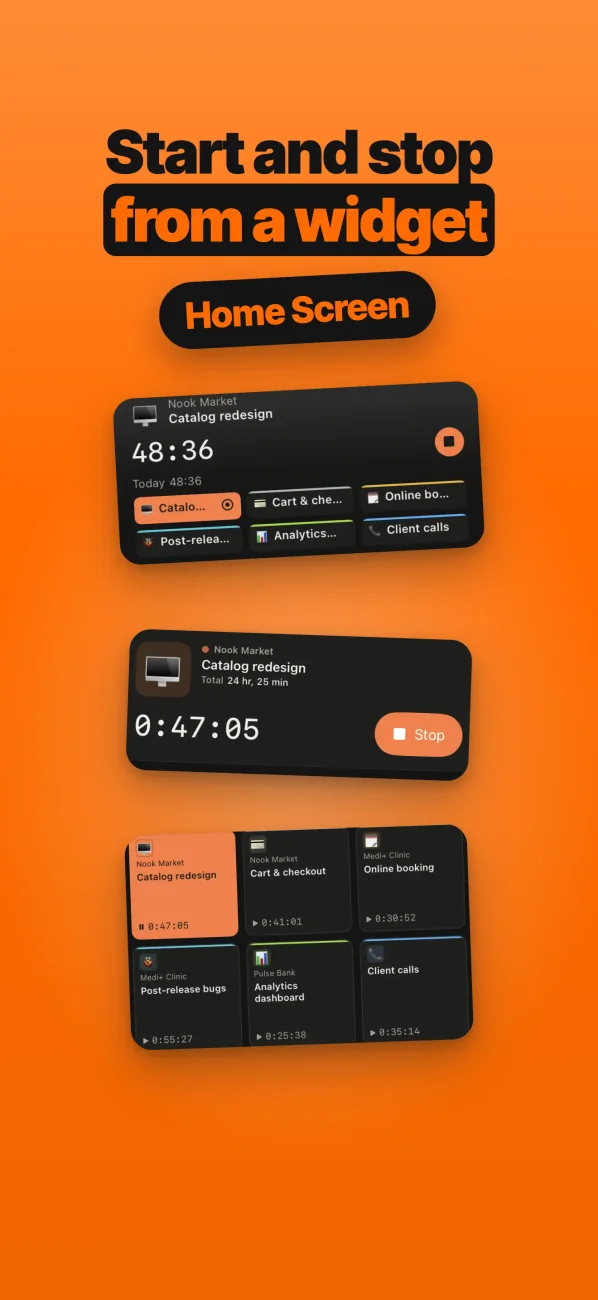
• Home Screen widget: start and switch projects without opening the app. In the widget's settings you choose which projects it shows.
• Lock Screen widget under the clock: what's running, live time and a Stop button.
• Live Activity and Dynamic Island: stop the timer with one tap.
• Siri and Shortcuts: "Start … in MeerTimer", "Stop timer", "What is running".
REPORTS
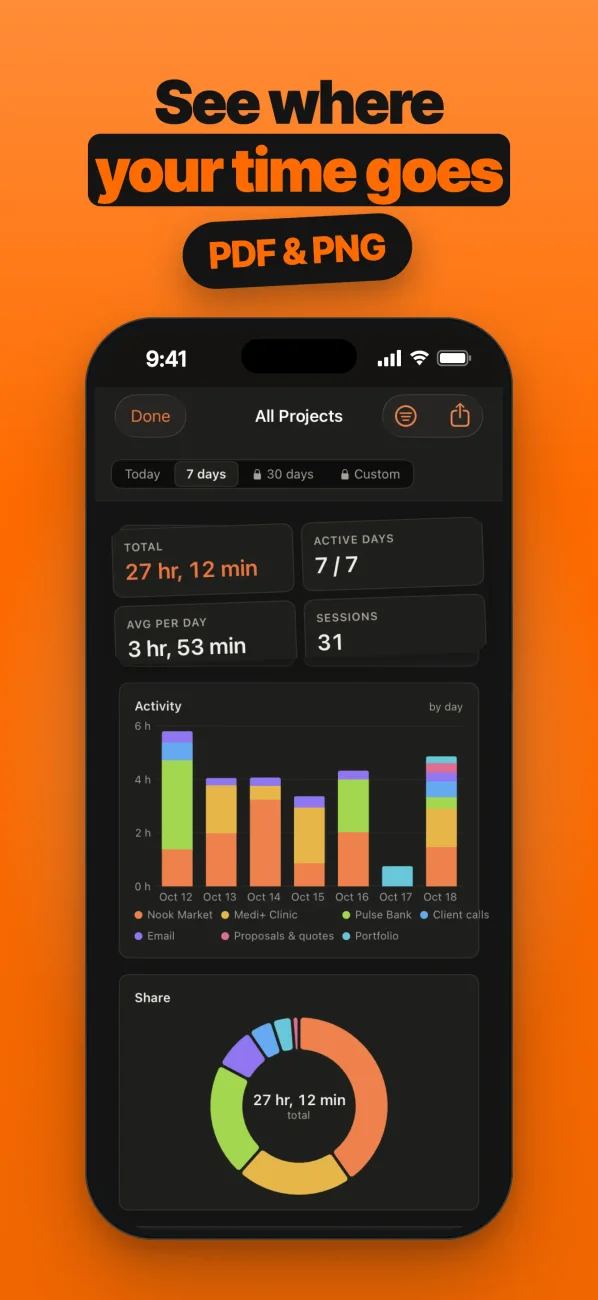
• Today, 7 days, 30 days or a custom range down to the minute.
• All projects: total hours, active days, daily average, each project's share.
• Project report: breakdown by task, by hour of day and day of week, plus every session.
• Export to PDF and PNG — send it to a client with Share or save it to Files.
A TIMER YOU CAN TRUST
• The timer keeps going in the background: close the app or lock the screen — time counts from the start of the session until you stop it.
PRIVACY
• No sign-up, no cloud. Your data lives in a database on your device and is never sent anywhere.
FREE AND PRO
• Free: timer, projects, tasks, grid, widgets and reports for the last 7 days.
• Pro unlocks reports and export for any period — monthly, yearly or lifetime. History older than a week is never deleted and appears right after purchase.
• One purchase covers iPhone, iPad and Mac.
Light and dark themes. 15 interface languages.
Terms of Use: https://docs.google.com/document/d/11r3fTmOSopmZ0d0Hs5Eo5FXmB3H1XWZ2/view
Privacy Policy: https://docs.google.com/document/d/1DmUIL-3e1paxgJRliMqhiZT1yq5vox3D/view
Privasi aplikasi
Yang dinyatakan Rockstarsoft di App Store tentang cara aplikasi ini menangani data.
-
Data yang tidak ditautkan dengan Anda
Dapat dikumpulkan, tetapi tidak ditautkan dengan identitas Anda.
- Pembelian
- Pengenal
Praktik privasi dapat bervariasi, misalnya berdasarkan fitur yang Anda gunakan atau usia Anda.
Informasi
- Penjual
- ROCKSTARSOFT, UAB
- Kategori
- Produktivitas
- Versi
- 1.0.0
- Diperbarui
- 22/10/2026
- Dirilis
- 22/10/2026
- Ukuran
- 20,2 MB
- Memerlukan
- iOS 17.0 atau yang lebih baru
- Batasan usia
- 4+
- Harga
- Gratis
- Pembelian dalam aplikasi
- Ya
- Bahasa
- Inggris, Belanda, Prancis, Jerman, Italia, Jepang, Korea, Polski (Polandia), Portugis, Rusia, Tionghoa Sederhana, Spanyol + 3 lainnya
- Hak cipta
- © 2026 ROCKSTARSOFT, UAB
Mungkin Anda juga suka
-
 Mazaly - Event plannerProduktivitas
-
 DaySlice - Manajemen WaktuCatat jam belajar & kerja
-
 Galka: Tasks & ProjectsProduktivitas
-
 NickmateProduktivitas
-
 Tickd: Daily Planner & To-DoProduktivitas
-
 Tracked - Time TrackerProduktivitas
-
 Ommio: Tugas & KebiasaanTo do list dan fokus
-
 Maybe: One Task at a TimeProduktivitas
-
 TimestuProduktivitas
-
 Penna: ADHD Visual ScheduleProduktivitas