- Batasan usia4+
- KategoriKegunaan
- PengembangJack Richmond
- BahasaInggris
- Ukuran1,5 MB
Tertaut ke halaman resmi App Store
Download.org tidak menyimpan file Mesh Mapper apa pun. Tombol ini membuka halaman aplikasi di App Store, tempat Jack Richmond menerbitkannya. Halaman terakhir diperiksa pada 13/11/2026.
Tangkapan layar

Tentang
Pengembang belum menyediakan teks ini dalam bahasa Anda.
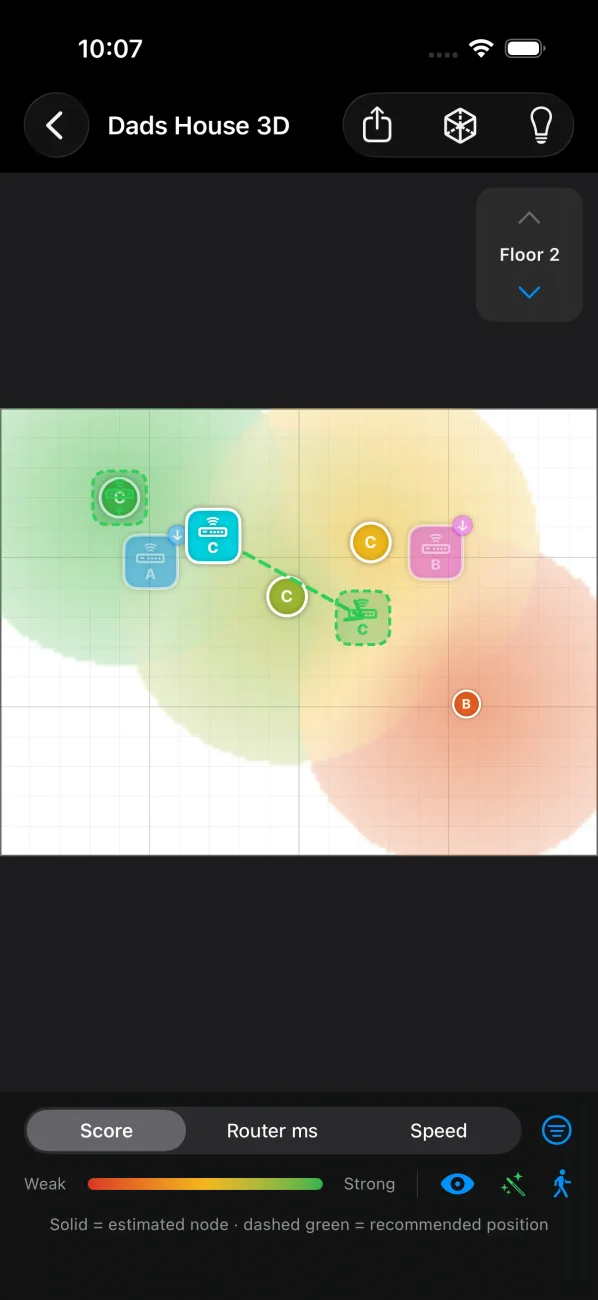
Mesh Mapper helps you understand home Wi-Fi coverage the way a field survey tool would, without extra hardware.
Create a survey from a floor plan photo, a blank grid, or a LiDAR RoomPlan scan. Then walk around your home and tap where you are standing to measure what your Wi-Fi actually delivers at each spot.
Mesh Mapper turns those measurements into clear coverage heat maps and practical placement advice:
- Score, router latency, internet latency, and throughput maps
- Mesh node labels based on the Wi-Fi access point serving each sample
- Multi-floor surveys with 3D house visualization
- LiDAR floor plan scanning on supported devices
- Placement advisor for weak spots and suggested node moves
- Shareable PNG reports for comparing layouts
iOS does not expose raw Wi-Fi signal strength to third-party apps, so Mesh Mapper focuses on real-world network behavior: router response time, internet latency, download throughput, and serving-node identity. That makes it useful for finding dead zones, diagnosing sticky roaming, and deciding where a mesh router or satellite should move next.
Mesh Mapper stores surveys locally on your device and does not require an account.
Yang baru
Versi 1.4 · 11/8/2026
This release focuses on measurement accuracy.
More accurate Wi-Fi speed readings. Speeds are now measured as sustained throughput rather than averaged over the whole test, which removes the slow start at the beginning of every transfer. Quick walk-by samples and full measurements now agree about the same spot.
Consistent scoring. A spot no longer scores differently depending on whether it was measured by tapping, walking, or scanning.
Better router detection. If your router isn't at the usual address, Mesh Mapper now finds it instead of reporting your whole home as a dead zone.
Honest coverage. The Advisor now tells you when part of the area you walked has no measurements behind it, when your speeds are capped by your internet plan rather than your Wi-Fi, and when a survey accidentally mixes two networks.
More accurate mesh node diagnostics, including per-node backhaul timing.
Privasi aplikasi
Yang dinyatakan Jack Richmond di App Store tentang cara aplikasi ini menangani data.
-
Data tidak dikumpulkan
Pengembang tidak mengumpulkan data apa pun dari aplikasi ini.
Praktik privasi dapat bervariasi, misalnya berdasarkan fitur yang Anda gunakan atau usia Anda.
Informasi
- Penjual
- Jack Richmond
- Kategori
- Kegunaan
- Versi
- 1.4
- Diperbarui
- 11/8/2026
- Dirilis
- 30/7/2026
- Ukuran
- 1,5 MB
- Memerlukan
- iOS 17.0 atau yang lebih baru
- Batasan usia
- 4+
- Harga
- Gratis
- Bahasa
- Inggris
- Hak cipta
- © 2026 Jack Richmond