
midivista: Piano Sight-Reading
Read sheet music in time
Dirancang untuk iPhone, iPad, iPod touch
Gratis · Pembelian dalam aplikasi
- Batasan usia4+
- KategoriMusik
- PengembangImmutabit LLC
- BahasaInggris
- Ukuran40,2 MB
Tertaut ke halaman resmi App Store
Download.org tidak menyimpan file midivista: Piano Sight-Reading apa pun. Tombol ini membuka halaman aplikasi di App Store, tempat Immutabit LLC menerbitkannya. Halaman terakhir diperiksa pada 23/11/2026.
Tangkapan layar


Tentang
Pengembang belum menyediakan teks ini dalam bahasa Anda.
Lessons taught you the notes. midivista teaches you to read them in time.
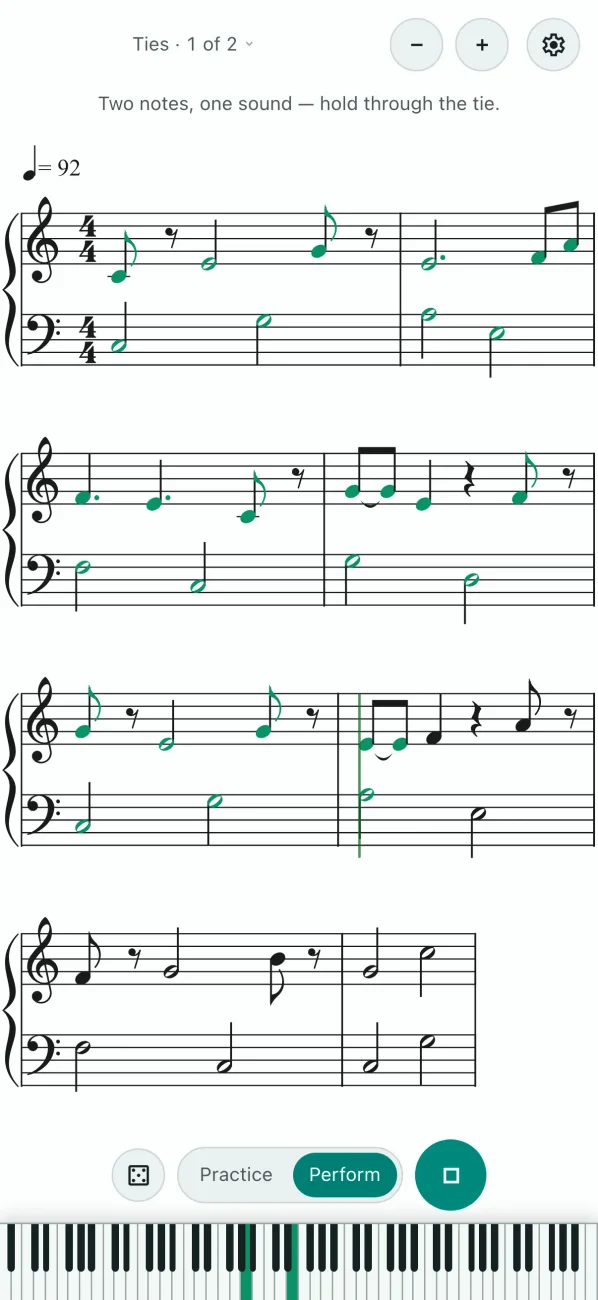
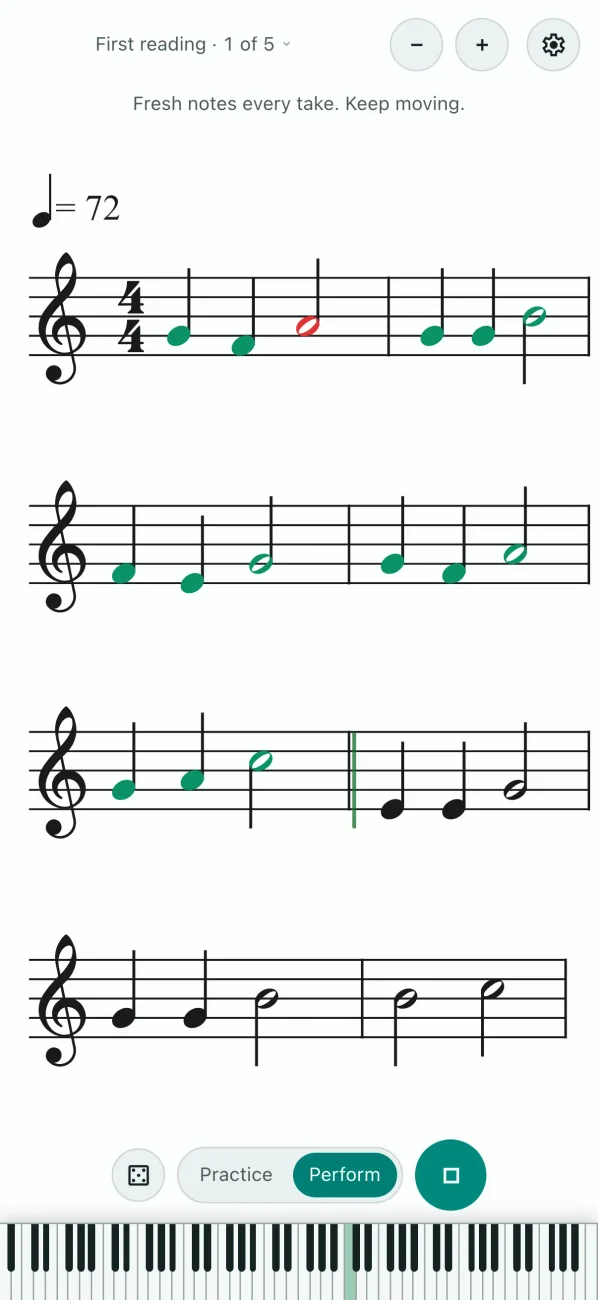
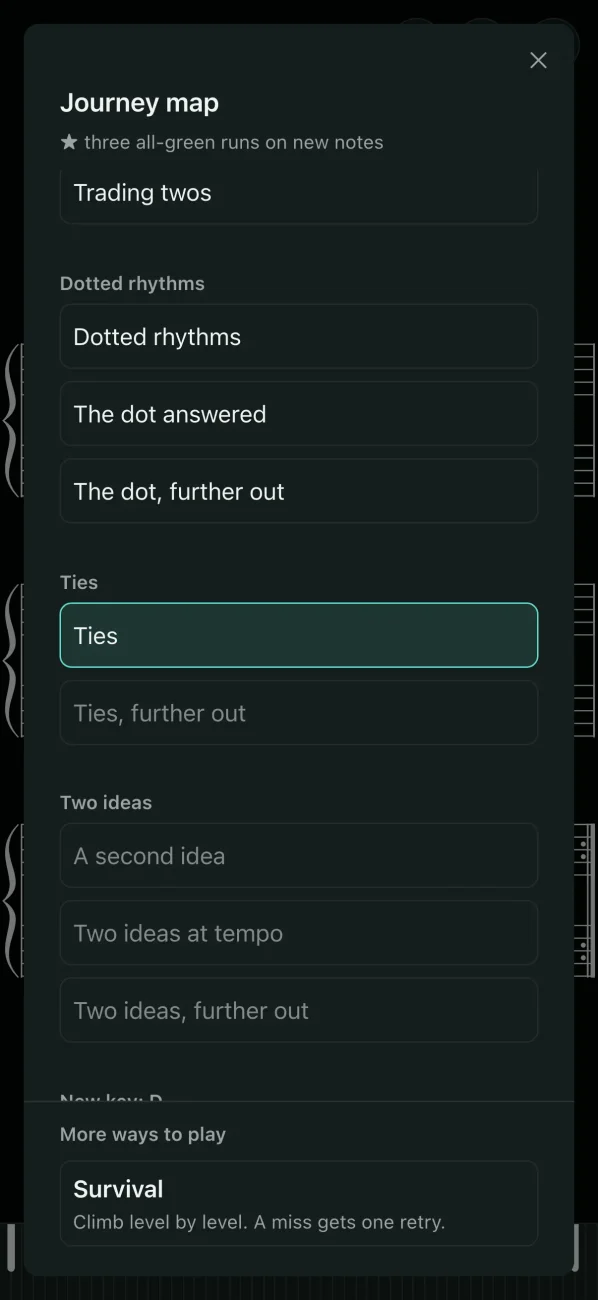
midivista is a guided sight-reading journey for the piano. Connect a MIDI keyboard and work through one continuous path, from the C major scale at 60 beats per minute to early-intermediate reading.
The music is generated as you go, so you read it rather than remember it. Each step sets what you read: key, meter, tempo, hand, range and rhythm. There is nothing to configure. Practice a step as long as you like, then perform it once through in time with the band: click, drums and bass. One clean run moves you on, and a miss costs only another try.
The first step is harder than it looks. Holding a steady tempo, reading ahead and meeting a rhythm you didn't expect are what reading at the keyboard asks for. The journey builds them one step at a time, alongside what your lessons are already building.
For teachers: midivista gives a student reading practice on new music between lessons, at a steady tempo, and moves them on only when they've read it cleanly.
• Needs a MIDI keyboard. Connect by USB-C, or pair a Bluetooth MIDI keyboard in Settings.
• No keyboard? A one-hand series plays on the on-screen keys.
• Your progress is saved on your device. Sign in with Apple or Google, if you like, to carry it between your devices.
The journey is free up to the both-hands run; a subscription continues from there.
Terms of Use (Apple standard EULA): https://www.apple.com/legal/internet-services/itunes/dev/stdeula/
App terms: https://app.midivista.com/terms
Privacy Policy: https://app.midivista.com/privacy
Yang baru
Versi 1.7 · 19/11/2026
• A connected MIDI keyboard is ready as soon as it's plugged in or paired. You no longer play a note first, and "Network Session 1" no longer appears.
• Survival: leaving the app mid-take ends that take as a miss, and your retry is a fresh piece. Coming back no longer leaves the score looping with nothing playing.
• A run that ends while the app is in the background now ends properly when you return.
• Survival's Settings now have the On-screen keys switch, so you can hide the on-screen keyboard while playing a MIDI keyboard. It's the same setting as in the journey.
• A 25-key keyboard set one octave down or up can now be measured and play the journey.
• Survival keeps your best if you leave between levels.
• New metre: 3/4 now stays in three, with one bar of each take held for all three beats.
Privasi aplikasi
Yang dinyatakan Immutabit LLC di App Store tentang cara aplikasi ini menangani data.
-
Data yang ditautkan dengan Anda
Dapat dikumpulkan dan ditautkan dengan identitas Anda.
- Info kontak
- Konten pengguna
- Pengenal
- Data penggunaan
Praktik privasi dapat bervariasi, misalnya berdasarkan fitur yang Anda gunakan atau usia Anda.
Informasi
- Penjual
- Immutabit LLC
- Kategori
- Musik
- Versi
- 1.7
- Diperbarui
- 19/11/2026
- Dirilis
- 6/11/2026
- Ukuran
- 40,2 MB
- Memerlukan
- iOS 15.0 atau yang lebih baru
- Batasan usia
- 4+
- Harga
- Gratis
- Pembelian dalam aplikasi
- Ya
- Bahasa
- Inggris
- Hak cipta
- © 2026 Immutabit LLC
Mungkin Anda juga suka
-
 NoteSwan: Learn Sight ReadingMusik
-
 SightReader - Latihan NotBelajar baca not dengan cepat
-
 Piano Sight Reading TrainerMusik
-
 Muri NayshMusik
-
 Sight Reading FactoryMusik
-
 Ukulele Tuner - Simple TunerMusik
-
 Numa PlayerMusik
-
 Suggester 2 : Chords & ScalesMusik
-
 ScoreSkills- Learn Music NotesMusik
-
 Stagecoach FestivalMusik