Mobile Data Collection
Collect using custom forms
Dirancang untuk iPhone, iPad
Gratis · Pembelian dalam aplikasi
- Batasan usia4+
- KategoriProduktivitas
- PengembangGIS Cloud Inc.
- BahasaInggris+ 9 lainnya
- Ukuran24,5 MB
Tertaut ke halaman resmi App Store
Download.org tidak menyimpan file Mobile Data Collection apa pun. Tombol ini membuka halaman aplikasi di App Store, tempat GIS Cloud Inc. menerbitkannya. Halaman terakhir diperiksa pada 22/11/2026.
Tangkapan layar




Tentang
Pengembang belum menyediakan teks ini dalam bahasa Anda.
GIS Cloud Mobile Data Collection is a solution for recording and updating data in the field with mobile devices in real time, also allowing instant data access from the office. Digitize your workflow and eliminate errors and time-consuming paperwork!
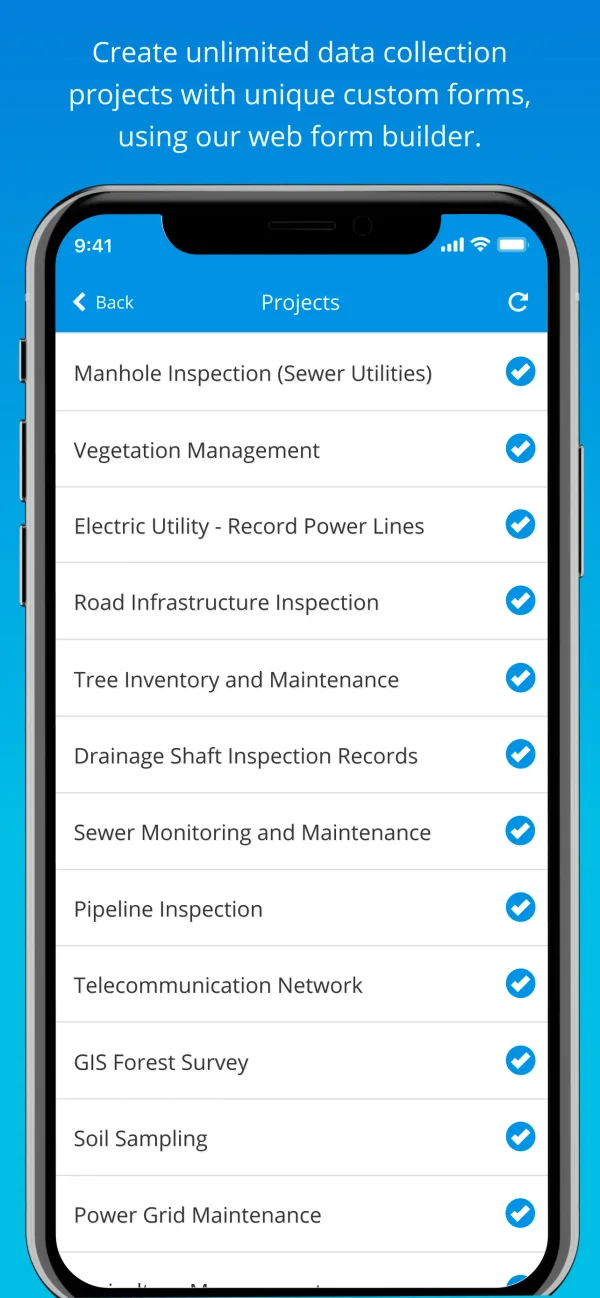
The mobile app enables you to accurately record data, online or offline, by filling in digital custom survey forms. You can create an unlimited number of your own unique forms in the user-friendly form builder, in the connected web app (Mobile Data Collection Portal).
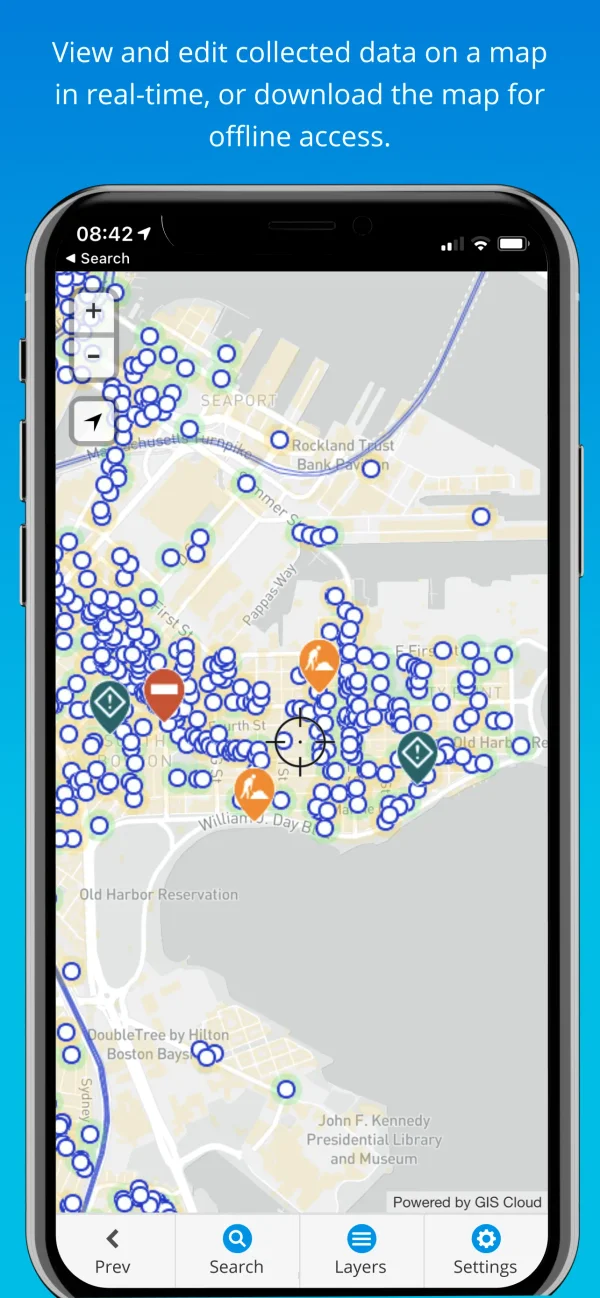
Continue working on your data, edit, share, and collaborate through GIS Cloud powerful web Map Editor app. Find everything you need for your workflow in one platform, no need for integrations.
Collect points, lines, or polygons! Use GPS to capture data on the go, or switch to manual and use pinpoint and drawing tools for even better precision.
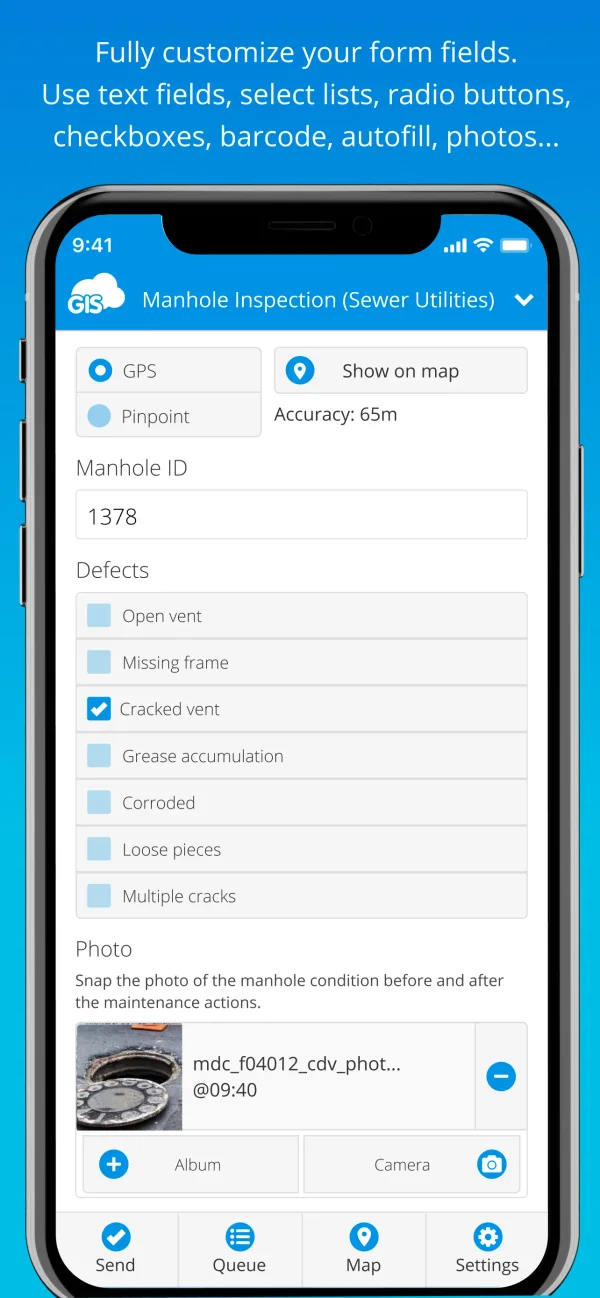
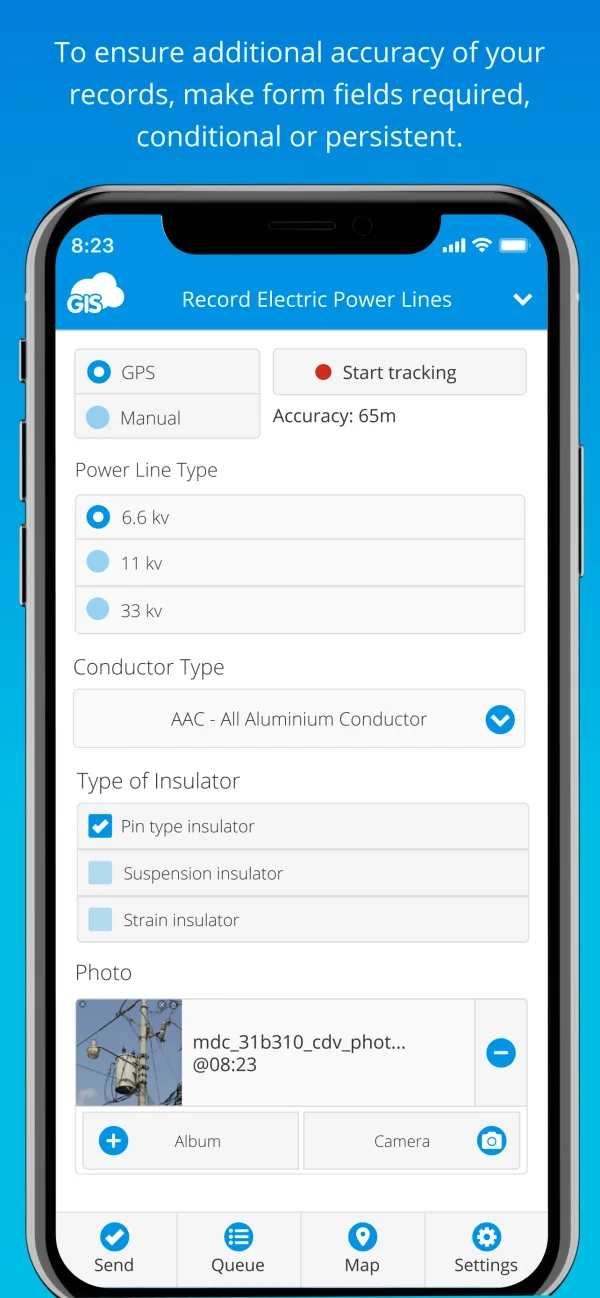
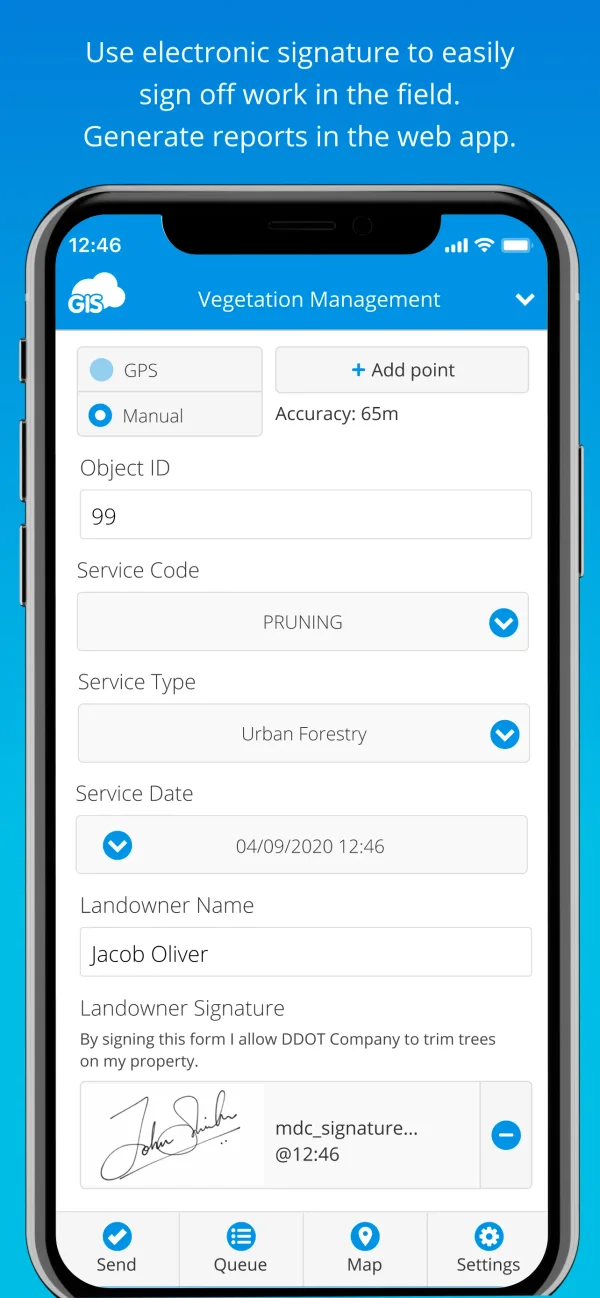
Form fields are fully customizable and you can choose from text fields, selects lists, radio buttons, checkboxes, electronic signature, autofill, barcode, photo and audio, hidden fields, and much more. To control data accuracy and eliminate errors, make your form fields required, conditional (dependent on other form fields or data input), or persistent.
Manage your field staff and share projects with custom forms to field workers by assigning them the collect and update permissions, and they can instantly start collecting data in the field.
Simply sign into your GIS Cloud account (or sign up for free) and send collected data directly to your GIS Cloud app in the cloud. Data is immediately represented on a map, just click on any map feature to access collected data. Generate reports from the web app.
Access data through GIS Cloud Map Editor, where you can further edit and style your data, overlay with additional data layers analyze data, share data with colleagues with different permissions to collaborate on projects. You can also export data and much more.
Collect field data and conduct field surveys faster and easier than ever before. Start creating forms in the MDC Portal web app on https://giscloud.com and have your team out and about in a quarter of an hour!
All you need in the field:
- Offline data capture
- Offline maps
- Points, Lines, and Polygons geometry support
- Media (photos & audio) enriched location information
- QR code and barcode support
- Electronic signature
- Dropdowns, lists, input boxes, and comments based on custom forms
- Review data attributes directly in the app
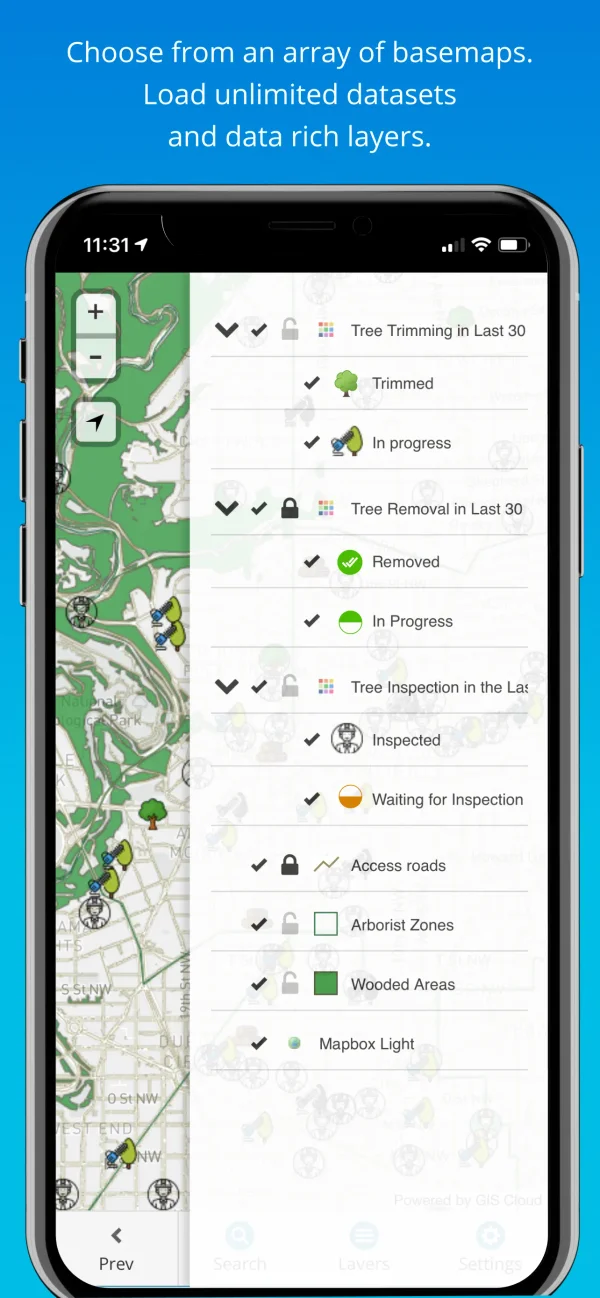
- Search through data on the map
- Control different layers in the map
- Edit existing data
- Listen to audio and view images
- Real-time GPS location
- View and explore maps in the field
Prepare and analyze in the office:
- Cloud-based web apps
- Custom forms designer
- Rich GIS symbology and visualization
- Data editing and exporting
- One-click map and data sharing
- Real-time collaboration
- Map publishing
- Spatial Queries & Analysis
- Account administration
Note! This app will use GPS in the background to give you the most accurate and current location. Continued use of GPS running in the background can dramatically decrease battery life.
If you have any questions or comments, feel free to contact us at support@giscloud.com.
Privacy Policy: https://www.giscloud.com/wp-content/uploads/privacy-policy.html
Terms of Use: https://www.giscloud.com/wp-content/uploads/terms-of-use.html
Yang baru
Versi 10.6.107 · 19/11/2026
New in this update: Bulk edit
Update dozens or hundreds of features at once, right on site. Select them on the map, fill in one form, send. No more opening features one by one, and no more waiting to get back to a laptop to finish the job.
You've had Bulk Edit on the web since May. Now field crews have it too, with the same form rules and automations they already rely on.
Thanks for using the app. With every release, we're working to make field inspections easier and the data in your maps more reliable.
Privasi aplikasi
Yang dinyatakan GIS Cloud Inc. di App Store tentang cara aplikasi ini menangani data.
-
Data yang digunakan untuk melacak Anda
Dapat digunakan untuk melacak Anda di aplikasi dan situs web milik perusahaan lain.
- Info kontak
-
Data yang ditautkan dengan Anda
Dapat dikumpulkan dan ditautkan dengan identitas Anda.
- Lokasi
- Info kontak
- Konten pengguna
- Pengenal
-
Data yang tidak ditautkan dengan Anda
Dapat dikumpulkan, tetapi tidak ditautkan dengan identitas Anda.
- Riwayat pencarian
Praktik privasi dapat bervariasi, misalnya berdasarkan fitur yang Anda gunakan atau usia Anda.
Informasi
- Penjual
- GIS Cloud ltd.
- Kategori
- Produktivitas
- Versi
- 10.6.107
- Diperbarui
- 19/11/2026
- Dirilis
- 2/5/2013
- Ukuran
- 24,5 MB
- Memerlukan
- iOS 16.0 atau yang lebih baru
- Batasan usia
- 4+
- Harga
- Gratis
- Pembelian dalam aplikasi
- Ya
- Bahasa
- Inggris, Katalan, Prancis, Jerman, Italia, Jepang, Polski (Polandia), Portugis, Tionghoa Sederhana, Spanyol
- Hak cipta
- © GIS Cloud Ltd.