MSRX PDF Compressor
Reduce Size. Keep Quality.
Dirancang untuk iPhone, iPad
Gratis
- Batasan usia4+
- KategoriProduktivitas
- PengembangMrinal Singh Raja
- BahasaInggris
- Ukuran7,0 MB
Tertaut ke halaman resmi App Store
Download.org tidak menyimpan file MSRX PDF Compressor apa pun. Tombol ini membuka halaman aplikasi di App Store, tempat Mrinal Singh Raja menerbitkannya. Halaman terakhir diperiksa pada 15/11/2026.
Tangkapan layar

Tentang
Pengembang belum menyediakan teks ini dalam bahasa Anda.
MSRX PDF Compressor makes PDFs smaller without turning your text into pictures.
Most PDF compressors flatten every page to an image. The file shrinks, but you
lose selectable text, search, links, and anything a screen reader can use. This
one looks at each page first. Pages with real text keep it. Pages that are scans
or photographs get re-encoded, which is where nearly all the saving in a scanned
document lives anyway.
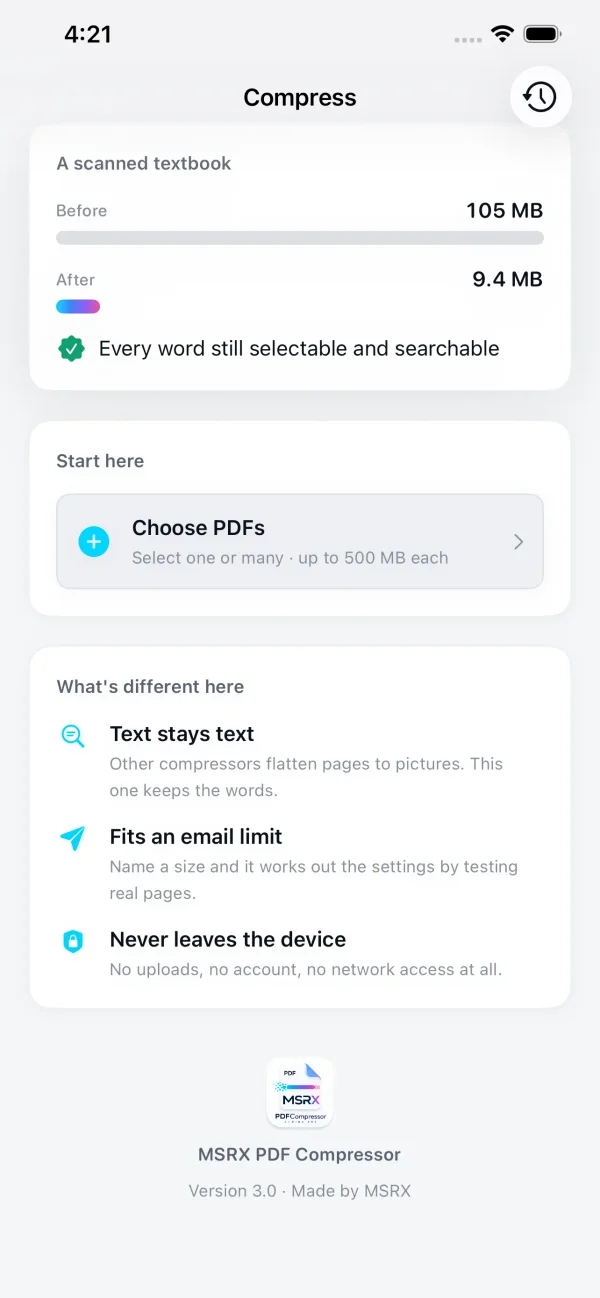
TEXT STAYS TEXT
A 135-page workbook came out 33% smaller with all 138,000 characters still
selectable and searchable. A 224-page scanned textbook went from 100 MB to 9 MB.
The difference is the document, not the setting — and the app tells you which
one you have before you commit.
FIT UNDER A LIMIT
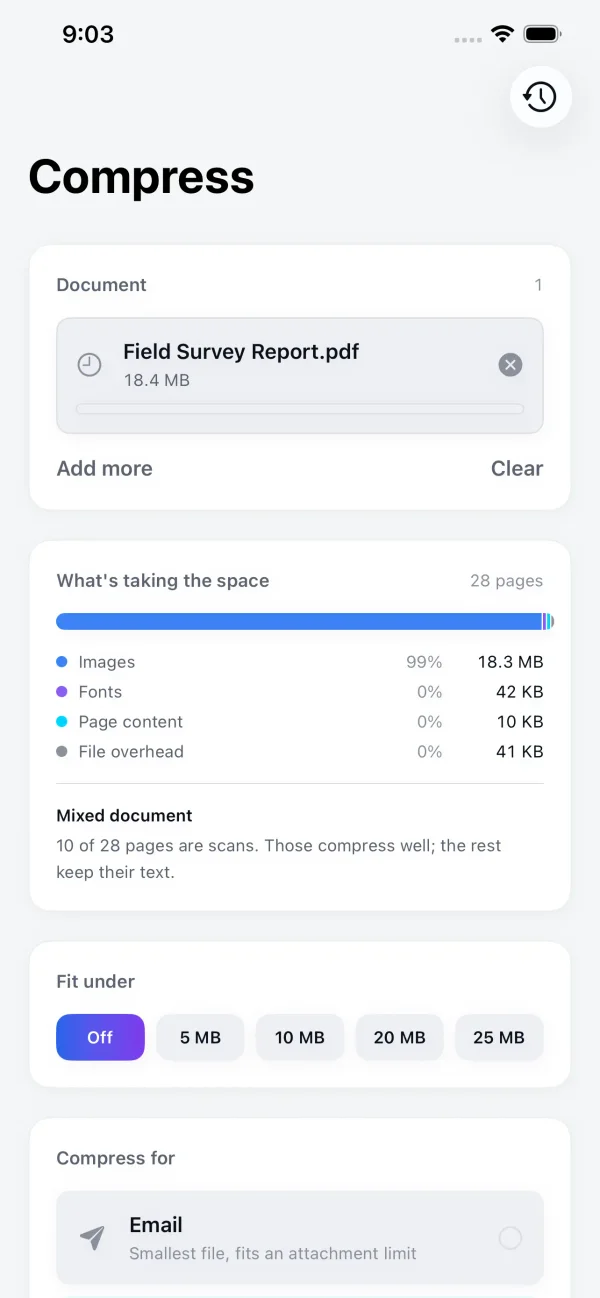
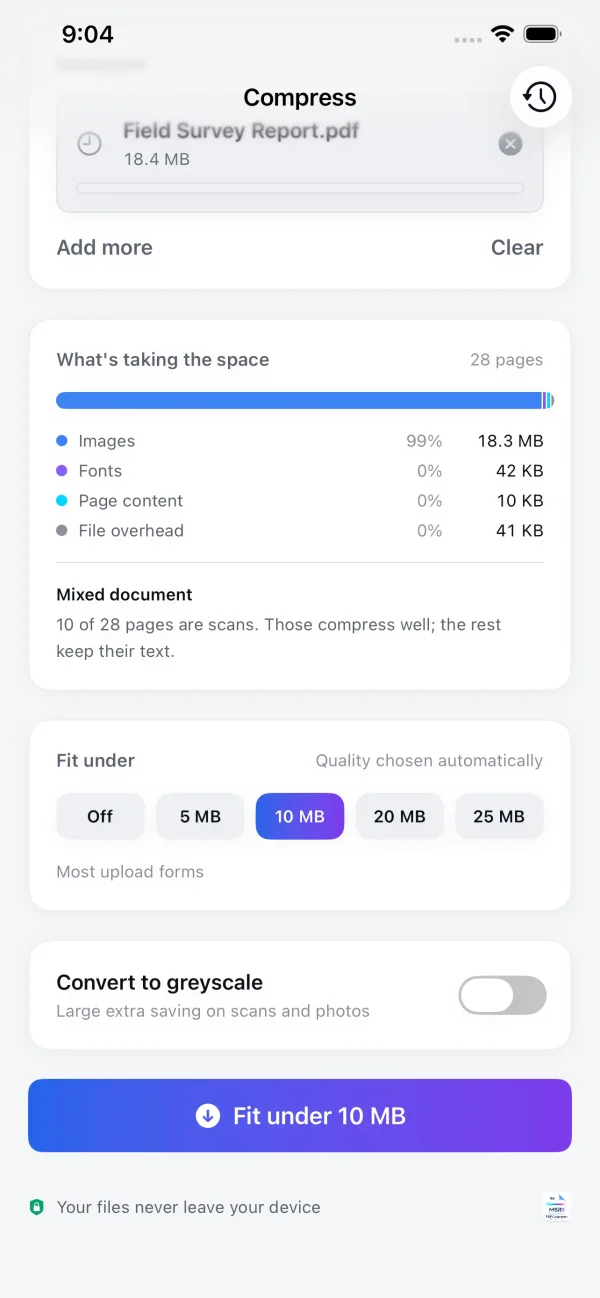
Tell it the limit your email or upload form imposes — 5, 10, 20 or 25 MB — and it
works out the settings for you, testing real pages rather than guessing. If it
cannot reach your limit, it says so and hands back the smallest file it managed.
It will not pretend it succeeded.
SEE WHERE THE MEGABYTES ARE
Before you compress, the app breaks the file down: images, fonts, page content,
overhead. Then it tells you plainly what to expect — "10 of 28 pages are scans.
Those compress well; the rest keep their text."
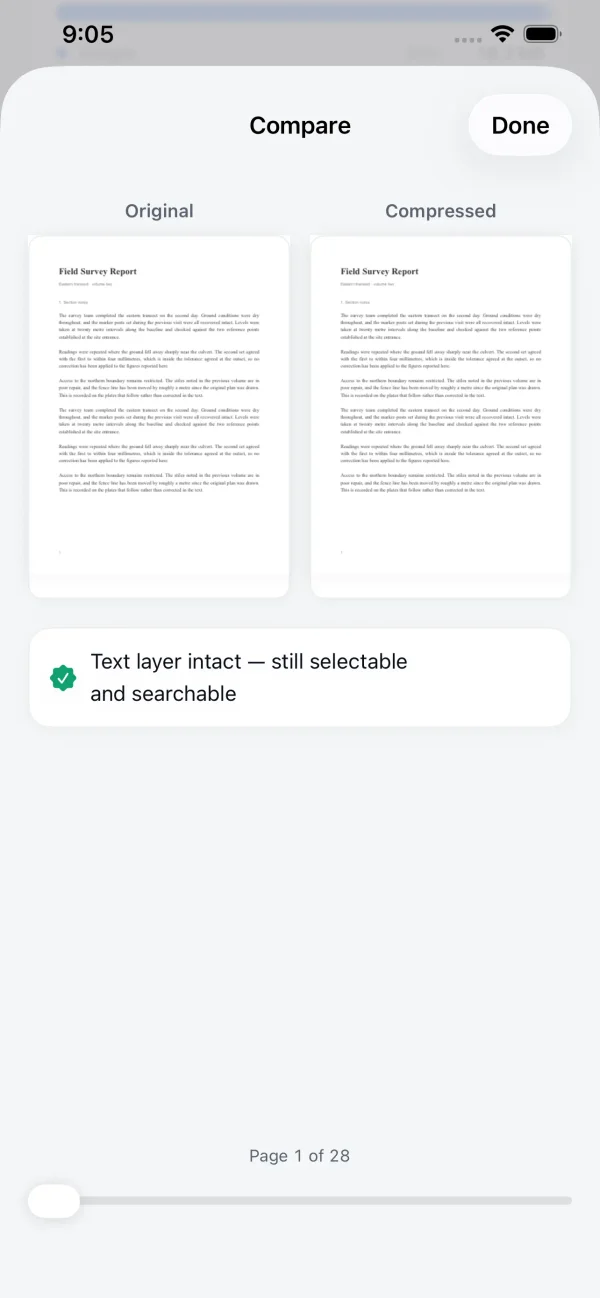
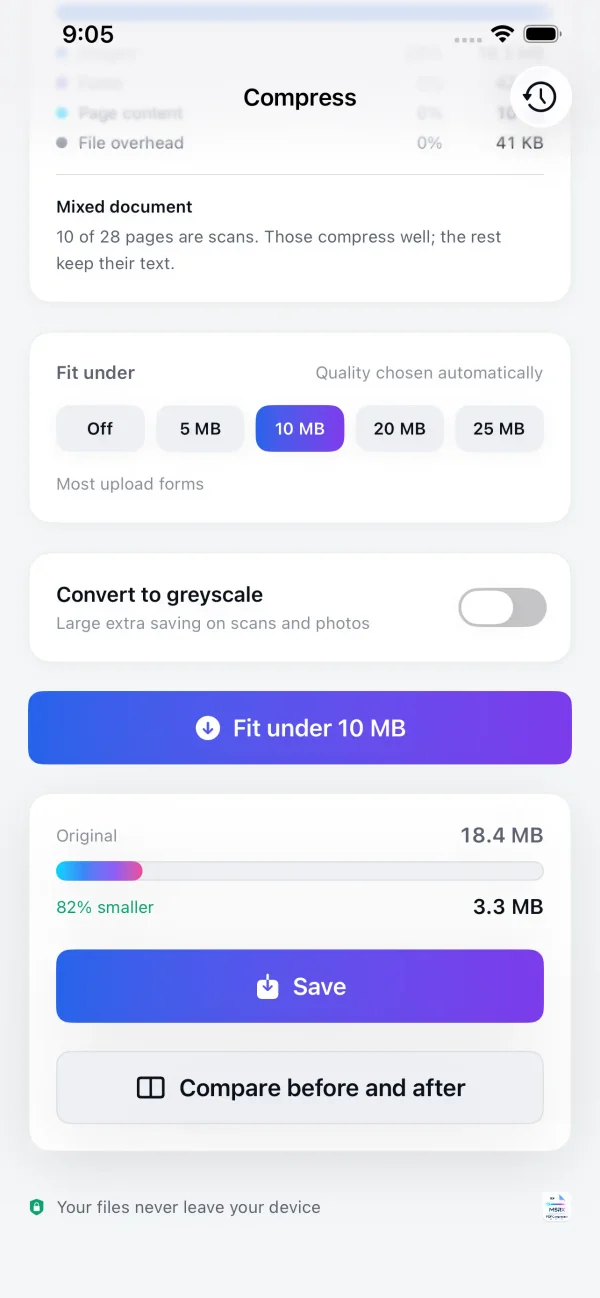
COMPARE BEFORE AND AFTER
Put the original and the result side by side, page by page, and confirm for
yourself that nothing was lost.
ALSO IN THIS VERSION
• Compress several PDFs at once, with per-file results
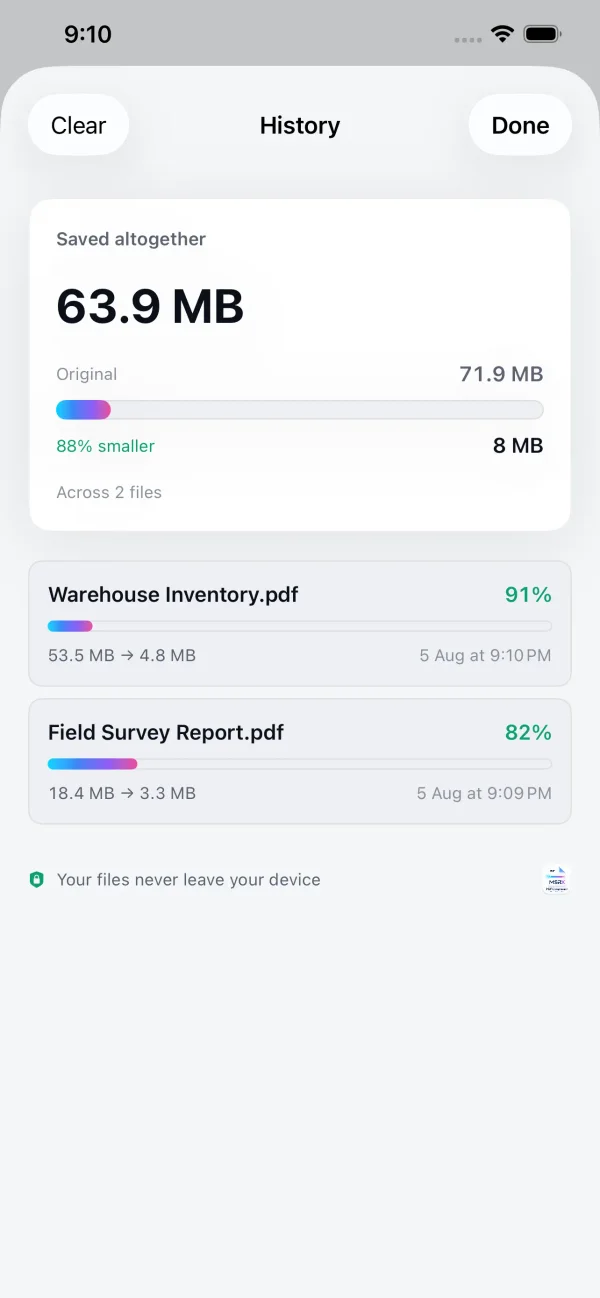
• History, with a running total of everything you have saved
• Greyscale conversion for scans and photographs
• Compress from any app's share sheet, without opening this one
• A Shortcuts action, for compressing as part of an automation
• Full Dark Mode, Dynamic Type, and VoiceOver support
HONEST ABOUT WHAT IT CANNOT DO
Compression works on images. A document that is mostly text and embedded fonts
has very little to give, and the app says so up front instead of letting you
find out afterwards. Scanned documents are where you will see the dramatic
numbers.
PRIVATE BY DESIGN
Everything happens on your iPhone or iPad. Your files are never uploaded, and
the app has no analytics, no accounts, and no network access at all.
FILE LIMITS
Up to 500 MB and 2,000 pages per document.
Free. No ads, no subscriptions, no in-app purchases.
Yang baru
Versi 3.0 · 11/8/2026
Rebuilt from the ground up.
YOUR TEXT STAYS TEXT
The old version turned every page into an image. Files got smaller, but you lost
selection, search, links, and anything VoiceOver could read. This version looks
at each page first: pages with a real text layer are kept as they are, and only
pages that are genuinely scans get re-encoded. A 135-page workbook now comes out
33% smaller with all 138,000 characters intact.
NEW
• Compress several PDFs at once, with per-file results
• Fit a file under 5, 10, 20 or 25 MB — it finds the settings by testing real
pages, and tells you honestly if your limit cannot be reached
• See where your megabytes are before you compress, broken down by images,
fonts and page content
• Compare the original and the result side by side, page by page
• History, with a running total of everything you have saved
• Greyscale conversion for scans and photographs
• Compress straight from any app's share sheet
• A Shortcuts action, for use in automations
FIXED
• A crash on files whose size could not be read
• Pages rotated 90 or 270 degrees rendering sideways
• Large documents running out of memory — a 224-page, 100 MB scan now peaks at
35 MB of memory and finishes in about four seconds
• Text-only PDFs coming back larger than they started; those are now reported as
already optimised and left alone
CHANGED
• Redesigned throughout, with full Dark Mode and Dynamic Type support
• The app is now called MSRX PDF Compressor
• The compression recommendation reads the document's actual structure instead
of guessing from the filename
Privasi aplikasi
Yang dinyatakan Mrinal Singh Raja di App Store tentang cara aplikasi ini menangani data.
-
Data tidak dikumpulkan
Pengembang tidak mengumpulkan data apa pun dari aplikasi ini.
Praktik privasi dapat bervariasi, misalnya berdasarkan fitur yang Anda gunakan atau usia Anda.
Informasi
- Penjual
- Mrinal Singh Raja
- Kategori
- Produktivitas
- Versi
- 3.0
- Diperbarui
- 11/8/2026
- Dirilis
- 5/3/2026
- Ukuran
- 7,0 MB
- Memerlukan
- iOS 17.0 atau yang lebih baru
- Batasan usia
- 4+
- Harga
- Gratis
- Bahasa
- Inggris
- Hak cipta
- © 2026 Mrinal Singh Raja
Mungkin Anda juga suka
-
 PDF Size Reducer: Compress PDFProduktivitas
-
 PDF Compressor: Sign ScanProduktivitas
-
 TinyPDF — PDF CompressorProduktivitas
-
 PDF Tools - Scan, Merge, SplitProduktivitas
-
 PDF Compressor OfflineProduktivitas
-
 PDF Scan and Sign ProProduktivitas
-
 PDF Editor - No Ads, Read ScanProduktivitas
-
 PDF Tools Merge & CompressProduktivitas
-
 PDF Compressor: Fast ResizeProduktivitas
-
 PDFWorldEditor: PDF EditorProduktivitas