- 対象年齢4+
- カテゴリ仕事効率化
- 開発元Mrinal Singh Raja
- 言語英語
- サイズ7.0 MB
App Storeの公式ページにリンクしています
Download.orgはMSRX PDF Compressorのファイルを一切ホストしていません。ボタンを押すと、Mrinal Singh Rajaが公開しているApp Storeのアプリページが開きます。ページの最終確認:2026/11/15。
スクリーンショット

概要
開発元はこのテキストをお使いの言語で提供していません。
MSRX PDF Compressor makes PDFs smaller without turning your text into pictures.
Most PDF compressors flatten every page to an image. The file shrinks, but you
lose selectable text, search, links, and anything a screen reader can use. This
one looks at each page first. Pages with real text keep it. Pages that are scans
or photographs get re-encoded, which is where nearly all the saving in a scanned
document lives anyway.
TEXT STAYS TEXT
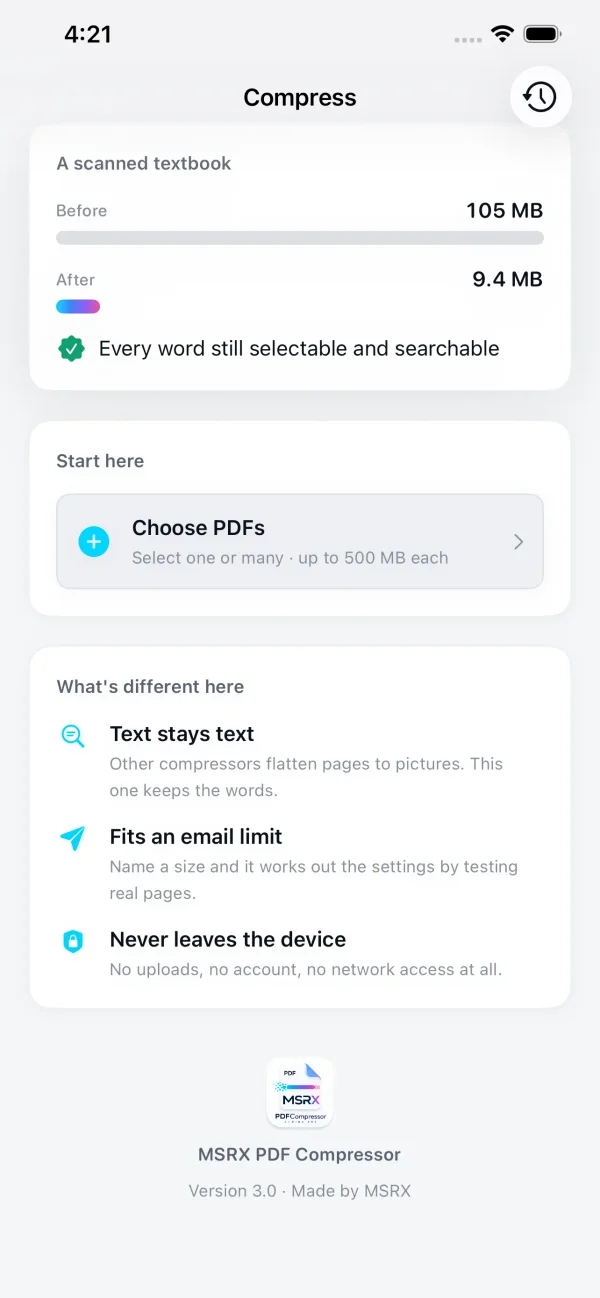
A 135-page workbook came out 33% smaller with all 138,000 characters still
selectable and searchable. A 224-page scanned textbook went from 100 MB to 9 MB.
The difference is the document, not the setting — and the app tells you which
one you have before you commit.
FIT UNDER A LIMIT
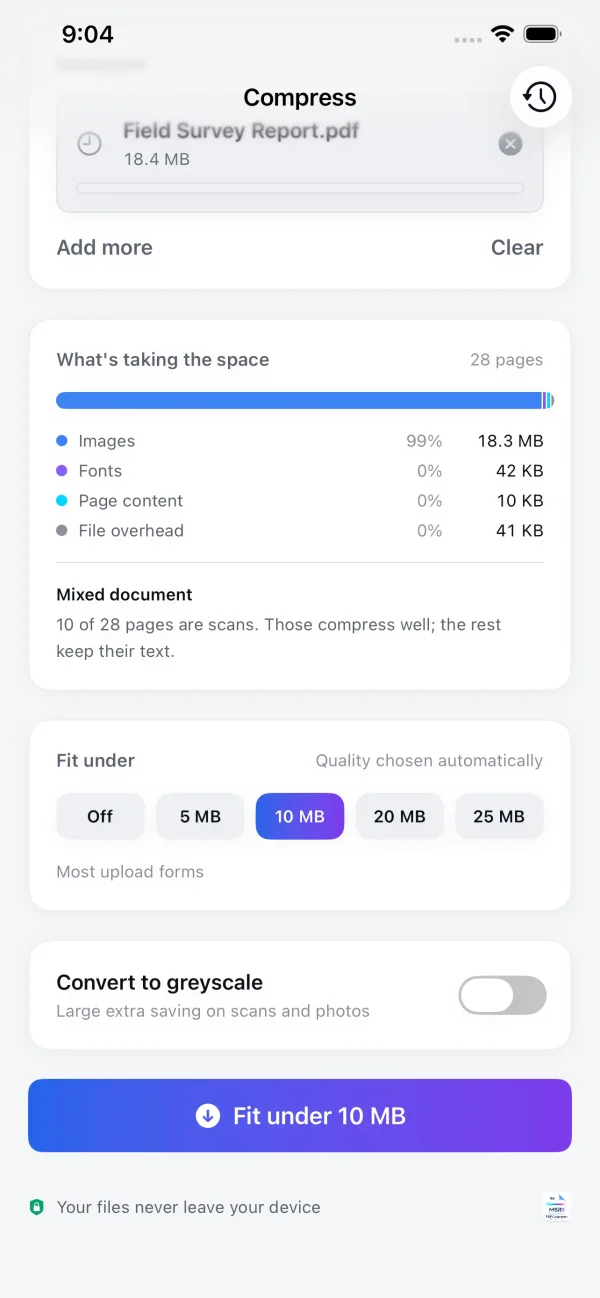
Tell it the limit your email or upload form imposes — 5, 10, 20 or 25 MB — and it
works out the settings for you, testing real pages rather than guessing. If it
cannot reach your limit, it says so and hands back the smallest file it managed.
It will not pretend it succeeded.
SEE WHERE THE MEGABYTES ARE
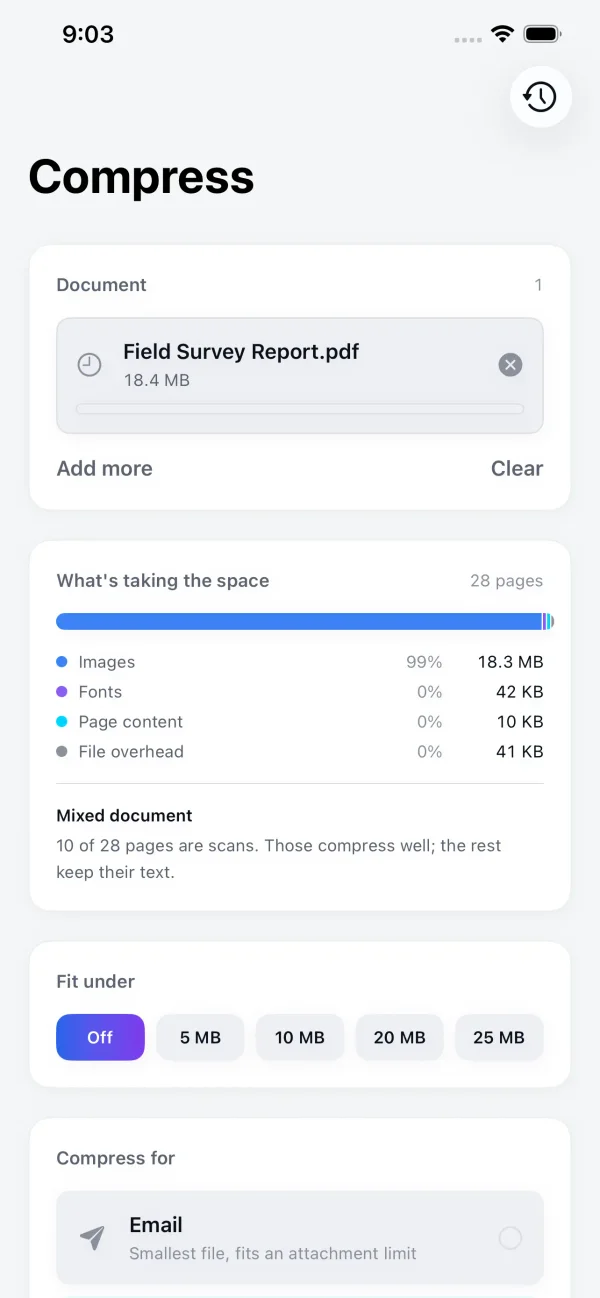
Before you compress, the app breaks the file down: images, fonts, page content,
overhead. Then it tells you plainly what to expect — "10 of 28 pages are scans.
Those compress well; the rest keep their text."
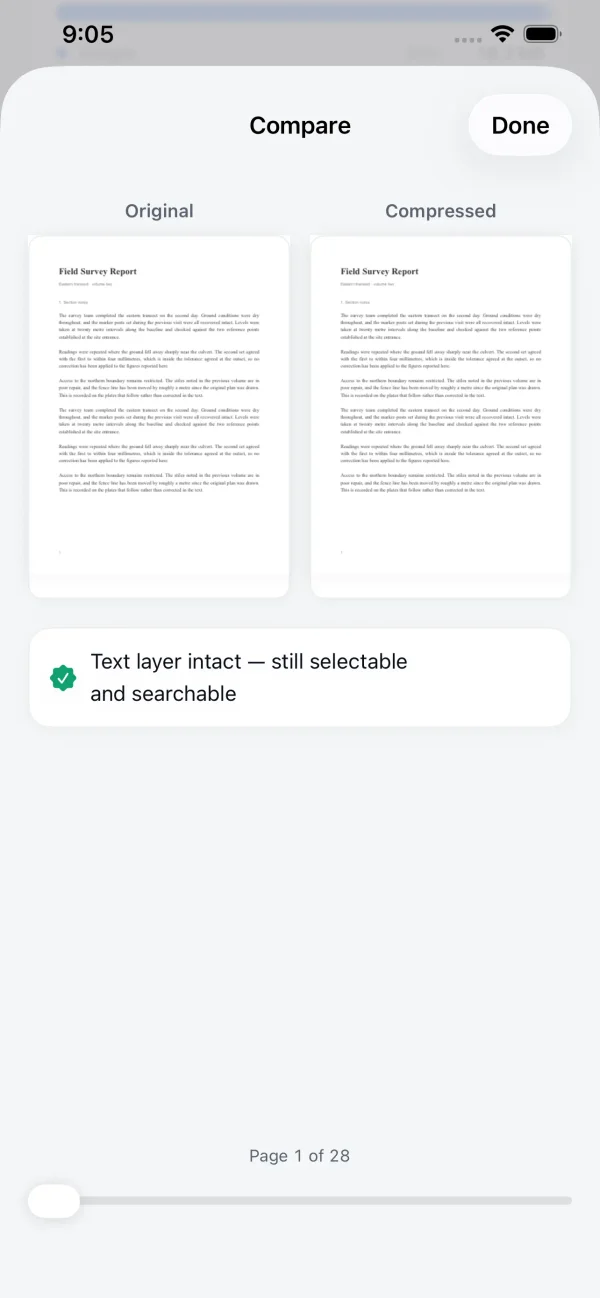
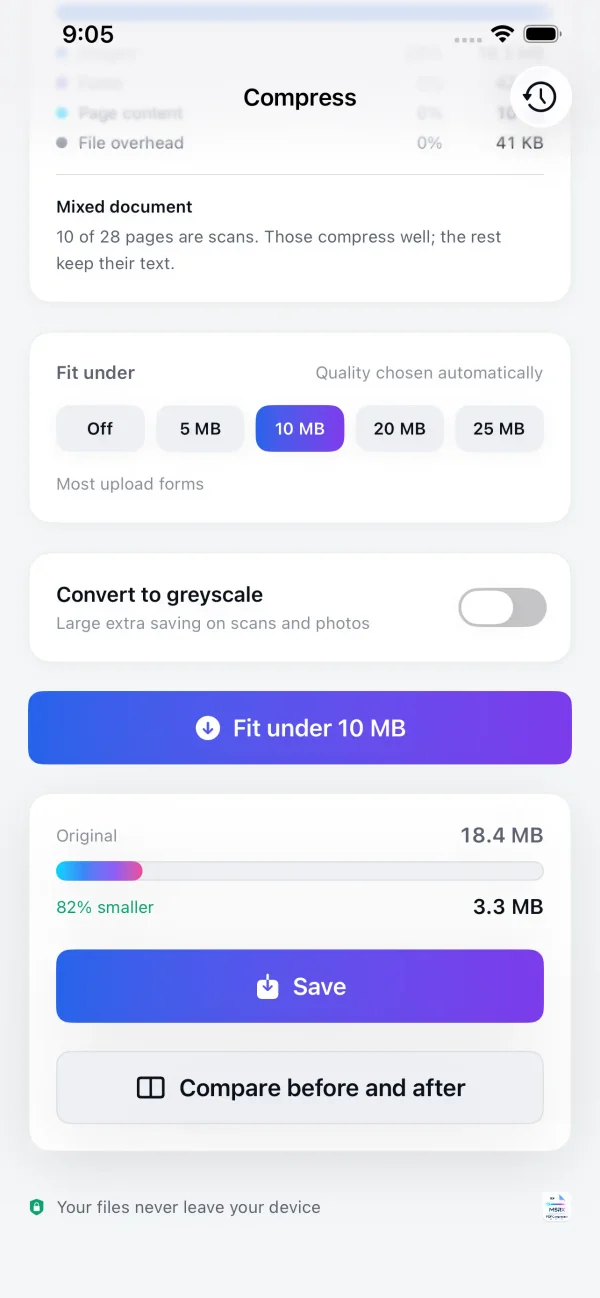
COMPARE BEFORE AND AFTER
Put the original and the result side by side, page by page, and confirm for
yourself that nothing was lost.
ALSO IN THIS VERSION
• Compress several PDFs at once, with per-file results
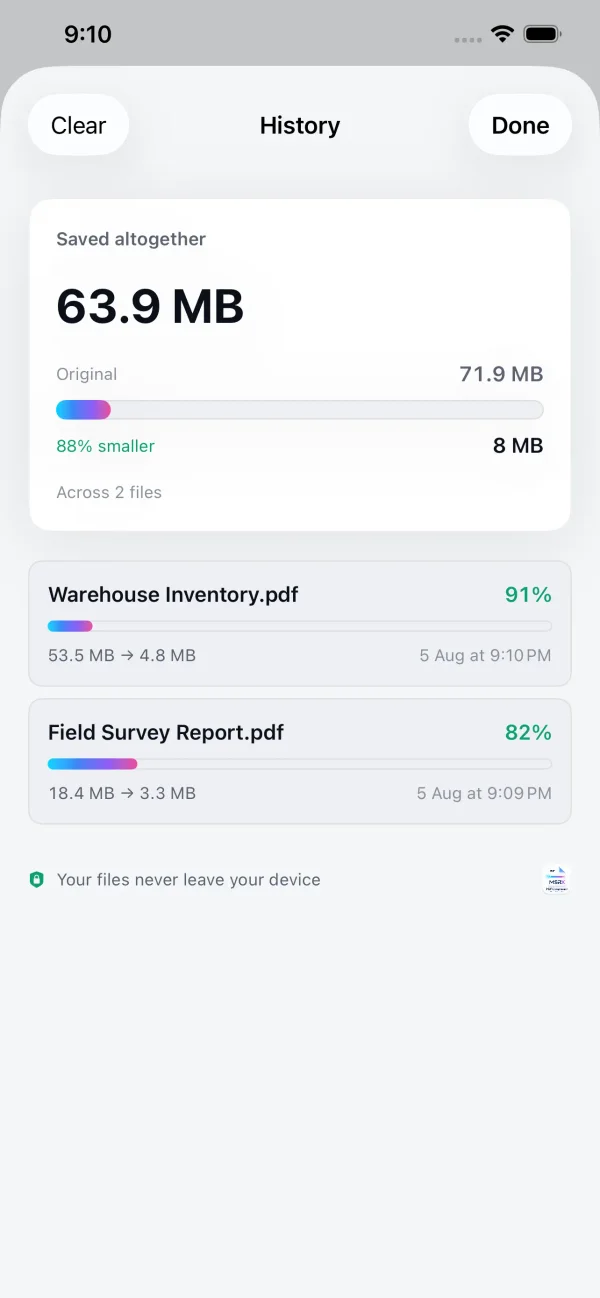
• History, with a running total of everything you have saved
• Greyscale conversion for scans and photographs
• Compress from any app's share sheet, without opening this one
• A Shortcuts action, for compressing as part of an automation
• Full Dark Mode, Dynamic Type, and VoiceOver support
HONEST ABOUT WHAT IT CANNOT DO
Compression works on images. A document that is mostly text and embedded fonts
has very little to give, and the app says so up front instead of letting you
find out afterwards. Scanned documents are where you will see the dramatic
numbers.
PRIVATE BY DESIGN
Everything happens on your iPhone or iPad. Your files are never uploaded, and
the app has no analytics, no accounts, and no network access at all.
FILE LIMITS
Up to 500 MB and 2,000 pages per document.
Free. No ads, no subscriptions, no in-app purchases.
新機能
バージョン 3.0 · 2026/8/11
Rebuilt from the ground up.
YOUR TEXT STAYS TEXT
The old version turned every page into an image. Files got smaller, but you lost
selection, search, links, and anything VoiceOver could read. This version looks
at each page first: pages with a real text layer are kept as they are, and only
pages that are genuinely scans get re-encoded. A 135-page workbook now comes out
33% smaller with all 138,000 characters intact.
NEW
• Compress several PDFs at once, with per-file results
• Fit a file under 5, 10, 20 or 25 MB — it finds the settings by testing real
pages, and tells you honestly if your limit cannot be reached
• See where your megabytes are before you compress, broken down by images,
fonts and page content
• Compare the original and the result side by side, page by page
• History, with a running total of everything you have saved
• Greyscale conversion for scans and photographs
• Compress straight from any app's share sheet
• A Shortcuts action, for use in automations
FIXED
• A crash on files whose size could not be read
• Pages rotated 90 or 270 degrees rendering sideways
• Large documents running out of memory — a 224-page, 100 MB scan now peaks at
35 MB of memory and finishes in about four seconds
• Text-only PDFs coming back larger than they started; those are now reported as
already optimised and left alone
CHANGED
• Redesigned throughout, with full Dark Mode and Dynamic Type support
• The app is now called MSRX PDF Compressor
• The compression recommendation reads the document's actual structure instead
of guessing from the filename
アプリのプライバシー
このアプリのデータの取り扱いについて、Mrinal Singh RajaがApp Storeで申告している内容です。
-
データの収集なし
開発元はこのアプリからデータを収集しません。
プライバシーの取り扱いは、ご利用の機能やお客様の年齢などに応じて異なる場合があります。
情報
- 販売元
- Mrinal Singh Raja
- カテゴリ
- 仕事効率化
- バージョン
- 3.0
- 更新日
- 2026/8/11
- リリース
- 2026/3/5
- サイズ
- 7.0 MB
- 必要条件
- iOS 17.0以降
- 対象年齢
- 4+
- 価格
- 無料
- 言語
- 英語
- 著作権
- © 2026 Mrinal Singh Raja
こちらもおすすめ
-
 PDF Size Reducer: Compress PDF仕事効率化
-
 PDF Compressor: Sign Scan仕事効率化
-
 TinyPDF — PDF Compressor仕事効率化
-
 PDF Tools - Scan, Merge, Split仕事効率化
-
 PDF Compressor Offline仕事効率化
-
 PDF Scan and Sign Pro仕事効率化
-
 PDF Editor - No Ads, Read Scan仕事効率化
-
 PDF ツール: 結合と圧縮分割・抽出・オフライン
-
 PDF Compressor: Fast Resize仕事効率化
-
 PDFWorldEditor: PDF Editor仕事効率化