Multiple Camera Viewer
All your cameras on one screen
Dirancang untuk iPhone, iPad, Mac
Gratis · Pembelian dalam aplikasi
- Batasan usia4+
- KategoriKegunaan
- PengembangRichard Pak
- BahasaInggris
- Ukuran6,1 MB
Tertaut ke halaman resmi App Store
Download.org tidak menyimpan file Multiple Camera Viewer apa pun. Tombol ini membuka halaman aplikasi di App Store, tempat Richard Pak menerbitkannya. Halaman terakhir diperiksa pada 23/11/2026.
Tangkapan layar

Tentang
Pengembang belum menyediakan teks ini dalam bahasa Anda.
See all of your home's cameras at once. Multiple Camera Viewer shows the cameras you've set up in the Apple Home app side by side, live, in the layout that suits the moment: a grid, picture in picture, a split screen, or a full-screen tour.
THREE LAYOUTS
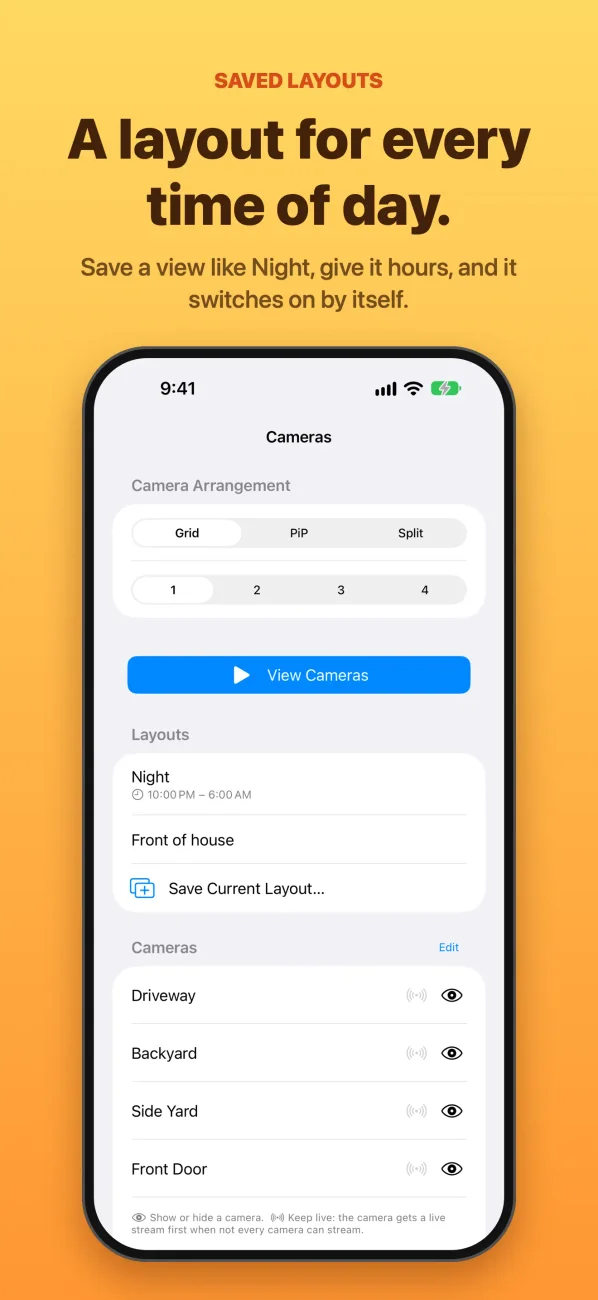
• Grid: one to four columns. Show each camera's whole picture, or switch to fill and every camera reaches the edges of the screen with no black bars.
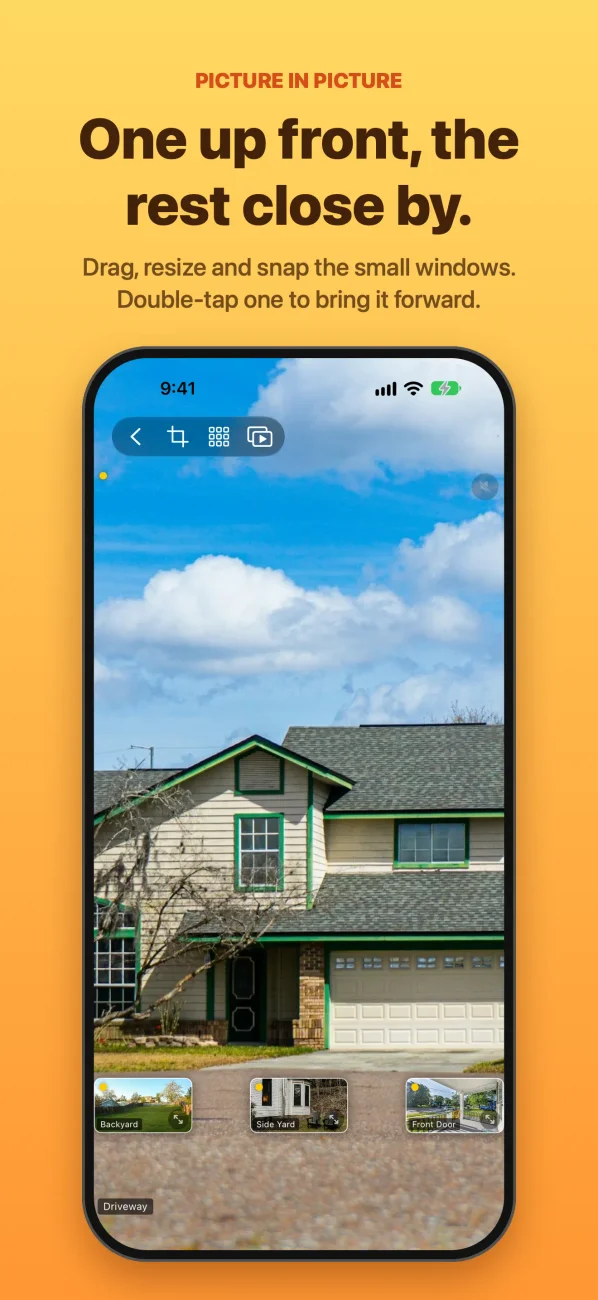
• Picture in Picture: one camera fills the screen and the others float in windows you can drag, resize and snap into place. Double-tap a window to swap it into the main view.
• Split: stack cameras side by side or top to bottom, then drag the dividers to give each camera the space it needs.
CAMERA TOUR
Turn your phone, tablet or Mac into a monitor. Each camera takes the whole screen in turn, every 5 to 60 seconds, with a smooth crossfade. The next camera starts connecting before its turn, so it appears ready to watch. Tap to skip ahead, double-tap to switch between filling the screen and showing the whole picture, and drag or pinch to frame the shot.
DOORBELL AND MOTION
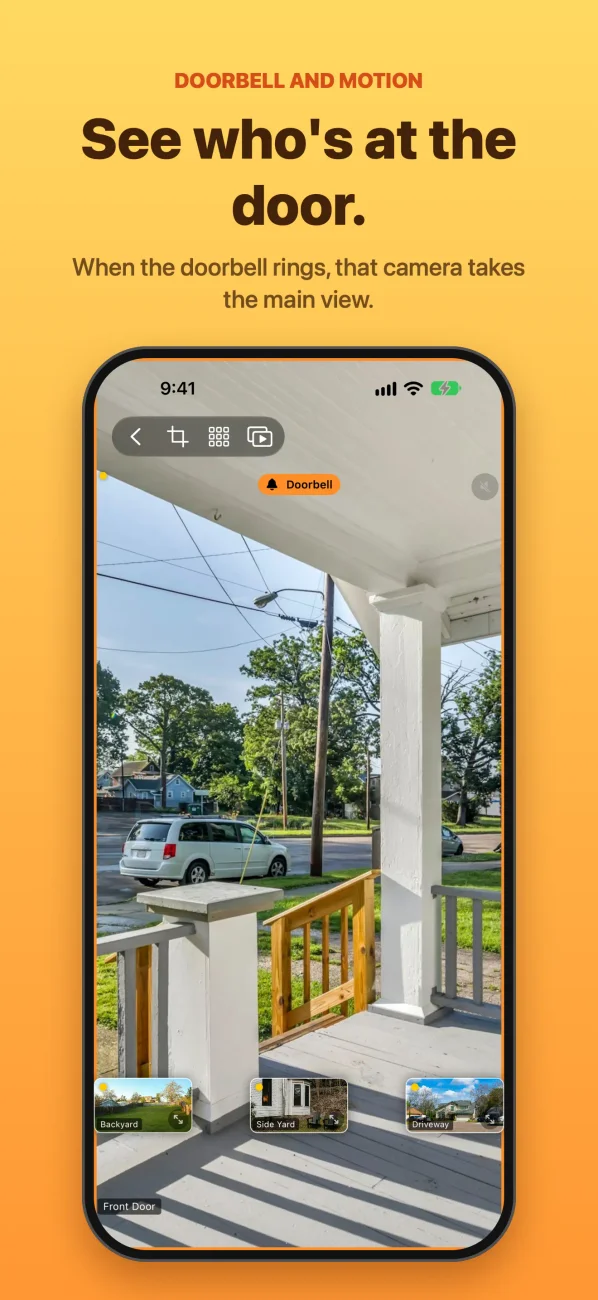
When someone rings a doorbell camera, that camera gets your attention: it takes the main view in Picture in Picture or a tour, gets a live stream, and is outlined with a "Doorbell" badge. Turn on motion too, and a camera that sees movement is brought forward the same way, without flipping back and forth every time the trees move. Works while the app is open.
FRAME EACH CAMERA YOUR WAY
Drag to reposition and pinch to zoom on any camera. Each camera remembers its framing, so the driveway stays centered on the driveway.
SMART ABOUT LIVE STREAMS
On iPad and Mac at home, every camera can stream live. iPhone, and any device away from home (where Apple allows two live streams at a time), keeps the cameras you're watching live and shows the rest as regularly refreshed snapshots. Tap any camera to bring it live. A colored dot on each camera shows whether it's live, a snapshot, connecting or offline.
IPHONE, IPAD, MAC AND IPHONE DUO
The same app runs on iPhone, iPad and Mac. On Mac, resize the window to any shape. On iPhone Duo, your cameras stay on screen as you fold and unfold, and in tabletop mode (half folded, standing on a table) the main camera fills the top half while the others wait as tiles on the bottom half.
AND MORE
• Live audio from any camera, one at a time
• Keep the screen awake while you watch
• Show or hide camera names, reorder cameras, and hide the ones you don't need
• Built-in stream diagnostics to help troubleshoot a slow or stubborn camera
PRIVATE BY DESIGN
No account, no ads, no tracking and no analytics. Video goes straight from your cameras to your device through Apple's Home framework, and your layout is saved only on your device.
FREE
Multiple Camera Viewer is free, made by an independent developer. If you find it useful, there's an optional tip jar in the app.
REQUIREMENTS
Cameras set up in the Apple Home app. iOS 17, iPadOS 17 or macOS 14 or later.
Yang baru
Versi 1.14 · 21/11/2026
• Cameras reconnect faster when you come back to the app, and when a camera comes back online after your hub or bridge restarts.
• A camera that can't connect now switches to snapshots, instead of staying on "connecting".
• Hidden cameras no longer stream in the background. That saves data, and it leaves the live streams for the cameras you're watching.
• If some of your saved settings can't be read, the app keeps the rest instead of losing them all.
Privasi aplikasi
Yang dinyatakan Richard Pak di App Store tentang cara aplikasi ini menangani data.
-
Data tidak dikumpulkan
Pengembang tidak mengumpulkan data apa pun dari aplikasi ini.
Praktik privasi dapat bervariasi, misalnya berdasarkan fitur yang Anda gunakan atau usia Anda.
Informasi
- Penjual
- Richard Pak
- Kategori
- Kegunaan
- Versi
- 1.14
- Diperbarui
- 21/11/2026
- Dirilis
- 10/4/2026
- Ukuran
- 6,1 MB
- Memerlukan
- iOS 17.0 atau yang lebih baru
- Batasan usia
- 4+
- Harga
- Gratis
- Pembelian dalam aplikasi
- Ya
- Bahasa
- Inggris
- Hak cipta
- © Richard Pak
Mungkin Anda juga suka
-
 Home CamerasKegunaan
-
 Loan Balance ProjectionKegunaan
-
 BTHome SensorsKegunaan
-
 Cookie Yeti: Block CookiesKegunaan
-
 Recmo: Voice Recorder to TextKegunaan
-
 RTSP Mixer: IP Camera ViewerKegunaan
-
 OpenCCTV: Camera Viewer & NVRKegunaan
-
 CamGuard Atlas: Camera ScanKegunaan
-
 HomeHistory: Log for HomeKitKegunaan
-
 EcoSort AppKegunaan