Multiple Camera Viewer
All your cameras on one screen
Designed for iPhone, iPad, Mac
Free · In-app purchases
- Age rating4+
- CategoryUtilities
- DeveloperRichard Pak
- LanguagesEnglish
- Size6.1 MB
Links to the official App Store page
Download.org hosts no file of Multiple Camera Viewer. The button opens its official App Store page, published by Richard Pak. Listing last checked on Nov 23, 2026.
Screenshots

About
See all of your home's cameras at once. Multiple Camera Viewer shows the cameras you've set up in the Apple Home app side by side, live, in the layout that suits the moment: a grid, picture in picture, a split screen, or a full-screen tour.
THREE LAYOUTS
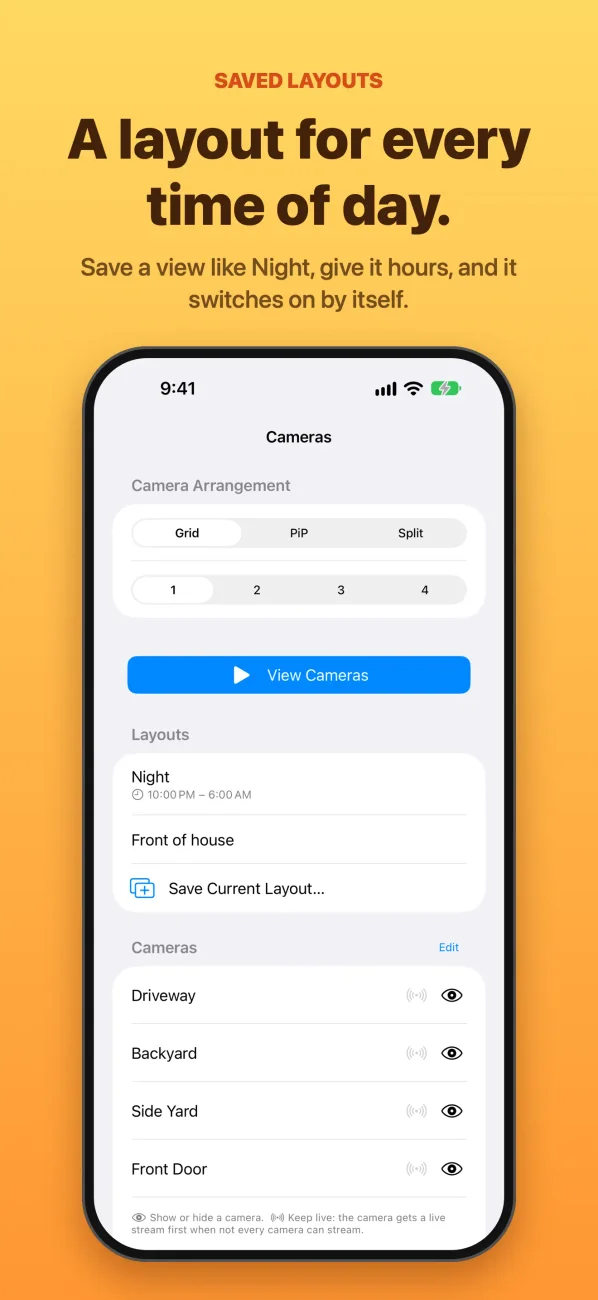
• Grid: one to four columns. Show each camera's whole picture, or switch to fill and every camera reaches the edges of the screen with no black bars.
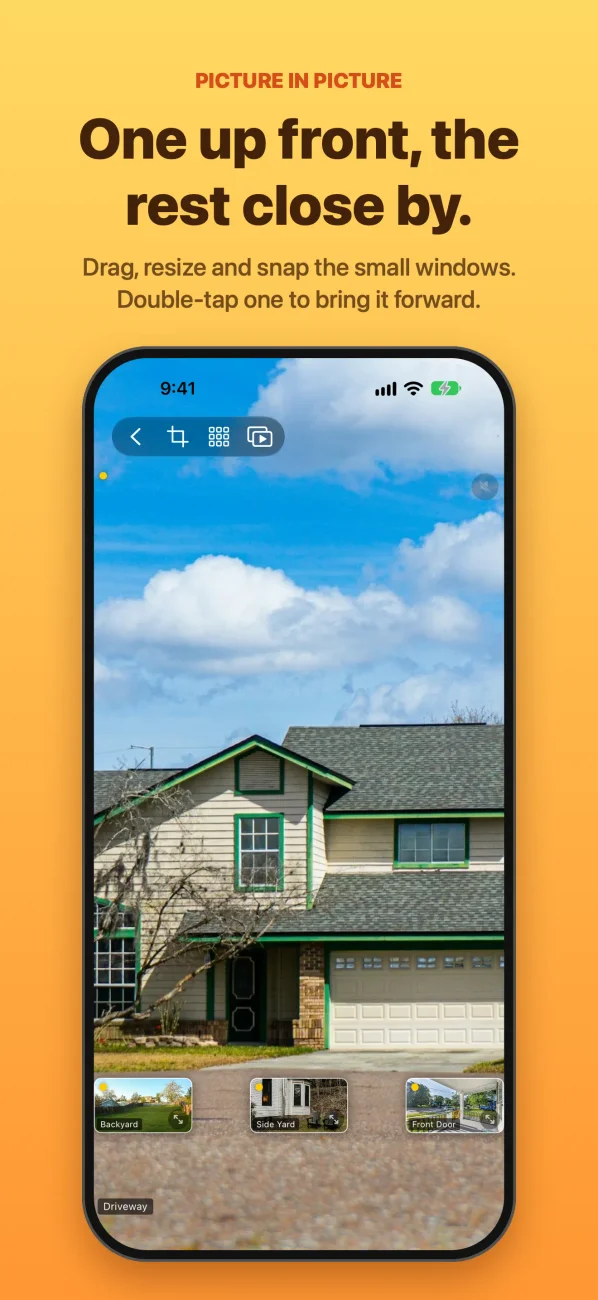
• Picture in Picture: one camera fills the screen and the others float in windows you can drag, resize and snap into place. Double-tap a window to swap it into the main view.
• Split: stack cameras side by side or top to bottom, then drag the dividers to give each camera the space it needs.
CAMERA TOUR
Turn your phone, tablet or Mac into a monitor. Each camera takes the whole screen in turn, every 5 to 60 seconds, with a smooth crossfade. The next camera starts connecting before its turn, so it appears ready to watch. Tap to skip ahead, double-tap to switch between filling the screen and showing the whole picture, and drag or pinch to frame the shot.
DOORBELL AND MOTION
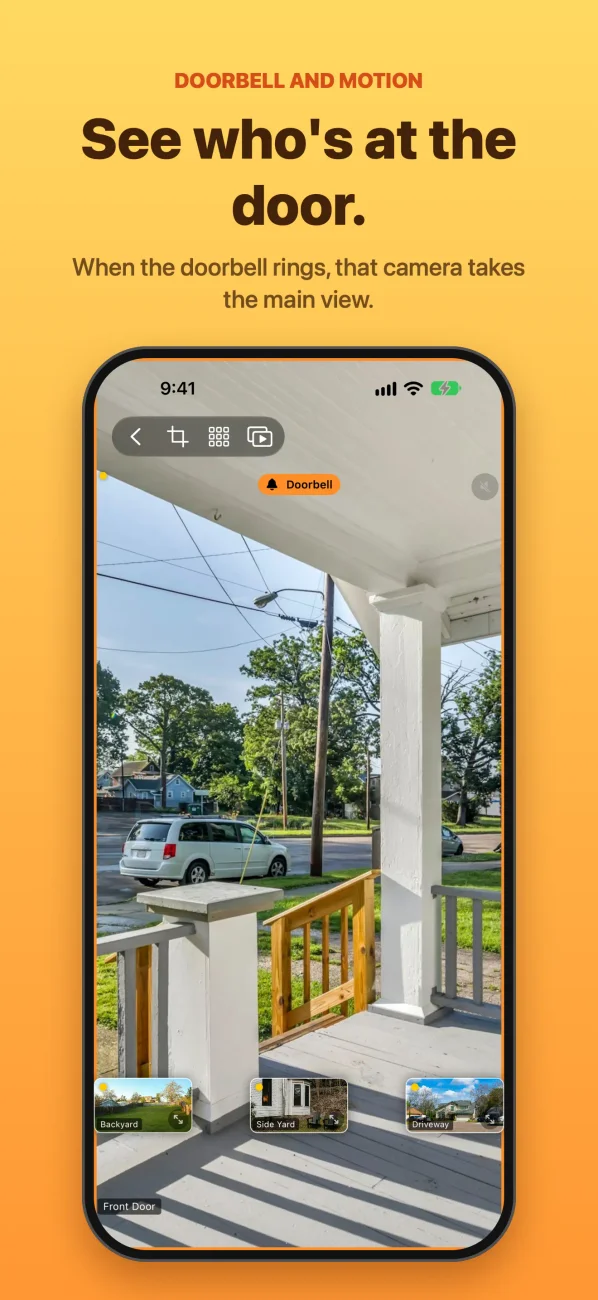
When someone rings a doorbell camera, that camera gets your attention: it takes the main view in Picture in Picture or a tour, gets a live stream, and is outlined with a "Doorbell" badge. Turn on motion too, and a camera that sees movement is brought forward the same way, without flipping back and forth every time the trees move. Works while the app is open.
FRAME EACH CAMERA YOUR WAY
Drag to reposition and pinch to zoom on any camera. Each camera remembers its framing, so the driveway stays centered on the driveway.
SMART ABOUT LIVE STREAMS
On iPad and Mac at home, every camera can stream live. iPhone, and any device away from home (where Apple allows two live streams at a time), keeps the cameras you're watching live and shows the rest as regularly refreshed snapshots. Tap any camera to bring it live. A colored dot on each camera shows whether it's live, a snapshot, connecting or offline.
IPHONE, IPAD, MAC AND IPHONE DUO
The same app runs on iPhone, iPad and Mac. On Mac, resize the window to any shape. On iPhone Duo, your cameras stay on screen as you fold and unfold, and in tabletop mode (half folded, standing on a table) the main camera fills the top half while the others wait as tiles on the bottom half.
AND MORE
• Live audio from any camera, one at a time
• Keep the screen awake while you watch
• Show or hide camera names, reorder cameras, and hide the ones you don't need
• Built-in stream diagnostics to help troubleshoot a slow or stubborn camera
PRIVATE BY DESIGN
No account, no ads, no tracking and no analytics. Video goes straight from your cameras to your device through Apple's Home framework, and your layout is saved only on your device.
FREE
Multiple Camera Viewer is free, made by an independent developer. If you find it useful, there's an optional tip jar in the app.
REQUIREMENTS
Cameras set up in the Apple Home app. iOS 17, iPadOS 17 or macOS 14 or later.
What’s new
Version 1.14 · Nov 21, 2026
• Cameras reconnect faster when you come back to the app, and when a camera comes back online after your hub or bridge restarts.
• A camera that can't connect now switches to snapshots, instead of staying on "connecting".
• Hidden cameras no longer stream in the background. That saves data, and it leaves the live streams for the cameras you're watching.
• If some of your saved settings can't be read, the app keeps the rest instead of losing them all.
App privacy
What Richard Pak declares on the App Store about how this app handles data.
-
Data not collected
The developer does not collect any data from this app.
Privacy practices may vary, for example with the features you use or your age.
Information
- Seller
- Richard Pak
- Category
- Utilities
- Version
- 1.14
- Updated
- Nov 21, 2026
- Released
- Apr 10, 2026
- Size
- 6.1 MB
- Requires
- iOS 17.0 or later
- Age rating
- 4+
- Price
- Free
- In-app purchases
- Yes
- Languages
- English
- Copyright
- © Richard Pak
You might also like
-
 Home CamerasRTSP, ONVIF & PTZ Cam Viewer
-
 Loan Balance ProjectionForecast Your Loan Payoff
-
 BTHome SensorsBLE monitor with charts
-
 Cookie Yeti: Block CookiesSkip annoying cookie pop-ups
-
 Recmo: Voice Recorder to TextTranscribe, AI Meeting Notes
-
 RTSP Mixer: IP Camera ViewerSee and hear all your cameras
-
 OpenCCTV: Camera Viewer & NVRLive view, recording & alerts
-
 CamGuard Atlas: Camera ScanLAN Discovery & Risk Signals
-
 HomeHistory: Log for HomeKitHumidity & room temperature
-
 EcoSort AppAI-powered recycling assistant