
NanoPlayer
Dirancang untuk iPhone, iPad, Mac
Gratis · Pembelian dalam aplikasi
- Batasan usia4+
- KategoriKegunaan
- Pengembang恒俭 董
- BahasaInggris+ 8 lainnya
- Ukuran10,9 MB
Tertaut ke halaman resmi App Store
Download.org tidak menyimpan file NanoPlayer apa pun. Tombol ini membuka halaman aplikasi di App Store, tempat 恒俭 董 menerbitkannya. Halaman terakhir diperiksa pada 12/11/2026.
Tangkapan layar

Tentang
Pengembang belum menyediakan teks ini dalam bahasa Anda.
NanoPlayer is a lightweight stream URL player. It plays network stream URLs you provide — it does NOT supply, host, or distribute any channels, streams, or media content.
WHAT YOU NEED TO USE THIS APP
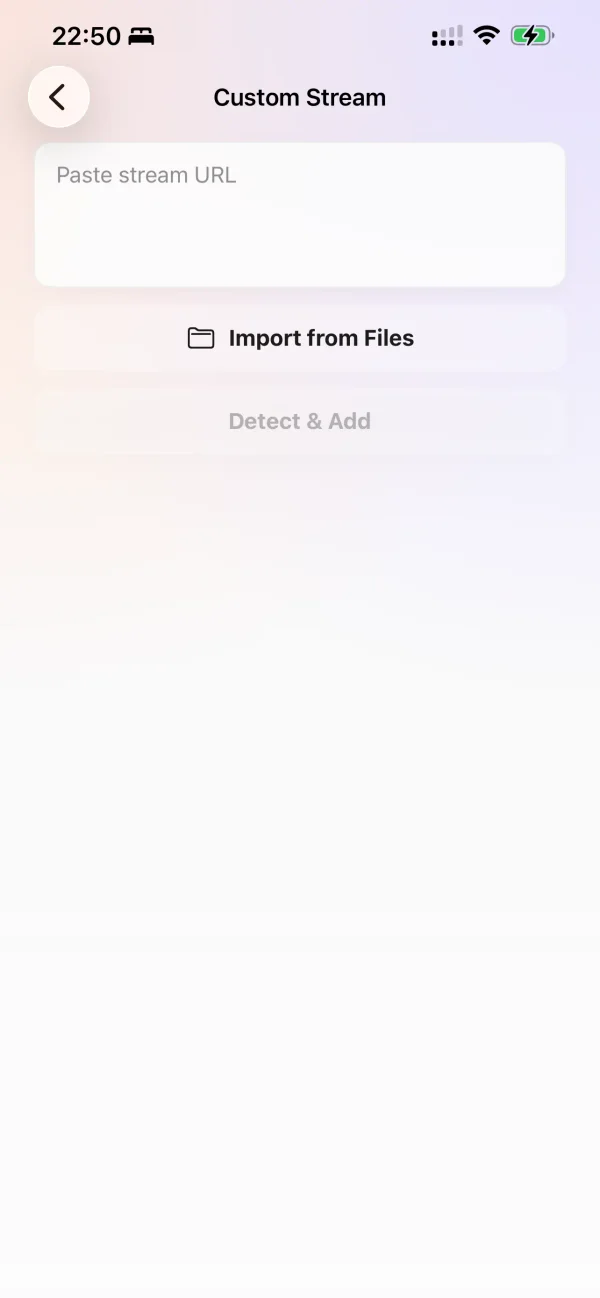
You must bring your own legally obtained stream URL (e.g. an HLS stream your organization or service has authorized you to access). Paste the URL into the app to start playing.
FEATURES
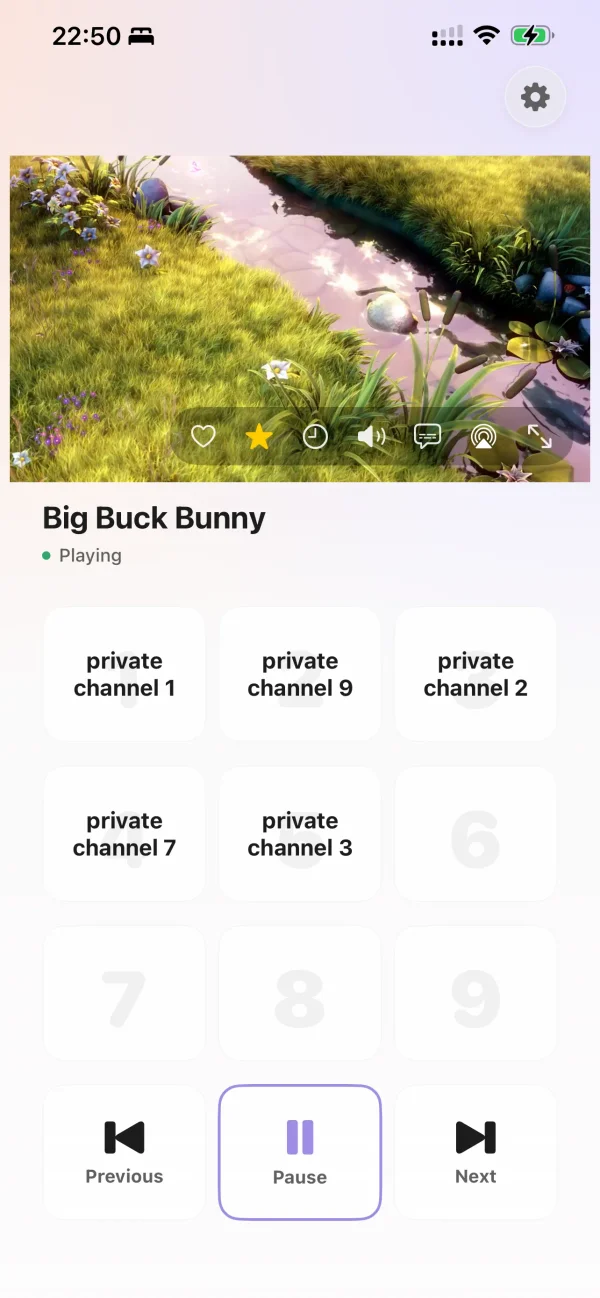
• TV Remote-style 1–9 preset grid — tap a number key to instantly switch to your preset stream
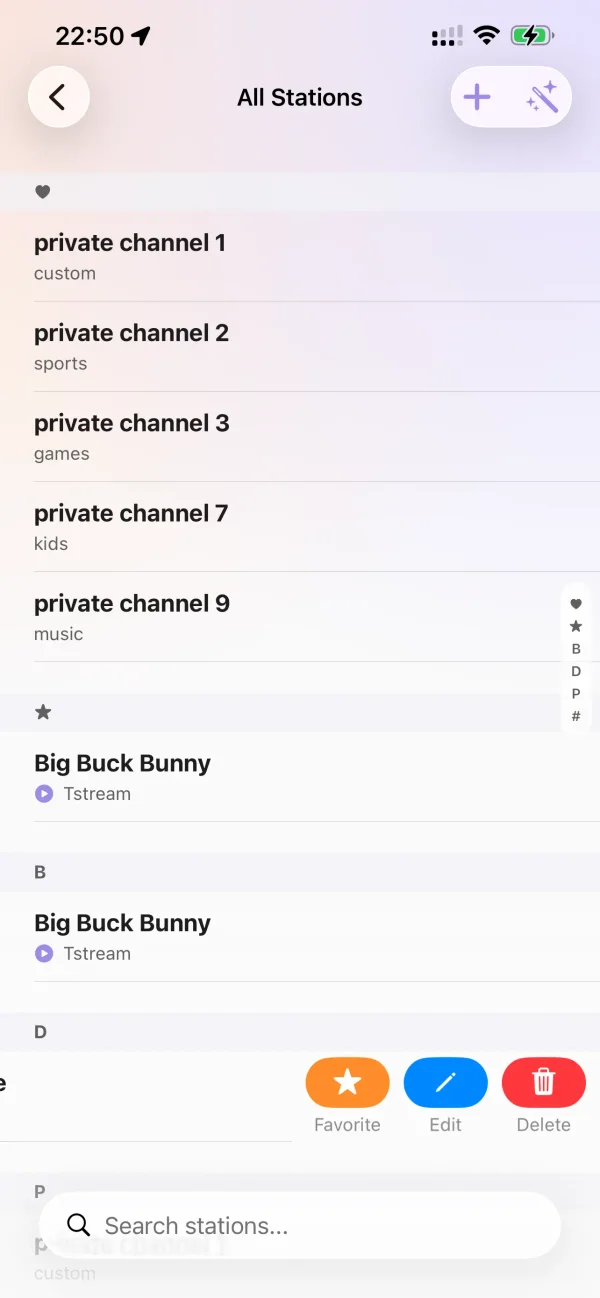
• Channel list with alphabetical index, name search
• Import streams: single URL or batch via M3U file
• Favorite channels for quick access
• Subtitle / CC track detection (when the stream includes embedded tracks)
• Sleep timer — auto-stop after a set duration
• Full-screen playback with auto-rotate to landscape
• Full-screen gestures: slide right half to adjust volume, left half to adjust brightness
• Auto-resume last played stream on launch
• Auto-skip on stream error
• Dead-link detection and cleanup for custom entries
• Light / Dark / System appearance theme
• Game controllers: play/pause, switch channels, and cycle presets with an MFi, Xbox, or PlayStation controller.
• Quick Links (URL schemes): open a preset, play/pause, or switch channels from Safari, a Home Screen icon, or another app — e.g. `nanoplayer://play?preset=1`.
• Apple Shortcuts: automate NanoPlayer — start a channel preset when you connect to your car, get home, and more.
PRO (one-time purchase)
Unlock all limits and advanced features:
• Preset grid: 3 slots → 9 slots
• Favorites: up to 5 → unlimited
• Custom imports: up to 5 → unlimited
IMPORTANT NOTICE
NanoPlayer does not provide, host, or distribute any streaming content, channel lists, or media resources. You are solely responsible for ensuring the stream URLs you import are legally obtained and that you have the right to access them.
Yang baru
Versi 1.1.3 · 29/10/2026
- New: Optimized for iPhone Duo. When unfolded in landscape, the video and the remote sit side by side; when half-folded, they move to opposite sides of the fold so nothing sits on the crease. The outer display and split view are supported too.
- Improved: The remote buttons on the home screen now always fit fully on screen, even on smaller displays.
- Fixed: In full screen on narrower screens, the control bar could run off the edge and make the video look zoomed in.
- Fixed: On iPad, swiping up or down anywhere on the right half of the video now adjusts the volume.
Privasi aplikasi
Yang dinyatakan 恒俭 董 di App Store tentang cara aplikasi ini menangani data.
-
Data tidak dikumpulkan
Pengembang tidak mengumpulkan data apa pun dari aplikasi ini.
Praktik privasi dapat bervariasi, misalnya berdasarkan fitur yang Anda gunakan atau usia Anda.
Informasi
- Penjual
- 恒俭 董
- Kategori
- Kegunaan
- Versi
- 1.1.3
- Diperbarui
- 29/10/2026
- Dirilis
- 12/5/2026
- Ukuran
- 10,9 MB
- Memerlukan
- iOS 17.0 atau yang lebih baru
- Batasan usia
- 4+
- Harga
- Gratis
- Pembelian dalam aplikasi
- Ya
- Bahasa
- Inggris, Prancis, Jerman, Italia, Jepang, Korea, Tionghoa Sederhana, Spanyol, Tionghoa Tradisional
- Hak cipta
- © 2026 levi
Mungkin Anda juga suka
-
 Private Folder Vault - SafeKegunaan
-
 Text Parser ProKegunaan
-
 Mono BrowserKegunaan
-
 KeepProof: Receipt OrganizerKegunaan
-
 Siplife-Capture life in coffeeKegunaan
-
 Signal Radar · Offline SOS AICatches the signal you can't
-
 Units, Currency Converter OmniAlat Konversi Ukuran
-
 Found It: Penyimpanan RumahFoto, Temukan, Rapikan
-
 Alarm Pro: Shift Work ClockKegunaan
-
 Aria2 Manager - NeoAria2Kegunaan