
- Age rating4+
- CategoryUtilities
- Developer恒俭 董
- LanguagesEnglish+ 8 more
- Size10.9 MB
Links to the official App Store page
Download.org hosts no file of NanoPlayer. The button opens its official App Store page, published by 恒俭 董. Listing last checked on Nov 12, 2026.
Screenshots
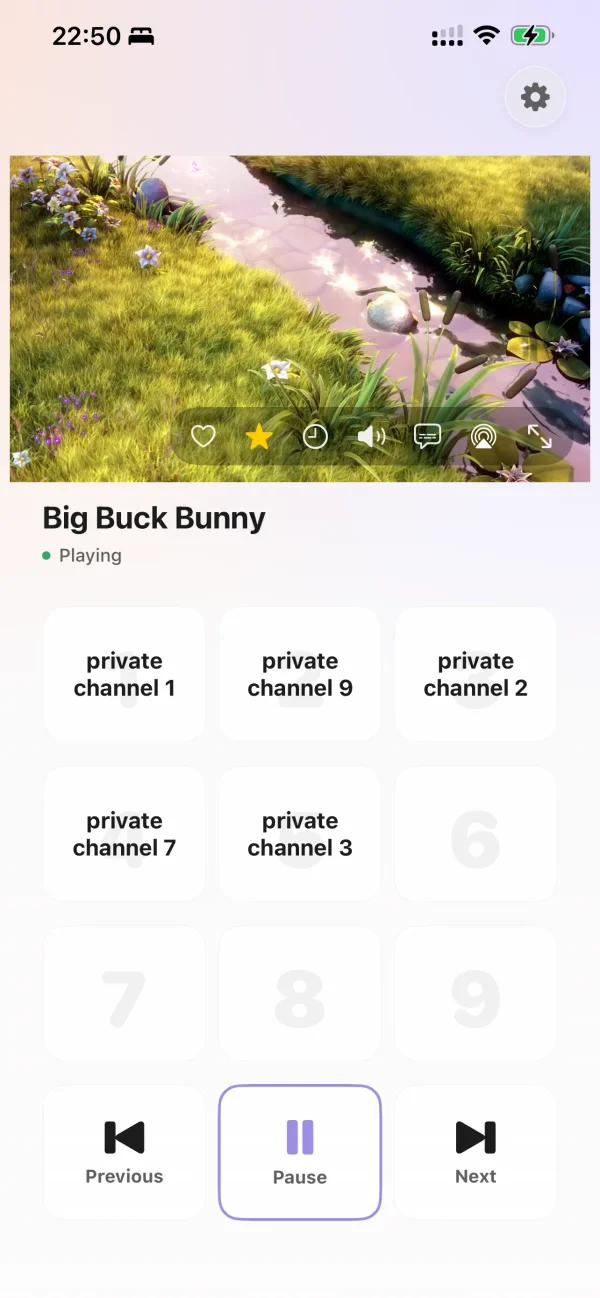
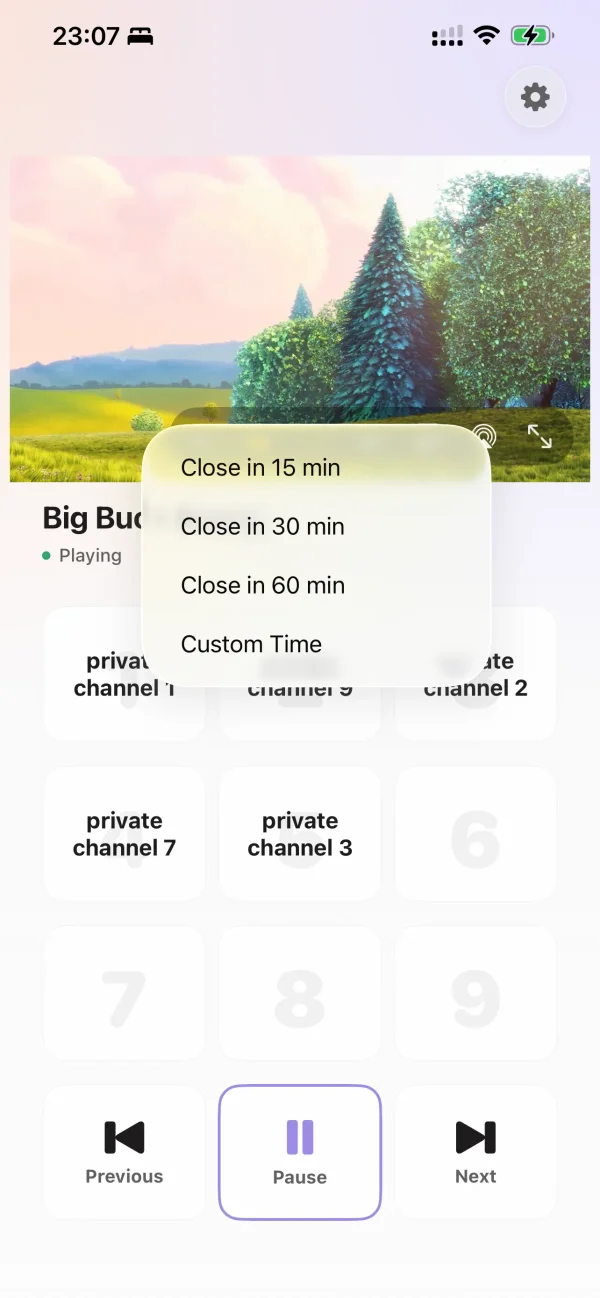


About
NanoPlayer is a lightweight stream URL player. It plays network stream URLs you provide — it does NOT supply, host, or distribute any channels, streams, or media content.
WHAT YOU NEED TO USE THIS APP
You must bring your own legally obtained stream URL (e.g. an HLS stream your organization or service has authorized you to access). Paste the URL into the app to start playing.
FEATURES
• TV Remote-style 1–9 preset grid — tap a number key to instantly switch to your preset stream
• Channel list with alphabetical index, name search
• Import streams: single URL or batch via M3U file
• Favorite channels for quick access
• Subtitle / CC track detection (when the stream includes embedded tracks)
• Sleep timer — auto-stop after a set duration
• Full-screen playback with auto-rotate to landscape
• Full-screen gestures: slide right half to adjust volume, left half to adjust brightness
• Auto-resume last played stream on launch
• Auto-skip on stream error
• Dead-link detection and cleanup for custom entries
• Light / Dark / System appearance theme
• Game controllers: play/pause, switch channels, and cycle presets with an MFi, Xbox, or PlayStation controller.
• Quick Links (URL schemes): open a preset, play/pause, or switch channels from Safari, a Home Screen icon, or another app — e.g. `nanoplayer://play?preset=1`.
• Apple Shortcuts: automate NanoPlayer — start a channel preset when you connect to your car, get home, and more.
PRO (one-time purchase)
Unlock all limits and advanced features:
• Preset grid: 3 slots → 9 slots
• Favorites: up to 5 → unlimited
• Custom imports: up to 5 → unlimited
IMPORTANT NOTICE
NanoPlayer does not provide, host, or distribute any streaming content, channel lists, or media resources. You are solely responsible for ensuring the stream URLs you import are legally obtained and that you have the right to access them.
What’s new
Version 1.1.3 · Oct 29, 2026
- New: Optimized for iPhone Duo. When unfolded in landscape, the video and the remote sit side by side; when half-folded, they move to opposite sides of the fold so nothing sits on the crease. The outer display and split view are supported too.
- Improved: The remote buttons on the home screen now always fit fully on screen, even on smaller displays.
- Fixed: In full screen on narrower screens, the control bar could run off the edge and make the video look zoomed in.
- Fixed: On iPad, swiping up or down anywhere on the right half of the video now adjusts the volume.
App privacy
What 恒俭 董 declares on the App Store about how this app handles data.
-
Data not collected
The developer does not collect any data from this app.
Privacy practices may vary, for example with the features you use or your age.
Information
- Seller
- 恒俭 董
- Category
- Utilities
- Version
- 1.1.3
- Updated
- Oct 29, 2026
- Released
- May 12, 2026
- Size
- 10.9 MB
- Requires
- iOS 17.0 or later
- Age rating
- 4+
- Price
- Free
- In-app purchases
- Yes
- Languages
- English, French, German, Italian, Japanese, Korean, Simplified Chinese, Spanish, Traditional Chinese
- Copyright
- © 2026 levi
You might also like
-
 Private Folder Vault - SafeHide private video,photo,docs
-
 Text Parser ProUtilities
-
 Mono BrowserFast monochromatic browser
-
 KeepProof: Receipt OrganizerWarranty Tracker & Reminders
-
 Siplife-Capture life in coffeeEvery cup tells a moment.
-
 Signal Radar · Offline SOS AICatches the signal you can't
-
 Unit & Currency Converter Omnipesos to dollars conversion
-
 Found It: Home InventoryMoving Boxes & Storage Tracker
-
 Alarm Pro: Shift Alarm ClockNurses, Rotations & Calendar
-
 Aria2 Manager - NeoAria2easier to use Aria2