neoColors
Color studio for creatives
Dirancang untuk iPhone, iPad
Gratis · Pembelian dalam aplikasi
- Batasan usia4+
- KategoriGrafik & Desain
- PengembangRicardo Kuester
- BahasaInggris+ 8 lainnya
- Ukuran21,0 MB
Tertaut ke halaman resmi App Store
Download.org tidak menyimpan file neoColors apa pun. Tombol ini membuka halaman aplikasi di App Store, tempat Ricardo Kuester menerbitkannya. Halaman terakhir diperiksa pada 12/11/2026.
Tangkapan layar


Tentang
Pengembang belum menyediakan teks ini dalam bahasa Anda.
neoColors puts a complete color studio in your hands — precise, fluid, and oddly addictive.
Where color becomes play, and play becomes art.
--------------------
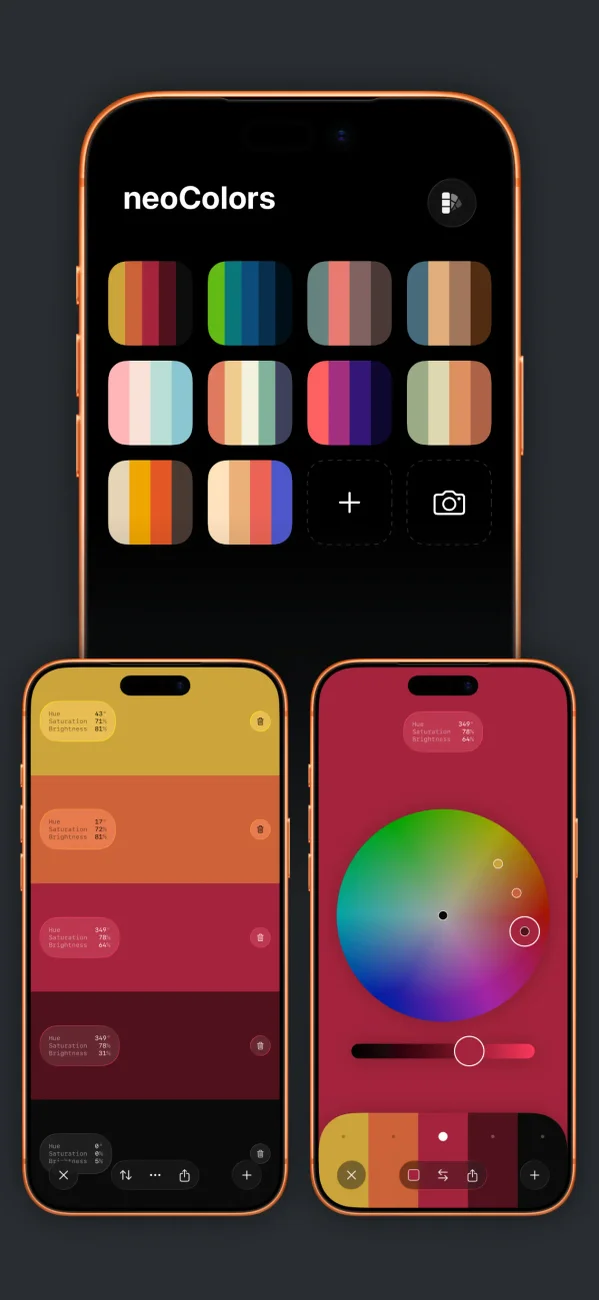
• Create palettes from scratch, extract them from photos, or build them with classic color harmony algorithms.
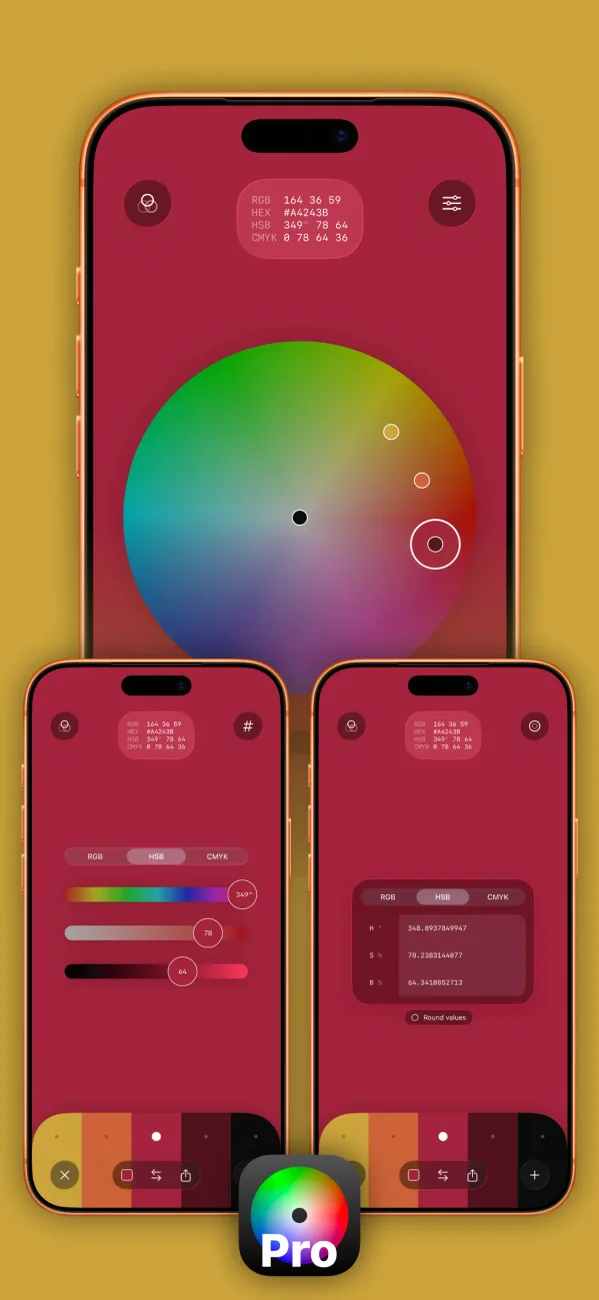
• Edit with precision in RGB, HEX, HSB and CMYK.
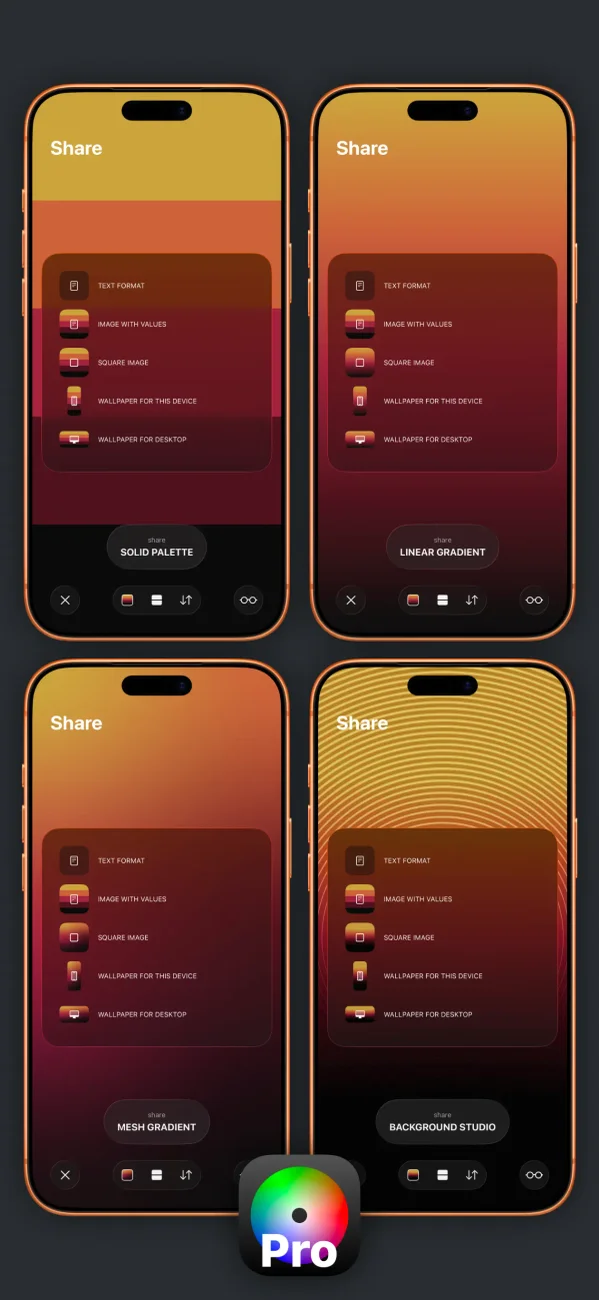
• Explore mesh gradients and, with Background Studio, craft magical compositions with endless possibilities.
• Share wallpapers in up to 6K.
Powerful enough for professionals. Playful enough to feel like a game.
Made with love and passion especially for you: child, designer, software developer, architect, decorator, painter, artist, or anyone with a sensitivity for graphic arts and color.
--------------------
neoColors Pro
--------------------
CREATE
• Background Studio
Every palette hides a composition. Apply gradients and effects with a filter menu organized by category, full of presets and options that expand as you edit. Discover what your colors can become.
• Pixel Picker
And every photo hides a palette. Pick its colors yourself, point by point, or let Apple Intelligence read the photo and suggest them in the mood you choose: Pastel, Vibrant, Deep or Tonal. From your library or directly from the camera, bring into neoColors the colors of each click.
• Apple Intelligence
Select up to 16 photos and generate a themed collection, with a name created automatically.
EXPLORE
• Color Space
Adjust colors with the color wheel, sliders or numerical values in RGB, HEX, HSB and CMYK. Touch and hold any value to copy it to your clipboard.
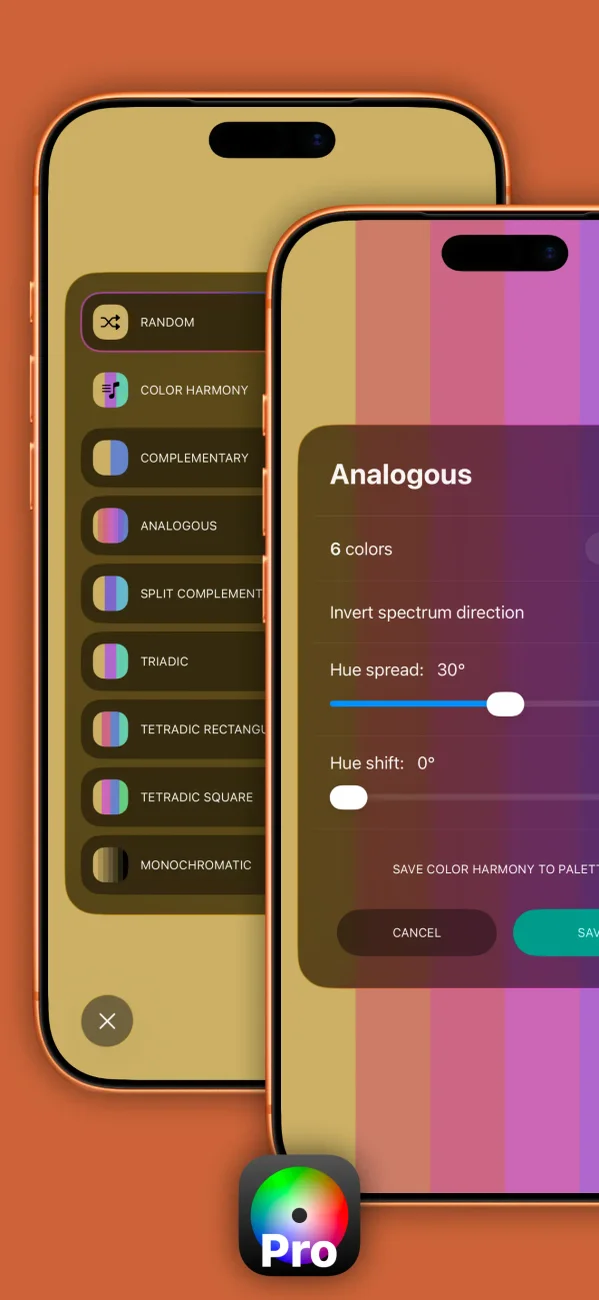
• Color Harmony
Build palettes with classic algorithms and advanced controls.
• Color Blender
Blend colors with clean controls and a layout optimized for iPad.
SHARE
• Share
Your colors deserve to come alive beyond neoColors. Share palettes as wallpapers, images or values, flat, as gradients or with effects, up to 6K.
• Import | Export
Share a palette or all your collections with a .neoColors file. To import, just open it in Files or Finder, or use Import in Settings.
ORGANIZE
• Organization
Create, rename and move collections. Duplicate, copy and move palettes. Duplicate colors.
• Collections
Unlock 130 wonderful color palettes, gathered in 6 themed collections.
--------------------
One purchase. Every neoColors Pro feature. Forever yours.
Yang baru
Versi 2.3 · 21/10/2026
APPLE INTELLIGENCE [Pro]
neoColors now reads your photos and suggests palettes.
• Pixel Picker: choose a mood for your photo (Pastel, Vibrant, Deep or Tonal), or keep placing your colors point by point.
• Collections: select up to 16 photos to generate a themed collection with an automatically generated name. Touch and hold the Apple Intelligence button to choose the mood.
BACKGROUND STUDIO [Pro]
• New filter menu organized by category, with presets and options that expand as you edit.
PALETTE | COLOR [Pro]
• Touch and hold the color values panel to copy any value straight to your clipboard.
COLOR BLENDER [Pro]
• Refined with cleaner controls and an optimized layout for iPad.
IMPORT | EXPORT [Pro]
• Share a palette or all your collections with a .neoColors file. To import, just open the file in Files or Finder, or use Import in Settings.
SETTINGS
• You can now turn the intro animation on or off.
Privasi aplikasi
Yang dinyatakan Ricardo Kuester di App Store tentang cara aplikasi ini menangani data.
-
Data tidak dikumpulkan
Pengembang tidak mengumpulkan data apa pun dari aplikasi ini.
Praktik privasi dapat bervariasi, misalnya berdasarkan fitur yang Anda gunakan atau usia Anda.
Informasi
- Penjual
- Ricardo Kuester
- Kategori
- Grafik & Desain
- Versi
- 2.3
- Diperbarui
- 21/10/2026
- Dirilis
- 15/1/2022
- Ukuran
- 21,0 MB
- Memerlukan
- iOS 26.0 atau yang lebih baru
- Batasan usia
- 4+
- Harga
- Gratis
- Pembelian dalam aplikasi
- Ya
- Bahasa
- Inggris, Prancis, Jerman, Italia, Jepang, Korea, Portugis, Tionghoa Sederhana, Spanyol
- Hak cipta
- 2026 © Ricardo Kuester
Mungkin Anda juga suka
-
 ColorDesignerGrafik & Desain
-
 KolorHub: Color Palette StudioGrafik & Desain
-
 Kromatik AIPalet Warna.Skema.Harmoni
-
 ColorPalette - Color HarmonyGrafik & Desain
-
 ColorDeskGrafik & Desain
-
 JoyColor: Your color assistantGrafik & Desain
-
 Palette Collect - Match colorsGrafik & Desain
-
 Colorific: Color PaletteGrafik & Desain
-
 My Color Toolkit: Color PickerGrafik & Desain
-
 Mesh Gradients UltimateBuat Gradien Mesh Memukau