neoColors
Color studio for creatives
Được thiết kế cho iPhone, iPad
Miễn phí · Mua hàng trong ứng dụng
- Độ tuổi4+
- Danh mụcĐồ Họa & Thiết Kế
- Nhà phát triểnRicardo Kuester
- Ngôn ngữTiếng Anh+ 8 ngôn ngữ khác
- Kích thước21,0 MB
Liên kết đến trang App Store chính thức
Download.org không lưu trữ tệp nào của neoColors. Nút này mở trang ứng dụng trên App Store, nơi Ricardo Kuester phát hành ứng dụng. Trang được kiểm tra lần cuối: 12/11/2026.
Ảnh chụp màn hình


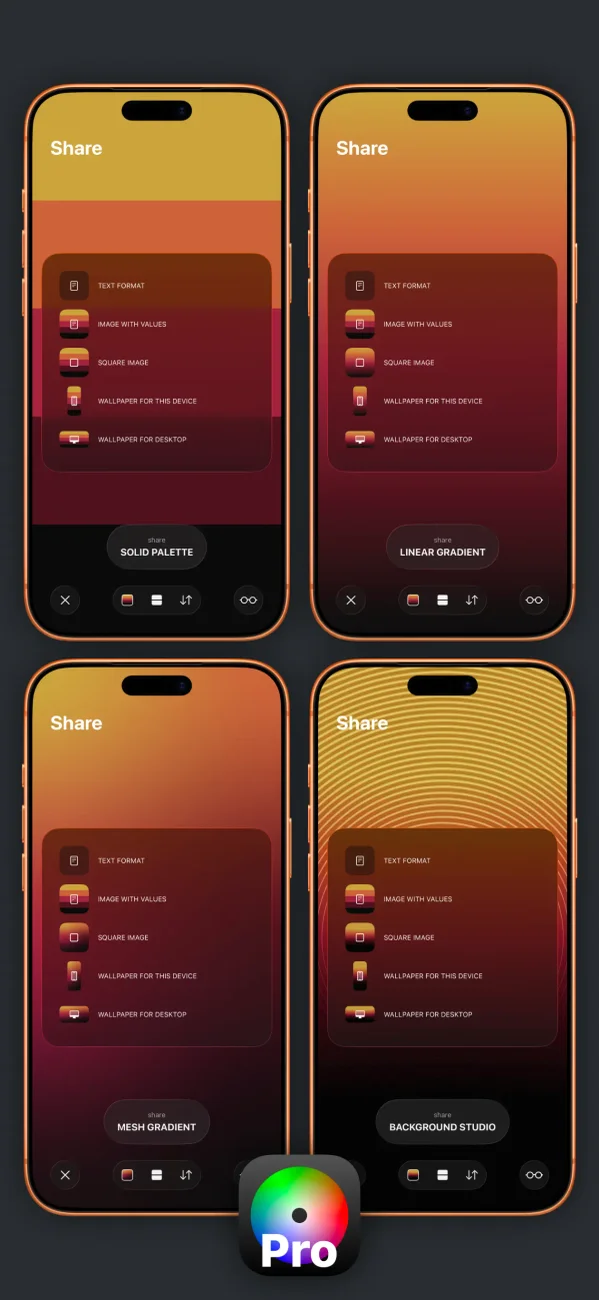
Giới thiệu
Nhà phát triển chưa cung cấp nội dung này bằng ngôn ngữ của bạn.
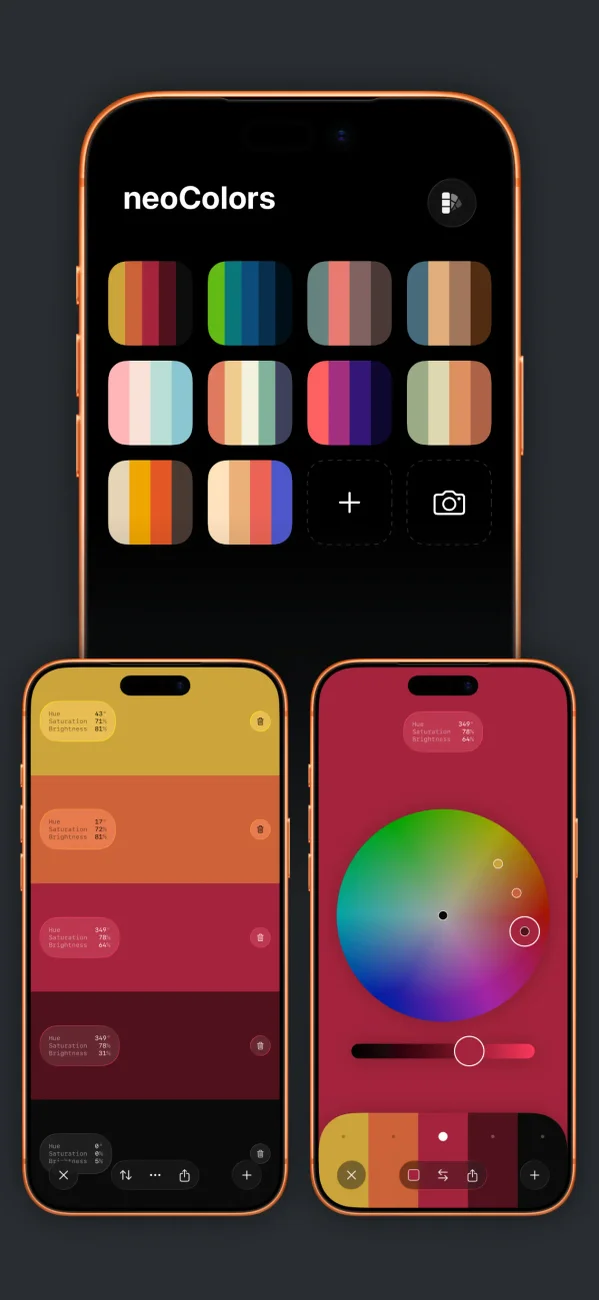
neoColors puts a complete color studio in your hands — precise, fluid, and oddly addictive.
Where color becomes play, and play becomes art.
--------------------
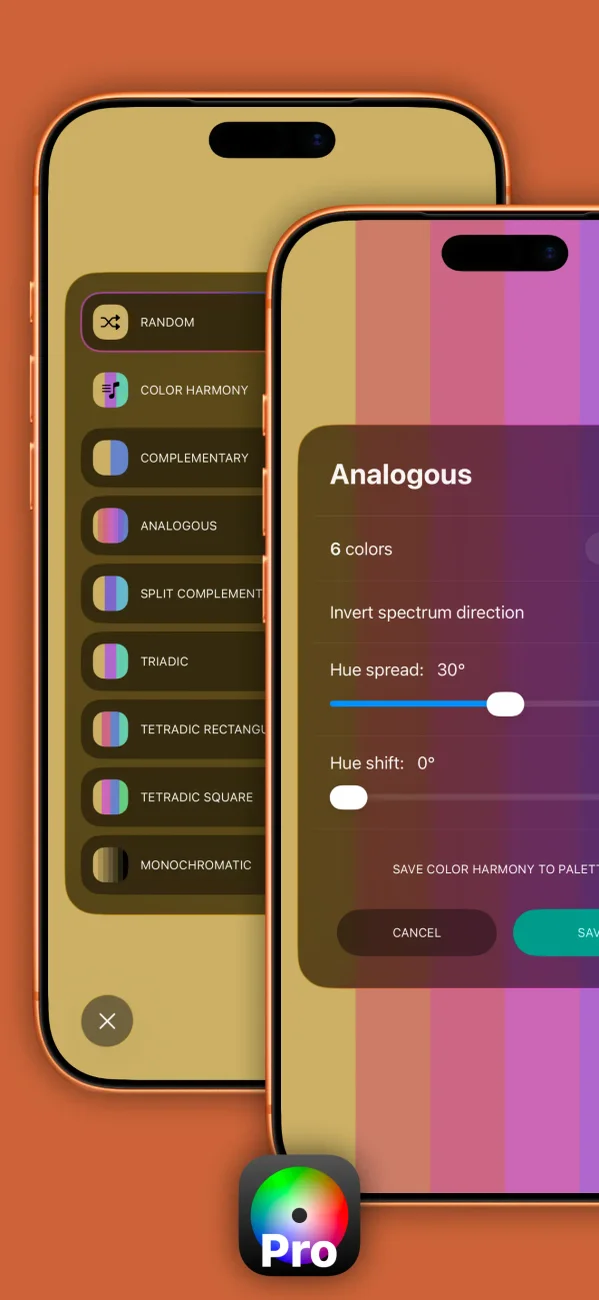
• Create palettes from scratch, extract them from photos, or build them with classic color harmony algorithms.
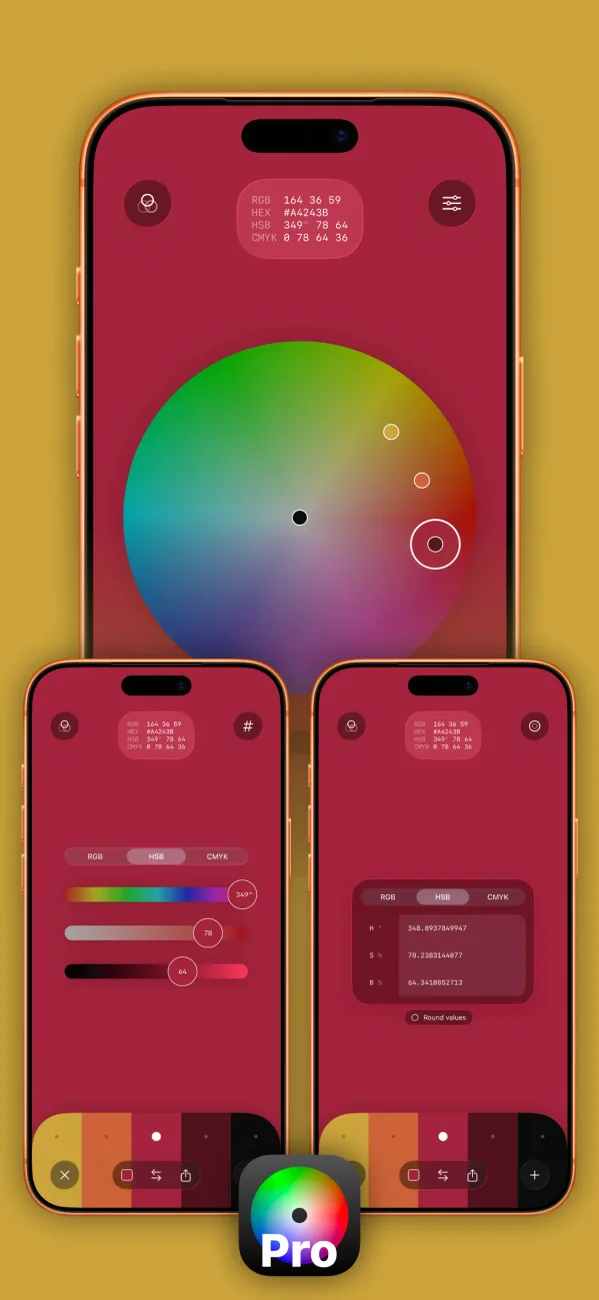
• Edit with precision in RGB, HEX, HSB and CMYK.
• Explore mesh gradients and, with Background Studio, craft magical compositions with endless possibilities.
• Share wallpapers in up to 6K.
Powerful enough for professionals. Playful enough to feel like a game.
Made with love and passion especially for you: child, designer, software developer, architect, decorator, painter, artist, or anyone with a sensitivity for graphic arts and color.
--------------------
neoColors Pro
--------------------
CREATE
• Background Studio
Every palette hides a composition. Apply gradients and effects with a filter menu organized by category, full of presets and options that expand as you edit. Discover what your colors can become.
• Pixel Picker
And every photo hides a palette. Pick its colors yourself, point by point, or let Apple Intelligence read the photo and suggest them in the mood you choose: Pastel, Vibrant, Deep or Tonal. From your library or directly from the camera, bring into neoColors the colors of each click.
• Apple Intelligence
Select up to 16 photos and generate a themed collection, with a name created automatically.
EXPLORE
• Color Space
Adjust colors with the color wheel, sliders or numerical values in RGB, HEX, HSB and CMYK. Touch and hold any value to copy it to your clipboard.
• Color Harmony
Build palettes with classic algorithms and advanced controls.
• Color Blender
Blend colors with clean controls and a layout optimized for iPad.
SHARE
• Share
Your colors deserve to come alive beyond neoColors. Share palettes as wallpapers, images or values, flat, as gradients or with effects, up to 6K.
• Import | Export
Share a palette or all your collections with a .neoColors file. To import, just open it in Files or Finder, or use Import in Settings.
ORGANIZE
• Organization
Create, rename and move collections. Duplicate, copy and move palettes. Duplicate colors.
• Collections
Unlock 130 wonderful color palettes, gathered in 6 themed collections.
--------------------
One purchase. Every neoColors Pro feature. Forever yours.
Có gì mới
Phiên bản 2.3 · 21/10/2026
APPLE INTELLIGENCE [Pro]
neoColors now reads your photos and suggests palettes.
• Pixel Picker: choose a mood for your photo (Pastel, Vibrant, Deep or Tonal), or keep placing your colors point by point.
• Collections: select up to 16 photos to generate a themed collection with an automatically generated name. Touch and hold the Apple Intelligence button to choose the mood.
BACKGROUND STUDIO [Pro]
• New filter menu organized by category, with presets and options that expand as you edit.
PALETTE | COLOR [Pro]
• Touch and hold the color values panel to copy any value straight to your clipboard.
COLOR BLENDER [Pro]
• Refined with cleaner controls and an optimized layout for iPad.
IMPORT | EXPORT [Pro]
• Share a palette or all your collections with a .neoColors file. To import, just open the file in Files or Finder, or use Import in Settings.
SETTINGS
• You can now turn the intro animation on or off.
Quyền riêng tư của ứng dụng
Những gì Ricardo Kuester khai báo trên App Store về cách ứng dụng này xử lý dữ liệu.
-
Dữ liệu không được thu thập
Nhà phát triển không thu thập bất kỳ dữ liệu nào từ ứng dụng này.
Phương thức đảm bảo quyền riêng tư có thể khác nhau, chẳng hạn như tuỳ theo các tính năng bạn sử dụng hoặc độ tuổi của bạn.
Thông tin
- Người bán
- Ricardo Kuester
- Danh mục
- Đồ Họa & Thiết Kế
- Phiên bản
- 2.3
- Cập nhật
- 21/10/2026
- Phát hành
- 15/01/2022
- Kích thước
- 21,0 MB
- Yêu cầu
- iOS 26.0 trở lên
- Độ tuổi
- 4+
- Giá
- Miễn phí
- Mua hàng trong ứng dụng
- Có
- Ngôn ngữ
- Tiếng Anh, Tiếng Pháp, Tiếng Đức, Tiếng Ý, Tiếng Nhật, Tiếng Hàn, Tiếng Bồ Đào Nha, Tiếng Trung Giản thể, Tiếng Tây Ban Nha
- Bản quyền
- 2026 © Ricardo Kuester
Có thể bạn cũng thích
-
 ColorDesignerĐồ Họa & Thiết Kế
-
 KolorHub: Color Palette StudioĐồ Họa & Thiết Kế
-
 Chromatics AIBảng màu.Sơ đồ.Hài hòa
-
 ColorPalette - Color HarmonyĐồ Họa & Thiết Kế
-
 ColorDeskĐồ Họa & Thiết Kế
-
 JoyColor: Your color assistantĐồ Họa & Thiết Kế
-
 Palette Collect - Match colorsĐồ Họa & Thiết Kế
-
 Colorific: Color PaletteĐồ Họa & Thiết Kế
-
 My Color Toolkit: Color PickerĐồ Họa & Thiết Kế
-
 Mesh Gradients UltimateTạo gradient lưới độc đáo