
Network IP Scanner
Dirancang untuk iPhone, iPad, iPod touch
Gratis · Pembelian dalam aplikasi
- Batasan usia4+
- KategoriKegunaan
- PengembangHSU TUNG LIAO
- BahasaInggris
- Ukuran36,4 MB
Tertaut ke halaman resmi App Store
Download.org tidak menyimpan file Network IP Scanner apa pun. Tombol ini membuka halaman aplikasi di App Store, tempat HSU TUNG LIAO menerbitkannya. Halaman terakhir diperiksa pada 17/11/2026.
Tangkapan layar
Tentang
Pengembang belum menyediakan teks ini dalam bahasa Anda.
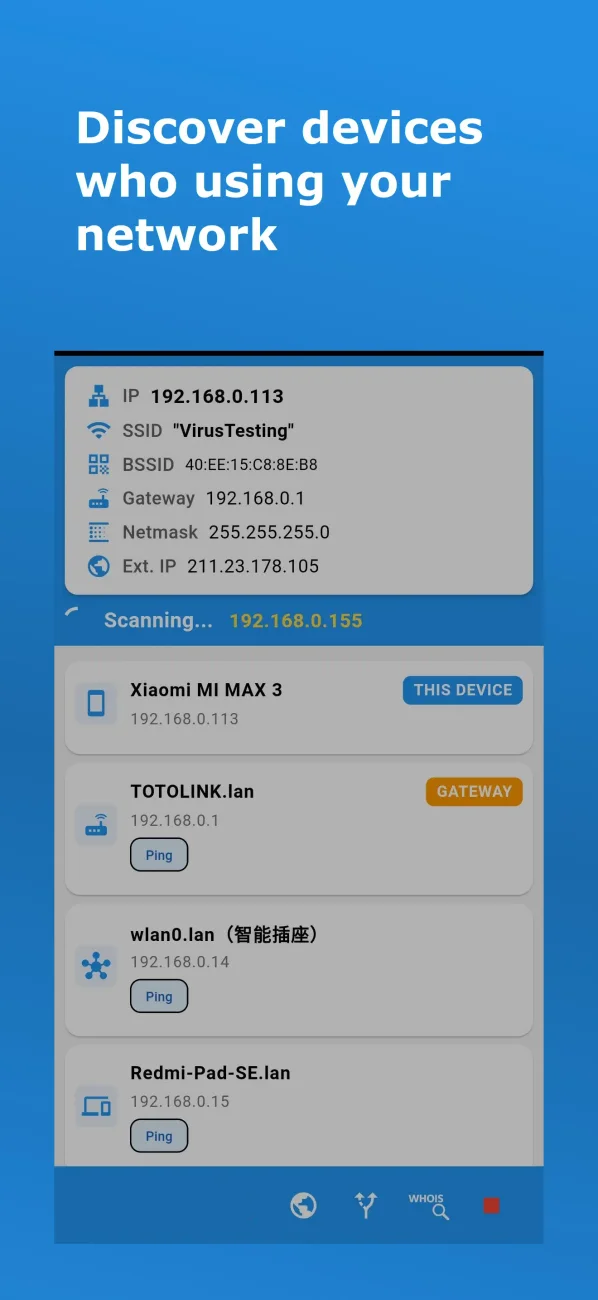
Network IP Scanner brings network discovery, port scanning, and server monitoring together in one app. Explore connected devices, inspect available services, and track service health with clear results and practical tools.
DISCOVER YOUR NETWORK
• Find devices connected to your local network.
• View IP addresses, gateway information, and available device details.
• Identify advertised services and distinguish devices with custom names and icons.
EXPLORE EXTERNAL HOSTS
• Scan a specified external network range.
• Review discovered hosts, resolved hostnames, and detected open ports.
• Choose quick scans or resumable full scans for supported network ranges.
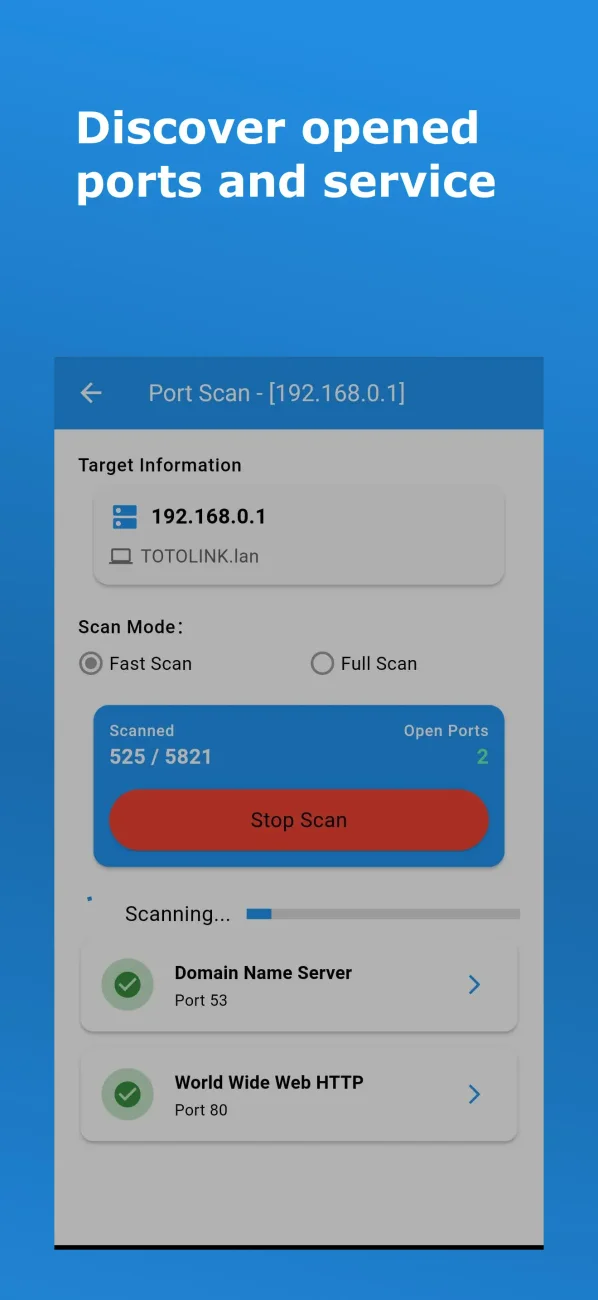
SCAN OPEN PORTS
• Check a host for open TCP ports.
• Use fast scans or customize your port selection.
• Review port numbers and associated service labels in a focused workspace.
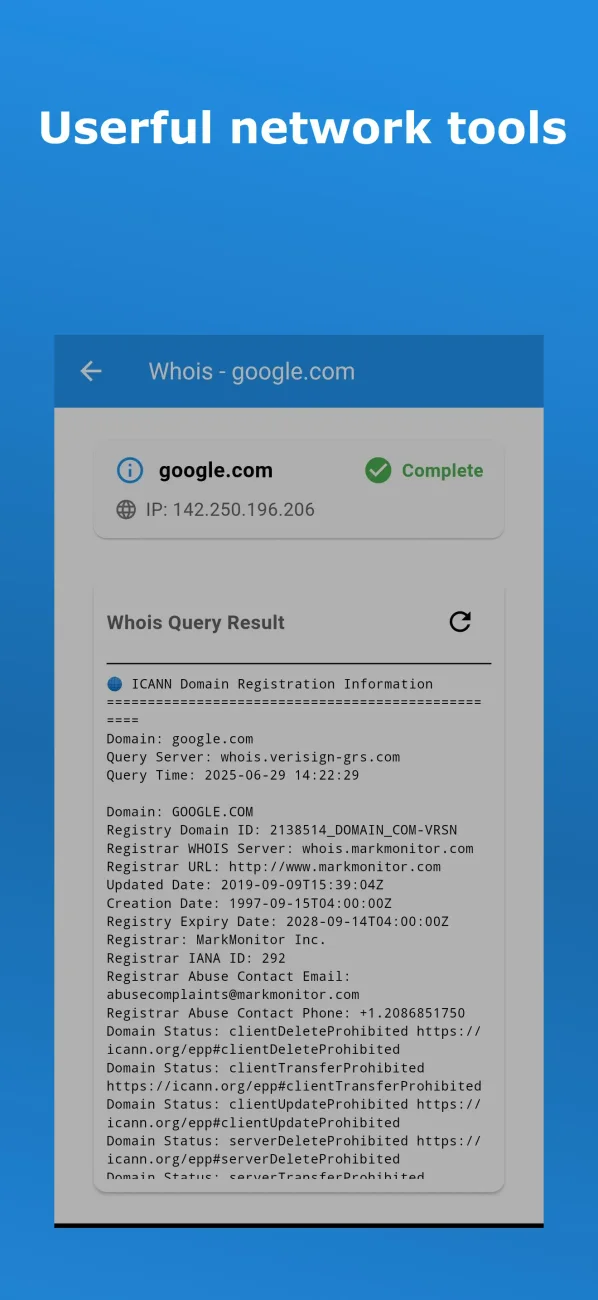
ACCESS PRACTICAL DEVICE TOOLS
• Start a port scan directly from a device’s action menu.
• Use traceroute to investigate the network path to a host.
• Copy IP addresses for use in other tools.
• Send Wake-on-LAN packets to compatible, properly configured devices.
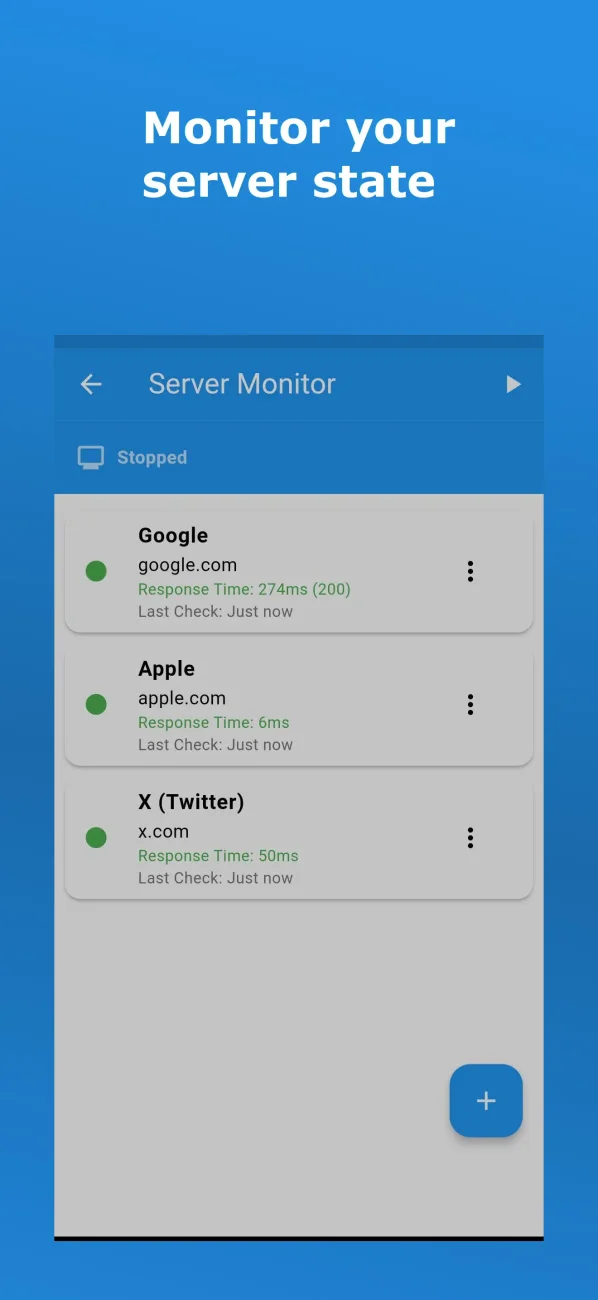
MONITOR SERVICE HEALTH
• Monitor targets using Ping, TCP, or HTTP checks.
• Track response times and review HTTP status results.
• Configure slow-response thresholds and TLS certificate expiry warnings.
• Watch for DNS address changes.
• Validate monitoring settings and inspect connection details.
UNDERSTAND PERFORMANCE
• Explore response-time trends over selectable time ranges.
• Review uptime, successful checks, latency statistics, and incidents.
• Recognize slow responses and investigate changes in service health.
REVISIT YOUR SCANS
• Browse saved local and external scan history.
• Review devices discovered during previous scans.
• Compare saved complete LAN scans and export results for further review.
Designed for everyday network troubleshooting, home networks, and service checks—all from your device.
IMPORTANT NOTES
Only scan networks and hosts you own or are authorized to test. Discovery results depend on network permissions, device responses, firewalls, and router settings. Service labels indicate common port associations and do not guarantee the identity of the running service. Wake-on-LAN requires compatible hardware and network configuration.
Terms of Use (EULA): https://www.apple.com/legal/internet-services/itunes/dev/stdeula/
Yang baru
Versi 5.4.0 · 19/10/2026
Enhance the device's identification capability.
Privasi aplikasi
Yang dinyatakan HSU TUNG LIAO di App Store tentang cara aplikasi ini menangani data.
-
Data tidak dikumpulkan
Pengembang tidak mengumpulkan data apa pun dari aplikasi ini.
Praktik privasi dapat bervariasi, misalnya berdasarkan fitur yang Anda gunakan atau usia Anda.
Informasi
- Penjual
- HSU TUNG LIAO
- Kategori
- Kegunaan
- Versi
- 5.4.0
- Diperbarui
- 19/10/2026
- Dirilis
- 21/7/2025
- Ukuran
- 36,4 MB
- Memerlukan
- iOS 15.6 atau yang lebih baru
- Batasan usia
- 4+
- Harga
- Gratis
- Pembelian dalam aplikasi
- Ya
- Bahasa
- Inggris
- Hak cipta
- © Good Idea Software.
Mungkin Anda juga suka
-
 Simply IP ScannerKegunaan
-
 IP Scanner: Network ToolsKegunaan
-
 Network Scanner ProKegunaan
-
 LANScannerKegunaan
-
 Network Scanner & IP,PORT,WİFİKegunaan
-
 NetScan - wifi analyzerip & Network scanner - Ping
-
 My Network ScannerKegunaan
-
 Wi-Fi Analyzer Network ScannerKegunaan
-
 ScanNet - Network ScannerKegunaan
-
 Network Monitor ∞ IP TrackerKegunaan