
- Batasan usia4+
- KategoriProduktivitas
- PengembangJUAN ALCARAZ GARCIA
- BahasaInggris
- Ukuran3,5 MB
Tertaut ke halaman resmi App Store
Download.org tidak menyimpan file Note Whisperer apa pun. Tombol ini membuka halaman aplikasi di App Store, tempat JUAN ALCARAZ GARCIA menerbitkannya. Halaman terakhir diperiksa pada 20/11/2026.
Tangkapan layar
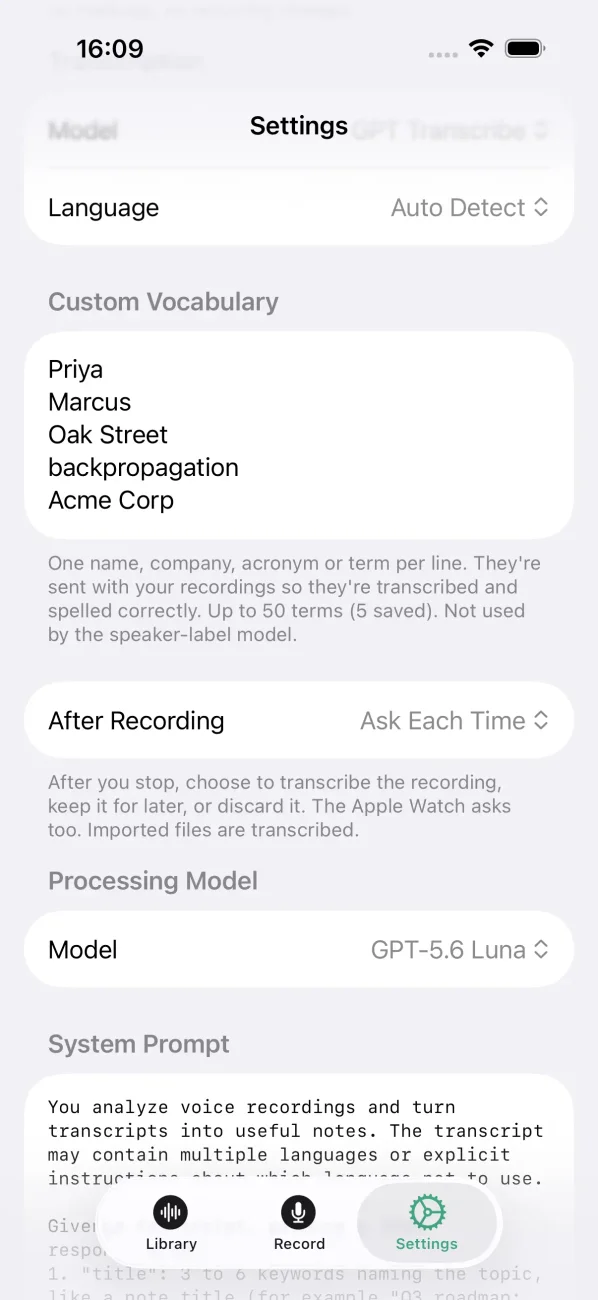
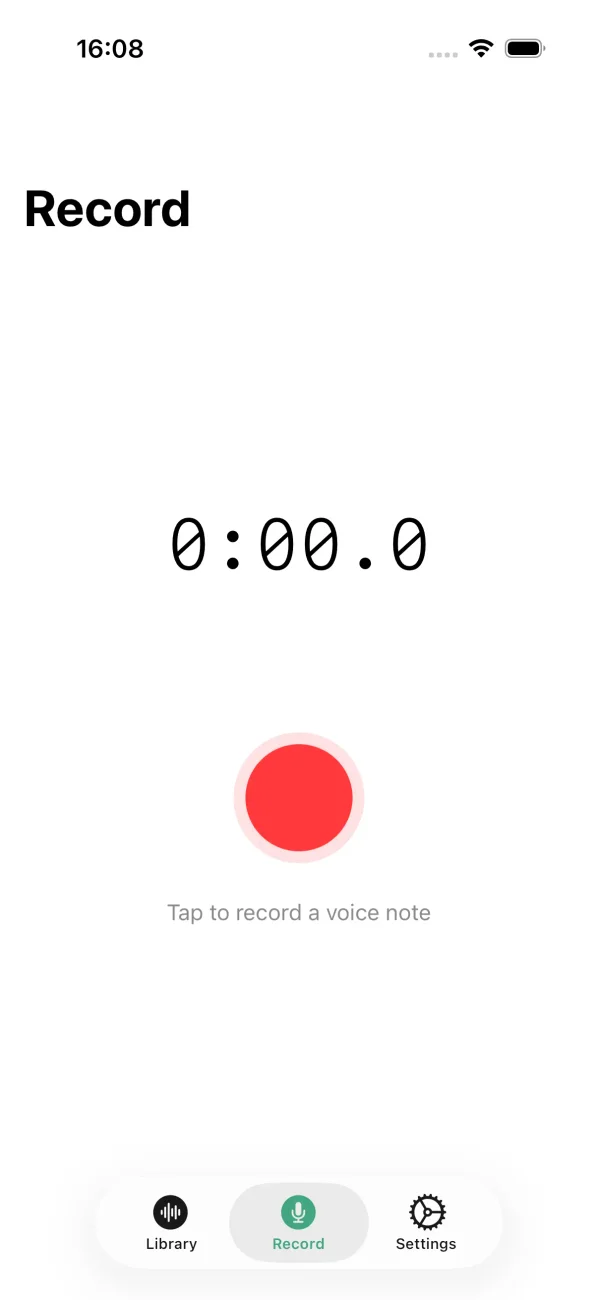
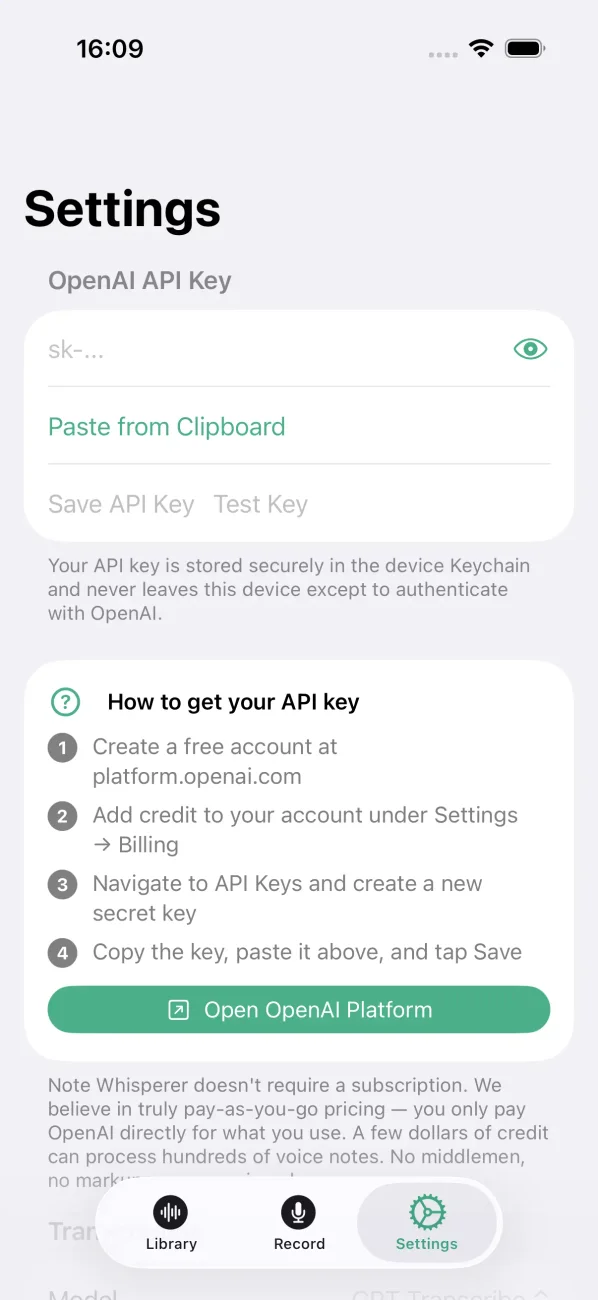
Tentang
Pengembang belum menyediakan teks ini dalam bahasa Anda.
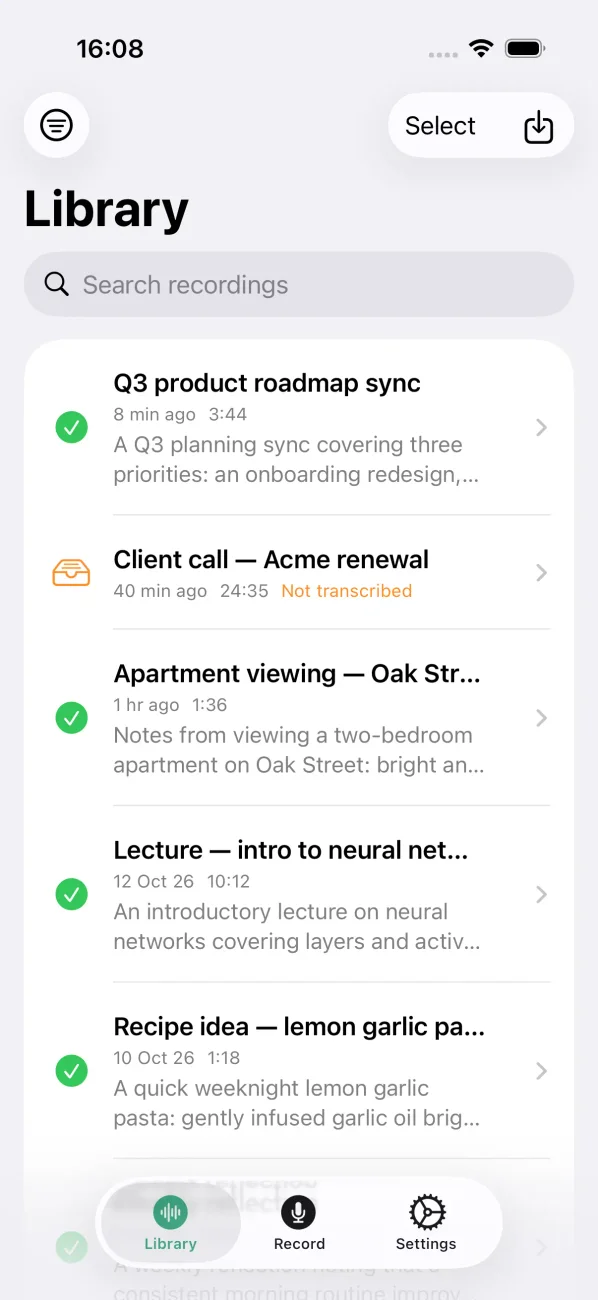
Note Whisperer turns your voice notes into organized, searchable knowledge — powered by AI.
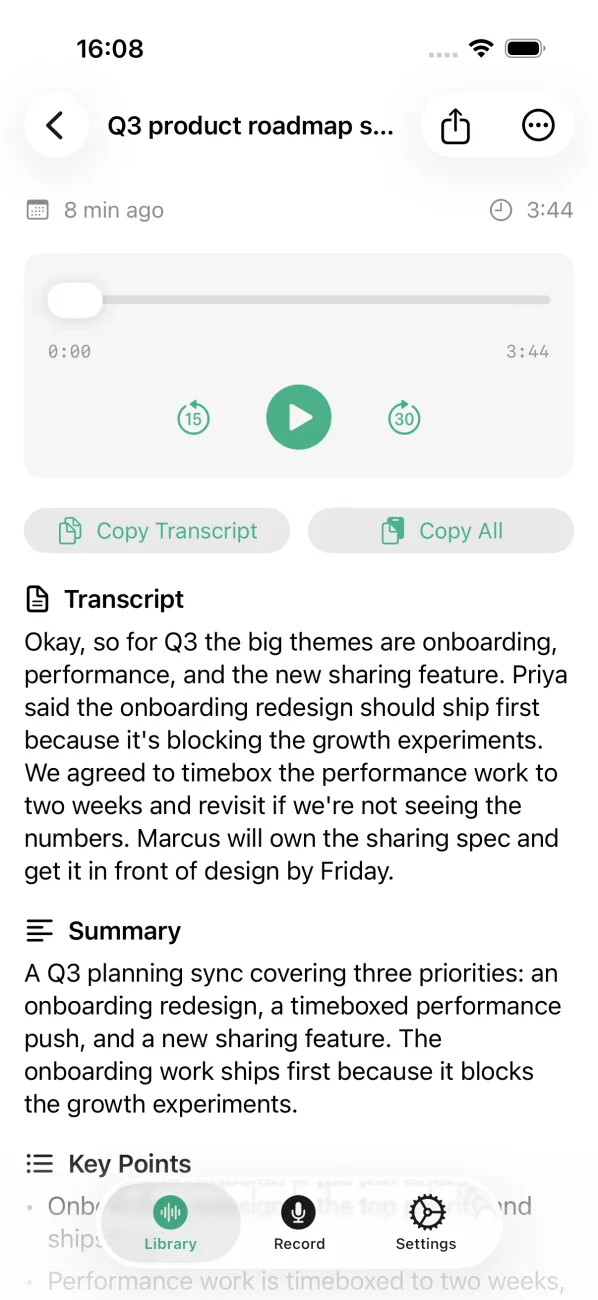
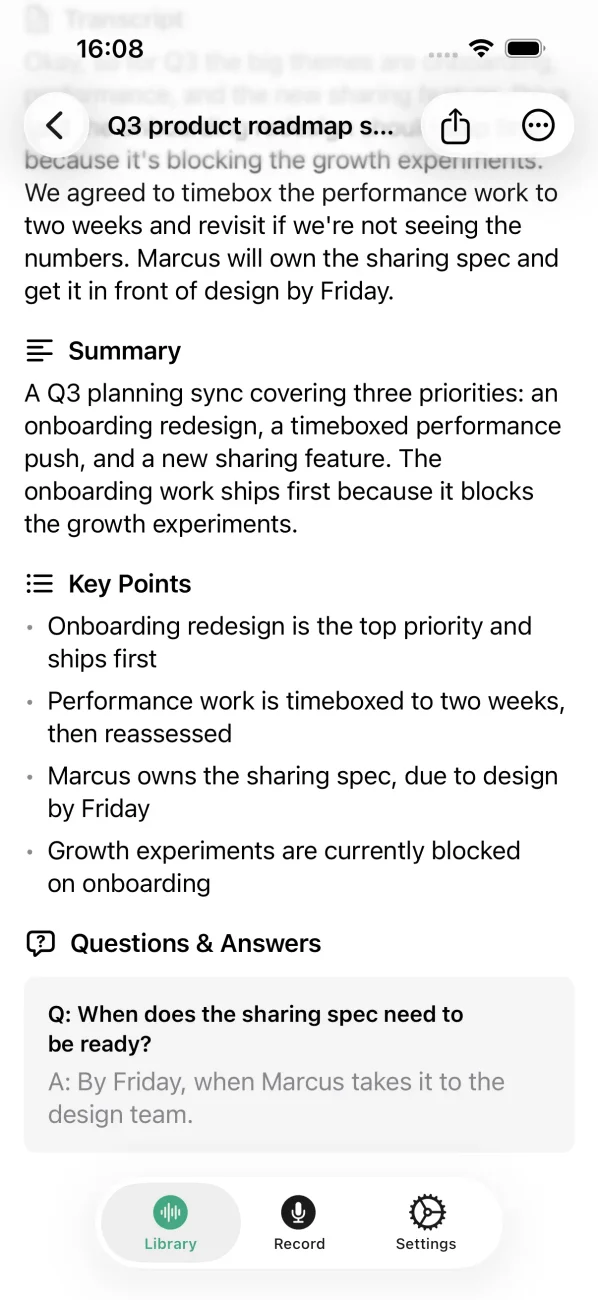
Record on your iPhone or Apple Watch, and Note Whisperer transcribes your audio, generates concise summaries, extracts key points, and identifies questions with AI-generated answers. All processing is done through OpenAI's API using your own API key.
NEW IN 1.2
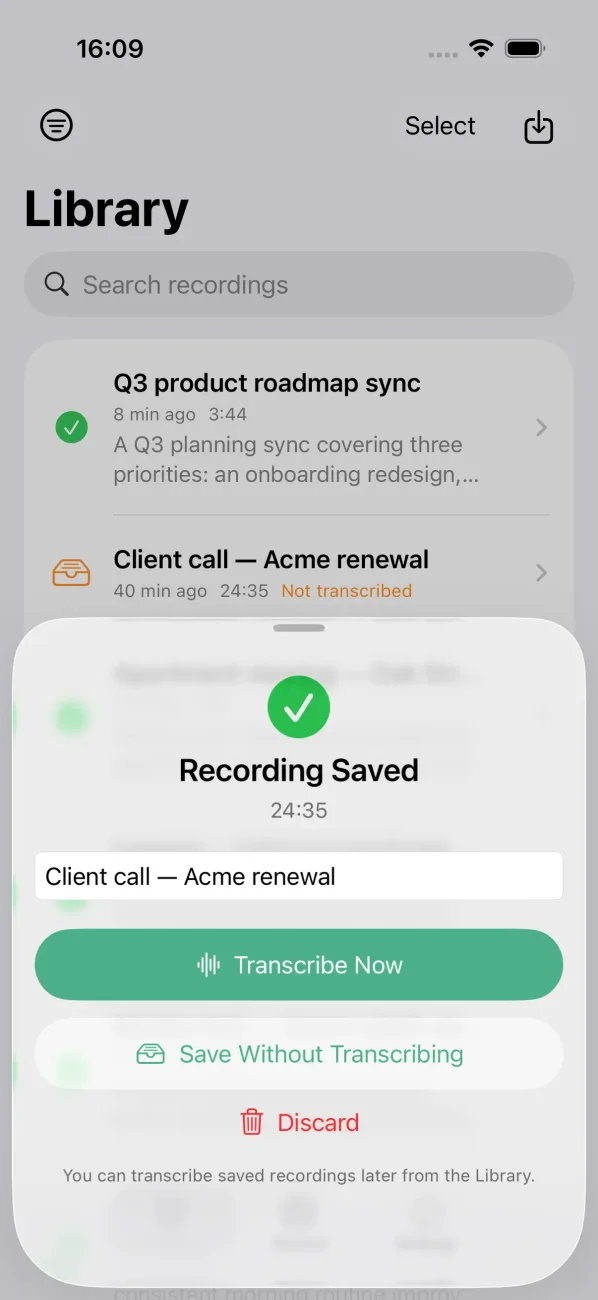
- Choose what happens after you stop: transcribe now, keep it for later, or discard it — on iPhone and Apple Watch
- Start and stop recording with Siri, Shortcuts, the Action button, Control Center, Home and Lock Screen widgets, or an Apple Watch complication
- Stop recording right from the Dynamic Island and Lock Screen
- Custom Vocabulary: names, companies and jargon transcribed and spelled correctly
- Spots transcripts in the wrong language and re-transcribes them in the right one
- Long recordings keep transcribing when you leave the app, and resume if interrupted
- Export as Markdown or text, share the audio, and select several recordings at once
- Short keyword titles and clear dates make your library easy to scan
KEY FEATURES
- Record voice notes on iPhone or Apple Watch
- Recordings pause safely during calls, Siri and alarms — resume or save, nothing lost
- Background recording with Dynamic Island and Lock Screen status
- Long recordings — meetings of an hour or more are transcribed in parts
- Share audio in from Voice Memos, Notes call recordings and other apps
- AI-powered transcription with speaker identification
- Automatic summaries, key points, and Q&A extraction
- Auto-detects your device language for transcription and AI output
- Reprocess or re-transcribe recordings, in a different language if you like
- Search across transcripts, summaries, key points and Q&A
- Customizable AI prompt for tailored analysis
- Watch recordings are kept safely until your iPhone receives them
- Battery-saving dimmed display on Apple Watch during recording
- Light and dark mode support
YOUR KEY, YOUR DATA
Note Whisperer uses a bring-your-own-key model. You connect your personal OpenAI API key and pay OpenAI directly for what you use. No subscription, no middlemen, no recurring charges. A few dollars of credit can process hundreds of voice notes.
PRIVACY FIRST
Your recordings stay on your device. Your API key is stored in the secure iOS Keychain. We don't collect, track, or store any of your data — we don't operate any servers. Nothing is sent anywhere until you grant permission: audio, transcripts and your custom vocabulary then go directly from your device to OpenAI, L.L.C. for transcription and analysis, using your own API key. You can turn that off at any time in Settings, and keep using Note Whisperer as a local voice recorder — and with "Save Without Transcribing", you decide note by note what gets sent.
GETTING STARTED
1. Create a free account at platform.openai.com
2. Add a small amount of credit to your account
3. Generate an API key
4. Paste it into Note Whisperer settings
5. Start recording
Requires an OpenAI API key and account with available credit. OpenAI API usage charges apply.
Yang baru
Versi 1.2 · 14/10/2026
• Choose what happens after you stop: transcribe now, keep it for later, or discard it — on iPhone and Apple Watch. Set it in Settings → After Recording.
• Start and stop recordings with Siri, Shortcuts, the Action button and Control Center, from a Home or Lock Screen widget, or from a new Apple Watch complication. Stop right from the Dynamic Island and Lock Screen.
• Custom Vocabulary: add names, companies and terms so they're transcribed and spelled correctly.
• Wrong language? Note Whisperer spots transcripts that came out in an unexpected language and lets you re-transcribe in the right one. Reprocess also has "Transcribe as…".
• Long recordings keep going if you leave the app, and pick up where they left off if interrupted.
• Export recordings as Markdown or text files, share the audio, or select several at once.
• Easier to scan: titles are now a few keywords, and older recordings show their date.
• Search now covers key points and Q&A. Apple Watch recordings keep the time they were made.
Privasi aplikasi
Yang dinyatakan JUAN ALCARAZ GARCIA di App Store tentang cara aplikasi ini menangani data.
-
Data yang tidak ditautkan dengan Anda
Dapat dikumpulkan, tetapi tidak ditautkan dengan identitas Anda.
- Konten pengguna
Praktik privasi dapat bervariasi, misalnya berdasarkan fitur yang Anda gunakan atau usia Anda.
Informasi
- Penjual
- JUAN ALCARAZ GARCIA
- Kategori
- Produktivitas
- Versi
- 1.2
- Diperbarui
- 14/10/2026
- Dirilis
- 21/9/2026
- Ukuran
- 3,5 MB
- Memerlukan
- iOS 26.4 atau yang lebih baru
- Batasan usia
- 4+
- Harga
- Gratis
- Bahasa
- Inggris
- Hak cipta
- © 2026 Juan Alcaraz
Mungkin Anda juga suka
-
 1dea - Idea bookProduktivitas
-
 Snippety - Snippets ManagerProduktivitas
-
 Unit: To-Do List & PlannerNotepad, checklist & pengingat
-
 Perekam IA: Transkripsi InstanRekam Memo Suara
-
 Speakwise - AI Note TakerPerekam Suara & Transkripsi
-
 shyftplan - dein SchichtplanProduktivitas
-
 AI Translate voice- TerjemahanAI penerjemah kamus Translate
-
 Password Manager: SafeProduktivitas
-
 PDF Translator: Dokumen, OCRPenerjemah Word, Excel & Scan
-
 Penerjemah bahasa suara!Terjemahan mudah bahasa asing