
- 対象年齢4+
- カテゴリ仕事効率化
- 開発元JUAN ALCARAZ GARCIA
- 言語英語
- サイズ3.5 MB
App Storeの公式ページにリンクしています
Download.orgはNote Whispererのファイルを一切ホストしていません。ボタンを押すと、JUAN ALCARAZ GARCIAが公開しているApp Storeのアプリページが開きます。ページの最終確認:2026/11/20。
スクリーンショット
概要
開発元はこのテキストをお使いの言語で提供していません。
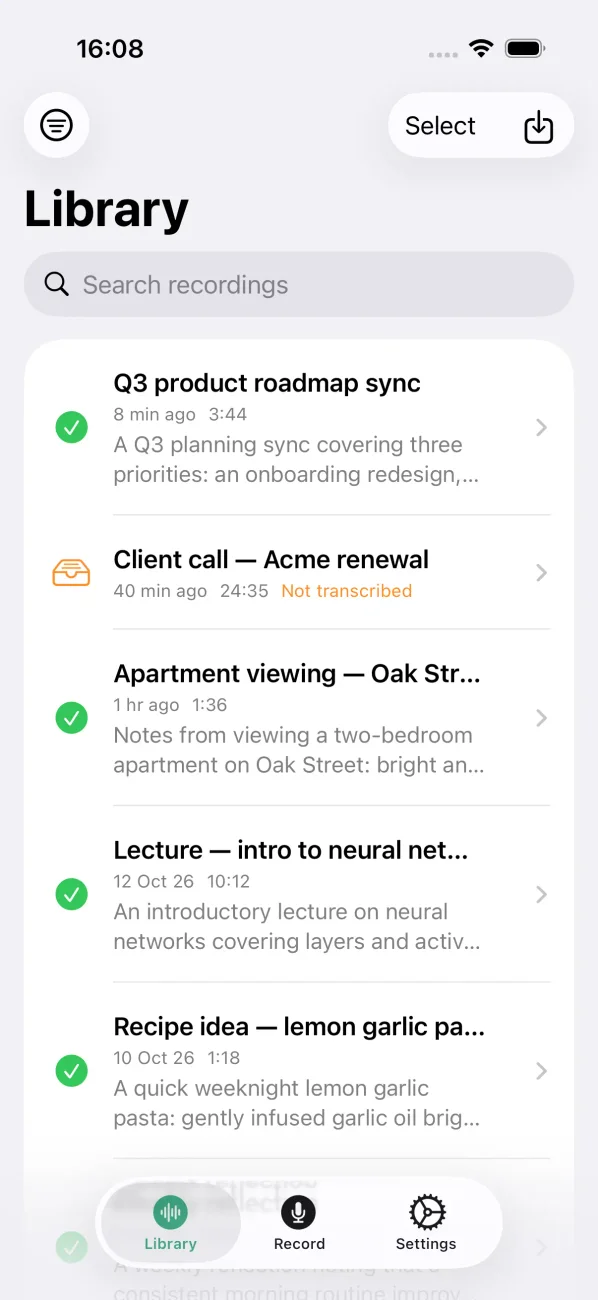
Note Whisperer turns your voice notes into organized, searchable knowledge — powered by AI.
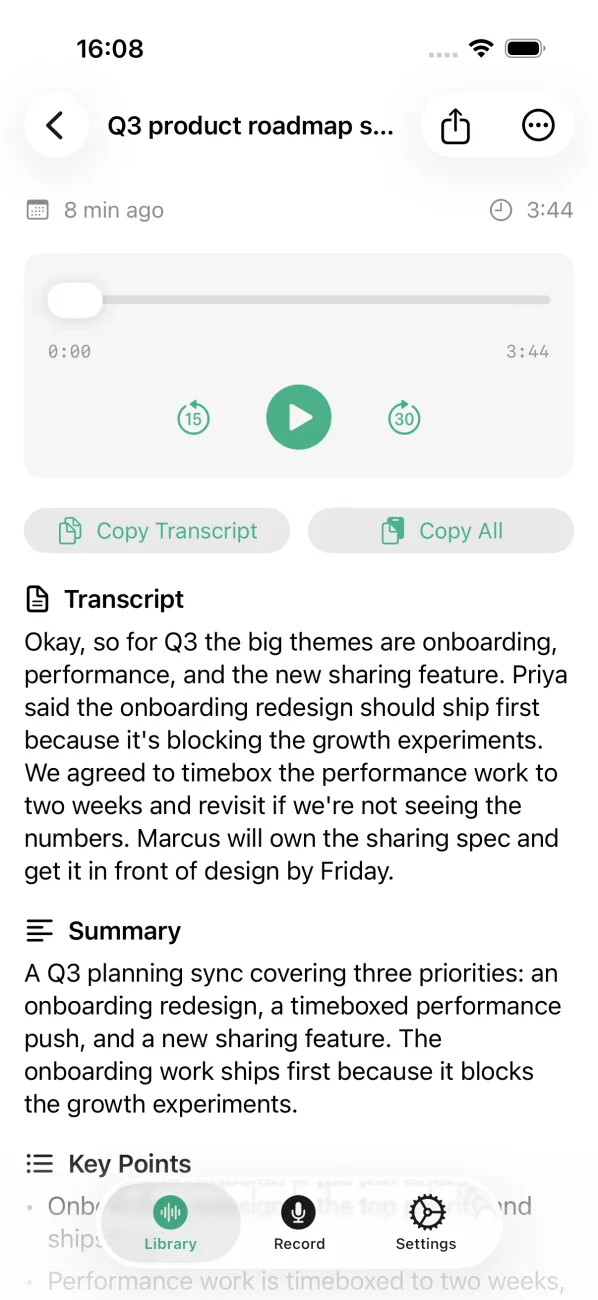
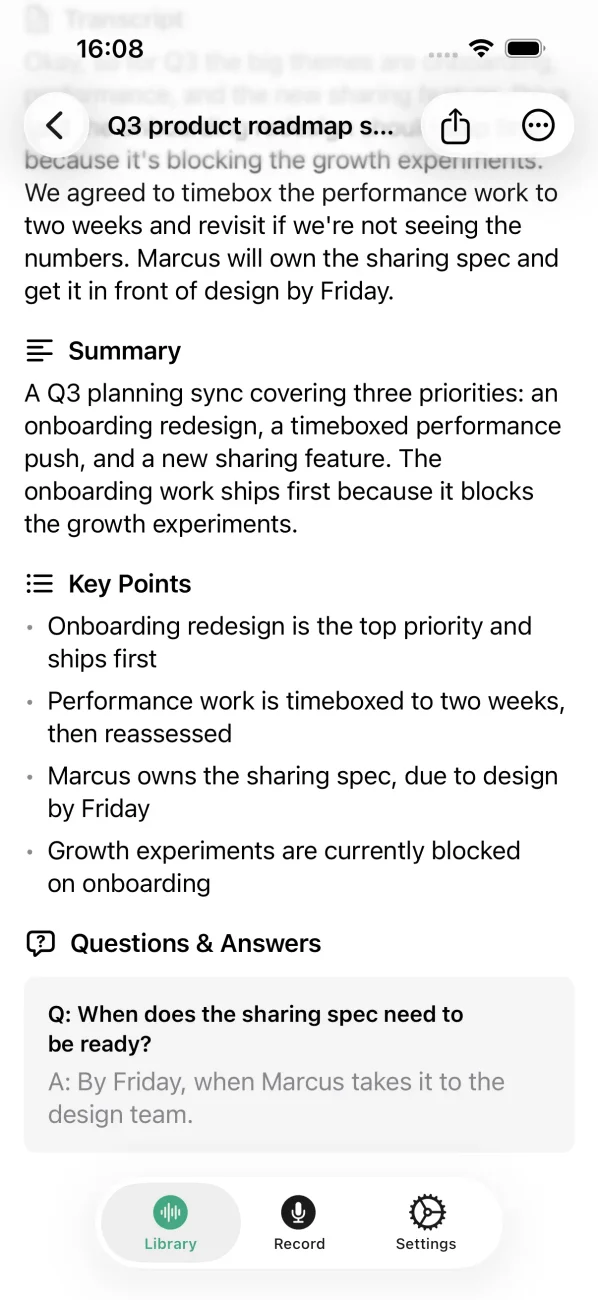
Record on your iPhone or Apple Watch, and Note Whisperer transcribes your audio, generates concise summaries, extracts key points, and identifies questions with AI-generated answers. All processing is done through OpenAI's API using your own API key.
NEW IN 1.2
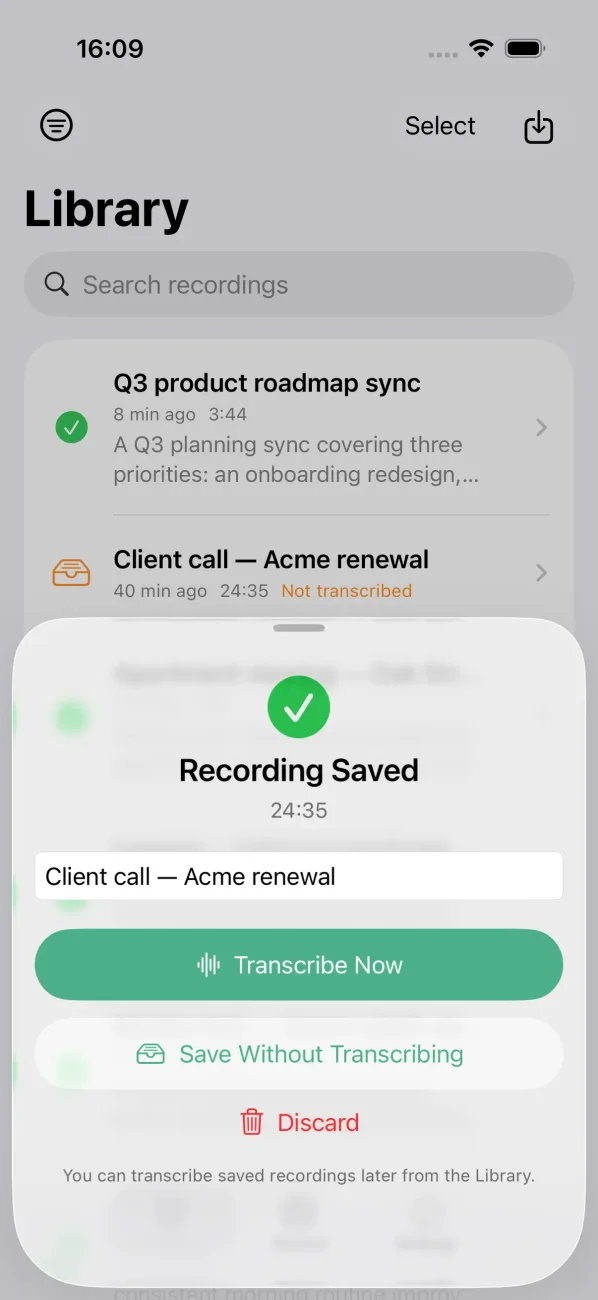
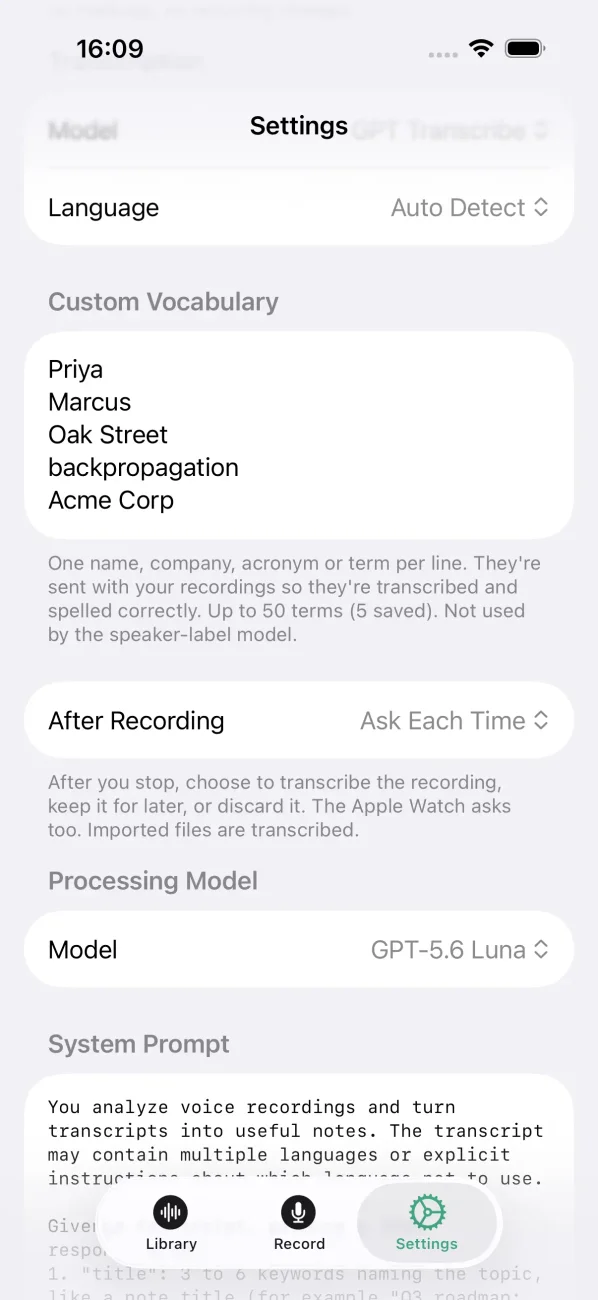
- Choose what happens after you stop: transcribe now, keep it for later, or discard it — on iPhone and Apple Watch
- Start and stop recording with Siri, Shortcuts, the Action button, Control Center, Home and Lock Screen widgets, or an Apple Watch complication
- Stop recording right from the Dynamic Island and Lock Screen
- Custom Vocabulary: names, companies and jargon transcribed and spelled correctly
- Spots transcripts in the wrong language and re-transcribes them in the right one
- Long recordings keep transcribing when you leave the app, and resume if interrupted
- Export as Markdown or text, share the audio, and select several recordings at once
- Short keyword titles and clear dates make your library easy to scan
KEY FEATURES
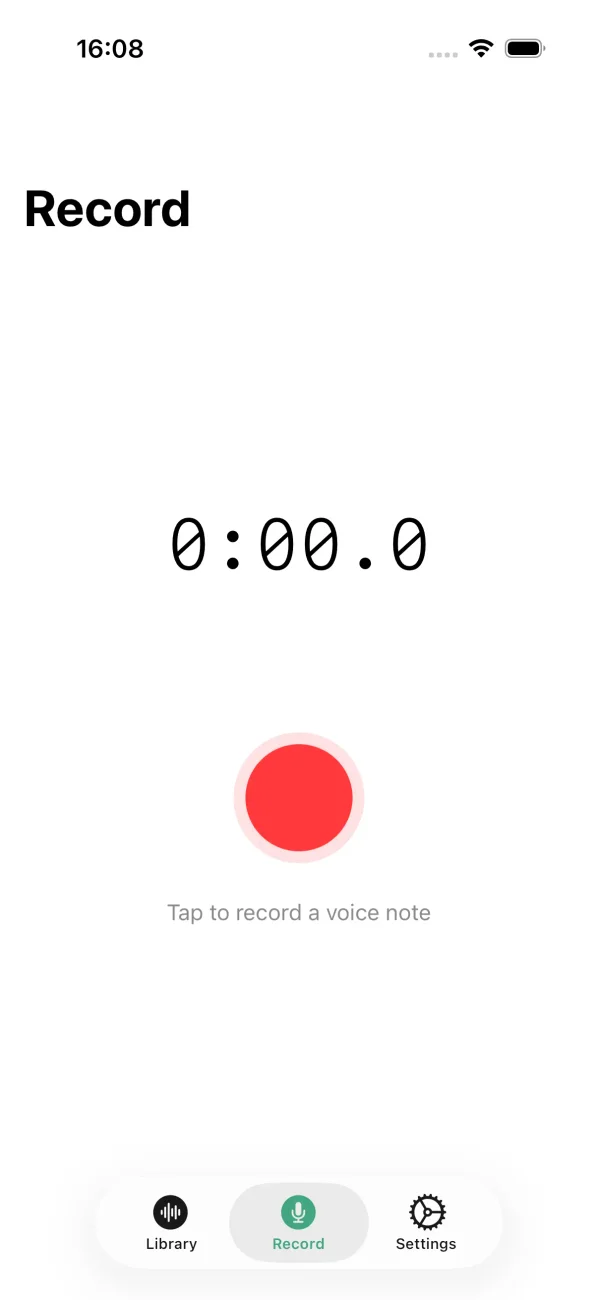
- Record voice notes on iPhone or Apple Watch
- Recordings pause safely during calls, Siri and alarms — resume or save, nothing lost
- Background recording with Dynamic Island and Lock Screen status
- Long recordings — meetings of an hour or more are transcribed in parts
- Share audio in from Voice Memos, Notes call recordings and other apps
- AI-powered transcription with speaker identification
- Automatic summaries, key points, and Q&A extraction
- Auto-detects your device language for transcription and AI output
- Reprocess or re-transcribe recordings, in a different language if you like
- Search across transcripts, summaries, key points and Q&A
- Customizable AI prompt for tailored analysis
- Watch recordings are kept safely until your iPhone receives them
- Battery-saving dimmed display on Apple Watch during recording
- Light and dark mode support
YOUR KEY, YOUR DATA
Note Whisperer uses a bring-your-own-key model. You connect your personal OpenAI API key and pay OpenAI directly for what you use. No subscription, no middlemen, no recurring charges. A few dollars of credit can process hundreds of voice notes.
PRIVACY FIRST
Your recordings stay on your device. Your API key is stored in the secure iOS Keychain. We don't collect, track, or store any of your data — we don't operate any servers. Nothing is sent anywhere until you grant permission: audio, transcripts and your custom vocabulary then go directly from your device to OpenAI, L.L.C. for transcription and analysis, using your own API key. You can turn that off at any time in Settings, and keep using Note Whisperer as a local voice recorder — and with "Save Without Transcribing", you decide note by note what gets sent.
GETTING STARTED
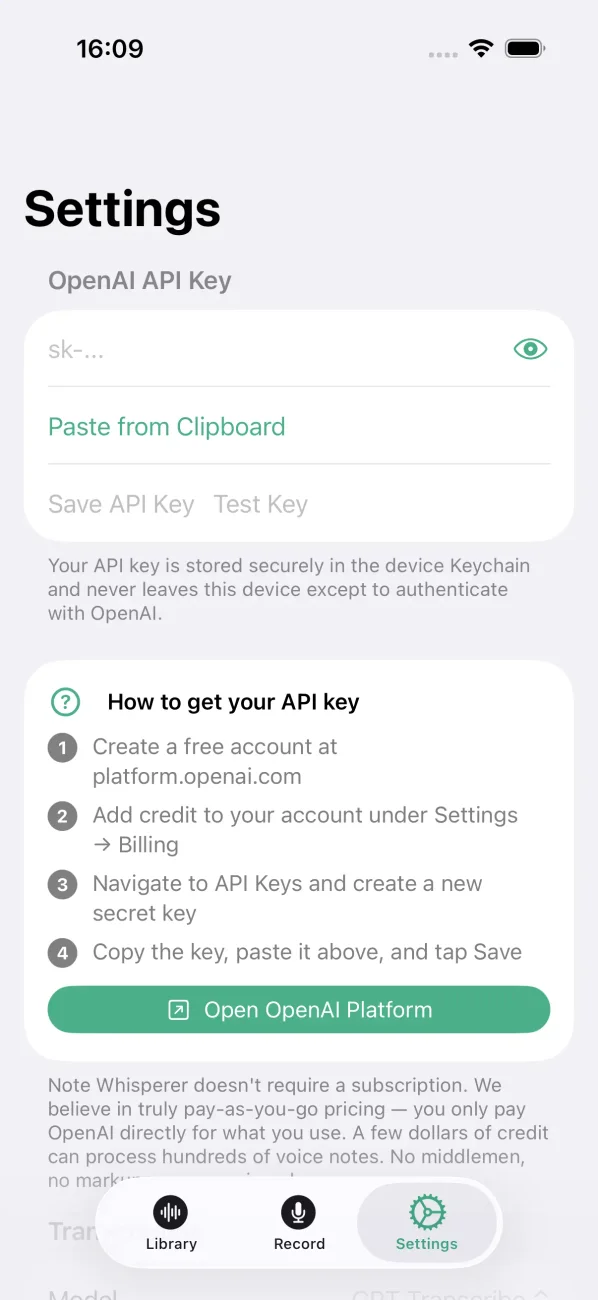
1. Create a free account at platform.openai.com
2. Add a small amount of credit to your account
3. Generate an API key
4. Paste it into Note Whisperer settings
5. Start recording
Requires an OpenAI API key and account with available credit. OpenAI API usage charges apply.
新機能
バージョン 1.2 · 2026/10/14
• Choose what happens after you stop: transcribe now, keep it for later, or discard it — on iPhone and Apple Watch. Set it in Settings → After Recording.
• Start and stop recordings with Siri, Shortcuts, the Action button and Control Center, from a Home or Lock Screen widget, or from a new Apple Watch complication. Stop right from the Dynamic Island and Lock Screen.
• Custom Vocabulary: add names, companies and terms so they're transcribed and spelled correctly.
• Wrong language? Note Whisperer spots transcripts that came out in an unexpected language and lets you re-transcribe in the right one. Reprocess also has "Transcribe as…".
• Long recordings keep going if you leave the app, and pick up where they left off if interrupted.
• Export recordings as Markdown or text files, share the audio, or select several at once.
• Easier to scan: titles are now a few keywords, and older recordings show their date.
• Search now covers key points and Q&A. Apple Watch recordings keep the time they were made.
アプリのプライバシー
このアプリのデータの取り扱いについて、JUAN ALCARAZ GARCIAがApp Storeで申告している内容です。
-
ユーザーに関連付けられないデータ
収集される場合がありますが、ユーザーの識別情報には関連付けられません。
- ユーザーコンテンツ
プライバシーの取り扱いは、ご利用の機能やお客様の年齢などに応じて異なる場合があります。
情報
- 販売元
- JUAN ALCARAZ GARCIA
- カテゴリ
- 仕事効率化
- バージョン
- 1.2
- 更新日
- 2026/10/14
- リリース
- 2026/9/21
- サイズ
- 3.5 MB
- 必要条件
- iOS 26.4以降
- 対象年齢
- 4+
- 価格
- 無料
- 言語
- 英語
- 著作権
- © 2026 Juan Alcaraz
こちらもおすすめ
-
 1dea - Idea book仕事効率化
-
 Snippety - Snippets ManagerText Expander, Phrase Shortcut
-
 メモ・ToDo・手帳ノートアプリタスク管理・スケジュール・チェックリスト
-
 Transcribe: ボイスメモ文字起こし・会議文字起こしAI文字起こし・簡単音声レコーダーと音声変換
-
 Speakwise - AI Note Takerボイスレコーダー&文字起こし
-
 shyftplan - dein Schichtplan仕事効率化
-
 AI言語翻訳:音声翻訳アプリ・辞書・会話通訳・リアルタイムテキスト翻訳機・トーク対応・国語辞典・声学習・文字認識対応
-
 パスワード管理・Safeパスキーと2段階認証
-
 PDF翻訳: 文書・書類を翻訳 OCR対応Word・Excel・スキャンも翻訳、レイアウト保持
-
 話す、翻訳する – 音声とテキストの翻訳翻訳アプリ : 音声翻訳、 翻訳 カメラ