
- Batasan usia4+
- KategoriAlat Pengembang
- PengembangLovecast LLC
- BahasaInggris+ 10 lainnya
- Ukuran54,5 MB
Tertaut ke halaman resmi App Store
Download.org tidak menyimpan file Orca IDE apa pun. Tombol ini membuka halaman aplikasi di App Store, tempat Lovecast LLC menerbitkannya. Halaman terakhir diperiksa pada 24/11/2026.
Tangkapan layar
Tentang
Pengembang belum menyediakan teks ini dalam bahasa Anda.
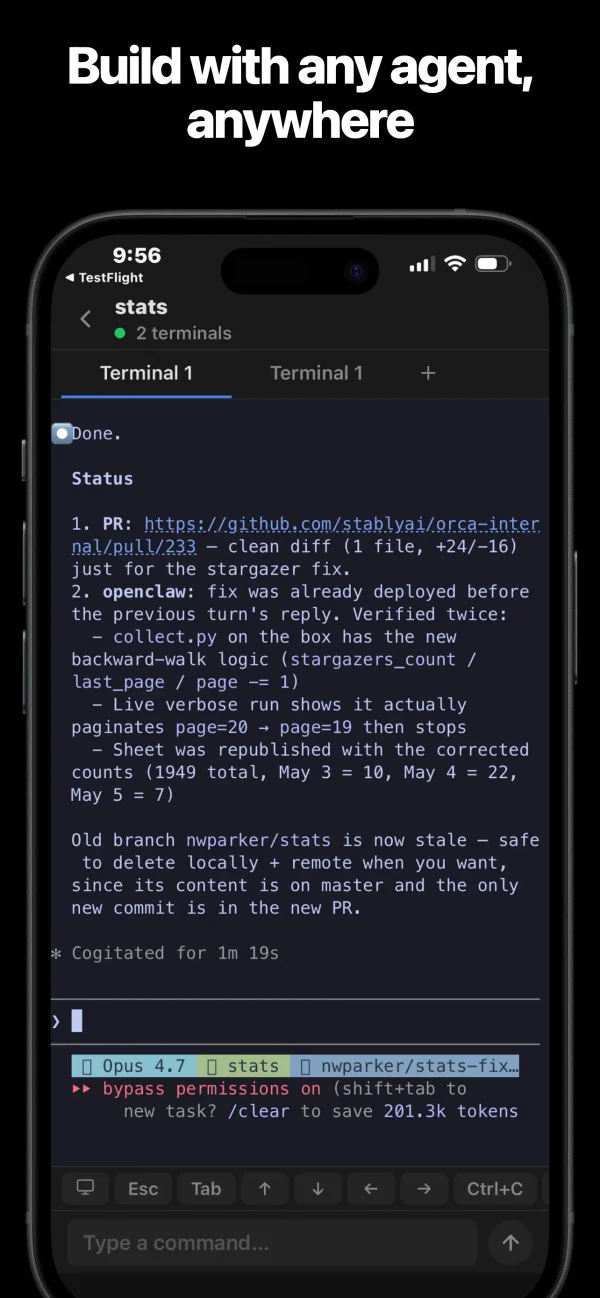
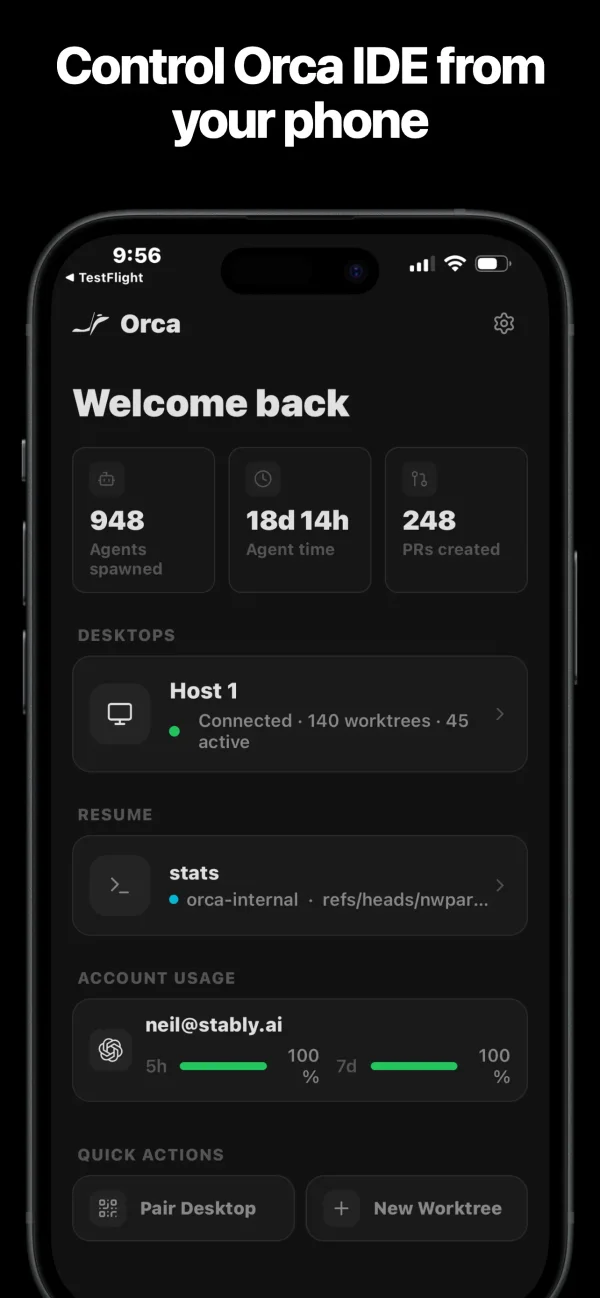
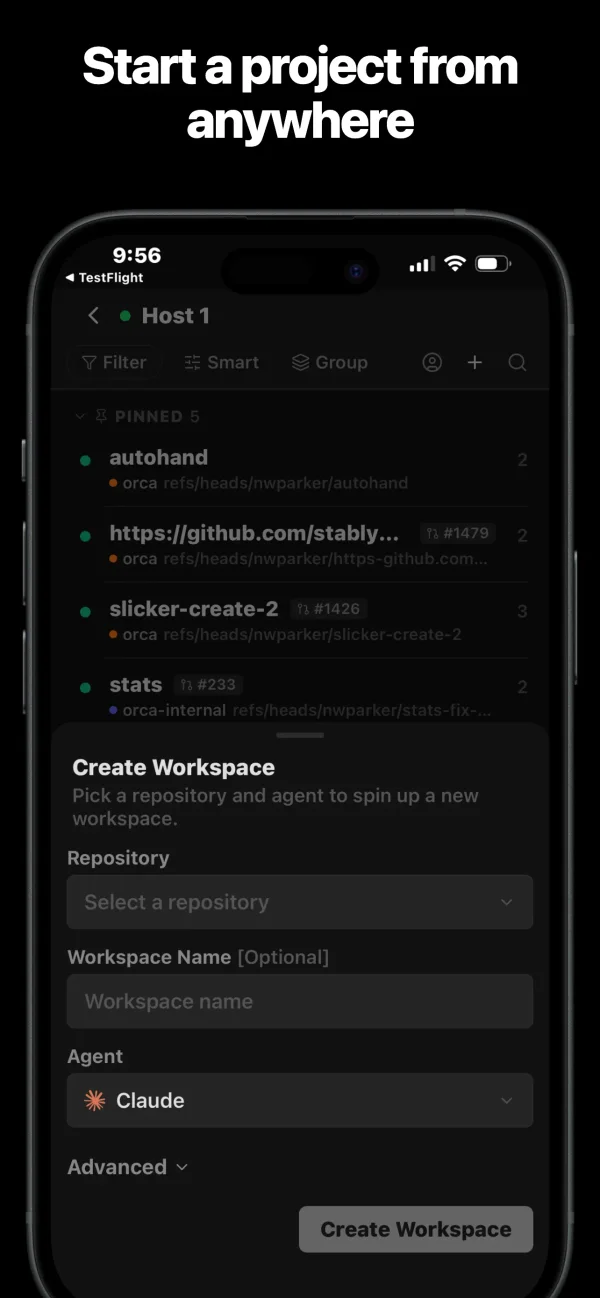
Orca Mobile is the companion app for Orca, the open-source agentic coding workspace for macOS, Linux, and Windows. Pair your iPhone to your desktop in seconds and pick up a terminal session from the couch, the kitchen, or across the office.
WHAT IT DOES
• Live mirror of your desktop terminal, including running AI agent sessions (Claude Code, Codex, custom CLIs).
• Full keyboard input — type, tab-complete, Ctrl-C, scroll back, all from the phone.
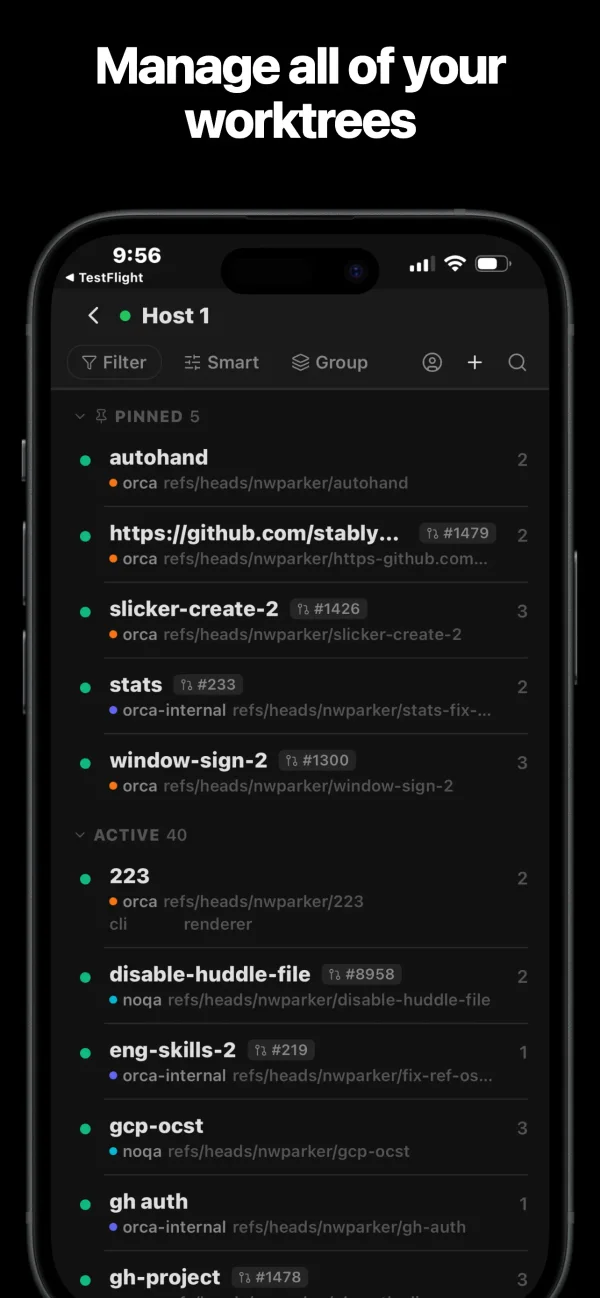
• Multi-worktree, multi-terminal: jump between projects with a tap.
• Phone-fit zoom and a smart on-screen keyboard with quick Ctrl/Alt accessory keys and shortcuts.
• Background long-running commands and get a notification when a TUI goes idle (e.g. when Claude finishes thinking).
HOW IT WORKS
Orca Mobile is a thin client. Nothing runs on your phone except the viewer. Your code, your shells, your AI agents — all of that stays on your desktop. The phone shows you what's happening and forwards your keystrokes back over an encrypted local-network connection.
Pairing is end-to-end encrypted. Your desktop generates a one-time keypair and shows a QR code; you scan it from the app. After that, all traffic between phone and desktop is sealed with that pair's keys.
PRIVACY
• No analytics SDK, no crash reporter, no third-party SDKs of any kind in the iOS app.
• Pairing tokens and your preference list live in the app's own sandbox. The app's traffic to your desktop is end-to-end encrypted on your local network only.
• The Orca desktop app collects anonymized usage metrics per the policy at https://www.onorca.dev/privacy. The mobile app itself does not.
• Open source: every line is auditable at https://github.com/stablyai/orca.
REQUIREMENTS
• An iPhone (iOS 16+) on the same Wi-Fi as your desktop.
• The Orca desktop app, free, from https://www.onorca.dev/ or https://github.com/stablyai/orca/releases.
Yang baru
Versi 0.0.69 · 23/11/2026
What's new since 0.0.68
Agents
- Edit an agent's automations, webhooks, tools, connectors and settings from the phone. The Settings pages now match the desktop's.
- Connect Slack, Linear, GitHub, Google and Composio from an agent's Connectors. Tools can be signed in, and their address, headers and command edited.
- Read an agent's soul, edit its memory and manage its skills.
- Share agents by link, add people to Who can ask, and import an agent from another app.
- Start a new Home Chat or side chat on any agent from +. Mention an agent or one of its chats with @.
- Drag agents and groups into a new order.
- Waits are listed under Automations, with Cancel.
Group rooms and items
- Threads and a combined Items list in a group's room, with next and previous on item pages.
- Answer an agent's item questions in the chat answer card. Item comments get photos, @ and / pickers, and Retry.
- Answers from agents on other computers show in group rooms.
Needs you and notifications
- Tool approvals, access requests and connectors that need a sign-in are gathered in Needs you.
- Push when an agent asks you on an item; it opens the item's page.
- The iOS app icon shows the unread workspace count.
- Orca now says when a wrong computer clock blocks phone push.
Chat
- Answer workers' permission prompts in the coordinator chat.
- Chat cards open their page on the phone instead of sending you to the computer.
- Hand a History session or a workspace to another agent. Resume in New CLI from the chat header menu.
- Claude's live model and effort show on the chat chip.
- Calendar dates on older messages, and steadier spacing between activity rows.
Workspaces and hosts
- Long-press a folder workspace for its menu. Folder workspaces can be deleted from the phone.
- See a host's Orca version, with update steps for servers that can't update themselves.
- Deleting a workspace says what it loses, and why a delete failed.
Fixes
- Home no longer crashes with an update loop when a second Home opens.
- Uploaded bot pictures and website and GitHub repo icons now show.
- Pasting links copied without plain text works in the chat composer.
- Smaller, faster-loading phone page.
- Many smaller layout, translation and loading fixes.
Most of these need an up-to-date Orca on your computer.
Privasi aplikasi
Yang dinyatakan Lovecast LLC di App Store tentang cara aplikasi ini menangani data.
-
Data tidak dikumpulkan
Pengembang tidak mengumpulkan data apa pun dari aplikasi ini.
Praktik privasi dapat bervariasi, misalnya berdasarkan fitur yang Anda gunakan atau usia Anda.
Informasi
- Penjual
- Lovecast LLC
- Kategori
- Alat Pengembang
- Versi
- 0.0.69
- Diperbarui
- 23/11/2026
- Dirilis
- 7/5/2026
- Ukuran
- 54,5 MB
- Memerlukan
- iOS 16.4 atau yang lebih baru
- Batasan usia
- 4+
- Harga
- Gratis
- Bahasa
- Inggris, Prancis, Jerman, Jepang, Korea, Portugis, Rusia, Tionghoa Sederhana, Spanyol, Tionghoa Tradisional, Turki
- Hak cipta
- © 2026 Lovecast Inc.
Mungkin Anda juga suka
-
 Moshi: herdr/tmux on SSH/MOSHAlat Pengembang
-
 T3 Code - Remote Claude & moreAlat Pengembang
-
 HermexAlat Pengembang
-
 Happy: Codex & Claude Code AppAlat Pengembang
-
 OpenCode Mobile AppAlat Pengembang
-
 CursorAlat Pengembang
-
 RailwayAlat Pengembang
-
 Blink Shell, Build & CodeAlat Pengembang
-
 Termius - Modern SSH ClientAlat Pengembang