
Orca IDE
Manage Coding Agents Remotely
iPhone, iPad için tasarlandı
Ücretsiz
- Yaş sınırı4+
- KategoriGeliştirici Araçları
- GeliştiriciLovecast LLC
- Dillerİngilizce+ 10 dil daha
- Boyut54,5 MB
Resmi App Store sayfasına bağlanır
Download.org, Orca IDE için hiçbir dosya barındırmaz. Düğme, uygulamanın App Store üzerindeki sayfasını açar; uygulamayı orada Lovecast LLC yayınlar. Sayfanın son kontrolü: 24.11.2026.
Ekran görüntüleri
Hakkında
Geliştirici bu metni dilinizde sunmamış.
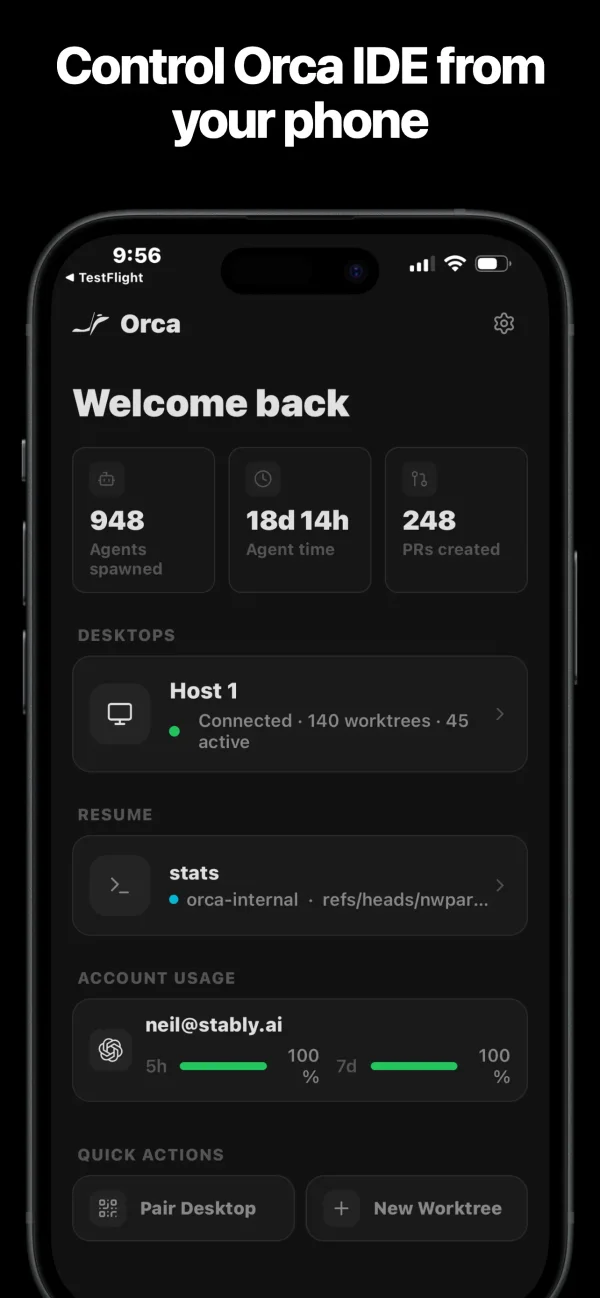
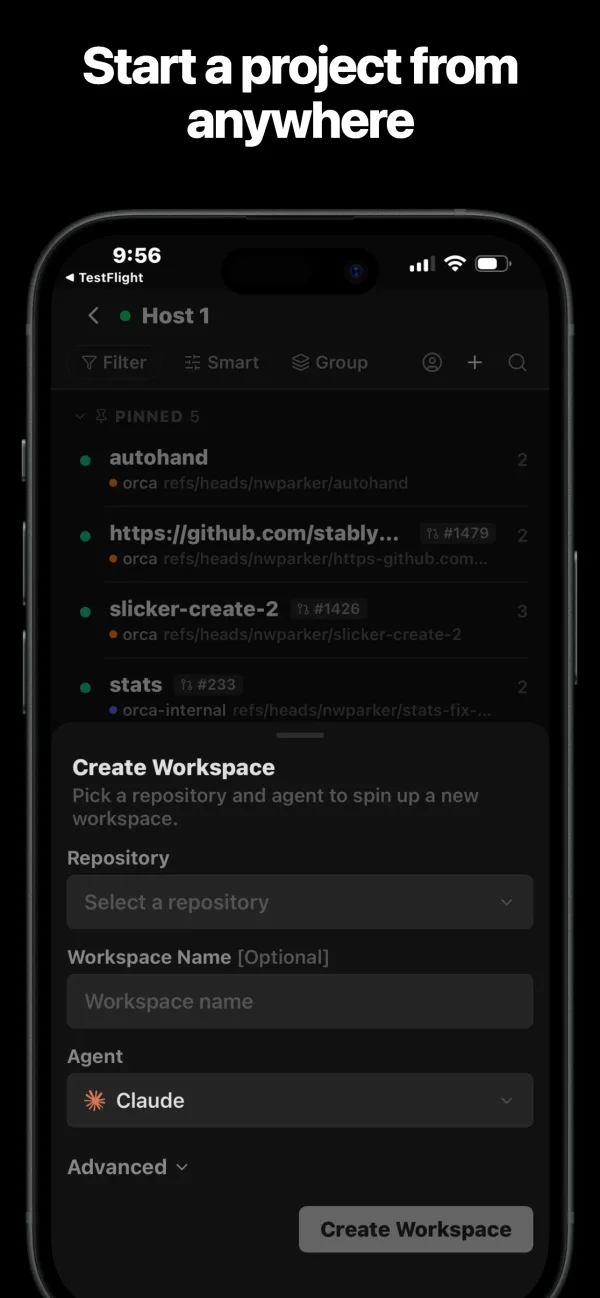
Orca Mobile is the companion app for Orca, the open-source agentic coding workspace for macOS, Linux, and Windows. Pair your iPhone to your desktop in seconds and pick up a terminal session from the couch, the kitchen, or across the office.
WHAT IT DOES
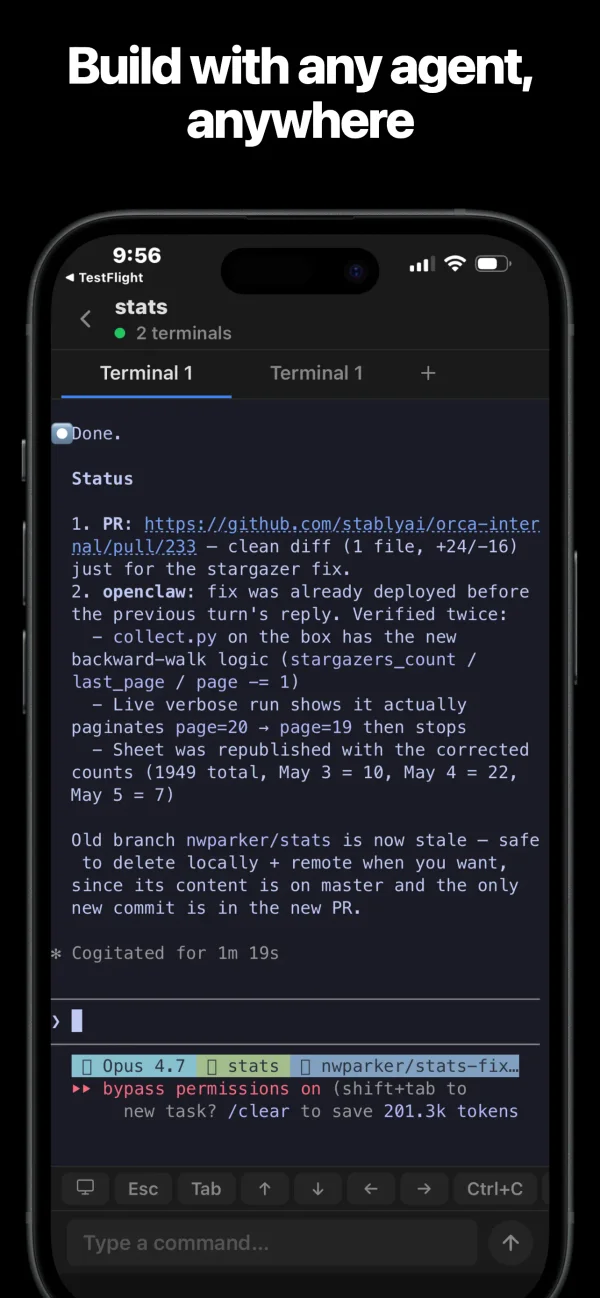
• Live mirror of your desktop terminal, including running AI agent sessions (Claude Code, Codex, custom CLIs).
• Full keyboard input — type, tab-complete, Ctrl-C, scroll back, all from the phone.
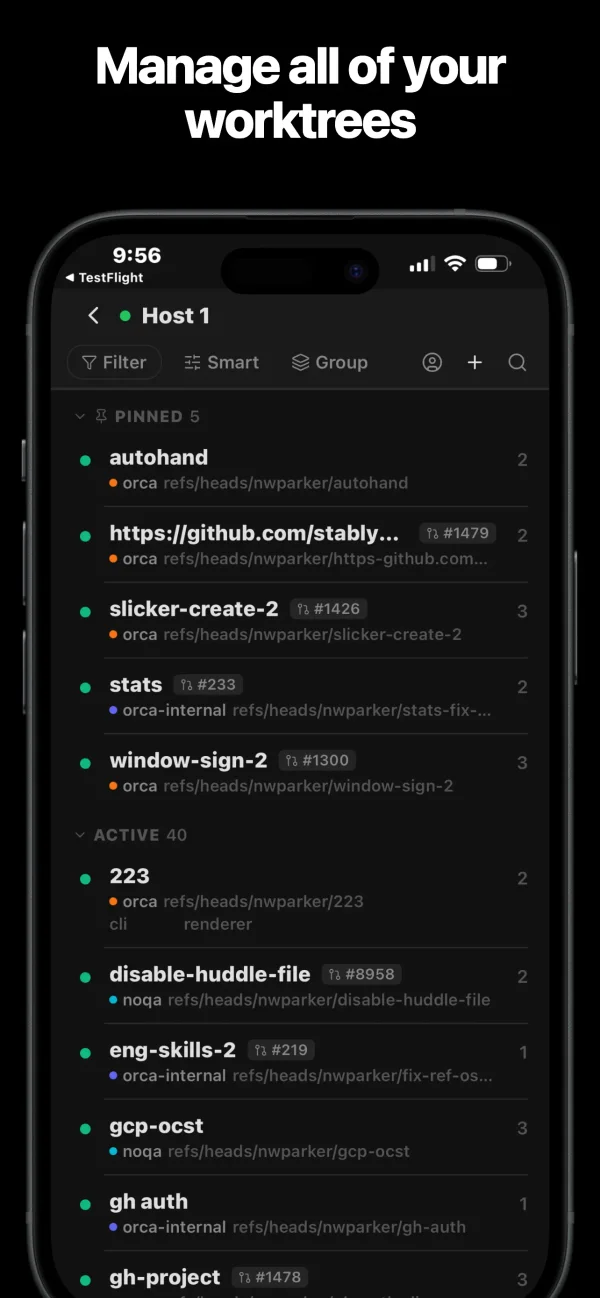
• Multi-worktree, multi-terminal: jump between projects with a tap.
• Phone-fit zoom and a smart on-screen keyboard with quick Ctrl/Alt accessory keys and shortcuts.
• Background long-running commands and get a notification when a TUI goes idle (e.g. when Claude finishes thinking).
HOW IT WORKS
Orca Mobile is a thin client. Nothing runs on your phone except the viewer. Your code, your shells, your AI agents — all of that stays on your desktop. The phone shows you what's happening and forwards your keystrokes back over an encrypted local-network connection.
Pairing is end-to-end encrypted. Your desktop generates a one-time keypair and shows a QR code; you scan it from the app. After that, all traffic between phone and desktop is sealed with that pair's keys.
PRIVACY
• No analytics SDK, no crash reporter, no third-party SDKs of any kind in the iOS app.
• Pairing tokens and your preference list live in the app's own sandbox. The app's traffic to your desktop is end-to-end encrypted on your local network only.
• The Orca desktop app collects anonymized usage metrics per the policy at https://www.onorca.dev/privacy. The mobile app itself does not.
• Open source: every line is auditable at https://github.com/stablyai/orca.
REQUIREMENTS
• An iPhone (iOS 16+) on the same Wi-Fi as your desktop.
• The Orca desktop app, free, from https://www.onorca.dev/ or https://github.com/stablyai/orca/releases.
Yenilikler
Sürüm 0.0.69 · 23.11.2026
What's new since 0.0.68
Agents
- Edit an agent's automations, webhooks, tools, connectors and settings from the phone. The Settings pages now match the desktop's.
- Connect Slack, Linear, GitHub, Google and Composio from an agent's Connectors. Tools can be signed in, and their address, headers and command edited.
- Read an agent's soul, edit its memory and manage its skills.
- Share agents by link, add people to Who can ask, and import an agent from another app.
- Start a new Home Chat or side chat on any agent from +. Mention an agent or one of its chats with @.
- Drag agents and groups into a new order.
- Waits are listed under Automations, with Cancel.
Group rooms and items
- Threads and a combined Items list in a group's room, with next and previous on item pages.
- Answer an agent's item questions in the chat answer card. Item comments get photos, @ and / pickers, and Retry.
- Answers from agents on other computers show in group rooms.
Needs you and notifications
- Tool approvals, access requests and connectors that need a sign-in are gathered in Needs you.
- Push when an agent asks you on an item; it opens the item's page.
- The iOS app icon shows the unread workspace count.
- Orca now says when a wrong computer clock blocks phone push.
Chat
- Answer workers' permission prompts in the coordinator chat.
- Chat cards open their page on the phone instead of sending you to the computer.
- Hand a History session or a workspace to another agent. Resume in New CLI from the chat header menu.
- Claude's live model and effort show on the chat chip.
- Calendar dates on older messages, and steadier spacing between activity rows.
Workspaces and hosts
- Long-press a folder workspace for its menu. Folder workspaces can be deleted from the phone.
- See a host's Orca version, with update steps for servers that can't update themselves.
- Deleting a workspace says what it loses, and why a delete failed.
Fixes
- Home no longer crashes with an update loop when a second Home opens.
- Uploaded bot pictures and website and GitHub repo icons now show.
- Pasting links copied without plain text works in the chat composer.
- Smaller, faster-loading phone page.
- Many smaller layout, translation and loading fixes.
Most of these need an up-to-date Orca on your computer.
Uygulama gizliliği
Bu uygulamanın verileri nasıl işlediği hakkında Lovecast LLC tarafından App Store üzerinde yapılan beyan.
-
Veri toplanmıyor
Geliştirici bu uygulamadan hiçbir veri toplamıyor.
Gizlilik uygulamaları, örneğin kullandığınız özelliklere veya yaşınıza göre değişiklik gösterebilir.
Bilgiler
- Satıcı
- Lovecast LLC
- Kategori
- Geliştirici Araçları
- Sürüm
- 0.0.69
- Güncellendi
- 23.11.2026
- Yayın tarihi
- 07.05.2026
- Boyut
- 54,5 MB
- Gereksinim
- iOS 16.4 veya sonrası
- Yaş sınırı
- 4+
- Fiyat
- Ücretsiz
- Diller
- İngilizce, Fransızca, Almanca, Japonca, Korece, Portekizce, Rusça, Basitleştirilmiş Çince, İspanyolca, Geleneksel Çince, Türkçe
- Telif hakkı
- © 2026 Lovecast Inc.
Bunları da beğenebilirsiniz
-
 Moshi: herdr/tmux on SSH/MOSHGeliştirici Araçları
-
 T3 Code - Remote Claude & moreGeliştirici Araçları
-
 HermexGeliştirici Araçları
-
 Happy: Codex & Claude Code AppGeliştirici Araçları
-
 OpenCode Mobile AppGeliştirici Araçları
-
 CursorGeliştirici Araçları
-
 RailwayGeliştirici Araçları
-
 Blink Shell, Build & CodeGeliştirici Araçları
-
 Termius - Modern SSH ClientGeliştirici Araçları