Otriva: AI Notes & Study
Handwriting, Notebook & PDF
Dirancang untuk iPhone, iPad
Pembelian dalam aplikasi
- Batasan usia17+
- KategoriPendidikan
- PengembangLeon Karim Valentin
- BahasaJerman+ 1 lainnya
- Ukuran44,2 MB
Otriva: AI Notes & Study mungkin sedang tidak tersedia di App Store
Halaman di toko tidak dapat dijangkau saat terakhir kami periksa. Tautan tetap mengarah ke halaman resmi App Store.
Tangkapan layar
Tentang
Pengembang belum menyediakan teks ini dalam bahasa Anda.
Circle what you don't understand with Apple Pencil and Otriva explains it right in your notes. Otriva is the iPad notebook for handwritten notes, with a companion on iPhone. Ages 16+.
CIRCLE AND UNDERSTAND
Turn on the AI pen and circle a legible passage. After your separate consent, Otriva sends the selection and the context needed to answer it to the external AI services identified in the app. The answer appears in English as an explanation card anchored to the selected source and is saved with the page. AI explanations can be wrong, so check them against your course materials.
SAY IT IN GERMAN
You know what you want to say, just not in German? Write your thought in your own language or with the German words you already know. Otriva turns it into a German sentence that stays true to your thought – simpler if you like. Add the task as text or a photo; the iPad reads the text in the photo itself. This works with the keyboard, no Apple Pencil needed. With “Translate & explain” you can also circle a single word and get it explained in your help language.
WRITE AND ORGANIZE
Write with Apple Pencil, highlight important passages, and edit your notes with the eraser, selection, undo, and redo tools. Organize pages by subject and topic in your cabinet; they stay organized as connected notebooks.
PDFS IN YOUR NOTEBOOK
Import PDFs from Files, write directly on the imported pages, and share your annotated materials again as a PDF – a single page or a complete topic. Search in scanned documents is limited to text that was actually recognized or already embedded.
ON IPHONE
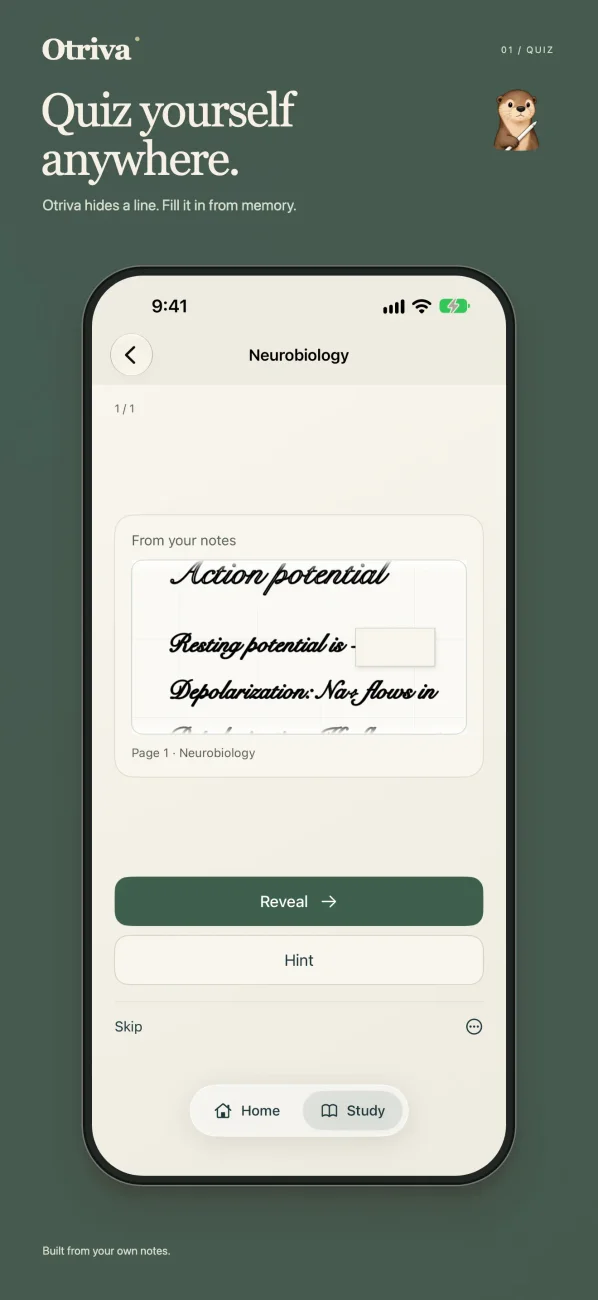
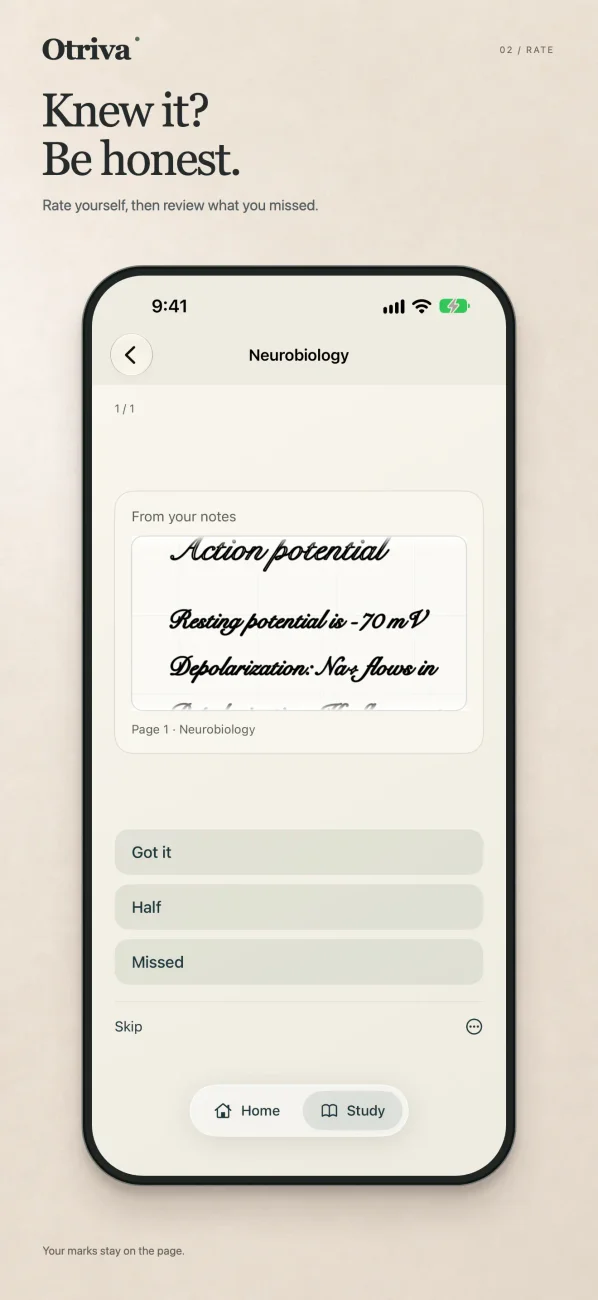
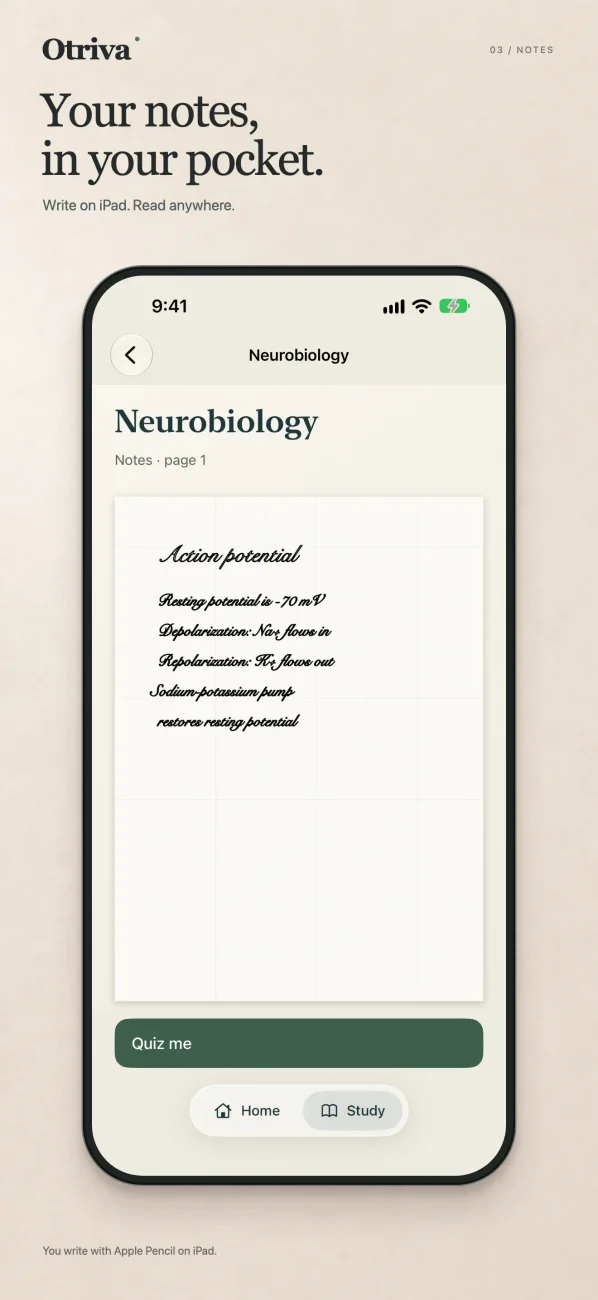
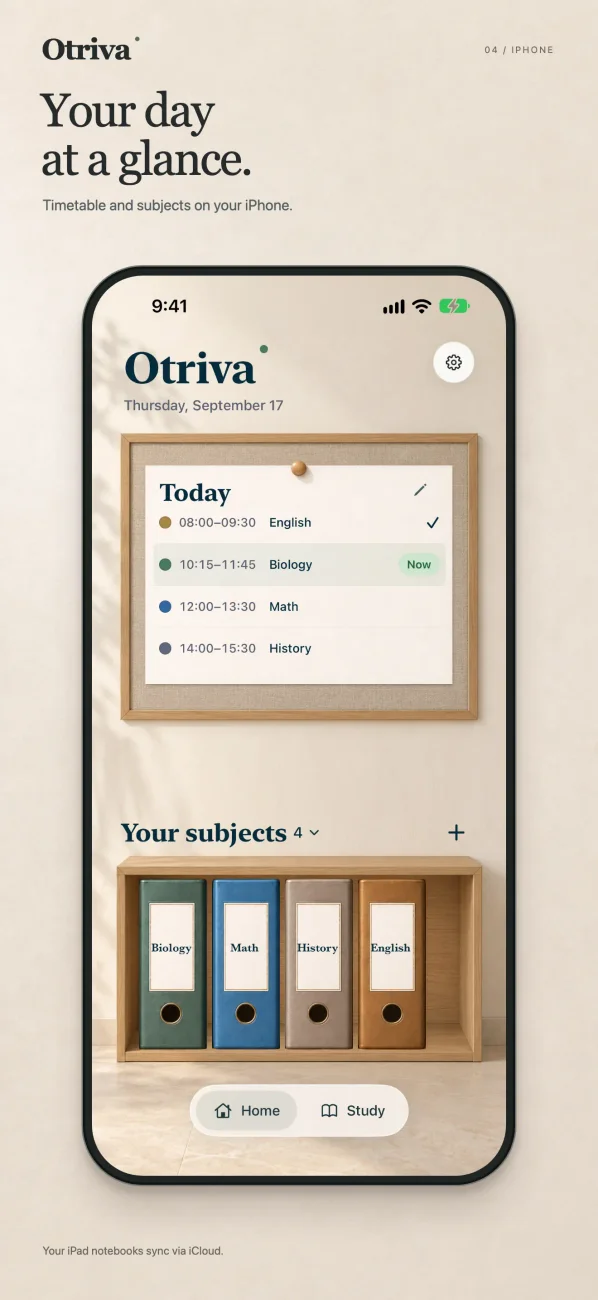
On iPhone, “Quiz me” tests you on your own notes; you also see your timetable and subjects and read your notebooks. Writing happens on iPad; your notebooks reach the iPhone through iCloud sync.
FREE AND PLUS
Writing, organization, PDF import, and PDF export remain available without a subscription. Free includes five successfully delivered AI answers per calendar month (UTC) and installation.
Otriva Plus includes 500 successfully delivered AI answers per monthly Apple subscription period, with usage shared across the subscriber's devices. Unused answers do not roll over. Plus requires a valid App Store subscription receipt.
The subscription renews monthly until canceled. Apple handles purchase, billing, and subscription management. The App Store shows the current localized price before purchase.
AGE AND PRIVACY
Otriva is for ages 16 and up. At first launch the app asks for your age range; choosing “under 16” means Otriva cannot be used. The reason is the AI explanations: they rely on your consent, and in Germany consent of this kind becomes effective at the age of 16. The app asks only for an age range, not a date of birth or identity document. A Plus purchase does not replace the age declaration or the separate consent for AI processing. Revoking AI consent blocks new external AI requests, but does not cancel an Apple subscription or delete existing notes.
Otriva does not require its own account. Notes are stored locally; optional iCloud sync is separate from AI processing. Apple processes payment and card information, which Otriva does not store.
The app is available in English and German. It follows your device language; the in-app help, privacy policy and terms are included in both languages.
Requires iPadOS 26.0 or later on iPad, or iOS 26.0 or later on iPhone.
Support: https://otriva.de/hilfe/
Privacy: https://otriva.de/datenschutz/
Terms: https://otriva.de/nutzungsbedingungen/
Yang baru
Versi 1.4.1 · 19/10/2026
New: Say it in German. In the Otter menu, write what you want to say – in your own language or with the German words you already know. Otriva turns it into a German sentence, simpler if you like. Add the task as text or a photo.
Smoother writing: Otriva now saves once per writing pause instead of after every stroke. Writing on full pages runs more smoothly, and Undo right after many strokes responds much faster.
The stroke preview now shows every width for the Ballpoint.
Asking a question across all notes of a subject has been removed. You still get explanations by circling.
Privasi aplikasi
Yang dinyatakan Leon Karim Valentin di App Store tentang cara aplikasi ini menangani data.
-
Data yang ditautkan dengan Anda
Dapat dikumpulkan dan ditautkan dengan identitas Anda.
- Pembelian
- Info kontak
- Konten pengguna
- Pengenal
- Data penggunaan
- Diagnostik
-
Data yang tidak ditautkan dengan Anda
Dapat dikumpulkan, tetapi tidak ditautkan dengan identitas Anda.
- Diagnostik
Praktik privasi dapat bervariasi, misalnya berdasarkan fitur yang Anda gunakan atau usia Anda.
Informasi
- Penjual
- Leon Karim Valentin
- Kategori
- Pendidikan
- Versi
- 1.4.1
- Diperbarui
- 19/10/2026
- Dirilis
- 13/10/2026
- Ukuran
- 44,2 MB
- Memerlukan
- iOS 26.0 atau yang lebih baru
- Batasan usia
- 17+
- Pembelian dalam aplikasi
- Ya
- Bahasa
- Jerman, Inggris
- Hak cipta
- © 2026 Leon Karim Valentin
Mungkin Anda juga suka
-
 Study Memoria: AI FlashcardsPendidikan
-
 FlashLingoPendidikan
-
 Quizwise AI: Latihan SoalBuat Kuis & Flashcard dari PDF
-
 Abdulrahman AlaaPendidikan
-
 Quiz Maker AI: Buat Soal UjianFlashcard & kuis dengan AI
-
 ClassMate TimetablePendidikan
-
 VisualNote AI: Study NotesPendidikan
-
 Voc AI - Vocabulary TrainerPendidikan
-
 Hunting Signals & Hunting ExamPendidikan
-
 Toddler-Games for 3 Year Olds〉Toddler Games For 3 Year Olds