- 対象年齢17+
- カテゴリ教育
- 開発元Leon Karim Valentin
- 言語ドイツ語ほか1言語
- サイズ44.2 MB
Otriva: AI Notes & Studyは現在App Storeで入手できない可能性があります
前回の確認時、ストアのページにアクセスできませんでした。リンク先は引き続きApp Storeの公式ページです。
スクリーンショット
概要
開発元はこのテキストをお使いの言語で提供していません。
Circle what you don't understand with Apple Pencil and Otriva explains it right in your notes. Otriva is the iPad notebook for handwritten notes, with a companion on iPhone. Ages 16+.
CIRCLE AND UNDERSTAND
Turn on the AI pen and circle a legible passage. After your separate consent, Otriva sends the selection and the context needed to answer it to the external AI services identified in the app. The answer appears in English as an explanation card anchored to the selected source and is saved with the page. AI explanations can be wrong, so check them against your course materials.
SAY IT IN GERMAN
You know what you want to say, just not in German? Write your thought in your own language or with the German words you already know. Otriva turns it into a German sentence that stays true to your thought – simpler if you like. Add the task as text or a photo; the iPad reads the text in the photo itself. This works with the keyboard, no Apple Pencil needed. With “Translate & explain” you can also circle a single word and get it explained in your help language.
WRITE AND ORGANIZE
Write with Apple Pencil, highlight important passages, and edit your notes with the eraser, selection, undo, and redo tools. Organize pages by subject and topic in your cabinet; they stay organized as connected notebooks.
PDFS IN YOUR NOTEBOOK
Import PDFs from Files, write directly on the imported pages, and share your annotated materials again as a PDF – a single page or a complete topic. Search in scanned documents is limited to text that was actually recognized or already embedded.
ON IPHONE
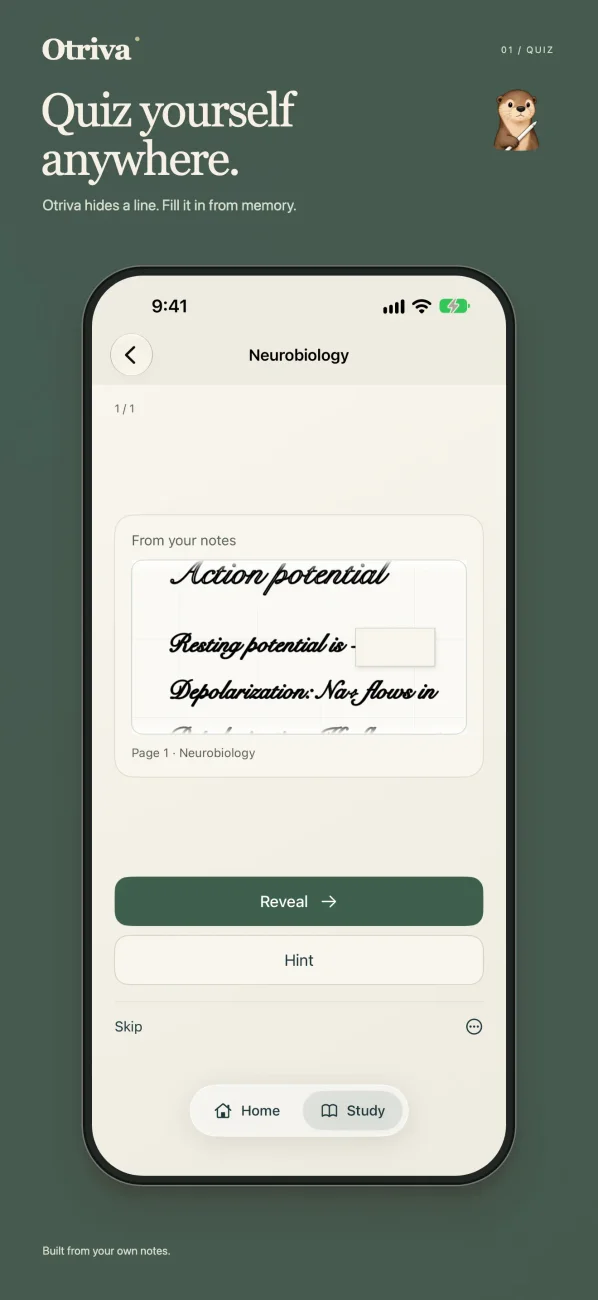
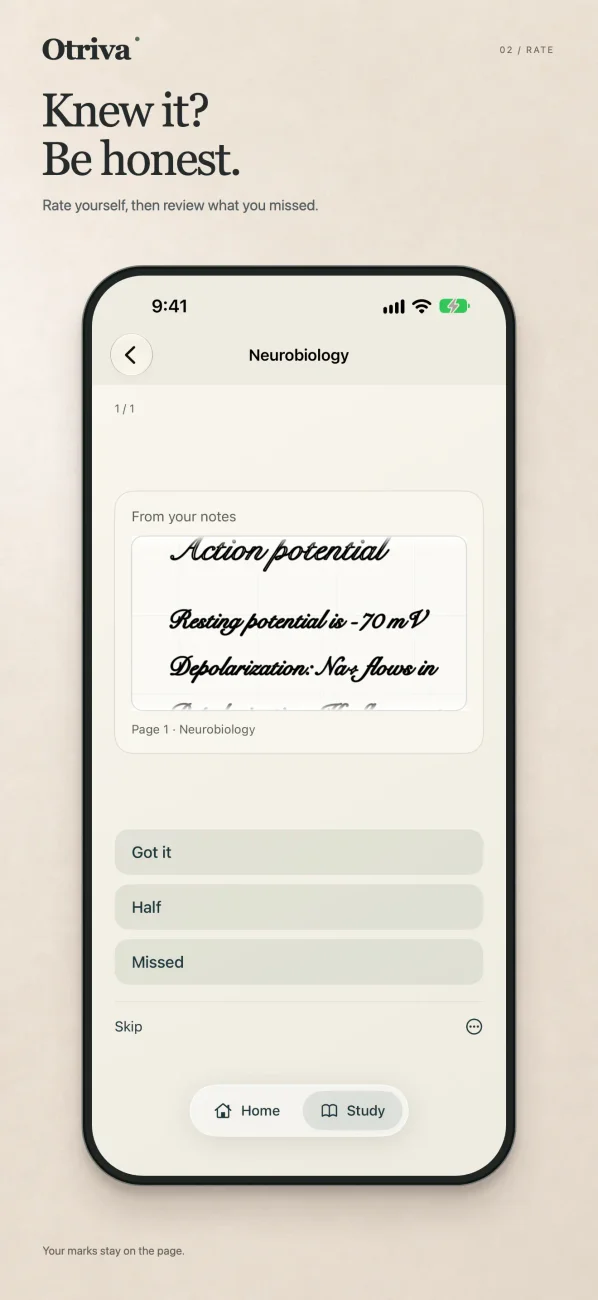
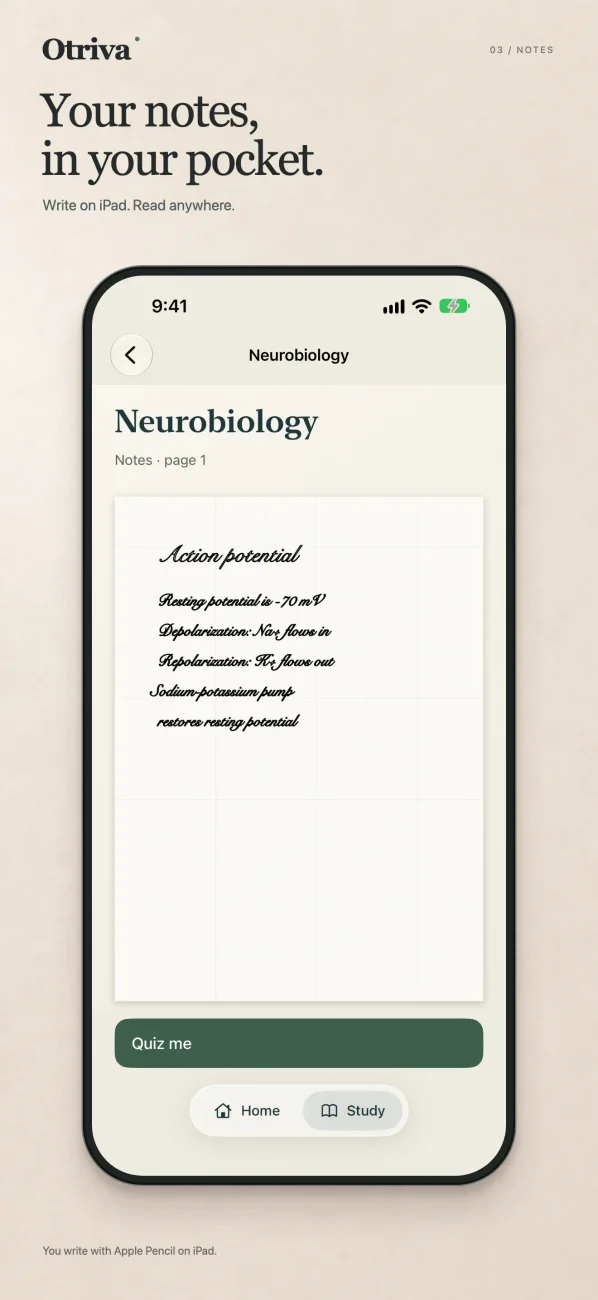
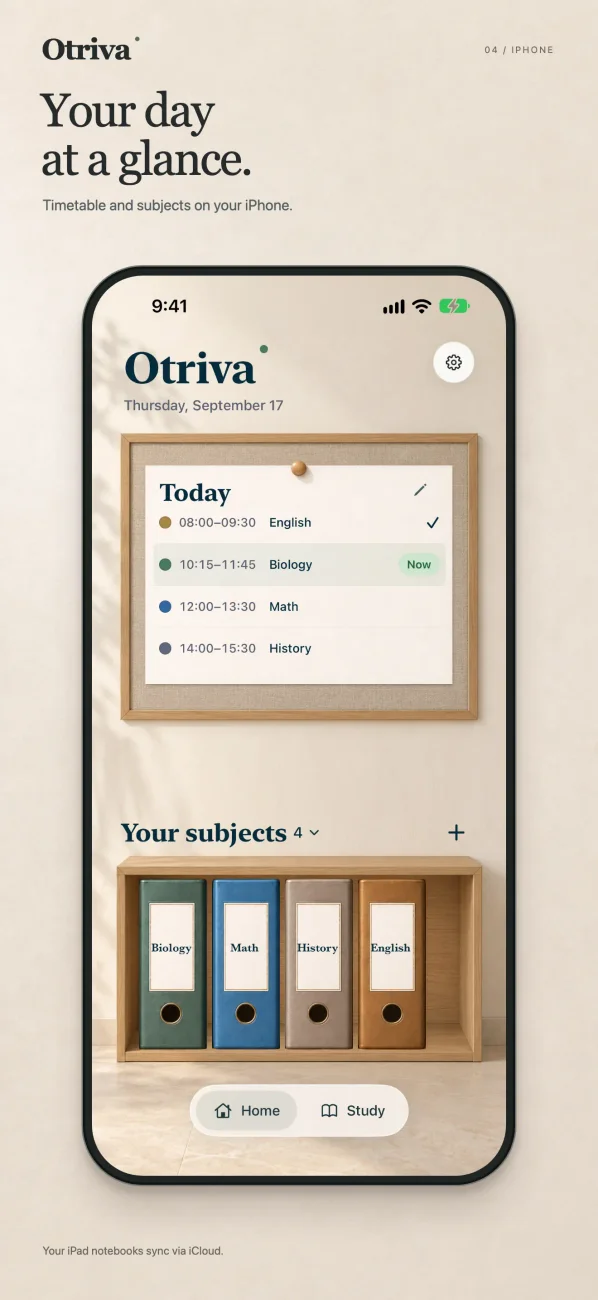
On iPhone, “Quiz me” tests you on your own notes; you also see your timetable and subjects and read your notebooks. Writing happens on iPad; your notebooks reach the iPhone through iCloud sync.
FREE AND PLUS
Writing, organization, PDF import, and PDF export remain available without a subscription. Free includes five successfully delivered AI answers per calendar month (UTC) and installation.
Otriva Plus includes 500 successfully delivered AI answers per monthly Apple subscription period, with usage shared across the subscriber's devices. Unused answers do not roll over. Plus requires a valid App Store subscription receipt.
The subscription renews monthly until canceled. Apple handles purchase, billing, and subscription management. The App Store shows the current localized price before purchase.
AGE AND PRIVACY
Otriva is for ages 16 and up. At first launch the app asks for your age range; choosing “under 16” means Otriva cannot be used. The reason is the AI explanations: they rely on your consent, and in Germany consent of this kind becomes effective at the age of 16. The app asks only for an age range, not a date of birth or identity document. A Plus purchase does not replace the age declaration or the separate consent for AI processing. Revoking AI consent blocks new external AI requests, but does not cancel an Apple subscription or delete existing notes.
Otriva does not require its own account. Notes are stored locally; optional iCloud sync is separate from AI processing. Apple processes payment and card information, which Otriva does not store.
The app is available in English and German. It follows your device language; the in-app help, privacy policy and terms are included in both languages.
Requires iPadOS 26.0 or later on iPad, or iOS 26.0 or later on iPhone.
Support: https://otriva.de/hilfe/
Privacy: https://otriva.de/datenschutz/
Terms: https://otriva.de/nutzungsbedingungen/
新機能
バージョン 1.4.1 · 2026/10/19
New: Say it in German. In the Otter menu, write what you want to say – in your own language or with the German words you already know. Otriva turns it into a German sentence, simpler if you like. Add the task as text or a photo.
Smoother writing: Otriva now saves once per writing pause instead of after every stroke. Writing on full pages runs more smoothly, and Undo right after many strokes responds much faster.
The stroke preview now shows every width for the Ballpoint.
Asking a question across all notes of a subject has been removed. You still get explanations by circling.
アプリのプライバシー
このアプリのデータの取り扱いについて、Leon Karim ValentinがApp Storeで申告している内容です。
-
ユーザーに関連付けられたデータ
収集され、ユーザーの識別情報に関連付けられる場合があります。
- 購入
- 連絡先情報
- ユーザーコンテンツ
- ID
- 使用状況データ
- 診断
-
ユーザーに関連付けられないデータ
収集される場合がありますが、ユーザーの識別情報には関連付けられません。
- 診断
プライバシーの取り扱いは、ご利用の機能やお客様の年齢などに応じて異なる場合があります。
情報
- 販売元
- Leon Karim Valentin
- カテゴリ
- 教育
- バージョン
- 1.4.1
- 更新日
- 2026/10/19
- リリース
- 2026/10/13
- サイズ
- 44.2 MB
- 必要条件
- iOS 26.0以降
- 対象年齢
- 17+
- アプリ内課金
- あり
- 言語
- ドイツ語, 英語
- 著作権
- © 2026 Leon Karim Valentin
こちらもおすすめ
-
 Study Memoria: AI Flashcards講義スライドを暗記カードに
-
 FlashLingo教育
-
 Quizwise AI: 問題作成&暗記カードPDF・写真で試験対策&テスト勉強・単語帳
-
 Abdulrahman Alaa教育
-
 Quiz Maker AI: 問題作成・暗記カードAIでテスト作成・単語帳アプリ
-
 ClassMate Timetable教育
-
 VisualNote AI:暗記・勉強ノート単語帳・クイズ・マインドマップ
-
 Voc AI - Vocabulary Trainer教育
-
 Hunting Signals & Hunting Exam教育
-
 Toddler-Games for 3 Year Olds〉Toddler Games For 3 Year Olds