Paper: Writing App, Notes
Write a book novel poem script
Dirancang untuk iPhone, iPad, iPod touch
Gratis · Pembelian dalam aplikasi
- Batasan usia4+
- KategoriProduktivitas
- PengembangMihhail Lapushkin
- BahasaInggris
- Ukuran85,5 MB
Tertaut ke halaman resmi App Store
Download.org tidak menyimpan file Paper: Writing App, Notes apa pun. Tombol ini membuka halaman aplikasi di App Store, tempat Mihhail Lapushkin menerbitkannya. Halaman terakhir diperiksa pada 28/11/2026.
Tangkapan layar
Tentang
Pengembang belum menyediakan teks ini dalam bahasa Anda.
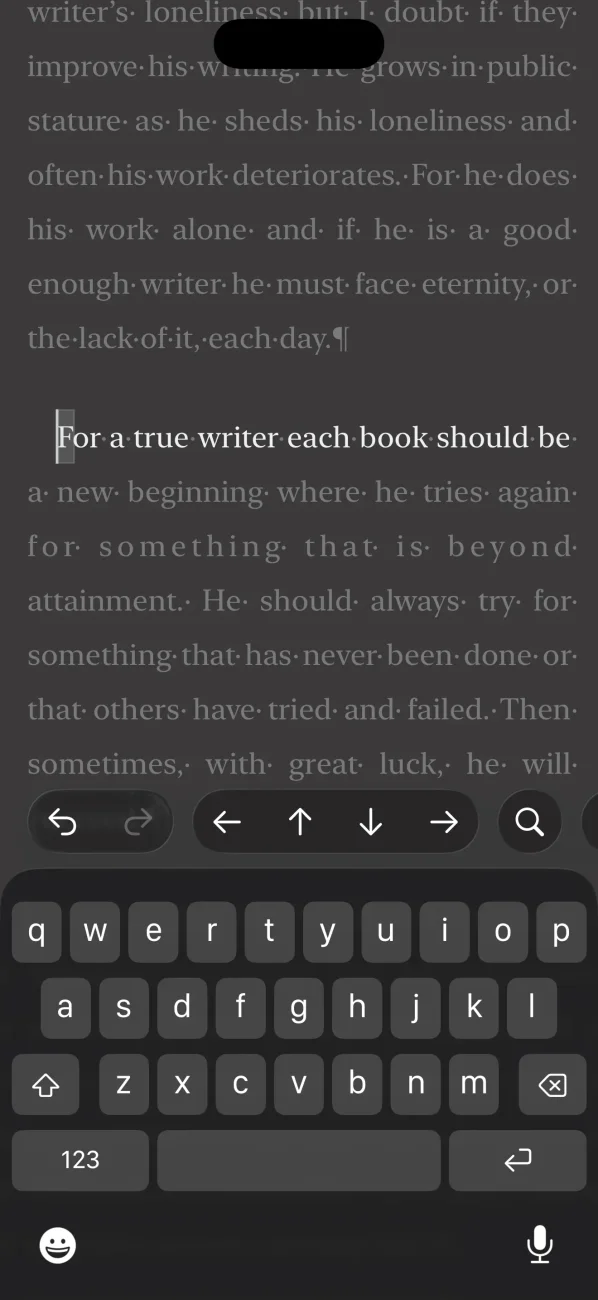
“This is a super-clean writing space with a lot of configurability that stays out of sight when you don’t need it.”
App Store Review
2020
# STORY
Read it here → paper.pro/story
# HIGHLIGHTS
· Gorgeous writing space
· Silky-smooth typing
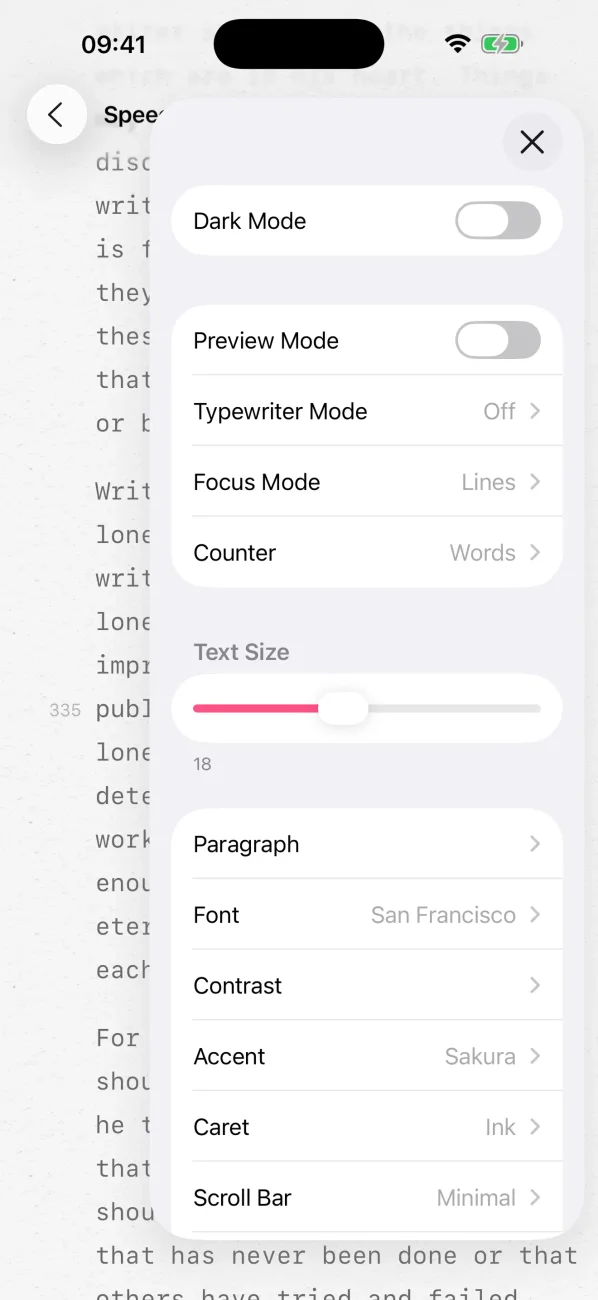
· Deep personalization (Pro)
· Markdown or Plain Text
· Syncs with iCloud
· Integrates with TextExpander
· Publishes drafts to Medium, WordPress, Ghost, or Micro.blog
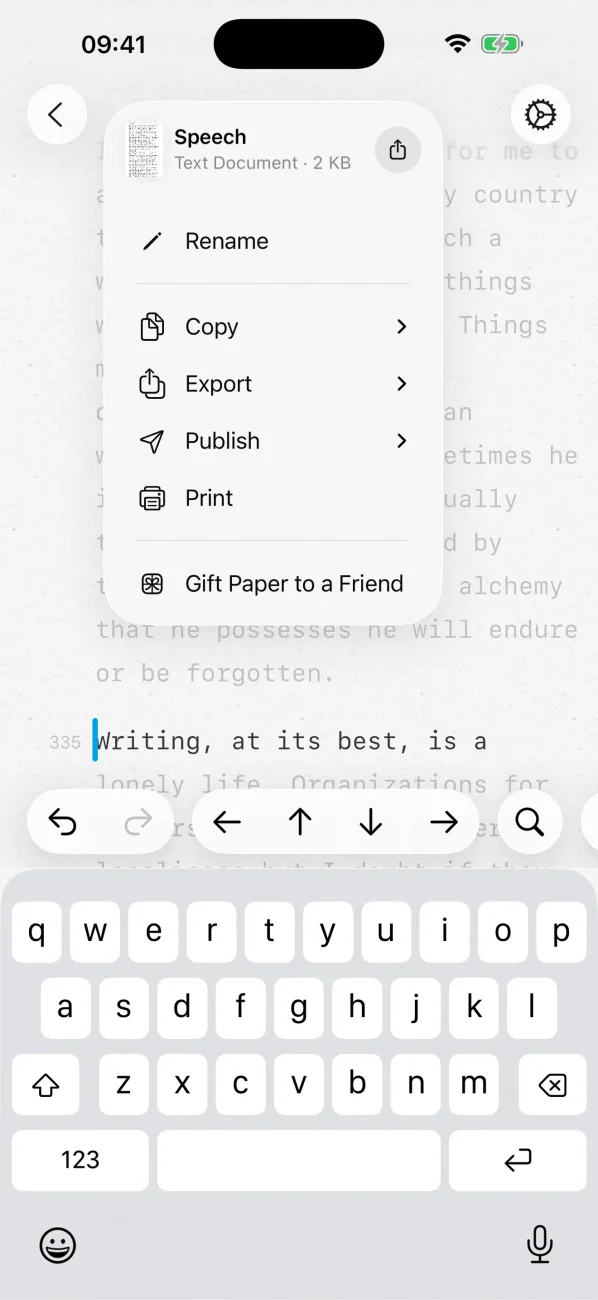
· Exports to PDF, HTML, RTF, DOCX, ePub, image, or clipboard
· Works seamlessly across your iPhone, iPad, and Mac
# PRO FEATURES
Basic adjustments like text size are free in Paper. More advanced personalization can be purchased with Pro Features. You will not be buying anything blindly, though. The trial period for Pro Features is untimed, so you can take your time to decide if they are a worthy investment.
While trialing Pro Features, you might occasionally see a popup. Simply press Reset in the popup to get rid of it completely.
Pro Features are either a subscription or a one-time purchase. Both the subscription and the one-time purchase unlock Pro Features on all your iPhones and iPads that share the same Apple ID. This subscription (or one-time purchase) applies only to iPhones and iPads. Macs require a separate subscription (or one-time purchase).
The one-time purchase is hidden by default. To enable it, go to the Settings app → Apps → Paper → Purchases → toggle "Show Lifetime Option".
If you want to upgrade from a Monthly subscription to a Yearly one (or to a Lifetime license), go to Paper’s page in the App Store and press the rounded button with the price next to the Yearly subscription option (or next to the Lifetime in-app purchase).
# BUSINESSES, SCHOOLS & ORGANIZATIONS
Businesses, schools, and organizations can use one of the following methods to purchase the Pro version of the app:
· Apple Business Manager
· Apple School Manager
· Volume Purchasing
The Pro version of the app can be accessed from this link → paper.pro/get
# MARKDOWN FORMATTING SYNTAX
# Heading 1
## Heading 2
### Heading 3
#### Heading 4
##### Heading 5
###### Heading 6
**Bold**
__Bold__
*Italic*
_Italic_
~Underline~
~~Strikethrough~~
==Highlight==
::Highlight::
`Inline Code`
```
Code Block
```
[Link Text](http://paper.pro)

- Bulleted List
- Bulleted List
- Nested Bulleted List
* Bulleted List
* Bulleted List
* Nested Bulleted List
1. Numbered List
2. Numbered List
3. Numbered List
1. Nested Numbered List
- [ ] Task List
- [x] Task List
> Blockquote
>> Nested Blockquote
>>> 2x Nested Blockquote
Text that needs a footnote[^Footnote description]
++ Inline comment ++
/* Inline comment */
%% Comment block
| Col 1 | Col 2 |
| ------ | ------ |
| Cell 1 | Cell 2 |
| Cell 3 | Cell 4 |
--- ← Horizontal Rule
\_ ← Markdown Escape
° ← HTML Escape
# FREQUENTLY ASKED QUESTIONS
## How do I share my document?
· On the main screen with documents: Tap and hold the document. Select "Share" from the menu.
· In the document editor: Tap the title of the document in the top bar, then tap the round "Share" button in the popup.
## How do I print my document?
· On the main screen with documents: Tap and hold the document. Select "Print" from the menu.
· In the document editor: Tap the title of the document in the top bar. Select "Print" from the menu.
## Can I draw in the app?
No. Paper is purely a plain-text editor.
## Can I add pictures?
You can only link to public images on the Web.
## Can I password-protect my notes?
No.
## Paper changes the font when I switch between alphabetic and non-alphabetic keyboards. How do I prevent it?
· Change the keyboard to a non-alphabetic one (Japanese, Chinese, Korean, etc.).
· Tap the "Settings" button in the top right corner.
· Under the "Font" submenu, toggle "Keep for ABC Keyboards".
## Need more help?
You can reach me via the in-app chat → "Settings" button in the corner → "Chat with the Maker"
# TERMS OF USE
paper.pro/terms-of-use
Yang baru
Versi 117 · 26/11/2026
Dear User,
This version includes a few updates and fixes for iOS 27.
Pleasant update,
Your Paper
PS → Loving Paper? A quick rating or review makes a bigger difference than you might think. Thank you!
Privasi aplikasi
Yang dinyatakan Mihhail Lapushkin di App Store tentang cara aplikasi ini menangani data.
-
Data yang tidak ditautkan dengan Anda
Dapat dikumpulkan, tetapi tidak ditautkan dengan identitas Anda.
- Data penggunaan
- Diagnostik
Praktik privasi dapat bervariasi, misalnya berdasarkan fitur yang Anda gunakan atau usia Anda.
Informasi
- Penjual
- Mihhail Lapushkin
- Kategori
- Produktivitas
- Versi
- 117
- Diperbarui
- 26/11/2026
- Dirilis
- 13/11/2019
- Ukuran
- 85,5 MB
- Memerlukan
- iOS 15.6 atau yang lebih baru
- Batasan usia
- 4+
- Harga
- Gratis
- Pembelian dalam aplikasi
- Ya
- Bahasa
- Inggris
- Hak cipta
- © 2026 Mihhail Lapushkin
Mungkin Anda juga suka
-
 Just Write - App For WriterProduktivitas
-
 Werdsmith: Writing AppProduktivitas
-
 Ulysses: Writing AppProduktivitas
-
 MyStory.today: Write a BookProduktivitas
-
 Novelist - Write novelsProduktivitas
-
 Fortelling - Story WritingProduktivitas
-
 Notebook – Diary & Journal AppProduktivitas
-
 Book Writer - Novel WritingProduktivitas
-
 Notepad: Catatan & memo mudahBuku Catatan & Alas Menulis
-
 Penbook: Paper Planner & NotesProduktivitas