Paper: Writing App, Notes
Write a book novel poem script
iPhone, iPad, iPod touch向けに設計
無料 · アプリ内課金
- 対象年齢4+
- カテゴリ仕事効率化
- 開発元Mihhail Lapushkin
- 言語英語
- サイズ85.5 MB
App Storeの公式ページにリンクしています
Download.orgはPaper: Writing App, Notesのファイルを一切ホストしていません。ボタンを押すと、Mihhail Lapushkinが公開しているApp Storeのアプリページが開きます。ページの最終確認:2026/11/28。
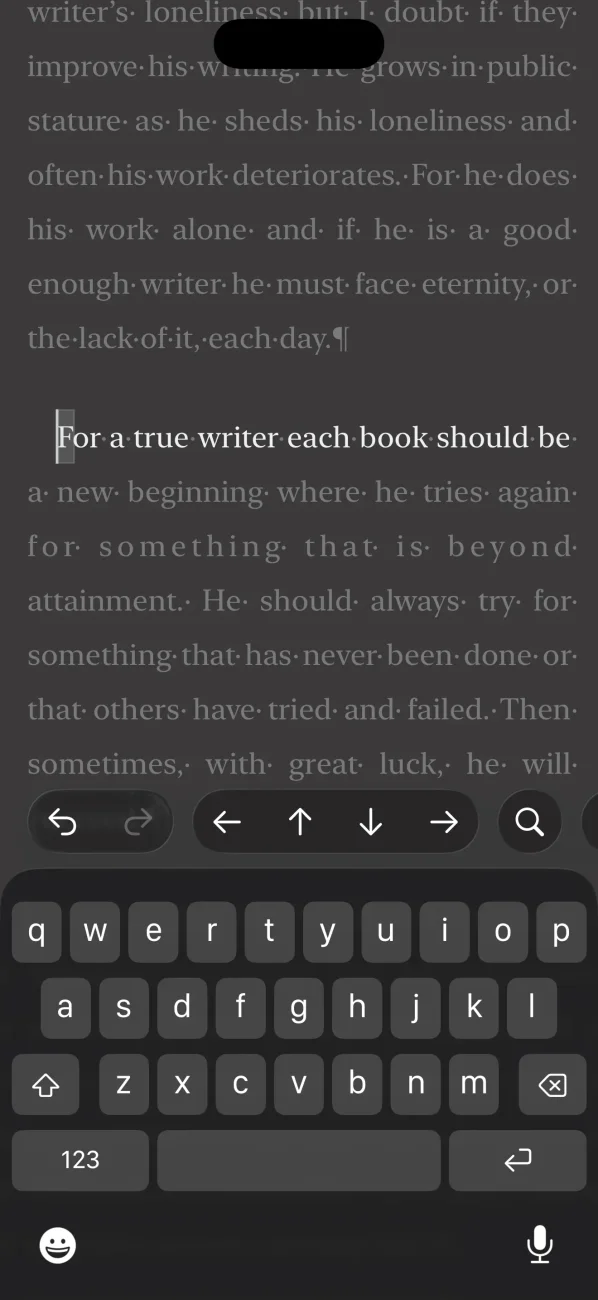
スクリーンショット

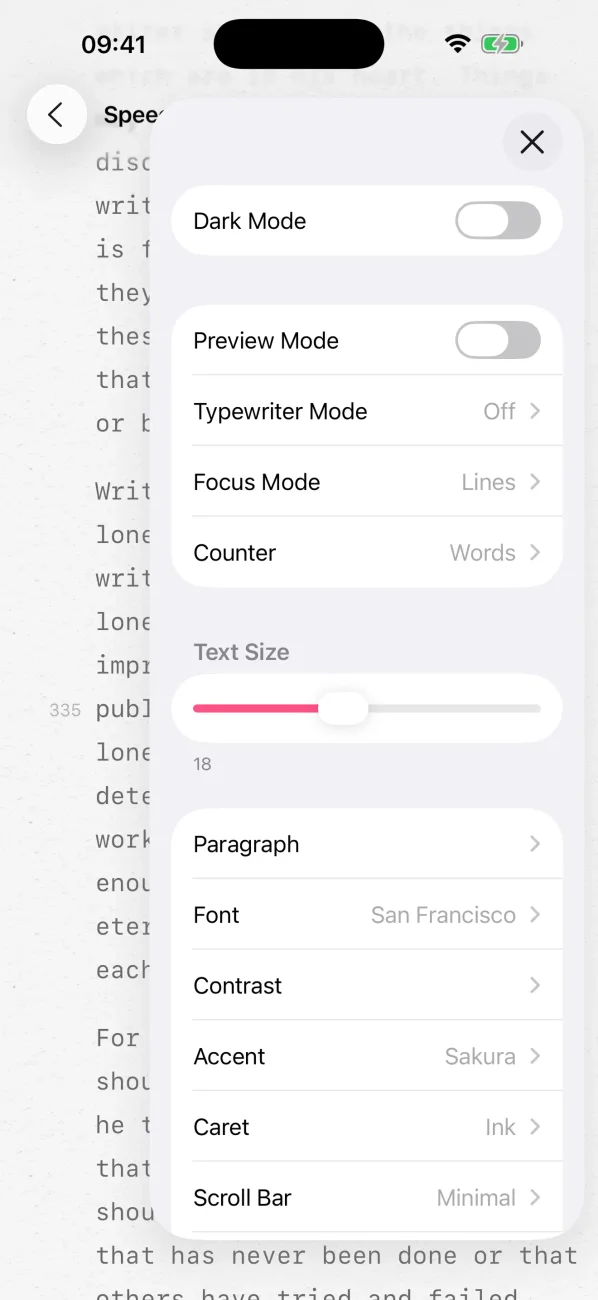
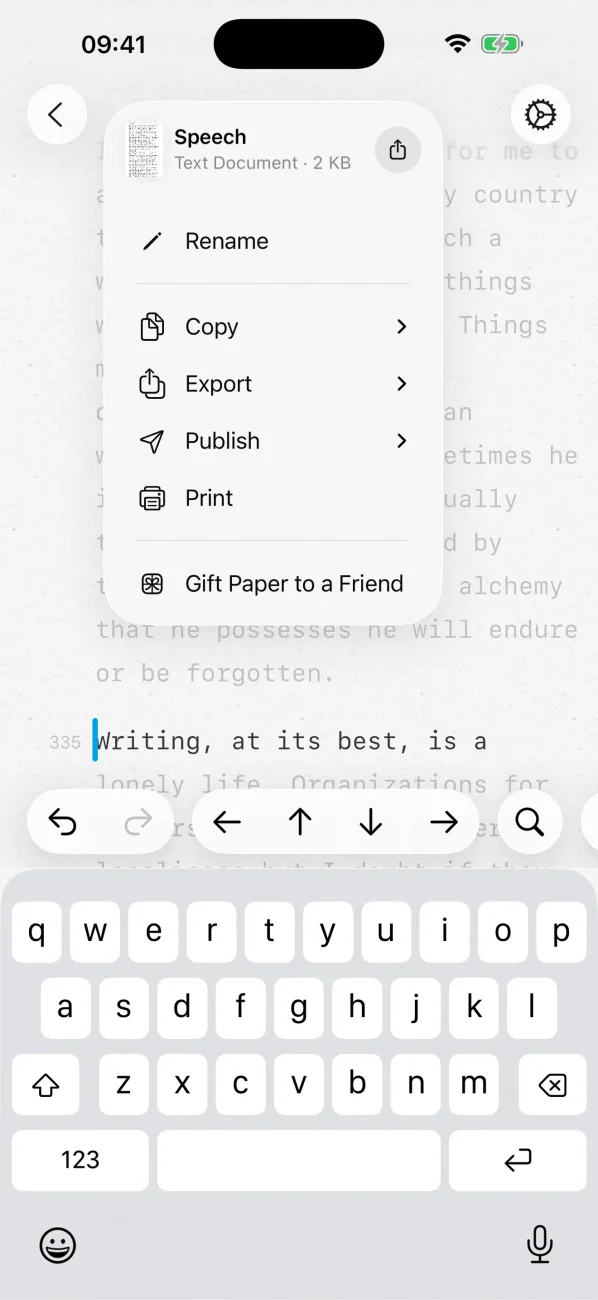
概要
開発元はこのテキストをお使いの言語で提供していません。
“This is a super-clean writing space with a lot of configurability that stays out of sight when you don’t need it.”
App Store Review
2020
# STORY
Read it here → paper.pro/story
# HIGHLIGHTS
· Gorgeous writing space
· Silky-smooth typing
· Deep personalization (Pro)
· Markdown or Plain Text
· Syncs with iCloud
· Integrates with TextExpander
· Publishes drafts to Medium, WordPress, Ghost, or Micro.blog
· Exports to PDF, HTML, RTF, DOCX, ePub, image, or clipboard
· Works seamlessly across your iPhone, iPad, and Mac
# PRO FEATURES
Basic adjustments like text size are free in Paper. More advanced personalization can be purchased with Pro Features. You will not be buying anything blindly, though. The trial period for Pro Features is untimed, so you can take your time to decide if they are a worthy investment.
While trialing Pro Features, you might occasionally see a popup. Simply press Reset in the popup to get rid of it completely.
Pro Features are either a subscription or a one-time purchase. Both the subscription and the one-time purchase unlock Pro Features on all your iPhones and iPads that share the same Apple ID. This subscription (or one-time purchase) applies only to iPhones and iPads. Macs require a separate subscription (or one-time purchase).
The one-time purchase is hidden by default. To enable it, go to the Settings app → Apps → Paper → Purchases → toggle "Show Lifetime Option".
If you want to upgrade from a Monthly subscription to a Yearly one (or to a Lifetime license), go to Paper’s page in the App Store and press the rounded button with the price next to the Yearly subscription option (or next to the Lifetime in-app purchase).
# BUSINESSES, SCHOOLS & ORGANIZATIONS
Businesses, schools, and organizations can use one of the following methods to purchase the Pro version of the app:
· Apple Business Manager
· Apple School Manager
· Volume Purchasing
The Pro version of the app can be accessed from this link → paper.pro/get
# MARKDOWN FORMATTING SYNTAX
# Heading 1
## Heading 2
### Heading 3
#### Heading 4
##### Heading 5
###### Heading 6
**Bold**
__Bold__
*Italic*
_Italic_
~Underline~
~~Strikethrough~~
==Highlight==
::Highlight::
`Inline Code`
```
Code Block
```
[Link Text](http://paper.pro)

- Bulleted List
- Bulleted List
- Nested Bulleted List
* Bulleted List
* Bulleted List
* Nested Bulleted List
1. Numbered List
2. Numbered List
3. Numbered List
1. Nested Numbered List
- [ ] Task List
- [x] Task List
> Blockquote
>> Nested Blockquote
>>> 2x Nested Blockquote
Text that needs a footnote[^Footnote description]
++ Inline comment ++
/* Inline comment */
%% Comment block
| Col 1 | Col 2 |
| ------ | ------ |
| Cell 1 | Cell 2 |
| Cell 3 | Cell 4 |
--- ← Horizontal Rule
\_ ← Markdown Escape
° ← HTML Escape
# FREQUENTLY ASKED QUESTIONS
## How do I share my document?
· On the main screen with documents: Tap and hold the document. Select "Share" from the menu.
· In the document editor: Tap the title of the document in the top bar, then tap the round "Share" button in the popup.
## How do I print my document?
· On the main screen with documents: Tap and hold the document. Select "Print" from the menu.
· In the document editor: Tap the title of the document in the top bar. Select "Print" from the menu.
## Can I draw in the app?
No. Paper is purely a plain-text editor.
## Can I add pictures?
You can only link to public images on the Web.
## Can I password-protect my notes?
No.
## Paper changes the font when I switch between alphabetic and non-alphabetic keyboards. How do I prevent it?
· Change the keyboard to a non-alphabetic one (Japanese, Chinese, Korean, etc.).
· Tap the "Settings" button in the top right corner.
· Under the "Font" submenu, toggle "Keep for ABC Keyboards".
## Need more help?
You can reach me via the in-app chat → "Settings" button in the corner → "Chat with the Maker"
# TERMS OF USE
paper.pro/terms-of-use
新機能
バージョン 117 · 2026/11/26
Dear User,
This version includes a few updates and fixes for iOS 27.
Pleasant update,
Your Paper
PS → Loving Paper? A quick rating or review makes a bigger difference than you might think. Thank you!
アプリのプライバシー
このアプリのデータの取り扱いについて、Mihhail LapushkinがApp Storeで申告している内容です。
-
ユーザーに関連付けられないデータ
収集される場合がありますが、ユーザーの識別情報には関連付けられません。
- 使用状況データ
- 診断
プライバシーの取り扱いは、ご利用の機能やお客様の年齢などに応じて異なる場合があります。
情報
- 販売元
- Mihhail Lapushkin
- カテゴリ
- 仕事効率化
- バージョン
- 117
- 更新日
- 2026/11/26
- リリース
- 2019/11/13
- サイズ
- 85.5 MB
- 必要条件
- iOS 15.6以降
- 対象年齢
- 4+
- 価格
- 無料
- アプリ内課金
- あり
- 言語
- 英語
- 著作権
- © 2026 Mihhail Lapushkin
こちらもおすすめ
-
 Just Write - App For Writer仕事効率化
-
 Werdsmith: Writing App仕事効率化
-
 Ulysses: テキストエディタ書く, メモ、日記、ブロ
-
 MyStory.today: Write a Book仕事効率化
-
 Novelist - Write novels仕事効率化
-
 Fortelling - Story Writing仕事効率化
-
 ノートブック - メモ、日記アプリ1日1ページ、めくって読み返す日記帳
-
 Book Write - Extensive WriterAuthor writing story creator
-
 Notepad: 簡単メモ&ノートシンプルノート&メモ帳
-
 Penbook: Paper Planner & Notes仕事効率化