Paradoc: PDF Document Scanner
Scan to PDF, Merge & Compress
Dirancang untuk iPhone
Gratis
- Batasan usia4+
- KategoriProduktivitas
- PengembangVaibhav Teli
- BahasaInggris+ 7 lainnya
- Ukuran108,6 MB
Tertaut ke halaman resmi App Store
Download.org tidak menyimpan file Paradoc: PDF Document Scanner apa pun. Tombol ini membuka halaman aplikasi di App Store, tempat Vaibhav Teli menerbitkannya. Halaman terakhir diperiksa pada 20/11/2026.
Tangkapan layar
Tentang
Pengembang belum menyediakan teks ini dalam bahasa Anda.
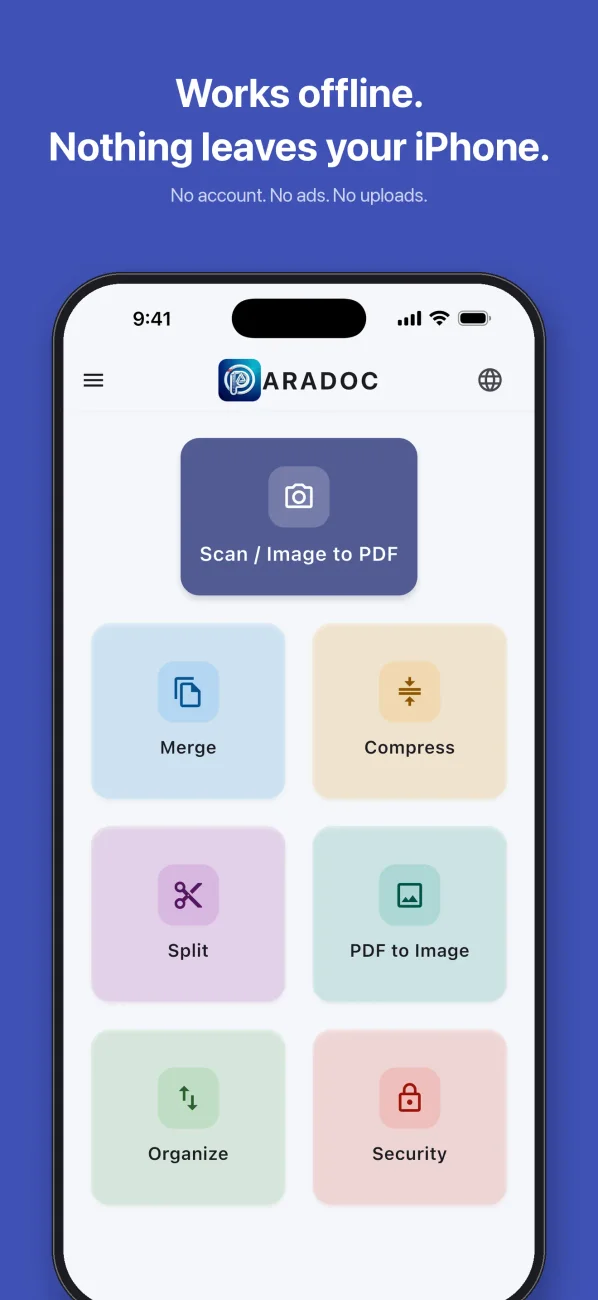
Scan paper into a clean PDF, then merge, split, compress, reorder, lock or unlock it. Seven tools, free, all running on your iPhone. Nothing is uploaded, ever.
No account, no subscription, no ads. Your documents stay exactly where they already are.
EVERYDAY JOBS
Shrink a PDF until it fits an email limit. Lock a tax return before you share it. Pull the one page you need out of a long contract. Turn a school form on the kitchen table into a PDF you can send in a minute. Combine a stack of statements into a single file.
SCAN
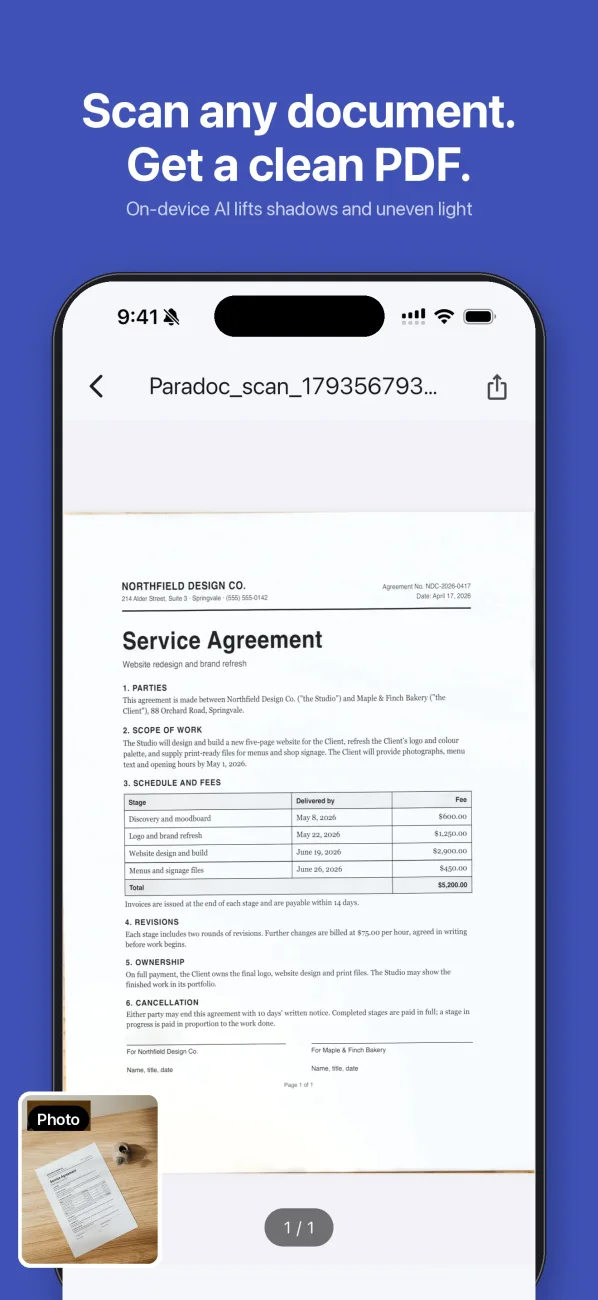
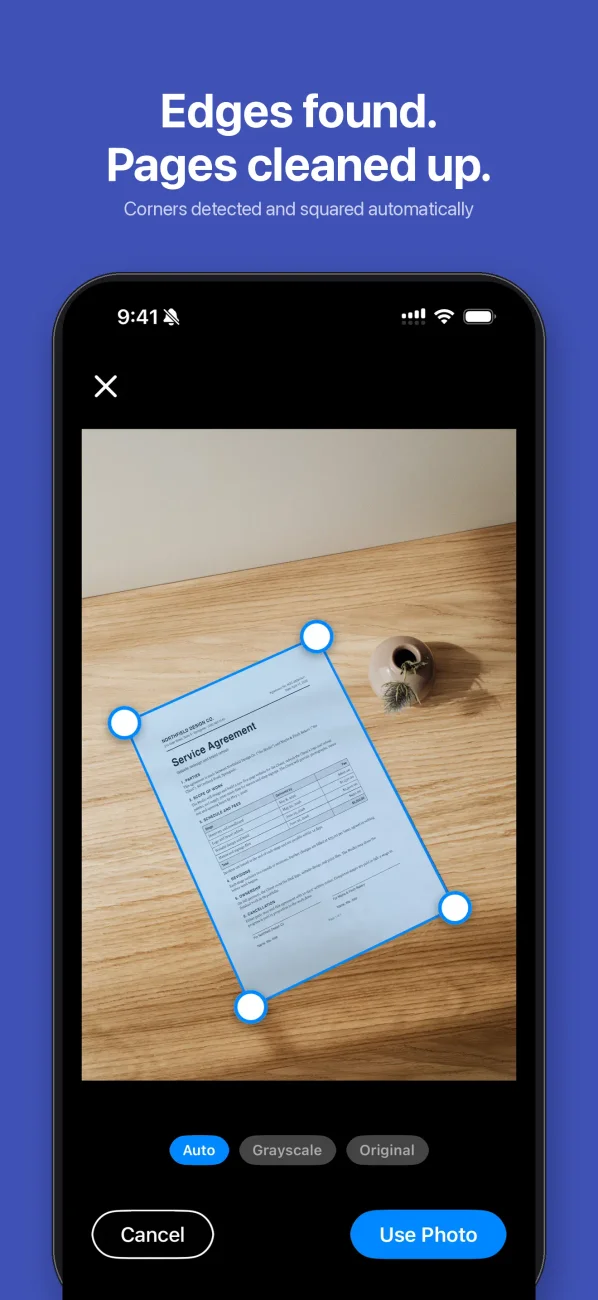
Point the camera at a page, or pick photos from your library. Paradoc finds the edges, squares up the perspective and cleans up the page. An on-device neural model lifts shadows and uneven lighting, so a page shot under a desk lamp comes out clean and legible. Up to 20 pages per document.
MERGE
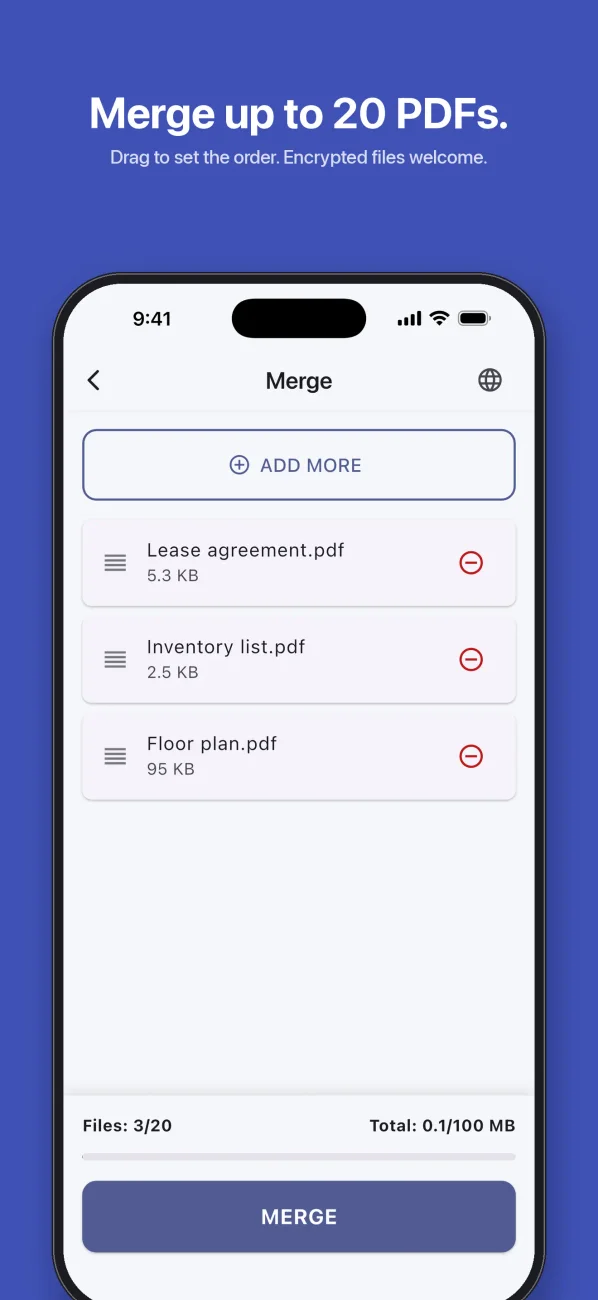
Combine up to 20 PDFs in the order you choose. Password-protected files are handled one by one, each with its own password.
SPLIT
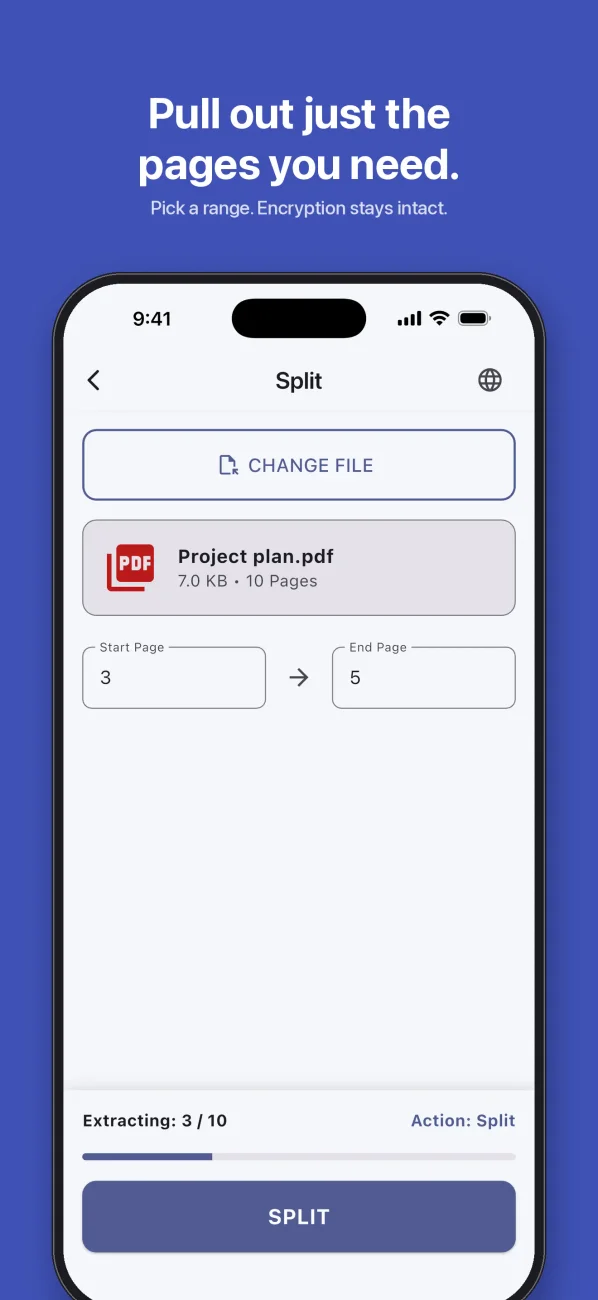
Pull a page range out into its own PDF. If the source was encrypted, the result stays encrypted.
COMPRESS
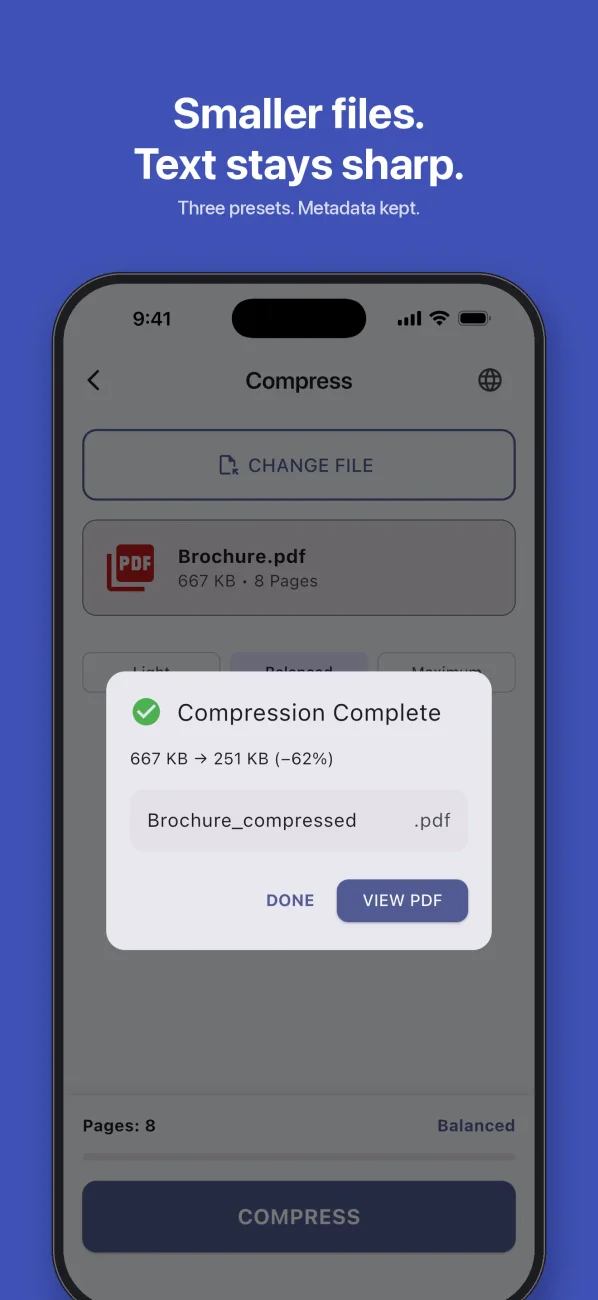
Three presets: Light, Balanced and Maximum. Paradoc re-encodes images, subsets fonts and repacks object streams, the same techniques desktop tools use. Text stays text. Bookmarks, form values, annotations and document metadata stay intact.
ORGANIZE
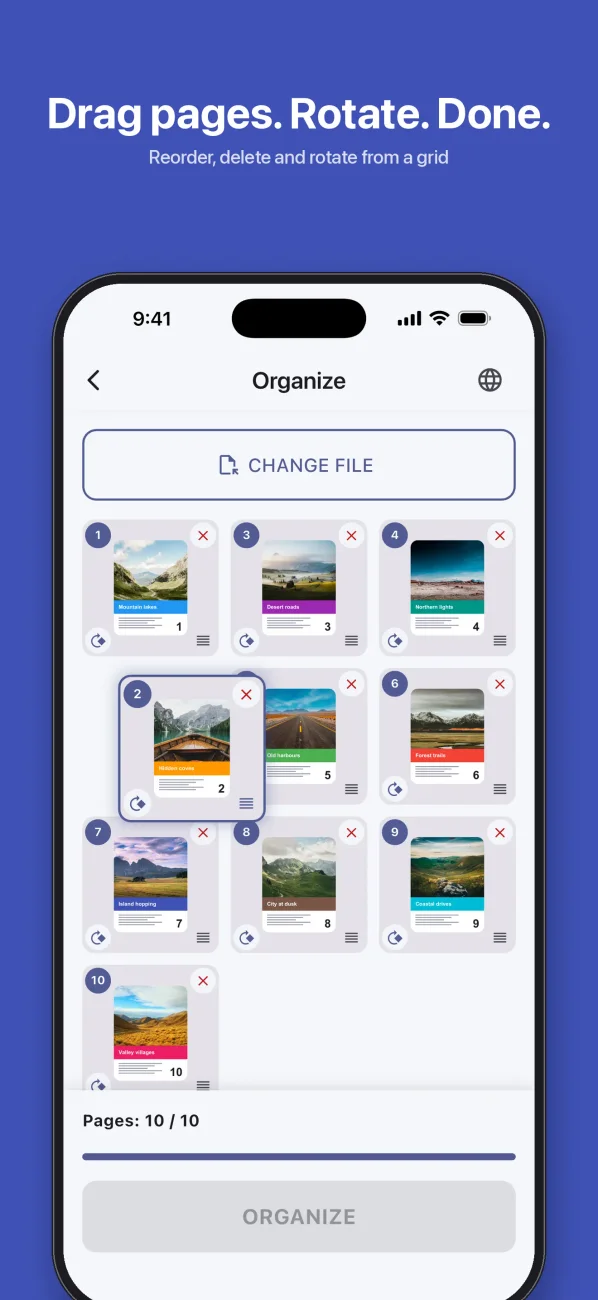
Reorder, delete and rotate pages from a thumbnail grid.
PDF TO IMAGE
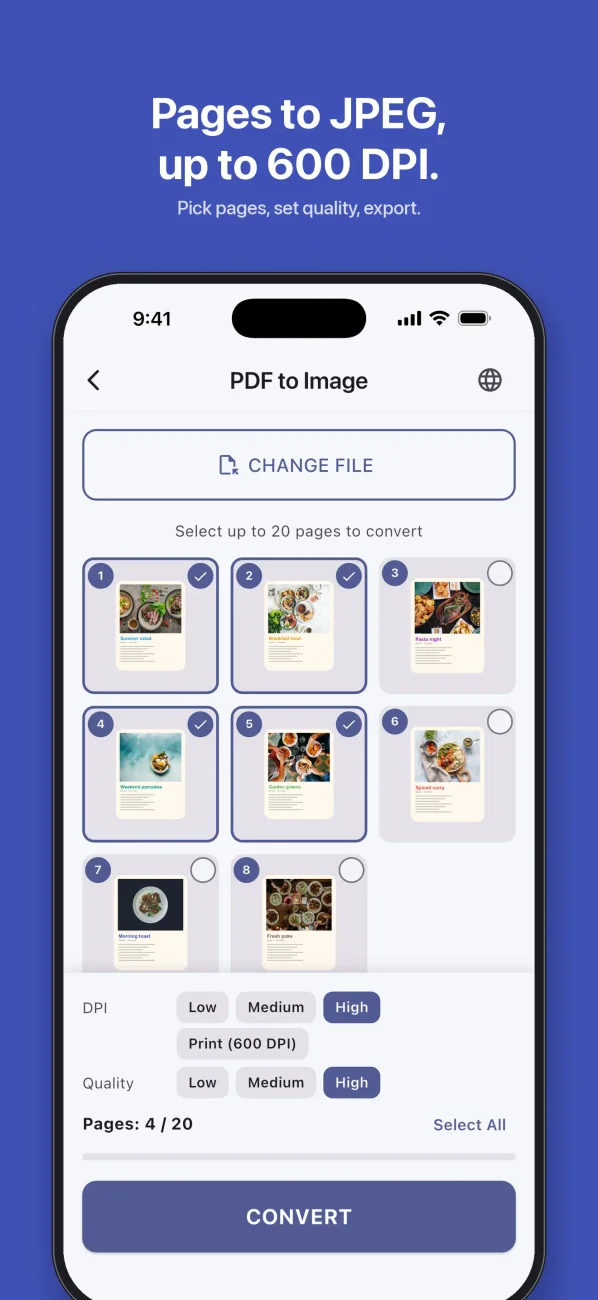
Export pages as JPEG images, from 75 to 600 DPI, up to 20 pages per export.
PROTECT AND UNLOCK
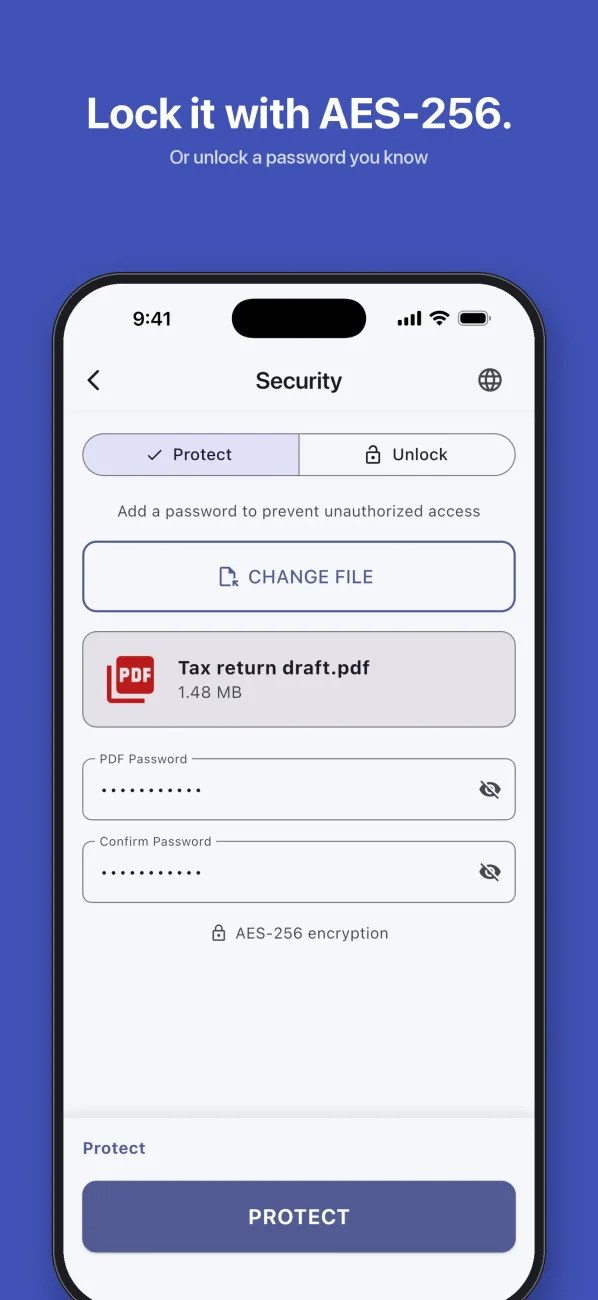
Lock a PDF with AES-256, the strongest encryption the PDF standard defines. Unlock removes a password you know, or clears owner-only restrictions on printing and copying.
PRIVATE BY DESIGN
Paradoc makes no network requests. None. There is no server, no sign-in, nothing quietly phoning home. Switch on airplane mode and every feature keeps working, on a plane, in a basement, anywhere. Your contract, your tax return, your medical letter: none of it needs to visit someone else's computer to be scanned, merged, shrunk or locked. The work happens where the file already is.
BUILT FOR THE PDFs THAT USUALLY BREAK THINGS
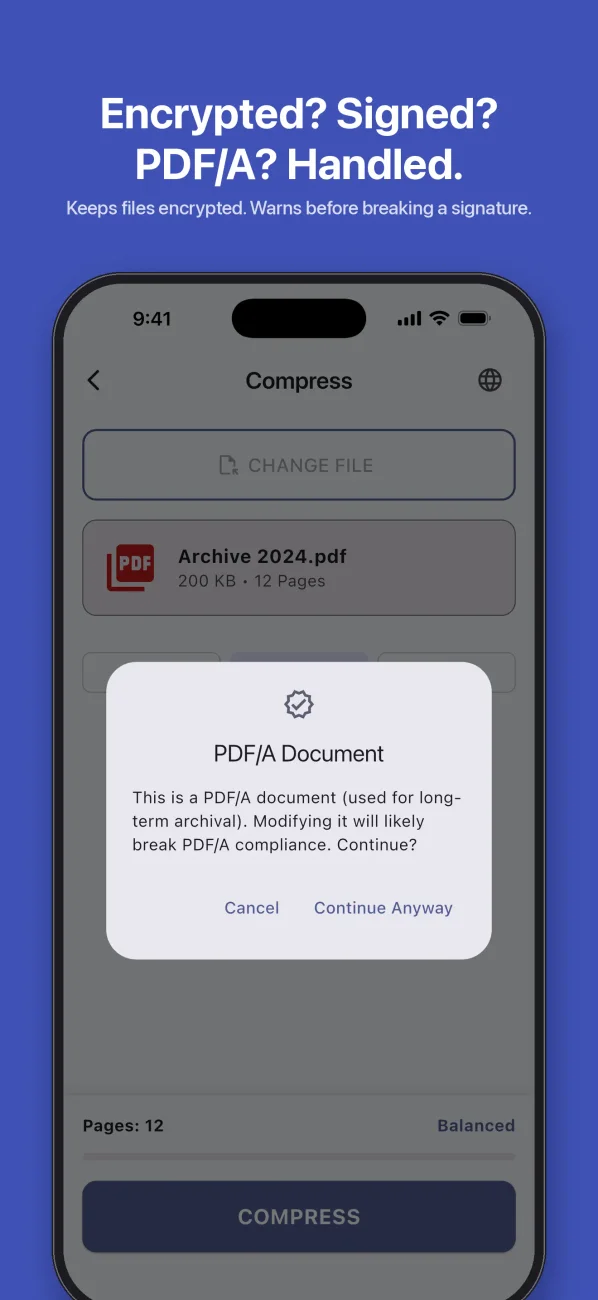
Password-protected files, including older RC4 and AES-128 ones, open and stay encrypted through Split, Organize and Compress. Files locked against printing or copying are detected and explained before you continue. Digitally signed PDFs are checked before anything is touched, and you are warned when an edit would invalidate a signature; certified documents are left alone. PDF/A archives are flagged before you change them. Merge two forms with the same field names and the result still works. Files up to 100 MB.
A PDF comes out the way it went in. Text that was selectable stays selectable, and pages stay as sharp as they were at any zoom, because Paradoc works on the file itself instead of turning pages into pictures.
Available in English, Spanish, Portuguese, Hindi, Chinese, Russian, Arabic and Hebrew, with full right-to-left layout.
Yang baru
Versi 1.0.7 · 7/11/2026
Bug fixes and general improvements.
Privasi aplikasi
Yang dinyatakan Vaibhav Teli di App Store tentang cara aplikasi ini menangani data.
-
Data tidak dikumpulkan
Pengembang tidak mengumpulkan data apa pun dari aplikasi ini.
Praktik privasi dapat bervariasi, misalnya berdasarkan fitur yang Anda gunakan atau usia Anda.
Informasi
- Penjual
- Vaibhav Teli
- Kategori
- Produktivitas
- Versi
- 1.0.7
- Diperbarui
- 7/11/2026
- Dirilis
- 5/10/2026
- Ukuran
- 108,6 MB
- Memerlukan
- iOS 17.0 atau yang lebih baru
- Batasan usia
- 4+
- Harga
- Gratis
- Bahasa
- Inggris, Arab, Ibrani, Hindi, Portugis, Rusia, Tionghoa Sederhana, Spanyol
- Hak cipta
- © 2026 Vaibhav Teli
Mungkin Anda juga suka
-
 ScanLeap - PDF Scanner AppProduktivitas
-
 PDF Extractor: Split PagesProduktivitas
-
 SnapToPDF - PDF ScannerProduktivitas
-
 FocusQuest: Focus Timer RPGProduktivitas
-
 AI Pdf Scanner ProProduktivitas
-
 PDF Scanner: AI OCRProduktivitas
-
 Scannr - Document ScannerProduktivitas
-
 PDF Converter-Local ConversionProduktivitas
-
 PDF Compressor OfflineProduktivitas
-
 ETasks: Daftar Tugas & AlarmPerencana Tugas & Pengingat