
Parental Control Screen Time
App Blocker & Family Location
Dirancang untuk iPhone
Gratis · Pembelian dalam aplikasi
- Batasan usia4+
- KategoriProduktivitas
- PengembangVadzim Narbutovich
- BahasaInggris+ 20 lainnya
- Ukuran20,1 MB
Tertaut ke halaman resmi App Store
Download.org tidak menyimpan file Parental Control Screen Time apa pun. Tombol ini membuka halaman aplikasi di App Store, tempat Vadzim Narbutovich menerbitkannya. Halaman terakhir diperiksa pada 23/11/2026.
Tangkapan layar

Tentang
Pengembang belum menyediakan teks ini dalam bahasa Anda.
Help your child use their phone more mindfully—with clear rules and time for life beyond the screen.
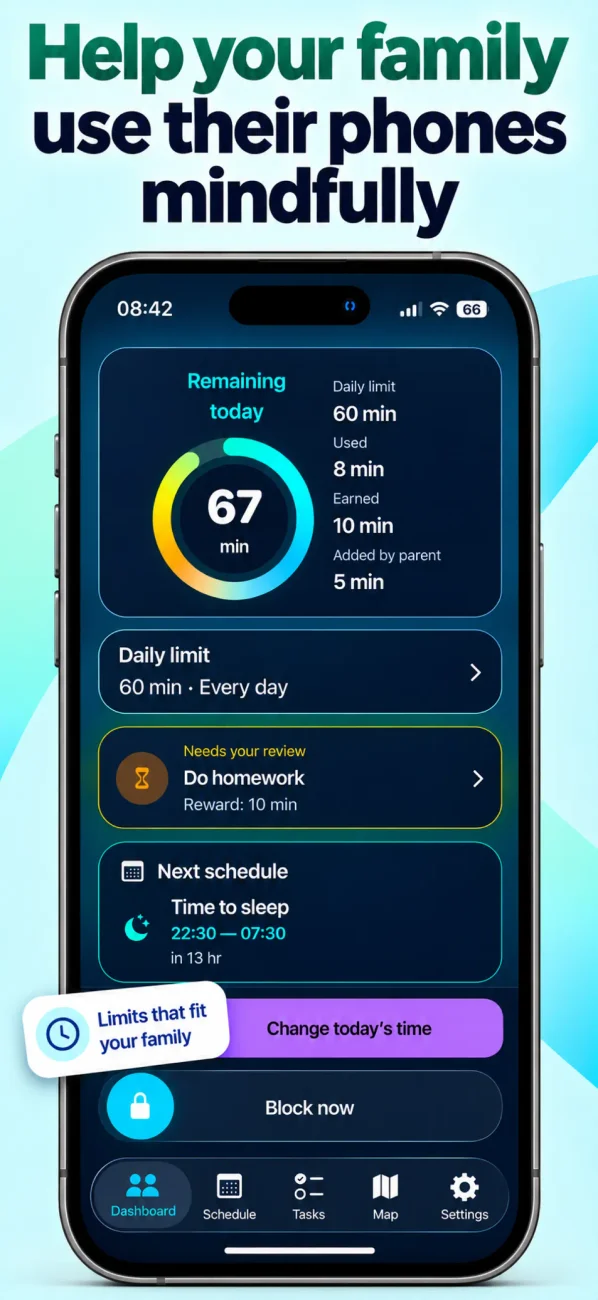
ParentalControl lets parents manage their child's time in selected apps from their own phone. Set limits and schedules, encourage helpful habits, and request your child's location when you need it.
LIMITS FOR WEEKDAYS AND WEEKENDS
Set one daily limit for the whole week or choose a different allowance for each day. For example, allow less time on school days and more on weekends.
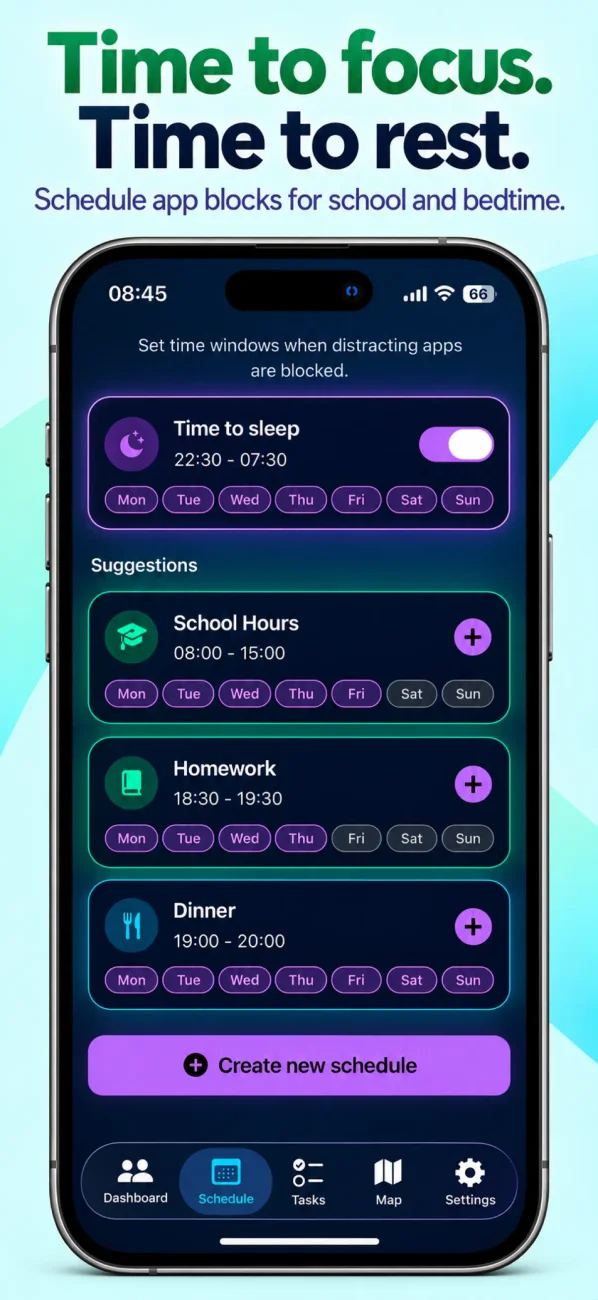
SCHEDULES FOR SLEEP AND STUDY
Choose the days and times when selected apps should be blocked. Help your child make room for schoolwork, rest, and time together without their phone.
MANAGE EVERYTHING FROM YOUR PHONE
Block or unblock selected apps, adjust today's available time, and see how much time your child has left.
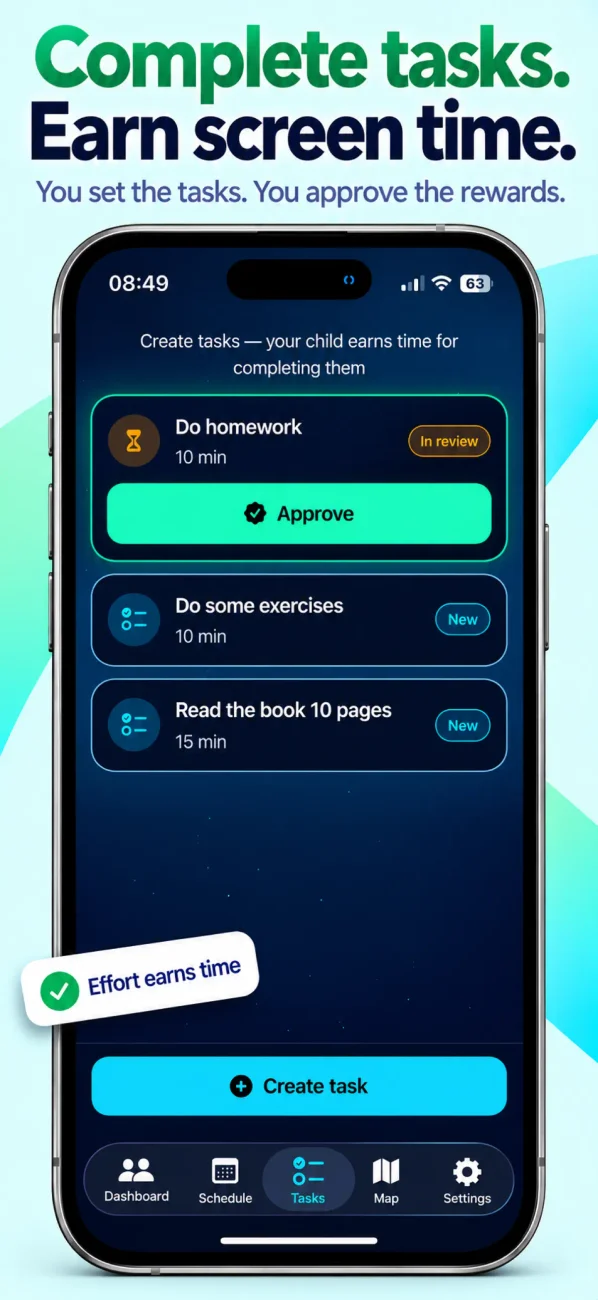
TASKS WITH REWARDS
Create tasks for your child and offer extra time in apps as a reward. Your child submits completed tasks for review, and you approve the result and award the time.
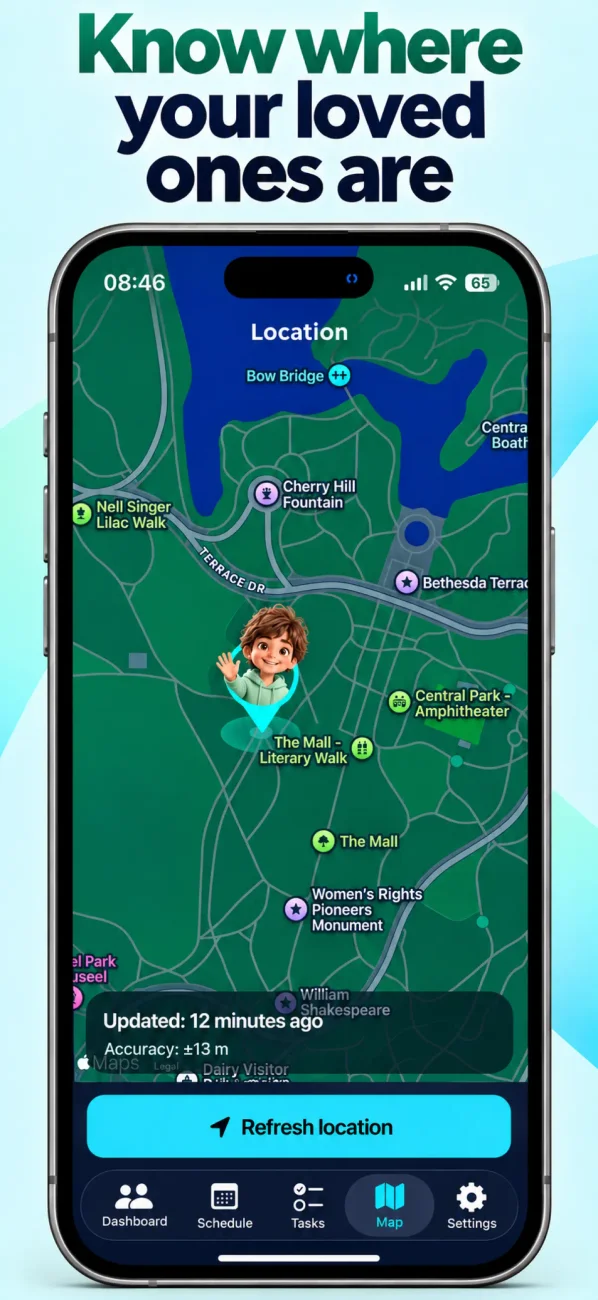
YOUR CHILD'S LOCATION
Request your child's location and view it on the map.
USAGE STATISTICS
See time spent in selected apps on any day you choose. Detailed statistics are available on your child's phone in PIN-protected parent mode.
SIMPLE SETUP
Install the app on your phone and your child's phone, choose the appropriate roles, and link the phones with a code. Step-by-step setup helps you grant the required permissions, choose apps to manage, and set a parent PIN.
Managing app access requires Screen Time permission on your child's phone. To request their location in the background, set location access to Always.
You can also set up protection against app removal by setting up Apple Family Sharing and approving parental controls for your child. This step is optional when getting started.
Privacy Policy:
https://vadimnarbutovich.github.io/parentalcontrolapp/privacy-en.html
Terms of Use:
https://www.apple.com/legal/internet-services/itunes/dev/stdeula/
Yang baru
Versi 1.2 · 18/11/2026
Added support for more languages to make the app even easier to use.
Privasi aplikasi
Yang dinyatakan Vadzim Narbutovich di App Store tentang cara aplikasi ini menangani data.
-
Data yang tidak ditautkan dengan Anda
Dapat dikumpulkan, tetapi tidak ditautkan dengan identitas Anda.
- Lokasi
- Pengenal
- Data penggunaan
- Diagnostik
Praktik privasi dapat bervariasi, misalnya berdasarkan fitur yang Anda gunakan atau usia Anda.
Informasi
- Penjual
- Vadzim Narbutovich
- Kategori
- Produktivitas
- Versi
- 1.2
- Diperbarui
- 18/11/2026
- Dirilis
- 9/11/2026
- Ukuran
- 20,1 MB
- Memerlukan
- iOS 18.4 atau yang lebih baru
- Batasan usia
- 4+
- Harga
- Gratis
- Pembelian dalam aplikasi
- Ya
- Bahasa
- Inggris, Arab, Bulgarian, Prancis, Georgian, Jerman, Yunani, Italia, Jepang, Kazakh, Korea, Kirgiz + 9 lainnya
- Hak cipta
- © Vadzim Narbutovich
Mungkin Anda juga suka
-
 Foremost: Block Apps & FocusProduktivitas
-
 Blokir Aplikasi: StayBriefWaktu layar dan timer fokus
-
 Weekly – Planner & To-Do ListProduktivitas
-
 Блок - Блокировка отвлеченийProduktivitas
-
 LockIn: Screen Time ControlProduktivitas
-
 Quizwall: Blokir app fokusBuka aplikasi dengan kuis
-
 Focus Friend,Screen Time: EnsoFocus, Block Apps, Save Time
-
 Habit Tracker: Habit ItProduktivitas
-
 Pomodoro Timer - FocusKitProduktivitas
-
 Moment - Screen Time BlockerProduktivitas