- Batasan usia4+
- KategoriKegunaan
- PengembangZhihui Tang
- BahasaInggris+ 2 lainnya
- Ukuran8,5 MB
Tertaut ke halaman resmi App Store
Download.org tidak menyimpan file PasteKit apa pun. Tombol ini membuka halaman aplikasi di App Store, tempat Zhihui Tang menerbitkannya. Halaman terakhir diperiksa pada 12/11/2026.
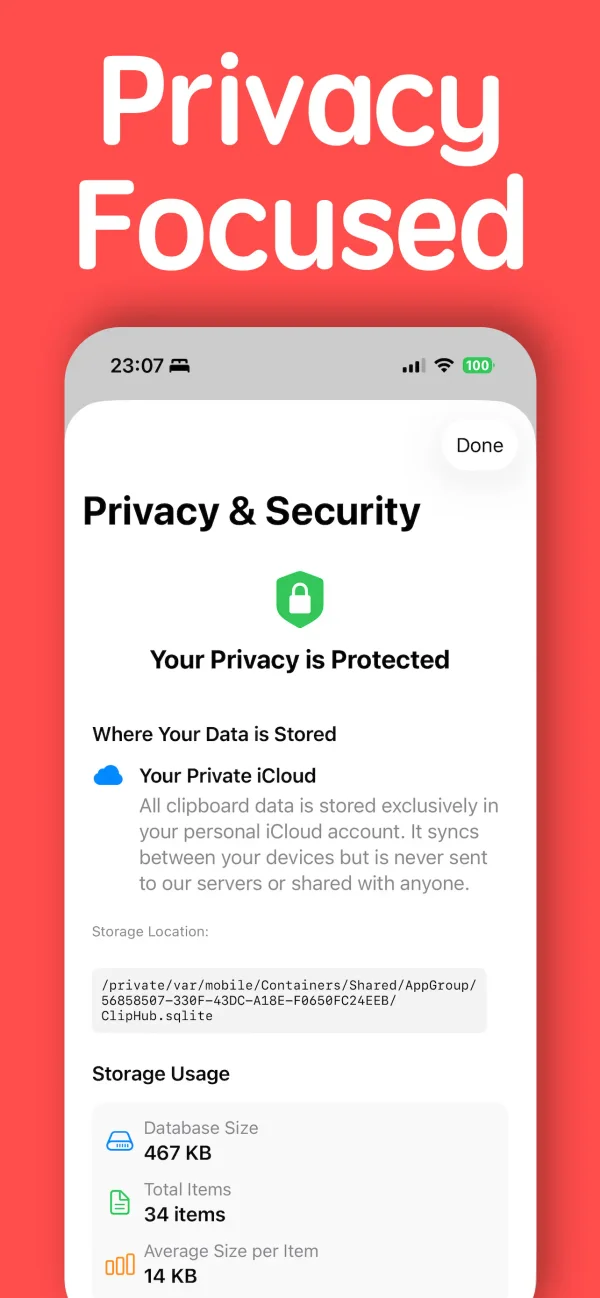
Tangkapan layar
Tentang
Pengembang belum menyediakan teks ini dalam bahasa Anda.
PasteKit - Your Smart Clipboard Manager
Save, organize, and quickly paste your frequently used text across all your Apple devices. PasteKit is a powerful clipboard management suite that
puts your most important text snippets at your fingertips.
KEY FEATURES:
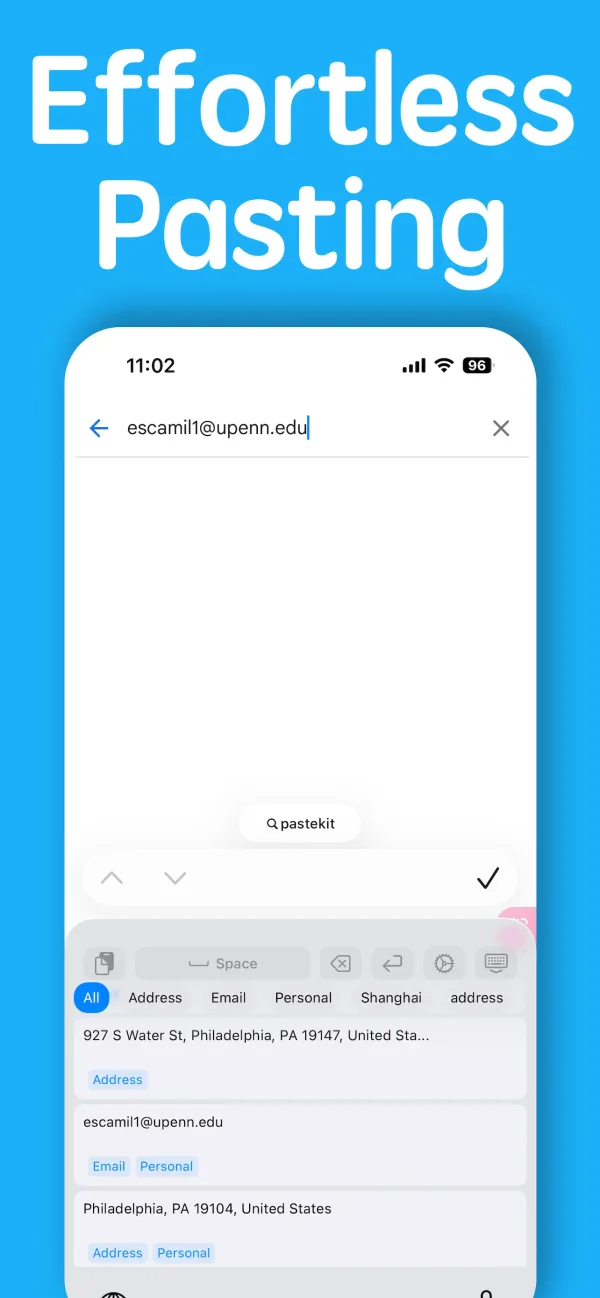
Custom Keyboard Extension (iOS)
• Access your saved items directly from any app's keyboard
• Paste frequently used text with a single tap
• Add new clipboard items on the go
• Tab-based organization by tags
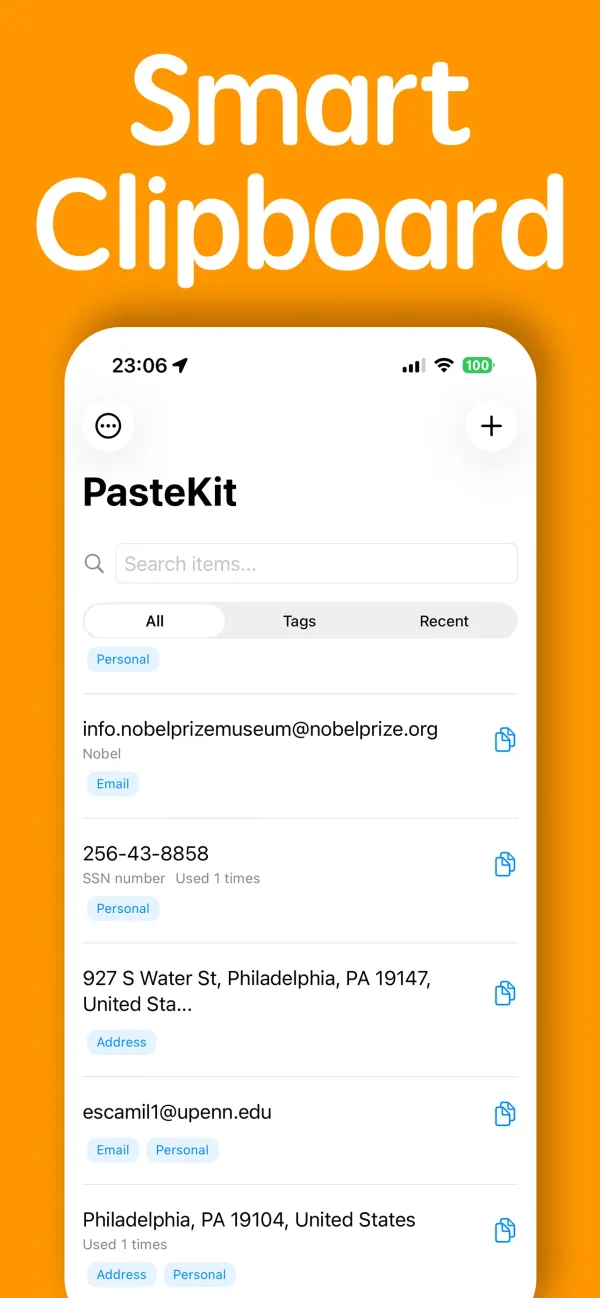
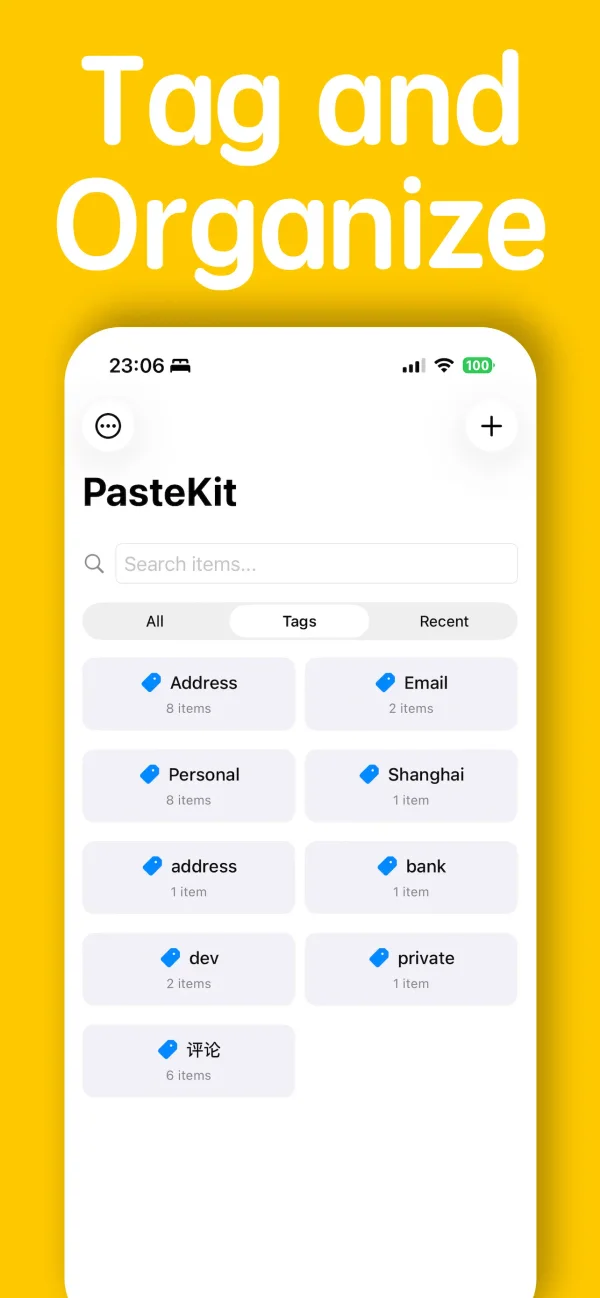
Smart Organization
• Organize items with custom tags
• Quick search to find what you need
• Usage tracking shows your most-used items
• Filter by tags for easy access
iCloud Sync
• Automatically syncs across iPhone, iPad, and Mac
• Your data stays in YOUR private iCloud account
• Works offline - syncs when connected
Privacy First
• All data stored exclusively in your personal iCloud
• Never sent to our servers
• End-to-end encryption via iCloud
• No third-party access to your data
macOS Menu Bar Integration
• Quick access from the menu bar
• Navigate by All Items, Tags, or Recent
• Export your data to JSON files
• Full-featured native macOS app
Powerful Features
• Save addresses, emails, code snippets, and more
• Add optional notes to identify content
• Multi-language support (English, Chinese, Swedish)
• Clean, native SwiftUI interface
PERFECT FOR:
• Developers who frequently paste code snippets
• Customer service reps with template responses
• Anyone who types the same information repeatedly
• Users who value privacy and control over their data
HOW IT WORKS:
1. Save frequently used text in the main app
2. Organize with tags and notes
3. Access instantly via the custom keyboard (iOS) or menu bar (macOS)
4. Paste with a single tap
PRIVACY & SECURITY:
Your privacy is our priority. PasteKit stores all clipboard data exclusively in your personal iCloud account. Your data syncs between your devices
but is never sent to our servers or shared with anyone. Everything is encrypted with your iCloud account credentials.
GET STARTED:
Download PasteKit today and never type the same thing twice. Say goodbye to copying and pasting from notes apps - your clipboard items are always
just a tap away.
---
REQUIREMENTS:
• iOS 16.6 or later for iPhone/iPad
• macOS 15.6 or later for Mac
• iCloud account for sync (optional but recommended)
• For keyboard extension: Enable "Allow Full Access" in Settings > General > Keyboard
Support: Contact us at pastekit1@gmail.com
Privasi aplikasi
Yang dinyatakan Zhihui Tang di App Store tentang cara aplikasi ini menangani data.
-
Data tidak dikumpulkan
Pengembang tidak mengumpulkan data apa pun dari aplikasi ini.
Praktik privasi dapat bervariasi, misalnya berdasarkan fitur yang Anda gunakan atau usia Anda.
Informasi
- Penjual
- Zhihui Tang
- Kategori
- Kegunaan
- Versi
- 1.0
- Diperbarui
- 25/11/2025
- Dirilis
- 25/11/2025
- Ukuran
- 8,5 MB
- Memerlukan
- iOS 16.6 atau yang lebih baru
- Batasan usia
- 4+
- Harga
- Gratis
- Bahasa
- Inggris, Tionghoa Sederhana, Swensk (Swedia)
- Hak cipta
- © crafttang
Mungkin Anda juga suka
-
 TapEraserKegunaan
-
 AI Private NotesKegunaan
-
 Clipboard for KeyBoardKegunaan
-
 Prompt ManagementKegunaan
-
 4K UniPlayKegunaan
-
 Stitch-Stitch ImageKegunaan
-
 SmartZip Pro: ZIP, RAR & 7ZKegunaan
-
 Typeless Keyboard: TemplatBalasan, papan klip & AI
-
 OmniClip - Universal ClipboardKegunaan
-
 Neural Sound - Text to SpeechKegunaan