PDF Compressly
Reduce PDF size
Dirancang untuk iPhone, iPad
Gratis · Pembelian dalam aplikasi
- Batasan usia4+
- KategoriProduktivitas
- PengembangFollowMeter
- BahasaPrancis+ 5 lainnya
- Ukuran7,6 MB
Tertaut ke halaman resmi App Store
Download.org tidak menyimpan file PDF Compressly apa pun. Tombol ini membuka halaman aplikasi di App Store, tempat FollowMeter menerbitkannya. Halaman terakhir diperiksa pada 12/11/2026.
Tangkapan layar

Tentang
Pengembang belum menyediakan teks ini dalam bahasa Anda.
PDF Compressly is a fast, simple and privacy-focused PDF compressor for iPhone.
Reduce the size of your PDF files in just a few taps. Whether you need to send a document by email, share it with another app, save storage space or meet an upload limit, PDF Compressly helps you create lighter PDF files quickly and easily.
Import documents from multiple sources:
• Files
• Photos
• Clipboard
• Camera scan
You can also scan paper documents with your iPhone camera and convert them into PDFs, ready to compress, preview and export.
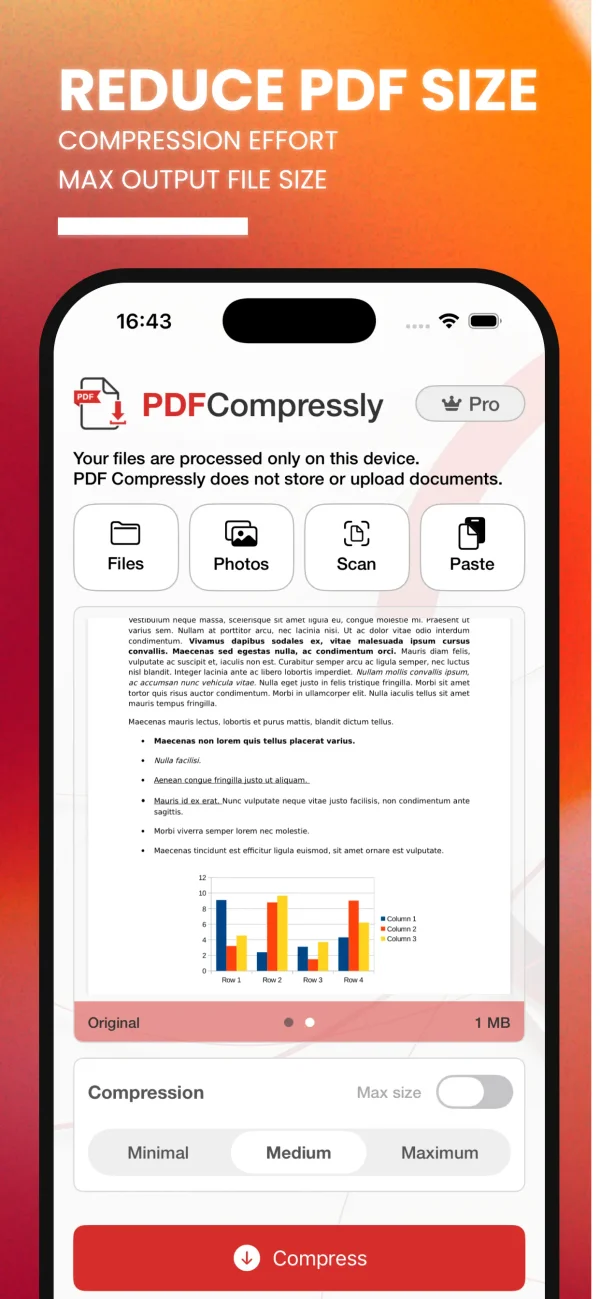
Choose how you want to compress:
• Minimal compression for higher quality
• Medium compression for a balanced result
• Maximum compression for smaller files
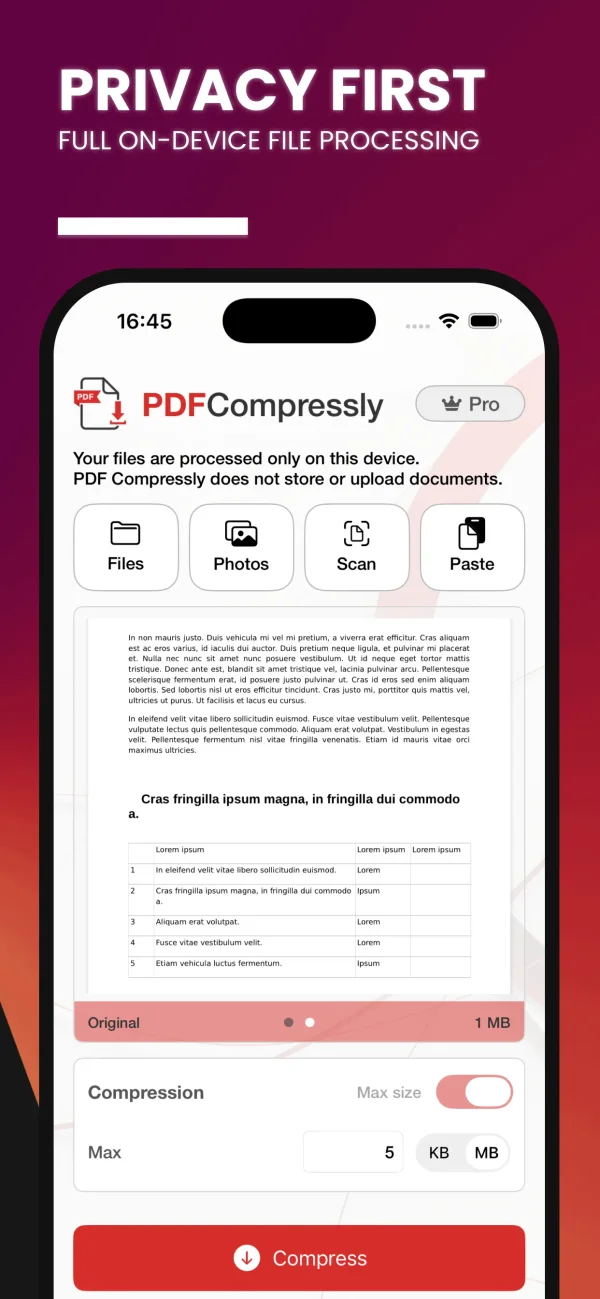
• Custom maximum output size
PDF Compressly gives you control over the final file. Use one of the built-in compression presets or set the maximum file size you want for the output PDF.
Your documents stay private. All processing happens locally on your iPhone. PDF Compressly does not upload, store or send your files to external servers. This makes it useful for sensitive documents such as invoices, contracts, reports, IDs, business files, school documents and personal records.
After compression, export your PDF wherever you need it: save it to Files, send it by email, share it with other apps or transfer it to nearby Apple devices using AirDrop.
Key features:
• Compress PDF files on iPhone
• Reduce PDF file size quickly
• Import from Files, Photos and Clipboard
• Scan documents with the camera
• Convert scans into PDF files
• Choose Minimal, Medium or Maximum compression
• Set a custom output file size
• Preview original and compressed PDFs
• Export to Files, email, AirDrop and other apps
• Local on-device processing
• No external uploads
• Clean and easy-to-use interface
PDF Compressly is designed for work, school, travel, administration and everyday document sharing.
Make your PDFs smaller. Keep your files private.
Terms & Conditions: https://pdfcompressly.com/terms.html
Privacy Policy: https://pdfcompressly.com/privacy.html
Privasi aplikasi
Yang dinyatakan FollowMeter di App Store tentang cara aplikasi ini menangani data.
-
Data tidak dikumpulkan
Pengembang tidak mengumpulkan data apa pun dari aplikasi ini.
Praktik privasi dapat bervariasi, misalnya berdasarkan fitur yang Anda gunakan atau usia Anda.
Informasi
- Penjual
- FollowMeter Ltd
- Kategori
- Produktivitas
- Versi
- 1.0
- Diperbarui
- 19/5/2026
- Dirilis
- 19/5/2026
- Ukuran
- 7,6 MB
- Memerlukan
- iOS 16.0 atau yang lebih baru
- Batasan usia
- 4+
- Harga
- Gratis
- Pembelian dalam aplikasi
- Ya
- Bahasa
- Prancis, Jerman, Inggris, Spanyol, Italia, Portugis
- Hak cipta
- © 2026 FollowMeter Ltd
Mungkin Anda juga suka
-
 PDF TargetProduktivitas
-
 PDF Simple – Compress & MergeProduktivitas
-
 FoolscapProduktivitas
-
 MSRX PDF CompressorProduktivitas
-
 Template MailProduktivitas
-
 Slim PDF: Compress & ShrinkProduktivitas
-
 M4A to Text and TranslateProduktivitas
-
 PDF Compressor – Reduce SizeProduktivitas
-
 PDF Compressor OfflineProduktivitas
-
 Listvexa FlowProduktivitas