
PDF Reader – PDFelement
PDF Editor & Viewer, PDF Maker
Dirancang untuk iPhone, iPad, iPod touch
Gratis
- Batasan usia4+
- KategoriProduktivitas
- PengembangWondershare Technology (Hunan) Co.,Ltd.
- BahasaInggris+ 11 lainnya
- Ukuran172,5 MB
Tertaut ke halaman resmi App Store
Download.org tidak menyimpan file PDF Reader – PDFelement apa pun. Tombol ini membuka halaman aplikasi di App Store, tempat Wondershare Technology (Hunan) Co.,Ltd. menerbitkannya. Halaman terakhir diperiksa pada 20/11/2026.
Tangkapan layar


Tentang
Pengembang belum menyediakan teks ini dalam bahasa Anda.
PDFelement - PDF Reader is a PDF reader using the latest technology. The newly connected Liquid Mode function allows you to enjoy the best reading experience. In addition, there are various annotation tools, file management, signature, Various functions such as cloud services can meet your PDF needs in work and study.
PDF VIEWER
• Liquid Mode gives you the best PDF reading experience
• Star files to find them quickly
• Easily locate recently accessed files in the "Recent" list.
• Enter the page number to navigate to the desired page for viewing
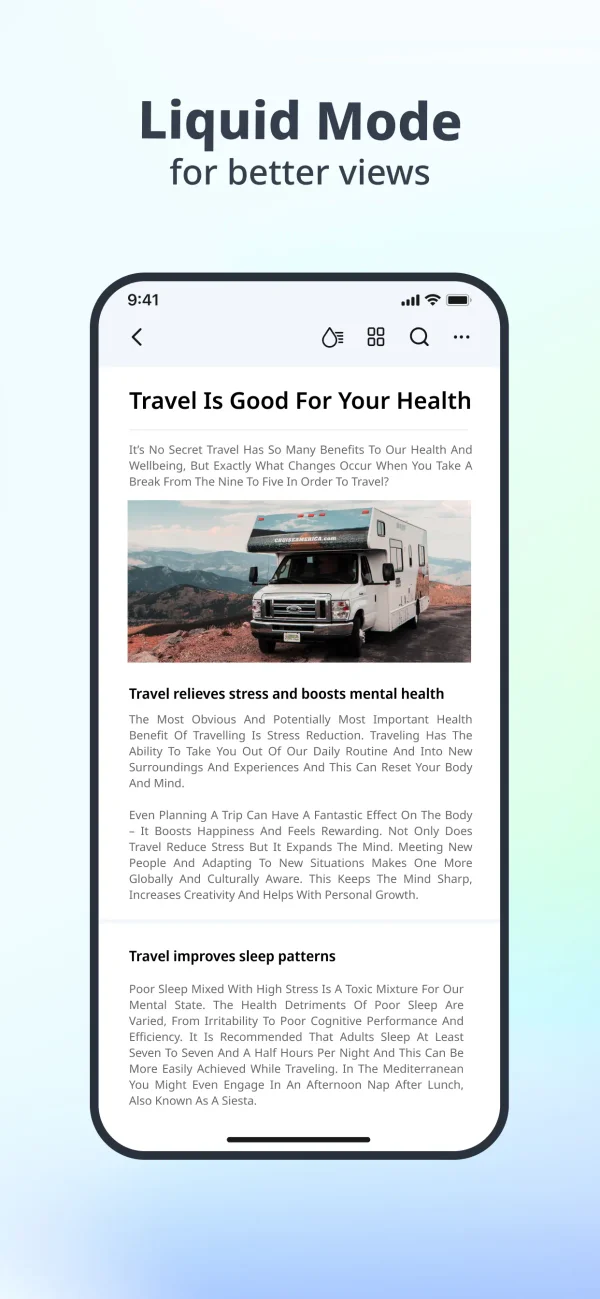
LIQUID MODE
• Get the best PDF Reading experience with Liquid Mode
• PDF document fully fits the mobile phone screen, no need to zoom in and out repeatedly.
• Easily adjust brightness, font size,style, and spacing.
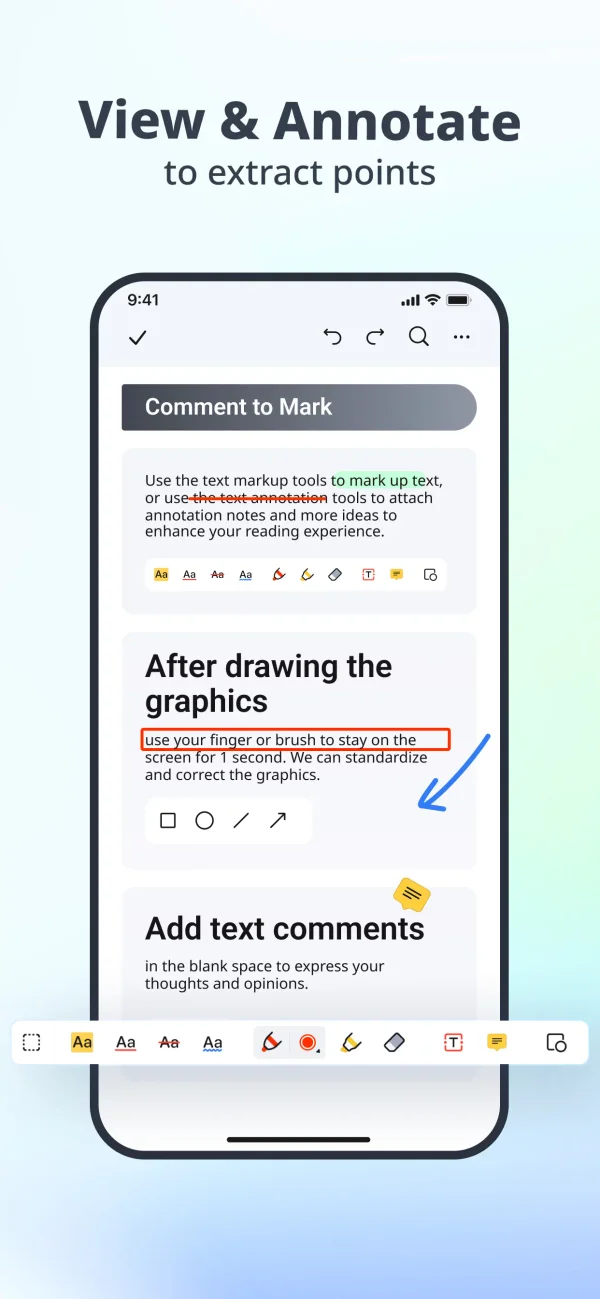
ANNOTATE
• Using Pencil to annotate like writing on the paper
• Add text annotations, freely modify the text and background, border colors, choose the appropriate font and font size.
• Supports many annotating tools like highlighting, underlining, squiggly lines, or strikethroughs.
MANAGE
• Move, merge, copy or delete files
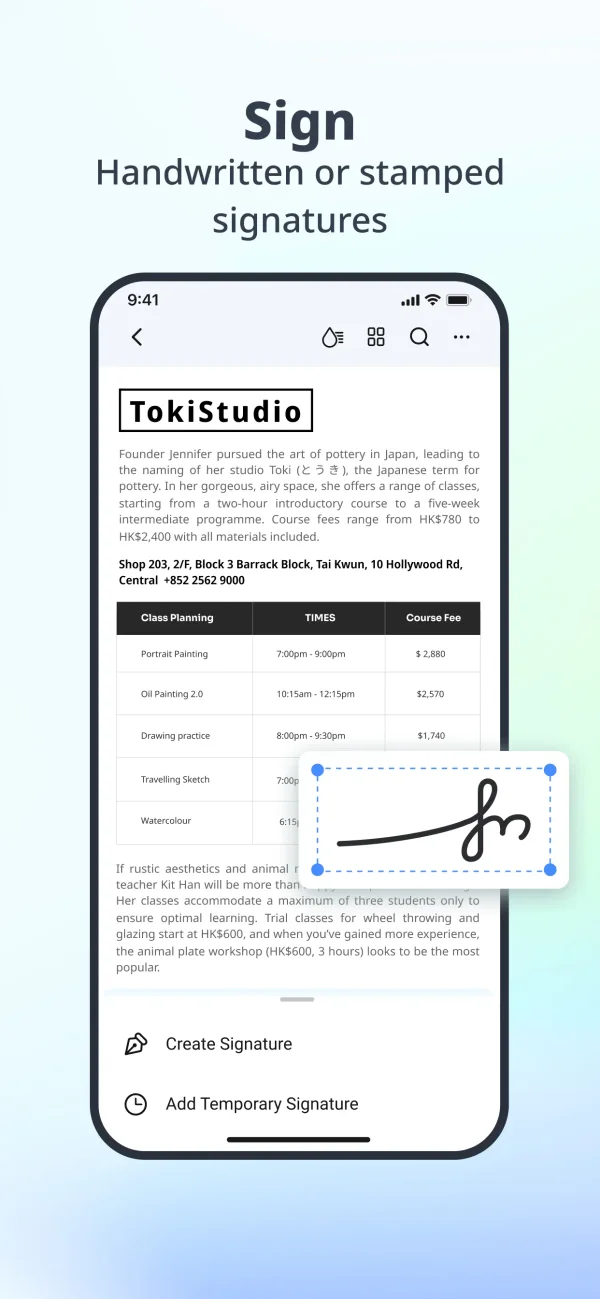
SIGNATURE
• Enables handwritten signatures to be inserted anywhere within the document, while also offering the ability to zoom in and out for greater flexibility.
• Built-in commonly used stamps
CREATE
• Quickly create completely blank PDF documents
• Creat blank folders.
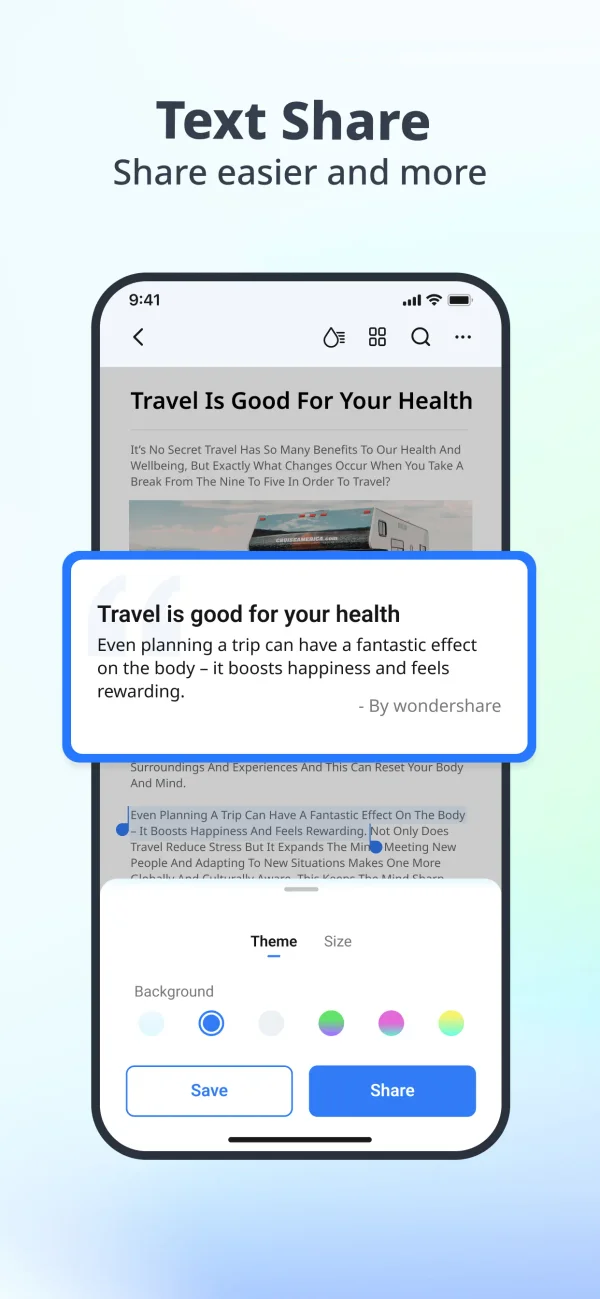
SHARE
• Sharing document content with others is just a click away with capture feature.
• Select sentence(s) or pragraph(s) to share
CLOUD SERVICE
• PDF Reader supports uploading or downloading docs via computer, Wondershare document cloud and iCloud.
Please note that this app only supports editing native PDF files. It does not support editing scanned or raster PDF. If you find you cannot edit text in PDF, please check if it is scanned PDF. Thank you!
----------------------------------------------------------------------------------------
Need HELP? Please contact us! We'll feedback to you ASAP.
Email: pdfelement@wondershare.com
Support Center: http://support.wondershare.com
Forum: http://forum.pdf.wondershare.com
Official Website: https://pdf.wondershare.com
If you think this App helps you, your positive review in the App Store would be much appreciated.
Yang baru
Versi 6.0.6 · 8/1/2024
- Bug fixes and performance improvements.
Privasi aplikasi
Yang dinyatakan Wondershare Technology (Hunan) Co.,Ltd. di App Store tentang cara aplikasi ini menangani data.
-
Data yang tidak ditautkan dengan Anda
Dapat dikumpulkan, tetapi tidak ditautkan dengan identitas Anda.
- Data penggunaan
Praktik privasi dapat bervariasi, misalnya berdasarkan fitur yang Anda gunakan atau usia Anda.
Informasi
- Penjual
- Wondershare Technology Hunan Co.,Ltd.
- Kategori
- Produktivitas
- Versi
- 6.0.6
- Diperbarui
- 8/1/2024
- Dirilis
- 23/10/2016
- Ukuran
- 172,5 MB
- Memerlukan
- iOS 15.0 atau yang lebih baru
- Batasan usia
- 4+
- Harga
- Gratis
- Bahasa
- Inggris, Belanda, Prancis, Jerman, Italia, Jepang, Korea, Portugis, Rusia, Tionghoa Sederhana, Spanyol, Tionghoa Tradisional
- Hak cipta
- © 2003-2022 Wondershare. All Rights Reserved.
Mungkin Anda juga suka
-
 PDF Pro - Reader Editor FormsProduktivitas
-
 PDFelement: PDF Editor & ScanProduktivitas
-
 Foxit PDF EditorProduktivitas
-
 PDF ViewerEditor, Isi & TTD Canggih
-
 PDF Reader Pro untuk DokumenBaca, Konversi & Tandai PDF
-
 UPDF - AI-Powered PDF EditorProduktivitas
-
 Highlights: PDF Reader & NotesProduktivitas
-
 PDF Export: Editor & ConverterProduktivitas
-
 PDF Reader : Document ReaderProduktivitas
-
 Lextra: PDF Text to SpeechProduktivitas