
PDF Reader – PDFelement
PDF Editor & Viewer, PDF Maker
Designed for iPhone, iPad, iPod touch
Free
- Age rating4+
- CategoryProductivity
- DeveloperWondershare Technology (Hunan) Co.,Ltd.
- LanguagesEnglish+ 11 more
- Size172.5 MB
Links to the official App Store page
Download.org hosts no file of PDF Reader – PDFelement. The button opens its official App Store page, published by Wondershare Technology (Hunan) Co.,Ltd. Listing last checked on Nov 20, 2026.
Screenshots


About
PDFelement - PDF Reader is a PDF reader using the latest technology. The newly connected Liquid Mode function allows you to enjoy the best reading experience. In addition, there are various annotation tools, file management, signature, Various functions such as cloud services can meet your PDF needs in work and study.
PDF VIEWER
• Liquid Mode gives you the best PDF reading experience
• Star files to find them quickly
• Easily locate recently accessed files in the "Recent" list.
• Enter the page number to navigate to the desired page for viewing
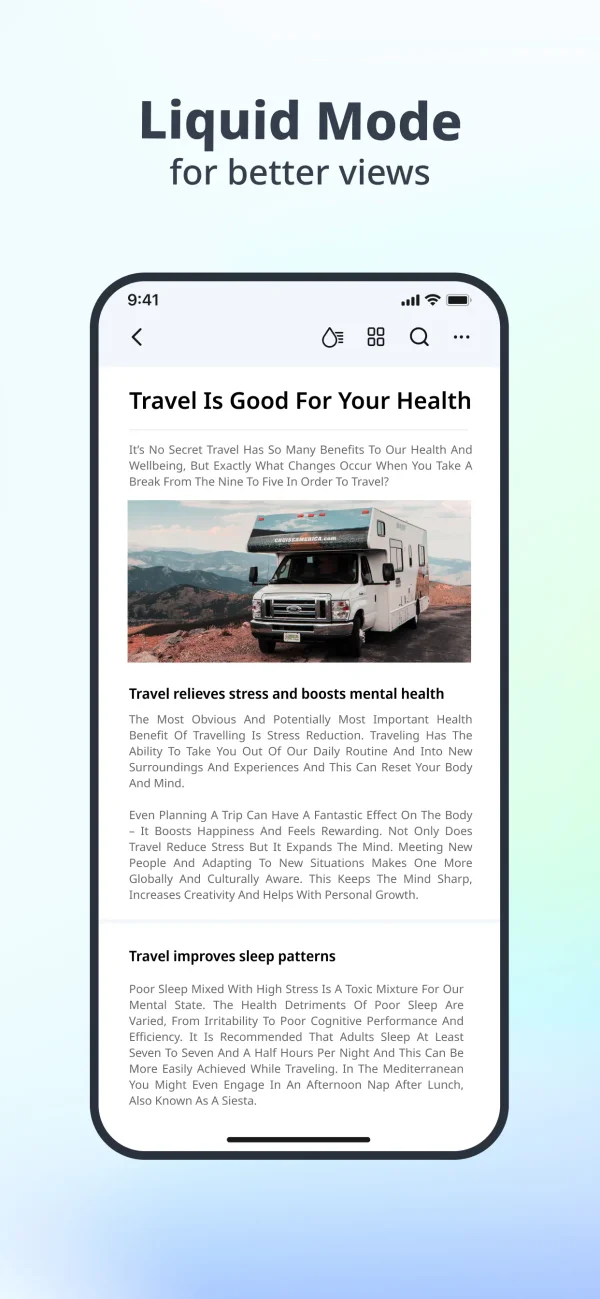
LIQUID MODE
• Get the best PDF Reading experience with Liquid Mode
• PDF document fully fits the mobile phone screen, no need to zoom in and out repeatedly.
• Easily adjust brightness, font size,style, and spacing.
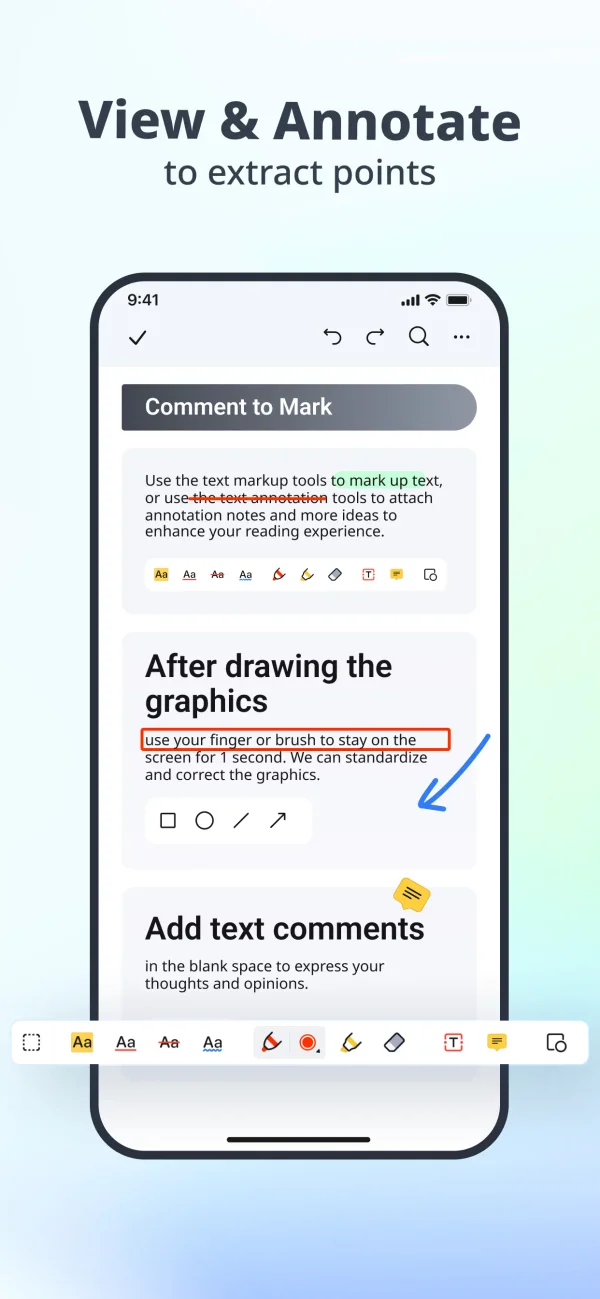
ANNOTATE
• Using Pencil to annotate like writing on the paper
• Add text annotations, freely modify the text and background, border colors, choose the appropriate font and font size.
• Supports many annotating tools like highlighting, underlining, squiggly lines, or strikethroughs.
MANAGE
• Move, merge, copy or delete files
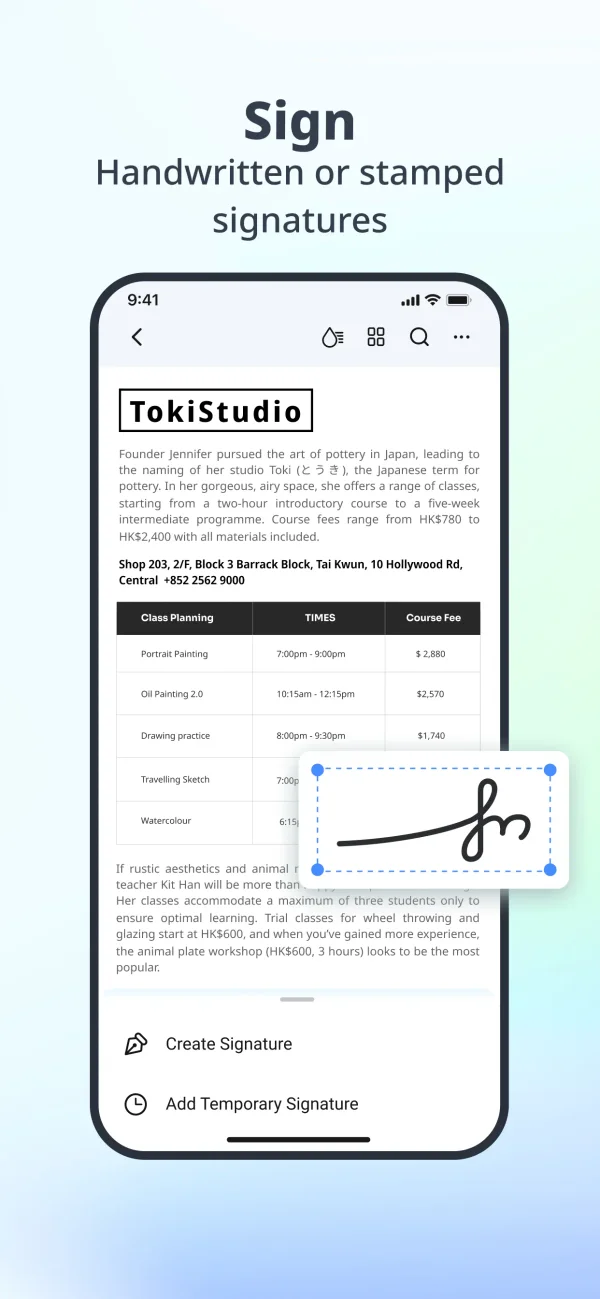
SIGNATURE
• Enables handwritten signatures to be inserted anywhere within the document, while also offering the ability to zoom in and out for greater flexibility.
• Built-in commonly used stamps
CREATE
• Quickly create completely blank PDF documents
• Creat blank folders.
SHARE
• Sharing document content with others is just a click away with capture feature.
• Select sentence(s) or pragraph(s) to share
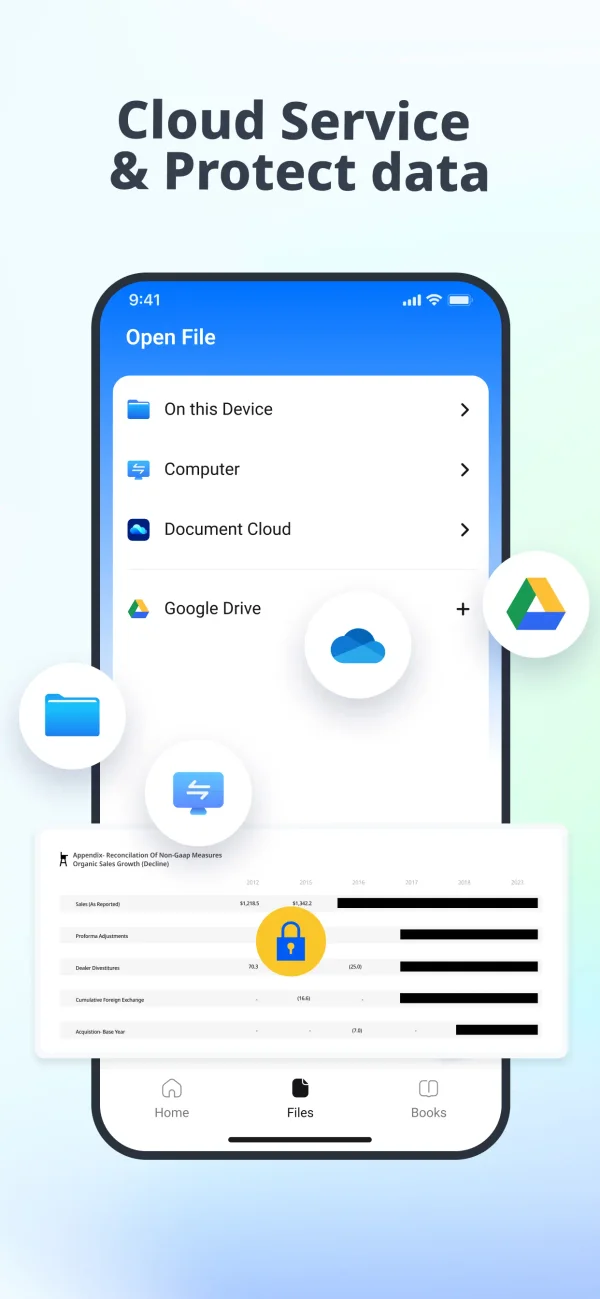
CLOUD SERVICE
• PDF Reader supports uploading or downloading docs via computer, Wondershare document cloud and iCloud.
Please note that this app only supports editing native PDF files. It does not support editing scanned or raster PDF. If you find you cannot edit text in PDF, please check if it is scanned PDF. Thank you!
----------------------------------------------------------------------------------------
Need HELP? Please contact us! We'll feedback to you ASAP.
Email: pdfelement@wondershare.com
Support Center: http://support.wondershare.com
Forum: http://forum.pdf.wondershare.com
Official Website: https://pdf.wondershare.com
If you think this App helps you, your positive review in the App Store would be much appreciated.
What’s new
Version 6.0.6 · Jan 8, 2024
- Bug fixes and performance improvements.
App privacy
What Wondershare Technology (Hunan) Co.,Ltd. declares on the App Store about how this app handles data.
-
Data not linked to you
May be collected but is not linked to your identity.
- Usage data
Privacy practices may vary, for example with the features you use or your age.
Information
- Seller
- Wondershare Technology Hunan Co.,Ltd.
- Category
- Productivity
- Version
- 6.0.6
- Updated
- Jan 8, 2024
- Released
- Oct 23, 2016
- Size
- 172.5 MB
- Requires
- iOS 15.0 or later
- Age rating
- 4+
- Price
- Free
- Languages
- English, Dutch, French, German, Italian, Japanese, Korean, Portuguese, Russian, Simplified Chinese, Spanish, Traditional Chinese
- Copyright
- © 2003-2022 Wondershare. All Rights Reserved.
You might also like
-
 PDF Pro - Reader Editor FormsEdit, annotate, view documents
-
 PDFelement: PDF Editor & ScanDocuments Converter & Signer
-
 Foxit PDF EditorView, Edit, Convert, and Sign
-
 PDF Viewer by NutrientFill Forms, Sign, Edit, Redact
-
 PDF Reader Pro for DocumentRead, Convert & Mark Up PDFs
-
 UPDF - AI-Powered PDF EditorAI Chat, Convert & Sign PDF
-
 Highlights: PDF Reader & NotesEdit Research Documents/Books
-
 PDF Export: Editor & ConverterTools, Scan, Compress & Merge
-
 PDF Reader : Document ReaderPDF Viewer, Doc Viewer, Edit
-
 Lextra: PDF Text to SpeechNatural Voice Document Reader