PDF Scanner - Edit & Scan Docs
Scan & edit PDF files easily
Dirancang untuk iPhone, iPod touch
Gratis · Pembelian dalam aplikasi
- Batasan usia4+
- KategoriKegunaan
- PengembangCW Lee
- BahasaInggris+ 2 lainnya
- Ukuran48,9 MB
Tertaut ke halaman resmi App Store
Download.org tidak menyimpan file PDF Scanner - Edit & Scan Docs apa pun. Tombol ini membuka halaman aplikasi di App Store, tempat CW Lee menerbitkannya. Halaman terakhir diperiksa pada 15/11/2026.
Tangkapan layar
Tentang
Pengembang belum menyediakan teks ini dalam bahasa Anda.
• HOW IT WORKS
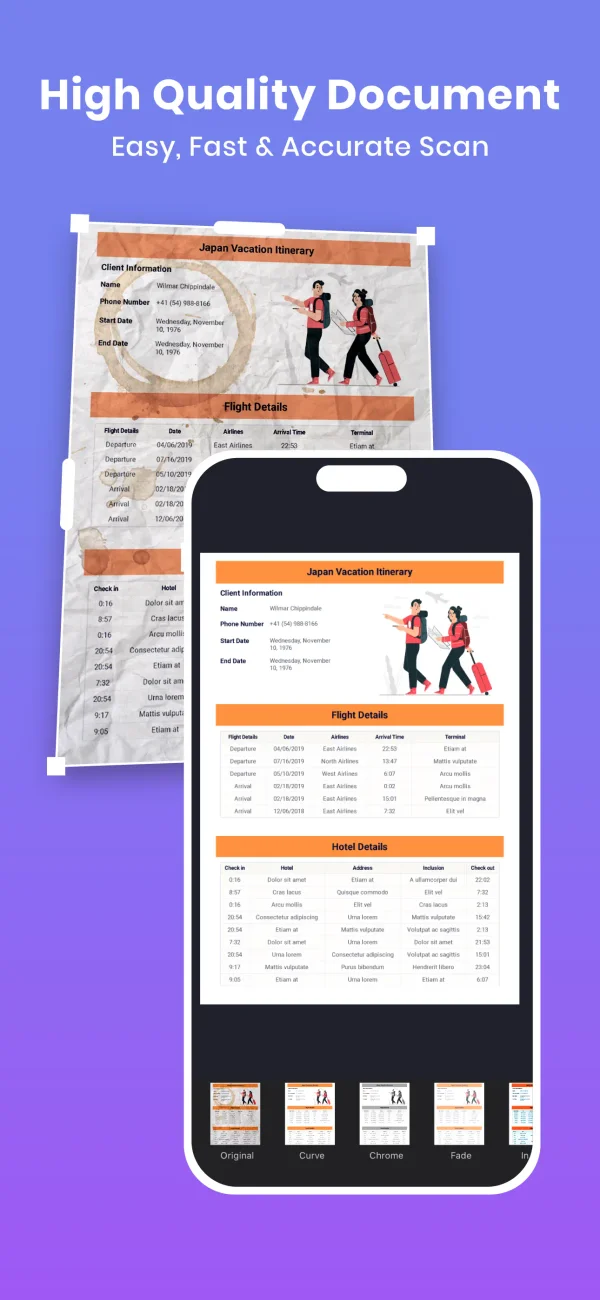
Upon opening PDF Scanner, you can scan your documents by placing them within the camera frame, with auto/manual capture adjustment options at the top of the screen. The app will scan your document within seconds once it is properly aligned.
• OUR AWESOME FEATURES
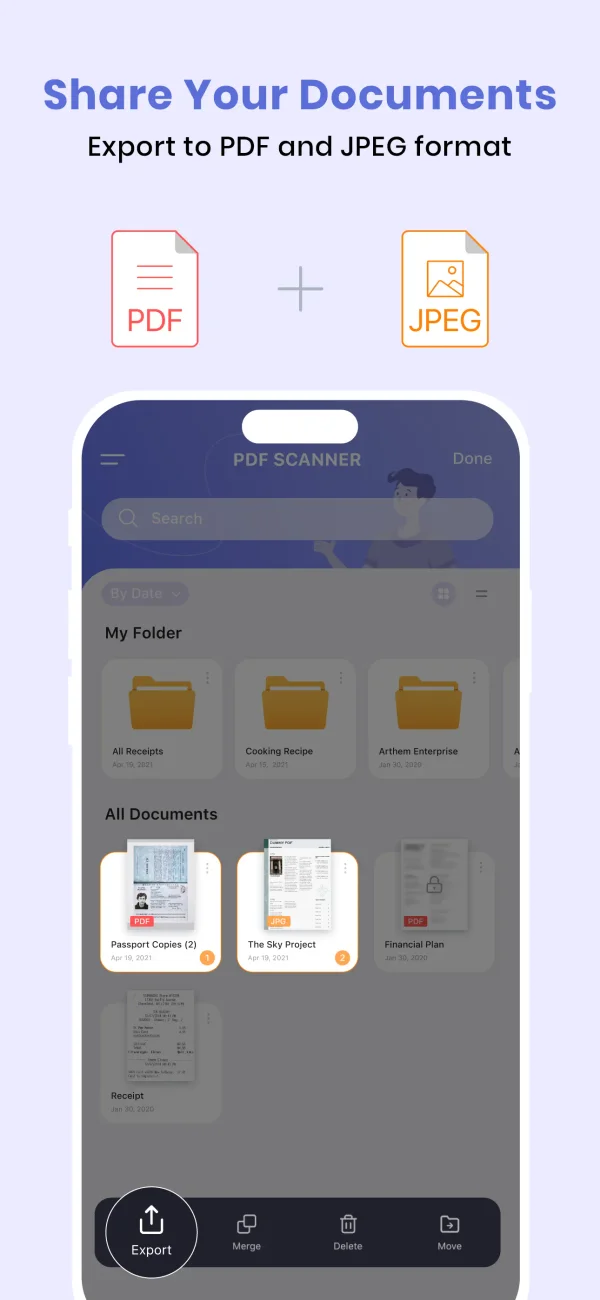
– Export documents to PDF & JPEG
– Merge PDF files
– PDF editing and annotations
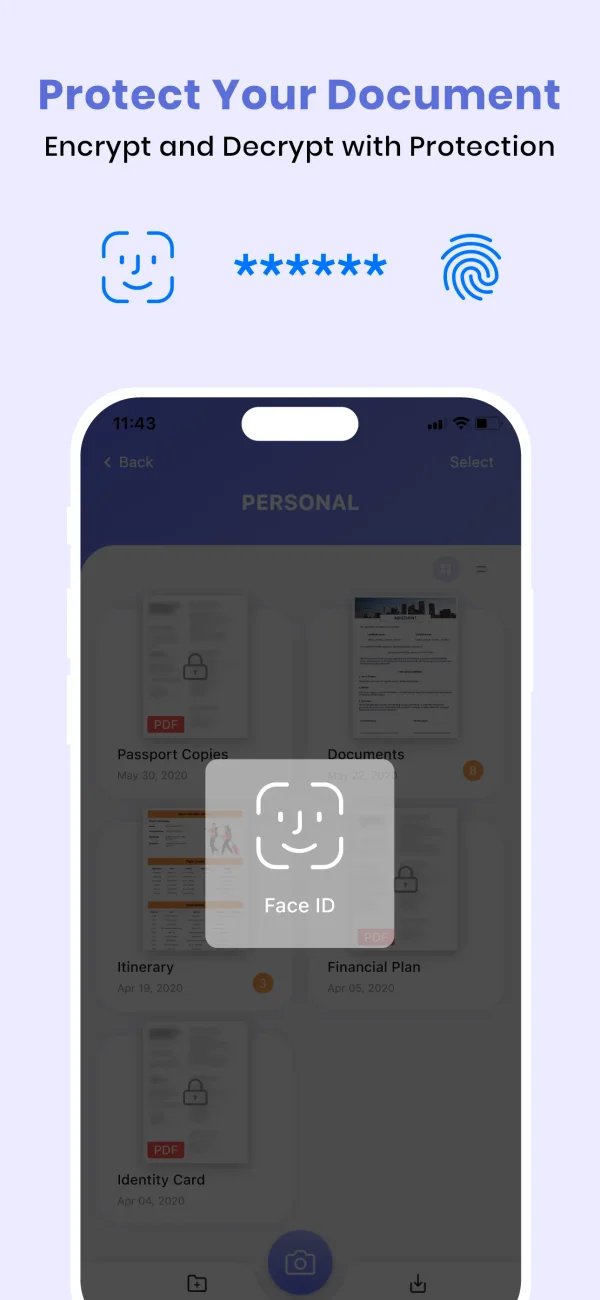
– Password-protected documents
– Encrypt documents for safety
– Document organizer
– OCR scanning
– Extract document contents
– Translate document contents
• WORK WITH DOCUMENTS
– All scanned documents in JPEG and PDF can be stored in the same folder for better organization.
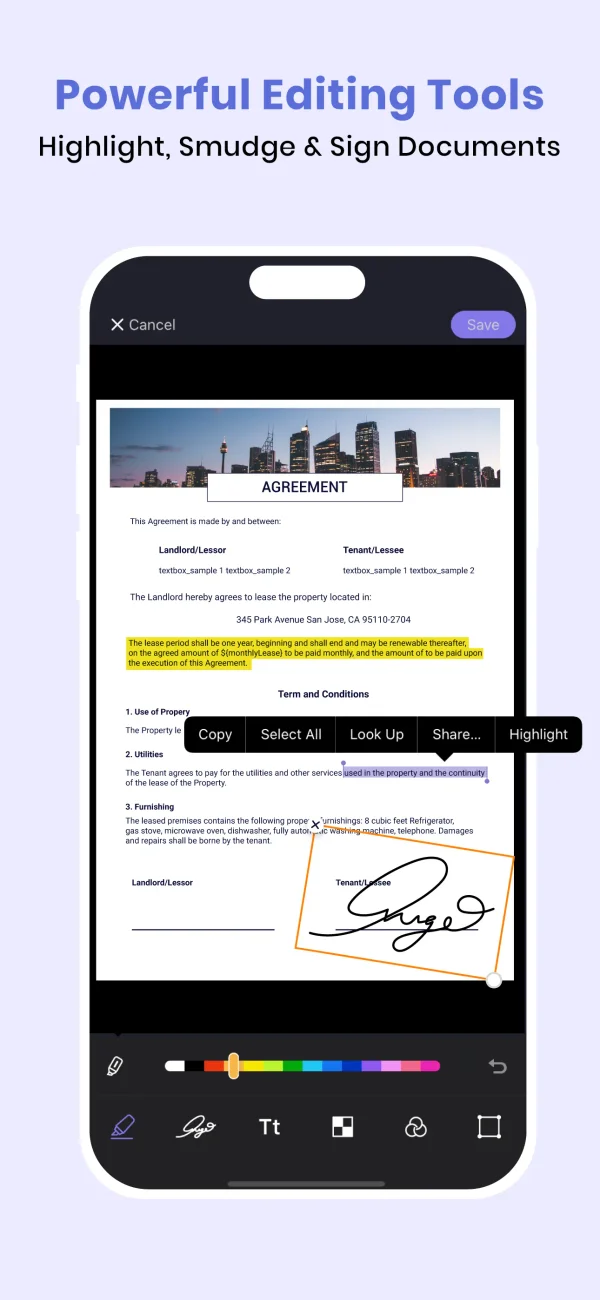
– Adding your own signature in PDFs is easier and faster than ever.
– The PDF Scanner editing tool allows you to conveniently highlight, add notes, and draw on documents.
– Existing PDF documents can be modified easily — delete, add, or reorder pages with convenience.
• OUR GOAL
PDF Scanner aims to continuously improve usability and deliver more value than users expect from a PDF scanner — providing a seamless and convenient document management experience.
• TALK TO US
We at PDF Scanner are always open to suggestions, opinions, and any issues you face while managing your daily documents. Feel free to contact us through the app’s CONTACT US section.
• PERMISSIONS
PDF Scanner requires your permission to fully enable its features:
– Camera access to perform scanning actions.
– Photos/Gallery access to save, export, and import documents and images.
– Face ID or Touch ID access to enable the app lock security feature.
• MEMBERSHIP
The PDF Scanner app operates on a subscription-based membership model with a free trial. Download the app for free and try it out for 3 days without registration or restrictions. After the trial period ends, a weekly or monthly subscription fee will apply for full access to all Pro features.
Pro subscription includes:
– No advertisements
– Encrypt and decrypt PDF files
– Edit and annotate documents
– No watermark on documents
– Unlimited document scanning
Subscription prices may vary by region and currency. Subscriptions will be charged to your iTunes Account upon purchase confirmation. Your subscription will automatically renew unless auto-renew is turned off at least 24 hours before the current period ends. Your account will be charged for renewal within 24 hours prior to the end of the current period. You can manage your subscriptions and auto-renewal in Account Settings after purchase. Any unused portion of the free trial will be forfeited when you purchase a subscription.
Privacy Policy & EULA: https://pdfscanner.kruso.app/privacy
Terms of Use: https://pdfscanner.kruso.app/terms
Contact Us: silverapp19@gmail.com
Yang baru
Versi 2.7 · 6/1/2026
- Fixed an issue where the watermark was not removed for some users.
- General bug fixes and performance improvements.
Privasi aplikasi
Yang dinyatakan CW Lee di App Store tentang cara aplikasi ini menangani data.
-
Data yang digunakan untuk melacak Anda
Dapat digunakan untuk melacak Anda di aplikasi dan situs web milik perusahaan lain.
- Lokasi
- Pengenal
- Data penggunaan
- Diagnostik
-
Data yang ditautkan dengan Anda
Dapat dikumpulkan dan ditautkan dengan identitas Anda.
- Lokasi
- Pengenal
- Data penggunaan
- Diagnostik
-
Data yang tidak ditautkan dengan Anda
Dapat dikumpulkan, tetapi tidak ditautkan dengan identitas Anda.
- Diagnostik
Praktik privasi dapat bervariasi, misalnya berdasarkan fitur yang Anda gunakan atau usia Anda.
Informasi
- Penjual
- CW Lee
- Kategori
- Kegunaan
- Versi
- 2.7
- Diperbarui
- 6/1/2026
- Dirilis
- 11/5/2020
- Ukuran
- 48,9 MB
- Memerlukan
- iOS 15.0 atau yang lebih baru
- Batasan usia
- 4+
- Harga
- Gratis
- Pembelian dalam aplikasi
- Ya
- Bahasa
- Inggris, Tionghoa Sederhana, Tionghoa Tradisional
- Hak cipta
- © Silver Tech App
Mungkin Anda juga suka
-
 PDF Converter: Word to PDF!Kegunaan
-
 The Document ConverterKonversi PDF, DOCX, JPG, etc
-
 Merge files PDFKegunaan
-
 Vox VPNKegunaan
-
 File manager - Document EditorKegunaan
-
 Word To PDF Converter & ReaderKegunaan
-
 PDF Reader - Editor & ViewerKegunaan
-
 Scanner PDF: Pindai DokumenDigitalisasi Dokumen Anda
-
 PDF Editor ,PDF Book Reader ®Kegunaan
-
 MT Browser - File Manager, IDMKegunaan