PDF Scanner - Edit & Scan Docs
Scan & edit PDF files easily
Designed for iPhone, iPod touch
Free · In-app purchases
- Age rating4+
- CategoryUtilities
- DeveloperCW Lee
- LanguagesEnglish+ 2 more
- Size48.9 MB
Links to the official App Store page
Download.org hosts no file of PDF Scanner - Edit & Scan Docs. The button opens its official App Store page, published by CW Lee. Listing last checked on Nov 15, 2026.
Screenshots

About
• HOW IT WORKS
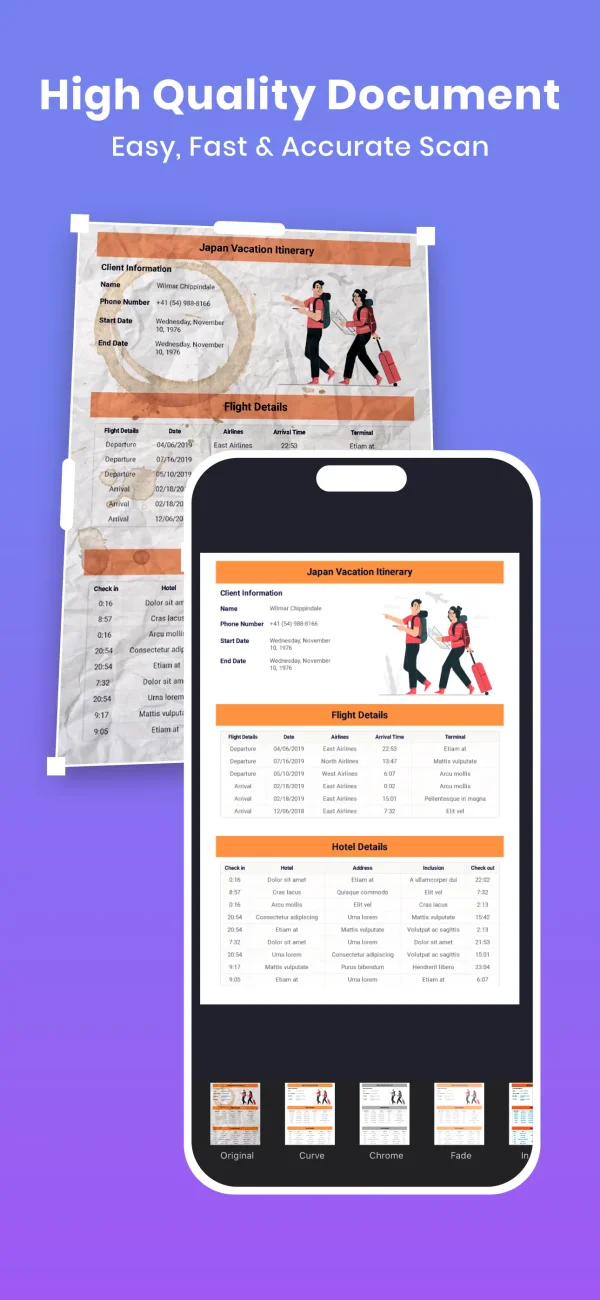
Upon opening PDF Scanner, you can scan your documents by placing them within the camera frame, with auto/manual capture adjustment options at the top of the screen. The app will scan your document within seconds once it is properly aligned.
• OUR AWESOME FEATURES
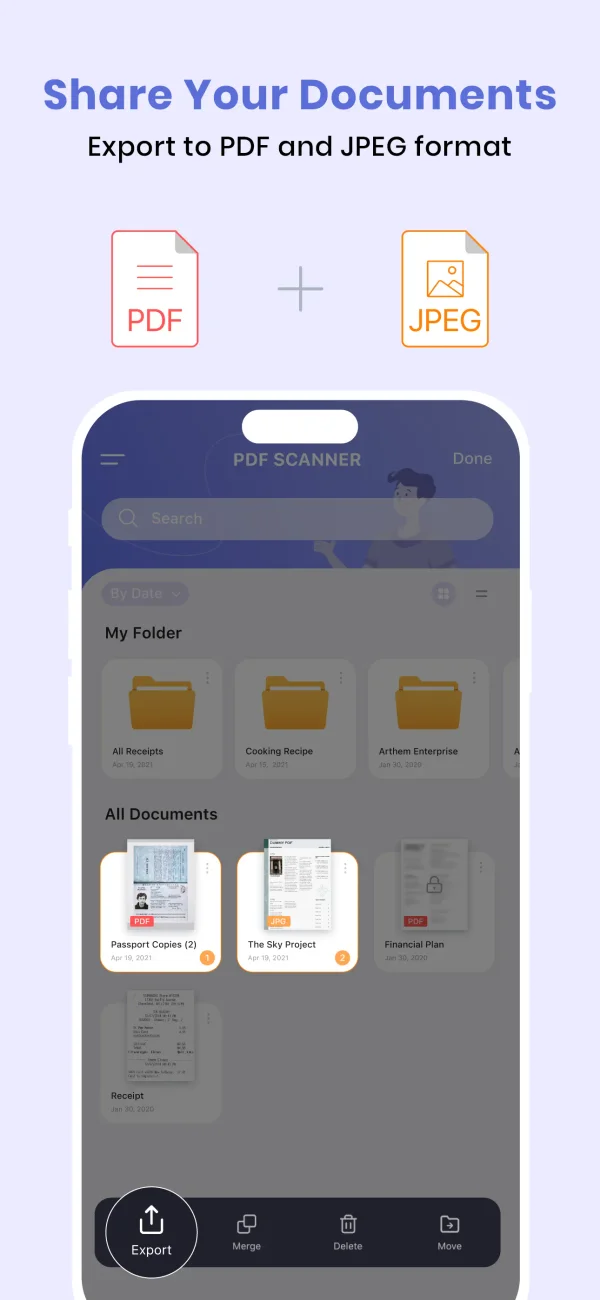
– Export documents to PDF & JPEG
– Merge PDF files
– PDF editing and annotations
– Password-protected documents
– Encrypt documents for safety
– Document organizer
– OCR scanning
– Extract document contents
– Translate document contents
• WORK WITH DOCUMENTS
– All scanned documents in JPEG and PDF can be stored in the same folder for better organization.
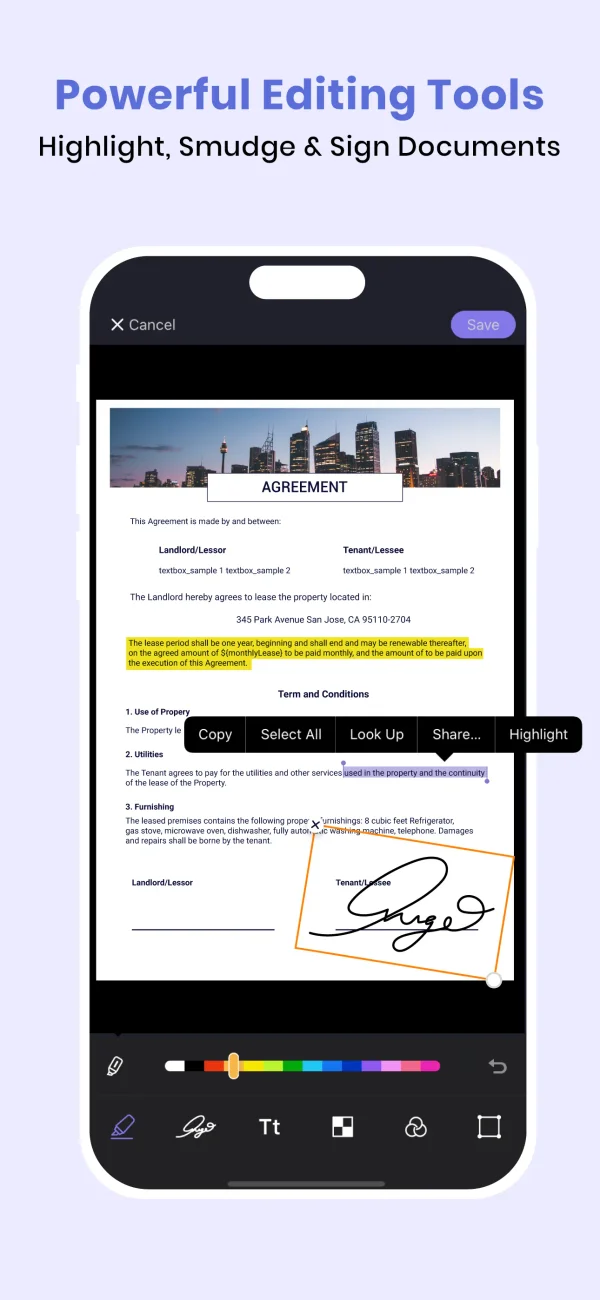
– Adding your own signature in PDFs is easier and faster than ever.
– The PDF Scanner editing tool allows you to conveniently highlight, add notes, and draw on documents.
– Existing PDF documents can be modified easily — delete, add, or reorder pages with convenience.
• OUR GOAL
PDF Scanner aims to continuously improve usability and deliver more value than users expect from a PDF scanner — providing a seamless and convenient document management experience.
• TALK TO US
We at PDF Scanner are always open to suggestions, opinions, and any issues you face while managing your daily documents. Feel free to contact us through the app’s CONTACT US section.
• PERMISSIONS
PDF Scanner requires your permission to fully enable its features:
– Camera access to perform scanning actions.
– Photos/Gallery access to save, export, and import documents and images.
– Face ID or Touch ID access to enable the app lock security feature.
• MEMBERSHIP
The PDF Scanner app operates on a subscription-based membership model with a free trial. Download the app for free and try it out for 3 days without registration or restrictions. After the trial period ends, a weekly or monthly subscription fee will apply for full access to all Pro features.
Pro subscription includes:
– No advertisements
– Encrypt and decrypt PDF files
– Edit and annotate documents
– No watermark on documents
– Unlimited document scanning
Subscription prices may vary by region and currency. Subscriptions will be charged to your iTunes Account upon purchase confirmation. Your subscription will automatically renew unless auto-renew is turned off at least 24 hours before the current period ends. Your account will be charged for renewal within 24 hours prior to the end of the current period. You can manage your subscriptions and auto-renewal in Account Settings after purchase. Any unused portion of the free trial will be forfeited when you purchase a subscription.
Privacy Policy & EULA: https://pdfscanner.kruso.app/privacy
Terms of Use: https://pdfscanner.kruso.app/terms
Contact Us: silverapp19@gmail.com
What’s new
Version 2.7 · Jan 6, 2026
- Fixed an issue where the watermark was not removed for some users.
- General bug fixes and performance improvements.
App privacy
What CW Lee declares on the App Store about how this app handles data.
-
Data used to track you
May be used to track you across apps and websites owned by other companies.
- Location
- Identifiers
- Usage data
- Diagnostics
-
Data linked to you
May be collected and linked to your identity.
- Location
- Identifiers
- Usage data
- Diagnostics
-
Data not linked to you
May be collected but is not linked to your identity.
- Diagnostics
Privacy practices may vary, for example with the features you use or your age.
Information
- Seller
- CW Lee
- Category
- Utilities
- Version
- 2.7
- Updated
- Jan 6, 2026
- Released
- May 11, 2020
- Size
- 48.9 MB
- Requires
- iOS 15.0 or later
- Age rating
- 4+
- Price
- Free
- In-app purchases
- Yes
- Languages
- English, Simplified Chinese, Traditional Chinese
- Copyright
- © Silver Tech App
You might also like
-
 PDF Converter: Word to PDF!PDF Tools: PDF Creator & Maker
-
 The Document ConverterConvert to PDF, DOCX, JPG, etc
-
 Merge files PDFMerge Multi PDF Files
-
 Vox VPNUtilities
-
 File manager - Document EditorFile Storage - file explorer
-
 Word To PDF Converter & ReaderDoc To PDF : Docx To PDF
-
 PDF Reader - Editor & ViewerEditor, Converter, OCR
-
 PDF Scanner Pro ⊟Digitization your papers & ids
-
 PDF Editor ,PDF Book Reader ®PDF Reader, Scanner & Sign
-
 MT Browser - File Manager, IDMSecure Browser & Downloader