
PDF Scanner & Simple Reader
Scan, Read, Save Offline
Dirancang untuk iPhone, iPad, iPod touch
Gratis · Pembelian dalam aplikasi
- Batasan usia4+
- KategoriProduktivitas
- PengembangKunWoo Kwon
- BahasaSpanyol+ 6 lainnya
- Ukuran85,1 MB
Tertaut ke halaman resmi App Store
Download.org tidak menyimpan file PDF Scanner & Simple Reader apa pun. Tombol ini membuka halaman aplikasi di App Store, tempat KunWoo Kwon menerbitkannya. Halaman terakhir diperiksa pada 22/11/2026.
Tangkapan layar



Tentang
Pengembang belum menyediakan teks ini dalam bahasa Anda.
PDF Scanner & Simple Reader helps you scan paper documents into PDF, then read, bookmark, and keep them offline on your device.
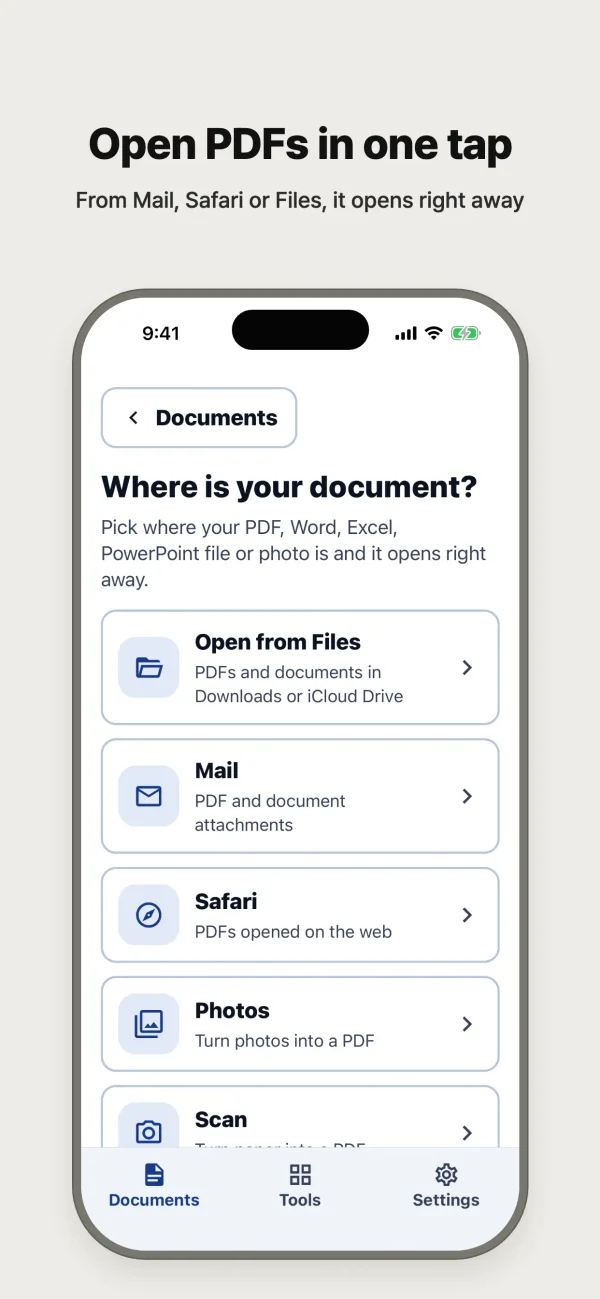
Big buttons with text labels also let you open the PDFs and Word, Excel, and PowerPoint documents you receive, as well as photos.
Use your camera to save receipts, handwritten notes, contracts, study papers, manuals, certificates, and everyday documents as PDFs. Open scanned files right away, return to them from recent files, and continue reading without a complicated editor.
KEY FEATURES
Large Text, Big Buttons
• Every button has a text label
• Choose from three text sizes
Open More Documents
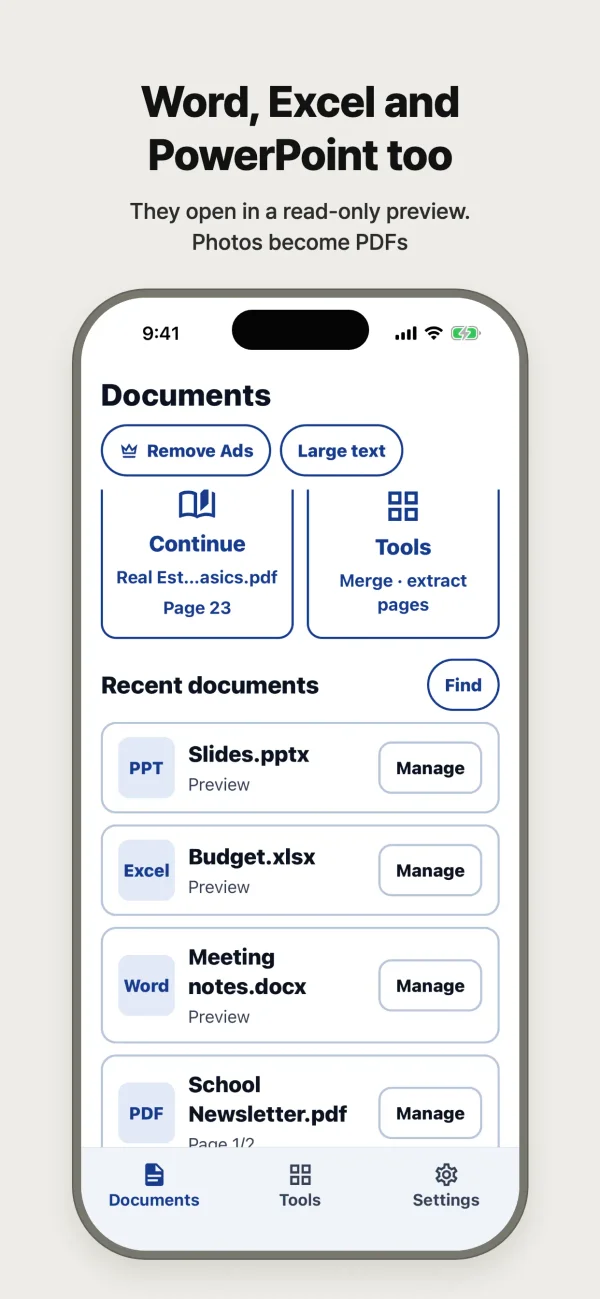
• Preview Word, Excel, and PowerPoint files (DOCX, XLSX, PPTX) in read-only mode
• Open JPG, PNG, and HEIC photos as PDFs
• Some documents may not open or may look different
Document Scan to PDF
• Scan paper documents with your camera
• Save receipts, notes, contracts, and study material as PDF
• Create multi-page PDFs from scanned images
• Open the scanned PDF immediately after saving
Simple PDF Reader
• Fast PDF opening for everyday documents
• Smooth vertical scrolling and pinch-to-zoom
• Page-by-page navigation
• Clean reading screen with large, labeled buttons
Continue Reading & Bookmarks
• Keep recently opened PDFs in one place
• Continue from the last page you read
• Bookmark important pages
• Jump back to saved pages quickly
Offline & Private
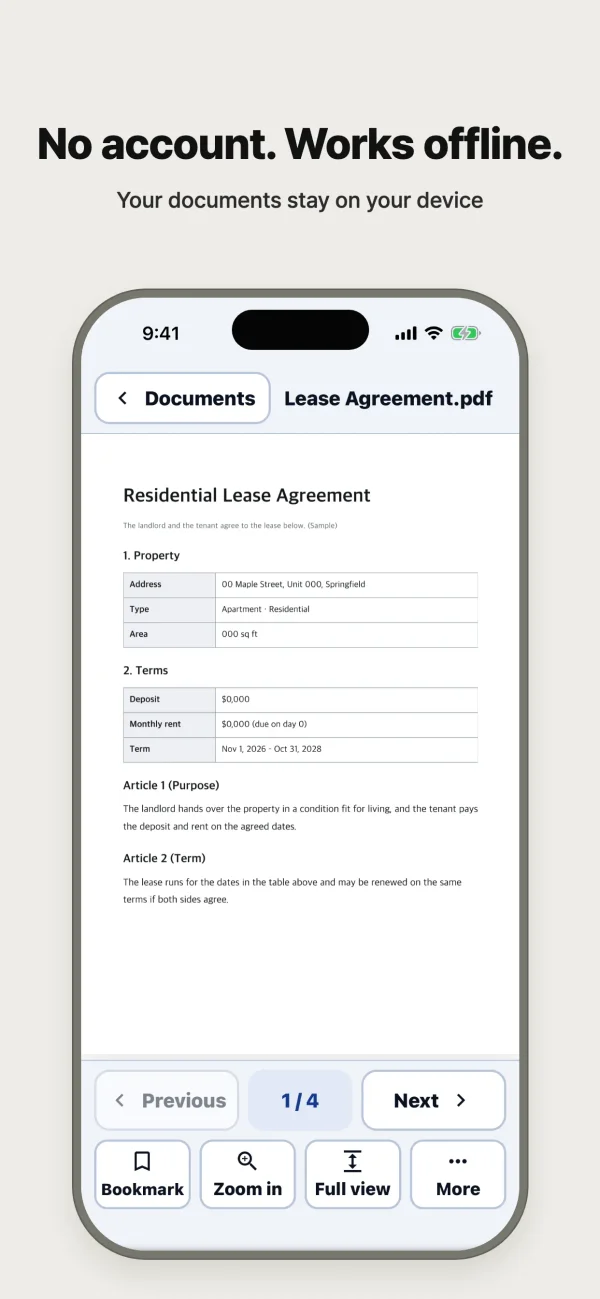
• Read PDFs offline
• Files are stored locally on your device
• Open password-protected PDF files
• No account required for basic reading
PDF Tools
• Extract selected pages into a new PDF
• Merge PDF files
• Save only the pages you need
• Use scan, export, and merge as part of your document workflow
PRO BUNDLE
Upgrade to Pro for more room to work:
• Unlimited document scanning
• Unlimited PDF export
• Unlimited PDF merge
• Clean ad-free reading
PERFECT FOR
Students
• Scan handouts, notes, textbooks, and study papers
• Read saved PDFs offline
• Bookmark important pages for review
Work & Business
• Scan contracts, receipts, reports, and forms
• Keep documents easy to reopen
• Extract or merge pages when needed
Everyday Documents
• Save receipts, certificates, manuals, and letters
• Turn paper documents into PDFs you can read later
• Keep a simple local document library
WHY SIMPLE READER?
• Scan first: turn paper documents into PDF
• Read right away: open scanned PDFs instantly
• Simple: no complicated menus
• Offline: keep files on your device
• Accessible: clean reading UI
• Flexible: scan, read, bookmark, extract, and merge PDFs
Download PDF Scanner & Simple Reader and start turning paper documents into readable PDFs.
FEEDBACK & SUPPORT
Send us your feedback through the in-app feature.
Your input helps us improve the reading and scanning experience.
PRIVACY PROTECTION
Documents are stored only on your device.
No document content is sent to external servers.
TERMS & POLICIES
• Terms of Use (EULA): https://www.apple.com/legal/internet-services/itunes/dev/stdeula/
• Privacy Policy: https://general-beaufort-538.notion.site/Pdf-2853c0f6ead280999815c6b541866c07
Yang baru
Versi 2.0.1 · 20/11/2026
- A new look. Start from four big buttons on the first screen (Open a document, Scan paper, Continue, Tools), and every button now has a text label. If the text is small, tap Large text. The app icon has changed, too.
- While reading, tap Previous and Next to turn pages and Zoom in to enlarge. Tap Full view to hide the buttons and see only the document.
- Preview Word, Excel and PowerPoint documents (DOCX, XLSX, PPTX) in read-only mode, and open JPG, PNG and HEIC photos as PDFs. Some documents may not open or may look different.
- The full-screen ad that appeared when opening a document from the list is gone. Merge and Extract pages are now under Tools.
Privasi aplikasi
Yang dinyatakan KunWoo Kwon di App Store tentang cara aplikasi ini menangani data.
-
Data yang digunakan untuk melacak Anda
Dapat digunakan untuk melacak Anda di aplikasi dan situs web milik perusahaan lain.
- Data penggunaan
-
Data yang tidak ditautkan dengan Anda
Dapat dikumpulkan, tetapi tidak ditautkan dengan identitas Anda.
- Data penggunaan
Praktik privasi dapat bervariasi, misalnya berdasarkan fitur yang Anda gunakan atau usia Anda.
Informasi
- Penjual
- KunWoo Kwon
- Kategori
- Produktivitas
- Versi
- 2.0.1
- Diperbarui
- 20/11/2026
- Dirilis
- 13/10/2025
- Ukuran
- 85,1 MB
- Memerlukan
- iOS 15.1 atau yang lebih baru
- Batasan usia
- 4+
- Harga
- Gratis
- Pembelian dalam aplikasi
- Ya
- Bahasa
- Spanyol, Tionghoa Sederhana, Tionghoa Tradisional, Korea, Inggris, Jepang, Portugis
- Hak cipta
- © 2026 kunwoo kwon
Mungkin Anda juga suka
-
 Polaris Viewer - PDF, DokumenPembaca dokumen PDF & Office
-
 ALPDF - Konverter & Editor PDFGabung·Pisah·Kompres·PDF
-
 Today's ShiftProduktivitas
-
 한컴오피스 ViewerProduktivitas
-
 깔끔 한글뷰어 - hwp, hwpx, 한글파일 뷰어Produktivitas
-
 맞춤법 검사기 - 우리말 맞춤법 검사기Produktivitas
-
 공실박스Produktivitas
-
 분실물 찾기 - 경찰청 습득물 조회Produktivitas
-
 Red Calendar 2026Produktivitas