PDF Scanner & Simple Reader
Scan, Read, Save Offline
Được thiết kế cho iPhone, iPad, iPod touch
Miễn phí · Mua hàng trong ứng dụng
- Độ tuổi4+
- Danh mụcHiệu Suất
- Nhà phát triểnKunWoo Kwon
- Ngôn ngữTiếng Tây Ban Nha+ 6 ngôn ngữ khác
- Kích thước85,1 MB
Liên kết đến trang App Store chính thức
Download.org không lưu trữ tệp nào của PDF Scanner & Simple Reader. Nút này mở trang ứng dụng trên App Store, nơi KunWoo Kwon phát hành ứng dụng. Trang được kiểm tra lần cuối: 22/11/2026.
Ảnh chụp màn hình



Giới thiệu
Nhà phát triển chưa cung cấp nội dung này bằng ngôn ngữ của bạn.
PDF Scanner & Simple Reader helps you scan paper documents into PDF, then read, bookmark, and keep them offline on your device.
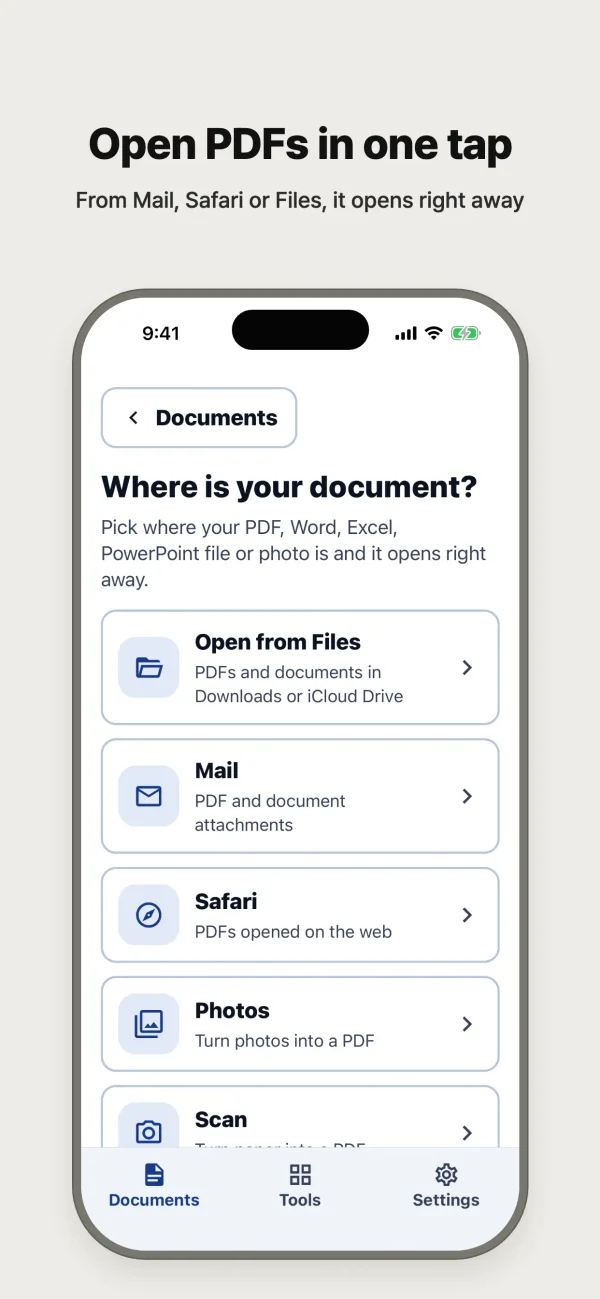
Big buttons with text labels also let you open the PDFs and Word, Excel, and PowerPoint documents you receive, as well as photos.
Use your camera to save receipts, handwritten notes, contracts, study papers, manuals, certificates, and everyday documents as PDFs. Open scanned files right away, return to them from recent files, and continue reading without a complicated editor.
KEY FEATURES
Large Text, Big Buttons
• Every button has a text label
• Choose from three text sizes
Open More Documents
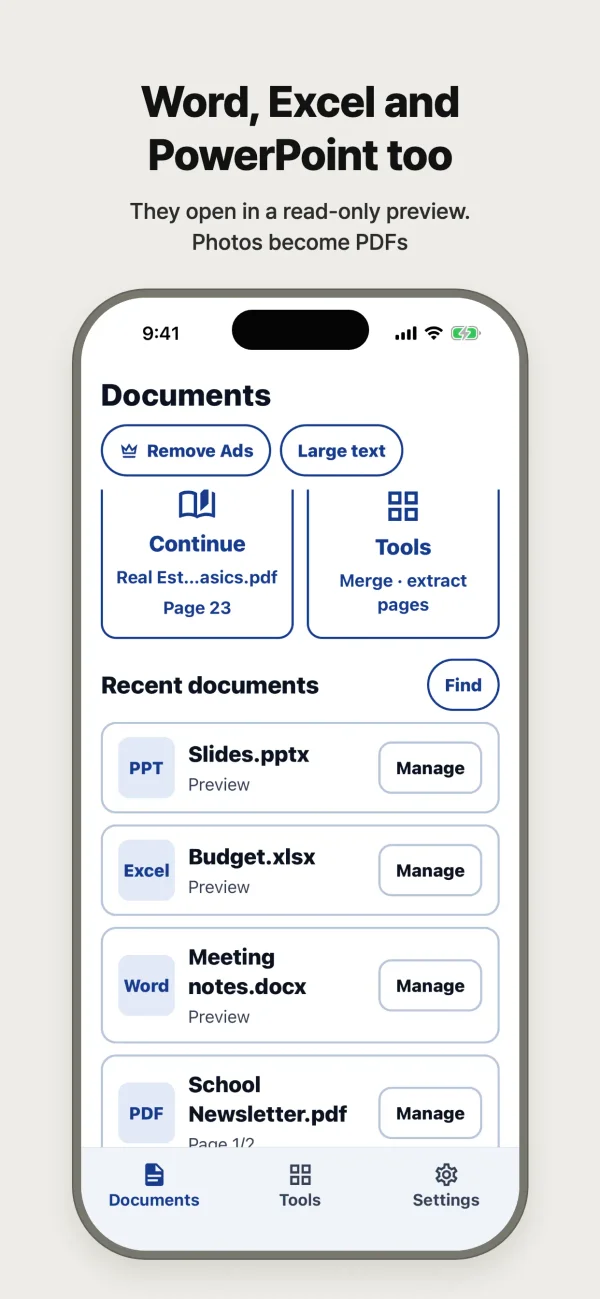
• Preview Word, Excel, and PowerPoint files (DOCX, XLSX, PPTX) in read-only mode
• Open JPG, PNG, and HEIC photos as PDFs
• Some documents may not open or may look different
Document Scan to PDF
• Scan paper documents with your camera
• Save receipts, notes, contracts, and study material as PDF
• Create multi-page PDFs from scanned images
• Open the scanned PDF immediately after saving
Simple PDF Reader
• Fast PDF opening for everyday documents
• Smooth vertical scrolling and pinch-to-zoom
• Page-by-page navigation
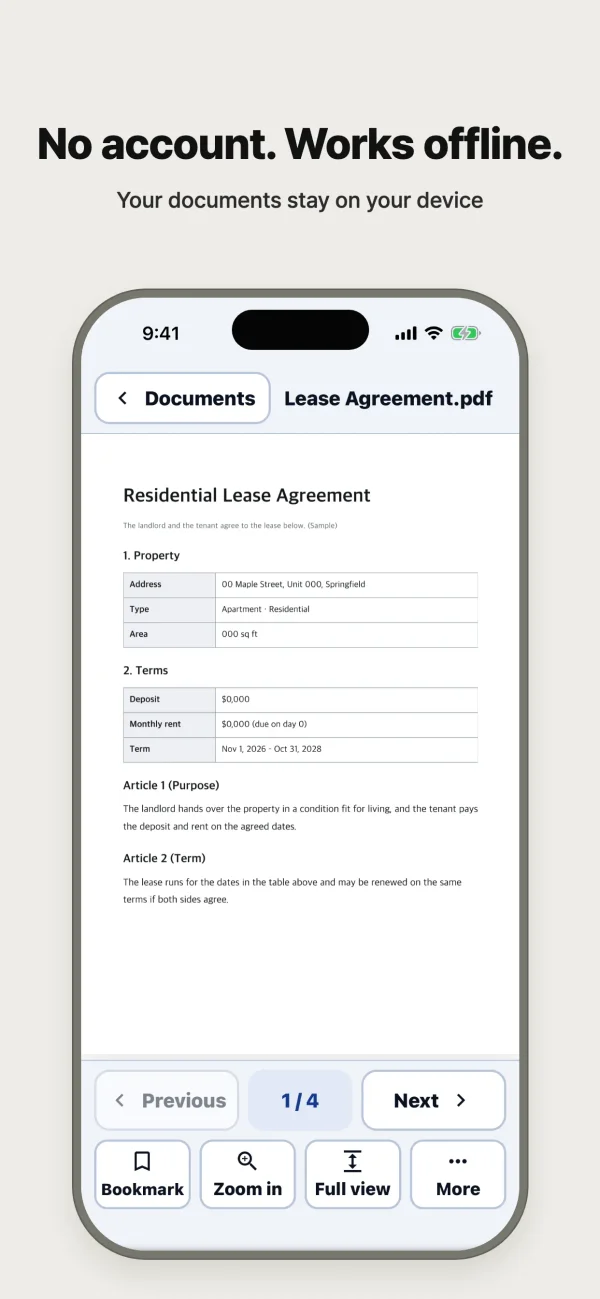
• Clean reading screen with large, labeled buttons
Continue Reading & Bookmarks
• Keep recently opened PDFs in one place
• Continue from the last page you read
• Bookmark important pages
• Jump back to saved pages quickly
Offline & Private
• Read PDFs offline
• Files are stored locally on your device
• Open password-protected PDF files
• No account required for basic reading
PDF Tools
• Extract selected pages into a new PDF
• Merge PDF files
• Save only the pages you need
• Use scan, export, and merge as part of your document workflow
PRO BUNDLE
Upgrade to Pro for more room to work:
• Unlimited document scanning
• Unlimited PDF export
• Unlimited PDF merge
• Clean ad-free reading
PERFECT FOR
Students
• Scan handouts, notes, textbooks, and study papers
• Read saved PDFs offline
• Bookmark important pages for review
Work & Business
• Scan contracts, receipts, reports, and forms
• Keep documents easy to reopen
• Extract or merge pages when needed
Everyday Documents
• Save receipts, certificates, manuals, and letters
• Turn paper documents into PDFs you can read later
• Keep a simple local document library
WHY SIMPLE READER?
• Scan first: turn paper documents into PDF
• Read right away: open scanned PDFs instantly
• Simple: no complicated menus
• Offline: keep files on your device
• Accessible: clean reading UI
• Flexible: scan, read, bookmark, extract, and merge PDFs
Download PDF Scanner & Simple Reader and start turning paper documents into readable PDFs.
FEEDBACK & SUPPORT
Send us your feedback through the in-app feature.
Your input helps us improve the reading and scanning experience.
PRIVACY PROTECTION
Documents are stored only on your device.
No document content is sent to external servers.
TERMS & POLICIES
• Terms of Use (EULA): https://www.apple.com/legal/internet-services/itunes/dev/stdeula/
• Privacy Policy: https://general-beaufort-538.notion.site/Pdf-2853c0f6ead280999815c6b541866c07
Có gì mới
Phiên bản 2.0.1 · 20/11/2026
- A new look. Start from four big buttons on the first screen (Open a document, Scan paper, Continue, Tools), and every button now has a text label. If the text is small, tap Large text. The app icon has changed, too.
- While reading, tap Previous and Next to turn pages and Zoom in to enlarge. Tap Full view to hide the buttons and see only the document.
- Preview Word, Excel and PowerPoint documents (DOCX, XLSX, PPTX) in read-only mode, and open JPG, PNG and HEIC photos as PDFs. Some documents may not open or may look different.
- The full-screen ad that appeared when opening a document from the list is gone. Merge and Extract pages are now under Tools.
Quyền riêng tư của ứng dụng
Những gì KunWoo Kwon khai báo trên App Store về cách ứng dụng này xử lý dữ liệu.
-
Dữ liệu được sử dụng để theo dõi bạn
Có thể được sử dụng để theo dõi bạn trên các ứng dụng và trang web do công ty khác sở hữu.
- Dữ liệu sử dụng
-
Dữ liệu không liên kết với bạn
Có thể được thu thập nhưng không liên kết với danh tính của bạn.
- Dữ liệu sử dụng
Phương thức đảm bảo quyền riêng tư có thể khác nhau, chẳng hạn như tuỳ theo các tính năng bạn sử dụng hoặc độ tuổi của bạn.
Thông tin
- Người bán
- KunWoo Kwon
- Danh mục
- Hiệu Suất
- Phiên bản
- 2.0.1
- Cập nhật
- 20/11/2026
- Phát hành
- 13/10/2025
- Kích thước
- 85,1 MB
- Yêu cầu
- iOS 15.1 trở lên
- Độ tuổi
- 4+
- Giá
- Miễn phí
- Mua hàng trong ứng dụng
- Có
- Ngôn ngữ
- Tiếng Tây Ban Nha, Tiếng Trung Giản thể, Tiếng Trung Phồn thể, Tiếng Hàn, Tiếng Anh, Tiếng Nhật, Tiếng Bồ Đào Nha
- Bản quyền
- © 2026 kunwoo kwon