PDF Splitter - Split PDF
pdf splitter + pdf merge
Dirancang untuk iPhone, iPad, Mac, iPod touch
Gratis · Pembelian dalam aplikasi
- Batasan usia4+
- KategoriProduktivitas
- PengembangMuhammad Awais Younas
- BahasaInggris
- Ukuran46,4 MB
Tertaut ke halaman resmi App Store
Download.org tidak menyimpan file PDF Splitter - Split PDF apa pun. Tombol ini membuka halaman aplikasi di App Store, tempat Muhammad Awais Younas menerbitkannya. Halaman terakhir diperiksa pada 22/11/2026.
Tangkapan layar


Tentang
Pengembang belum menyediakan teks ini dalam bahasa Anda.
Split PDF files easily with PDF Splitter – Split PDF, the ultimate tool to break down your PDF documents into smaller, organized parts. Whether you want to extract specific pages, divide by custom ranges, split even or odd pages, or break a document into fixed chunks, this app gives you complete control over your PDFs.
Designed with simplicity and power in mind, PDF Splitter is ideal for students, teachers, professionals, and anyone who handles PDF documents regularly. With support for all standard PDFs, this tool makes it easier than ever to manage large files.
Main Features:
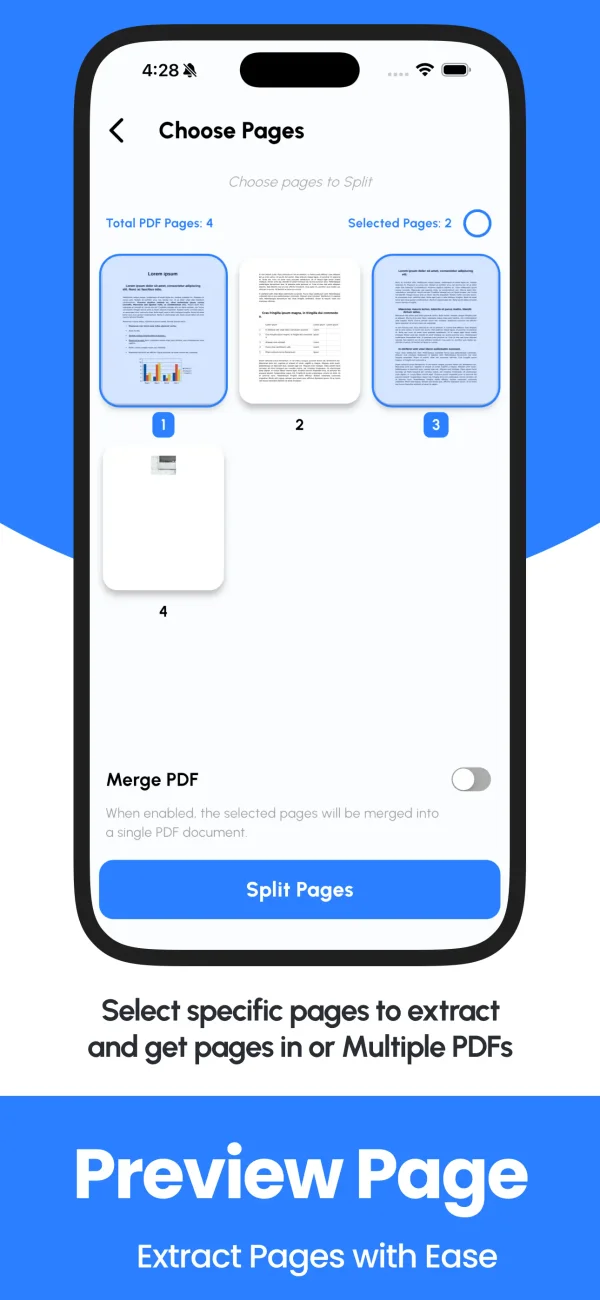
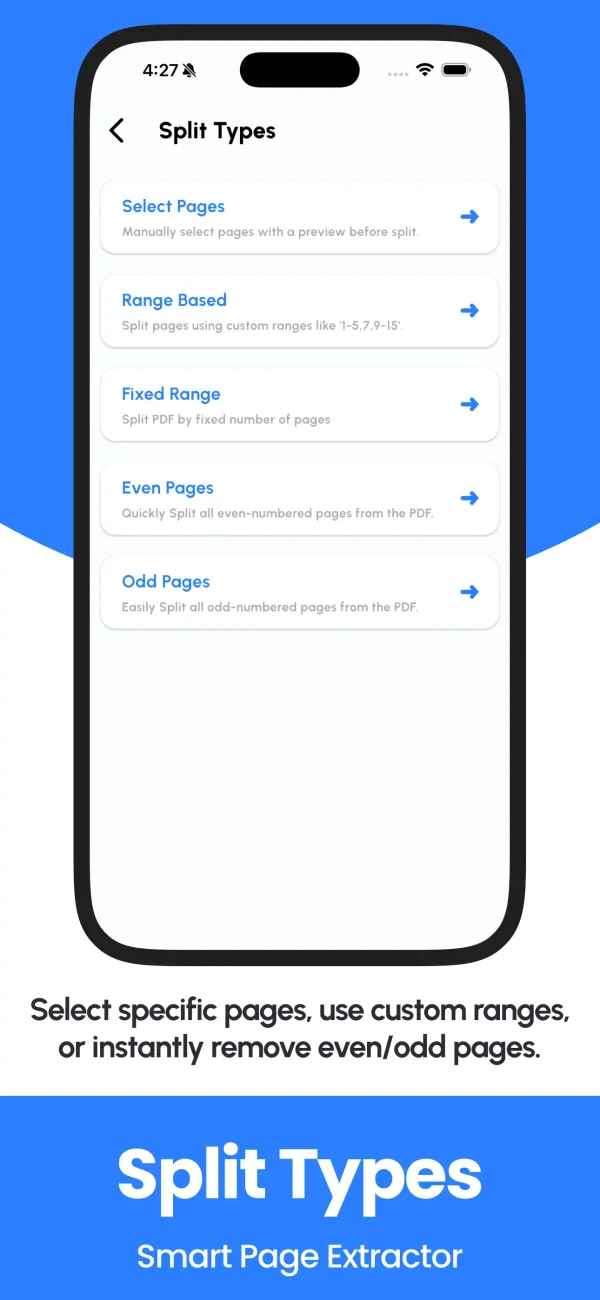
Page Select Mode
Manually enter page numbers like “1, 3, 5” to extract and split specific pages from any PDF document.
Page Range Mode
Split your PDF using custom ranges such as “1-5, 8-10” and create new documents with just the parts you need.
Fixed Range Split
Enter a fixed number (like 2 or 3), and the app automatically divides the file into equal parts. Example: a 10-page PDF with range “2” generates 5 files of 2 pages each.
Even Page Split
Extract only the even-numbered pages from a document (2, 4, 6...)
Odd Page Split
Extract only the odd-numbered pages (1, 3, 5...)
Why Use PDF Splitter – Split PDF?
Easy to Use: Simple and intuitive interface designed for all users.
Fast Performance: Split large PDFs within seconds.
100% Offline: No internet connection needed. Your files stay on your device.
Versatile Split Options: Choose from 5 powerful modes.
Works with All PDFs: Compatible with scanned files, eBooks, work documents, and more.
No Limits or Watermarks: Get full functionality without restrictions.
Perfect For:
Splitting large PDF eBooks or reports
Extracting specific pages for printing
Separating invoices, forms, or chapters
Organizing school or office documents
Saving only needed parts from a long PDF
PDF Splitter – Split PDF is the only app you need to extract, divide, or manage your PDF documents. Forget complex software and online tools. This all-in-one PDF splitting tool works fully offline and keeps your files private and secure.
Download now and unlock powerful PDF splitting right from your iPhone or iPad!
Terms of Use: https://codifyappsprivacy.blogspot.com/p/terms-of-use.html
Yang baru
Versi 1.2 · 15/5/2026
PDF TOOLS ADDITION
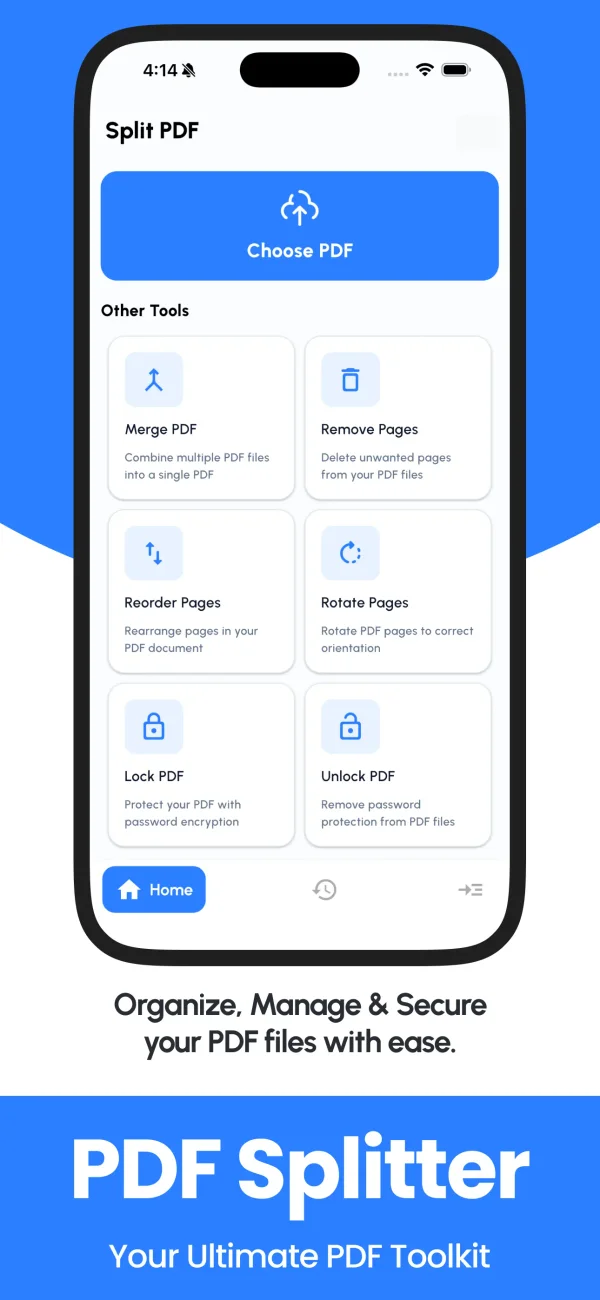
PDF Merger & Joiner: Seamlessly combine multiple reports, invoices, or projects into a single professional file.
Remove PDF Pages: Precisely remove specific pages in just a single click.
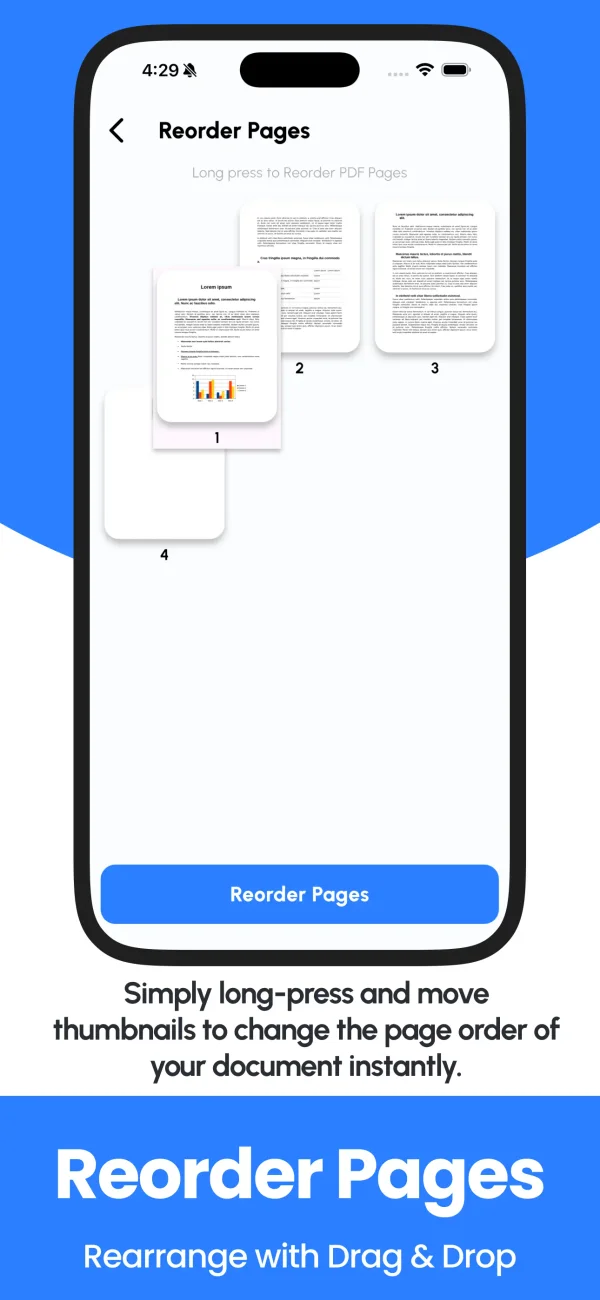
Organize & Reorder: Use easy drag-and-drop to fix page sequences or Rotate scans for the perfect orientation.
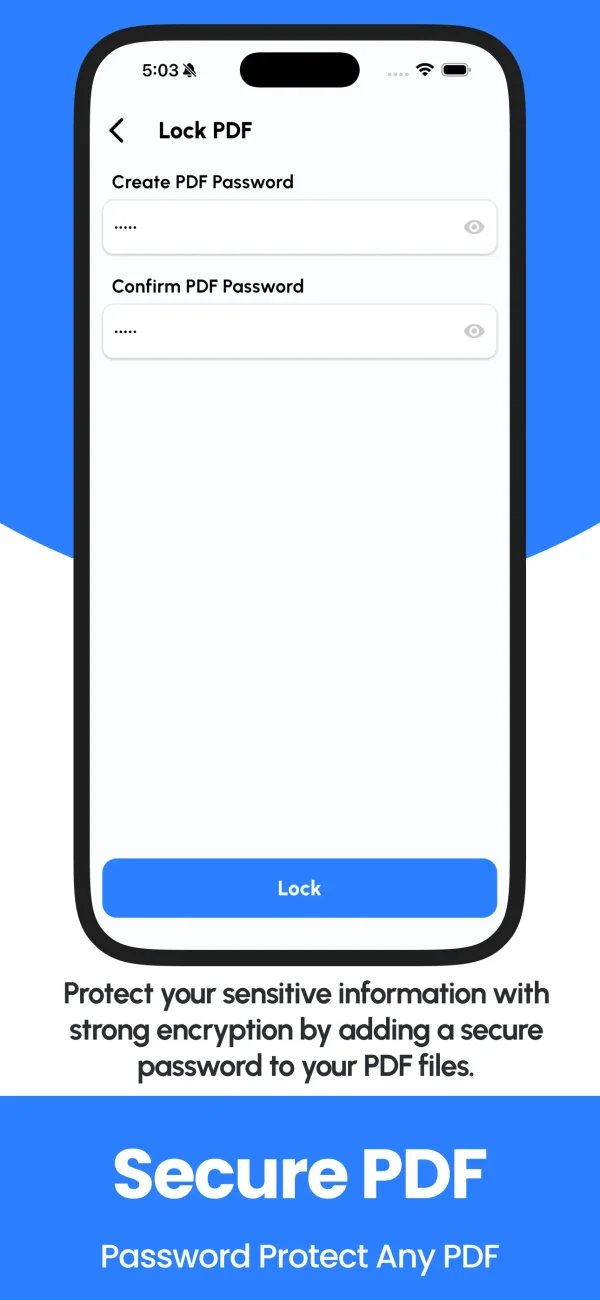
Advanced Security: Lock sensitive PDFs with password encryption or Unlock restricted documents for easier editing.
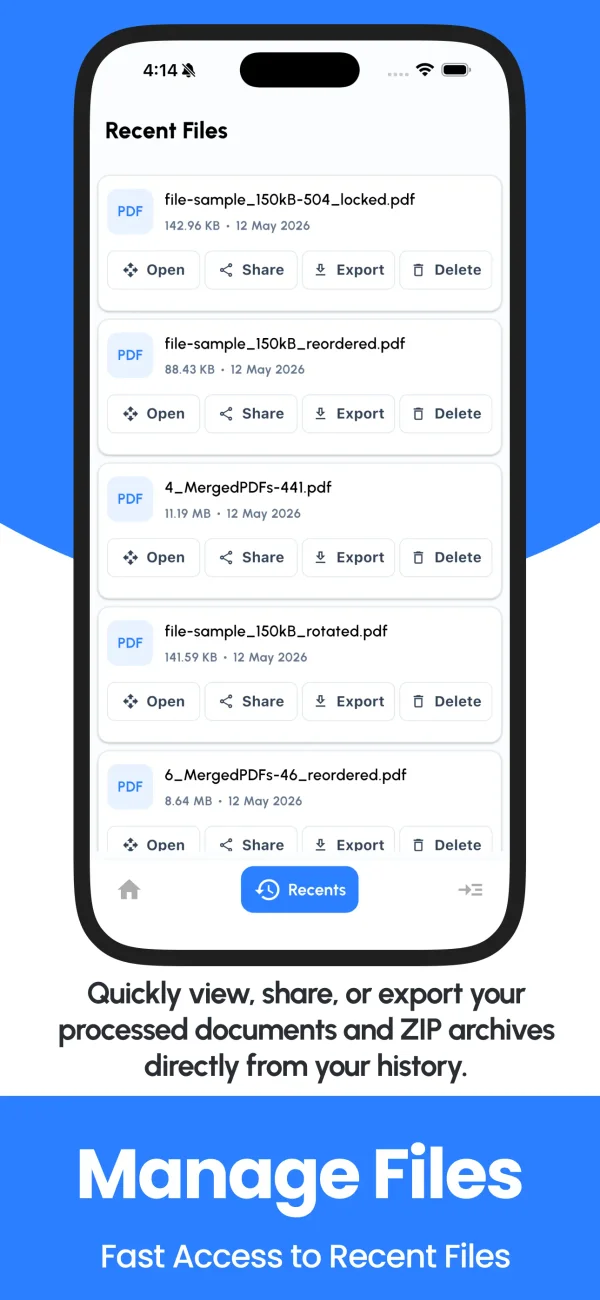
Quick Management: Track your work with a dedicated "Recent Files" history tab to share, rename, or export instantly.
Privasi aplikasi
Yang dinyatakan Muhammad Awais Younas di App Store tentang cara aplikasi ini menangani data.
-
Data yang tidak ditautkan dengan Anda
Dapat dikumpulkan, tetapi tidak ditautkan dengan identitas Anda.
- Pengenal
Praktik privasi dapat bervariasi, misalnya berdasarkan fitur yang Anda gunakan atau usia Anda.
Informasi
- Penjual
- Muhammad Awais Younas
- Kategori
- Produktivitas
- Versi
- 1.2
- Diperbarui
- 15/5/2026
- Dirilis
- 24/4/2025
- Ukuran
- 46,4 MB
- Memerlukan
- iOS 13.0 atau yang lebih baru
- Batasan usia
- 4+
- Harga
- Gratis
- Pembelian dalam aplikasi
- Ya
- Bahasa
- Inggris
- Hak cipta
- © Muhammad Awais Younas
Mungkin Anda juga suka
-
 PDF Splitter 2025Produktivitas
-
 PDF Splitter + PDF MergeProduktivitas
-
 SplitPDF -iReadPDFProduktivitas
-
 pdf merge, split, delete, swapProduktivitas
-
 PDF Splitter by OpenSquareProduktivitas
-
 Split PDF: Extract PagesProduktivitas
-
 PDF Splitter - Pisah PDFEkstrak & pisahkan halaman
-
 Gabungkan PDF - Satukan PDFMerge,Combine,Split,Scan PDF
-
 PDF Combiner - Gabung & PisahKonversi Foto ke PDF, Pemindai
-
 EPUB To PDF AppProduktivitas