
Postfolio: Carousel Maker
Panorama split & grid maker
Dirancang untuk iPhone, iPod touch
Gratis · Pembelian dalam aplikasi
- Batasan usia4+
- KategoriFoto & Video
- PengembangSilvan Rapp
- BahasaInggris
- Ukuran10,3 MB
Tertaut ke halaman resmi App Store
Download.org tidak menyimpan file Postfolio: Carousel Maker apa pun. Tombol ini membuka halaman aplikasi di App Store, tempat Silvan Rapp menerbitkannya. Halaman terakhir diperiksa pada 23/11/2026.
Tangkapan layar


Tentang
Pengembang belum menyediakan teks ini dalam bahasa Anda.
Postfolio: Carousel Maker is a free Instagram carousel app for photographers. Split a panorama into seamless slides, turn one photo into a 3×3 profile grid, add equal white borders or real film negative edges, build photo dumps and magazine-style carousels in exact Instagram sizes. No account, no watermark, no subscription — Pro is a one-time purchase.
It's 5pm. Prime posting time is 6 — and nothing is ready. The last thing you want now is to open a heavyweight editor and wrestle with layers, artboards and pixel math for one Instagram carousel.
Postfolio was built for exactly that hour. Open it and start — no setup, no googling dimensions. Drop in your photos, pick a layout, and you get an editorial-grade carousel or story: the kind that looks like it came out of a design magazine, not a template app.
No account, no subscription – just results worth posting.
YOUR FEED AS ONE PICTURE
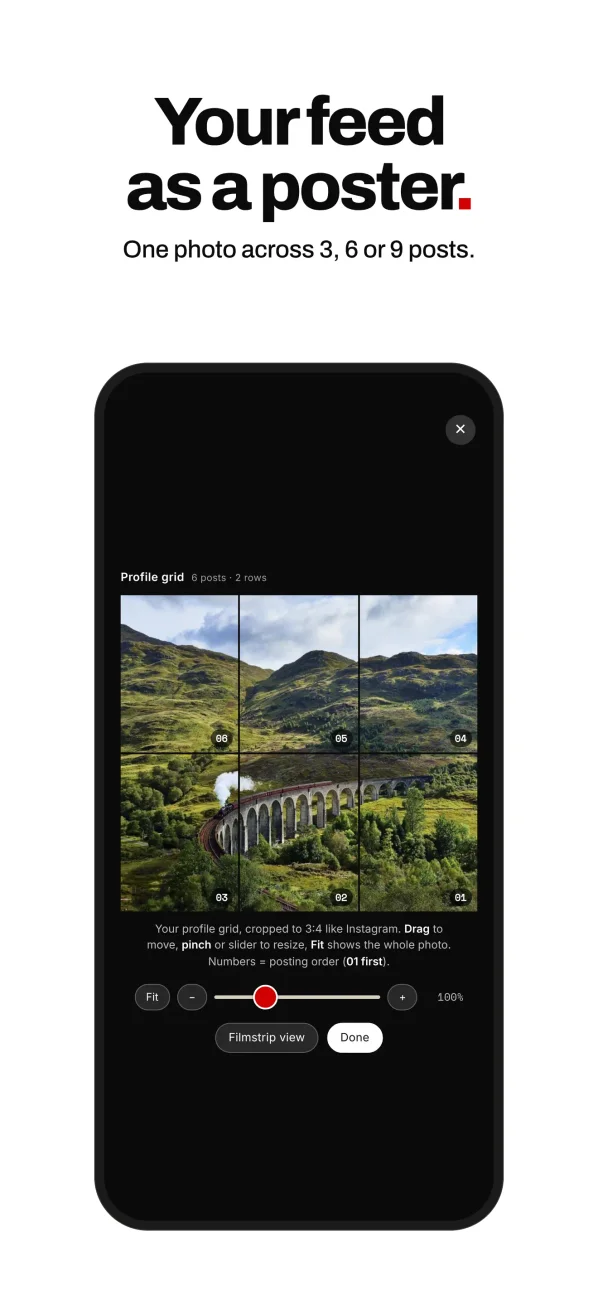
Split one photo across 3, 6 or 9 posts — one row, two rows or a full 3×3 grid — so your profile grid shows one big, continuous image — the grid split look, without slicing anything by hand. Postfolio already crops to the 3:4 profile grid, shows you the whole picture as it will sit in your feed, and lets you move and zoom the photo across all tiles. The export comes out numbered in posting order, so you just upload file 01 first.
STRIPS
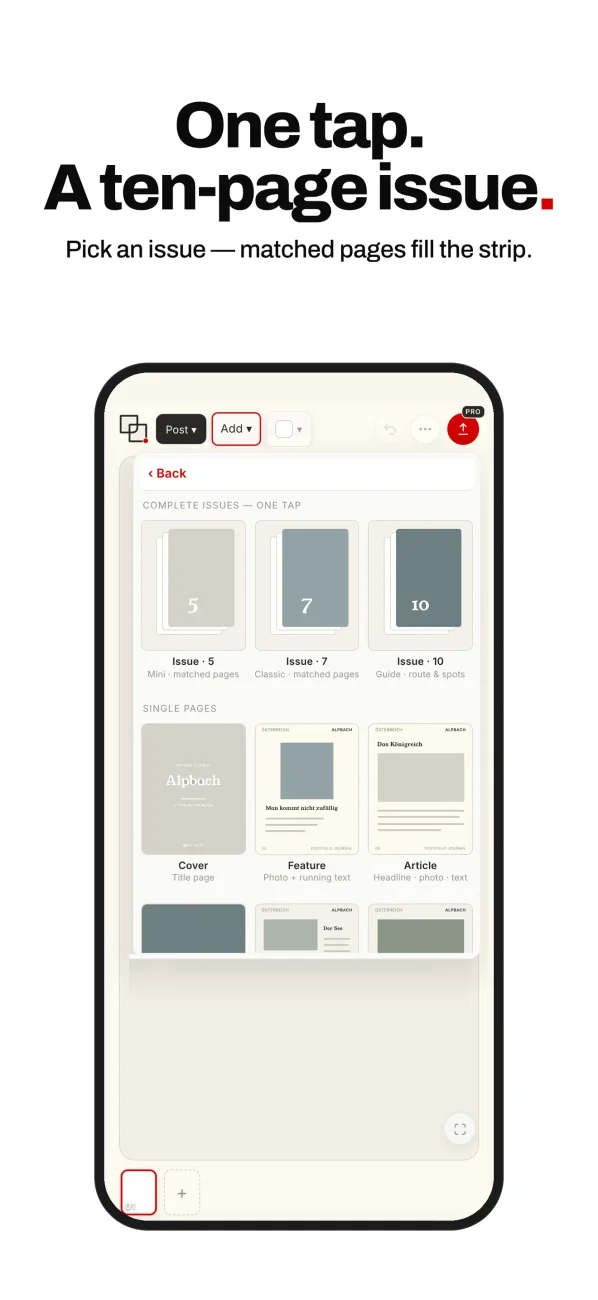
Photos edge to edge: 2 to 6 strips stacked, 2 to 5 side by side, a 2 × 2 grid or a title strip — plus complete issues in one tap. One button flips any strip page between stacked and side by side.
THE FRAMES LOOK
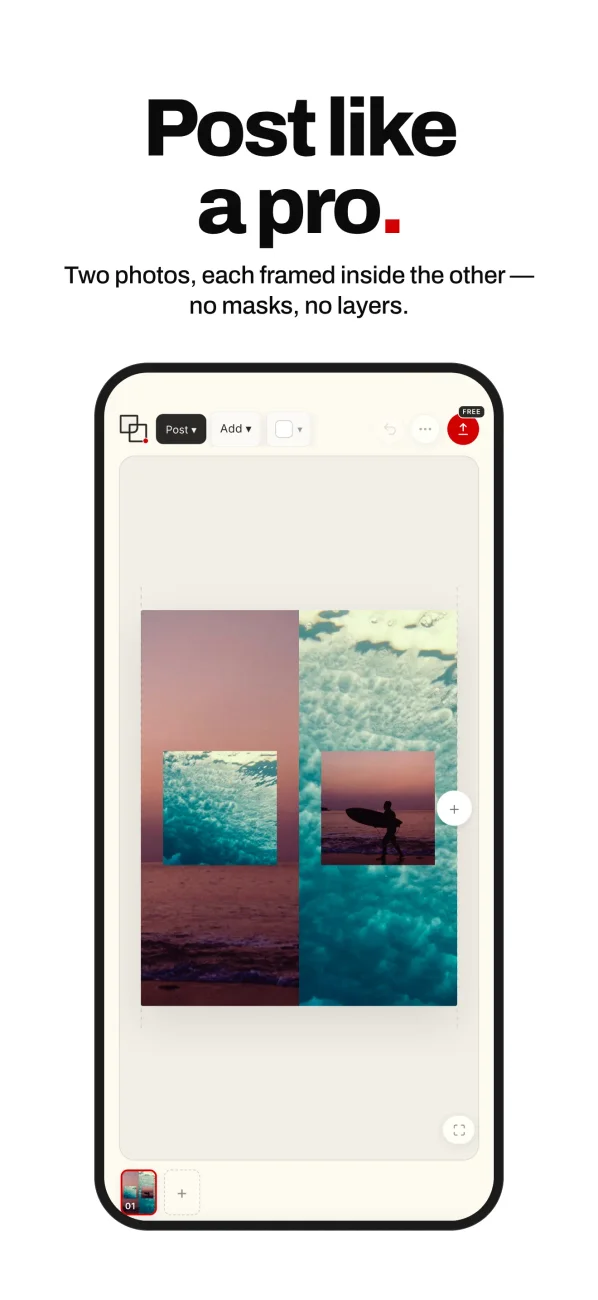
Two framed photos, stacked, each showing a small piece of the other — the editorial look that is all over Instagram right now. Everywhere else that means masks and layers. Here it's a template plus a zoom inside the frame.
SEAMLESS PANORAMAS
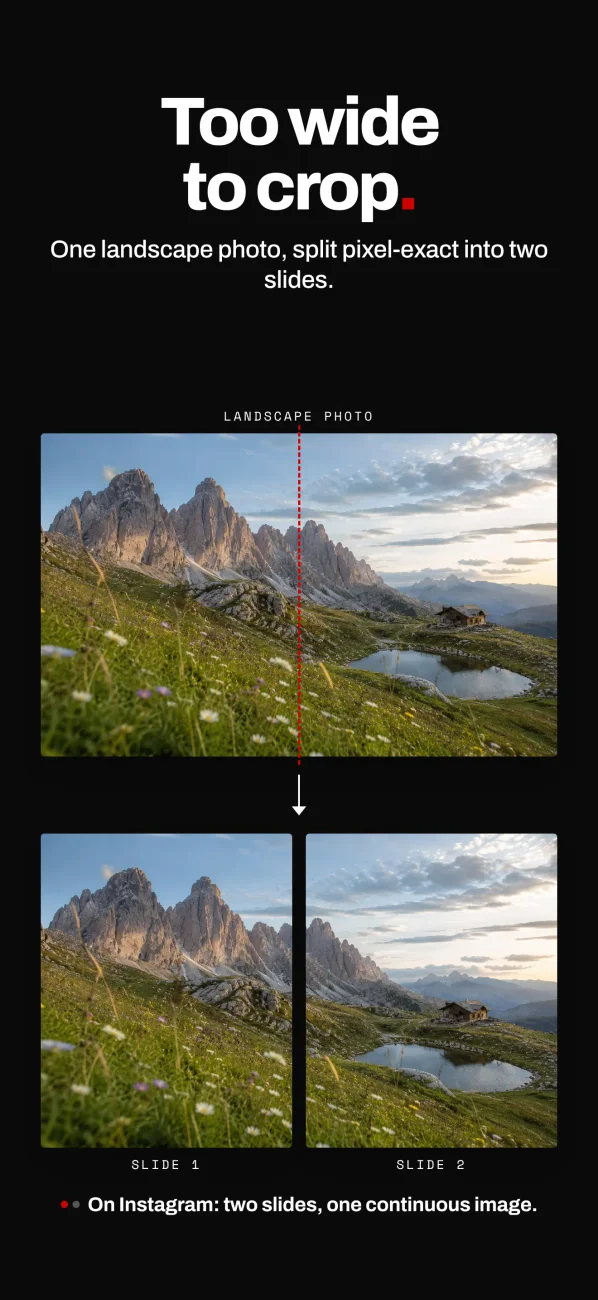
One wide photo, split across two or three slides along a pixel-exact shared edge. Instagram stitches it back together when someone swipes — no visible seam, no artboards, no exporting slides one by one. That wide shot Instagram wanted to crop? It doesn't have to.
WHAT ELSE IS IN THERE
• Film negative borders — real 120 and 35mm film edges with frame numbers, on a clean white page
• Photo dumps — strips, 2 × 2 grids and frames that make a dump look curated, not random
• Editorial templates — Journal, Magazine, Statement, Arthouse, Archive and more, each with its own voice
• Complete issues in one tap — pick an issue and every matched page appears, waiting for your photos
• Type with a colour bar that grows with every letter, and text that can run across two slides
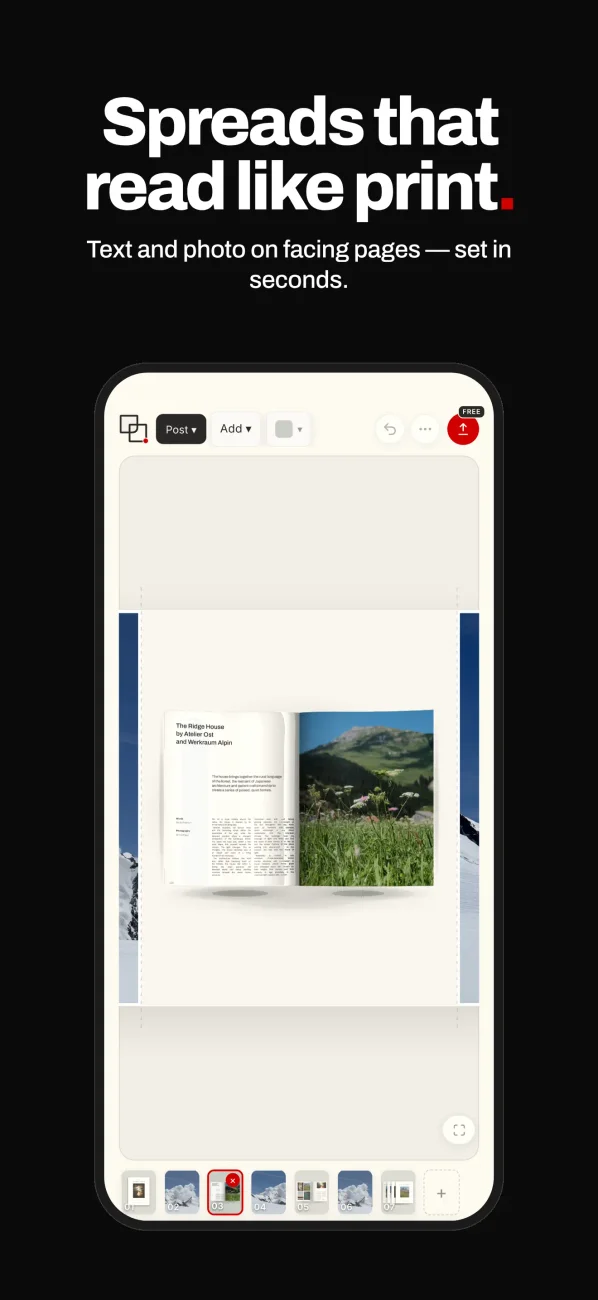
• Magazine spreads — text and photo on facing pages, set like print
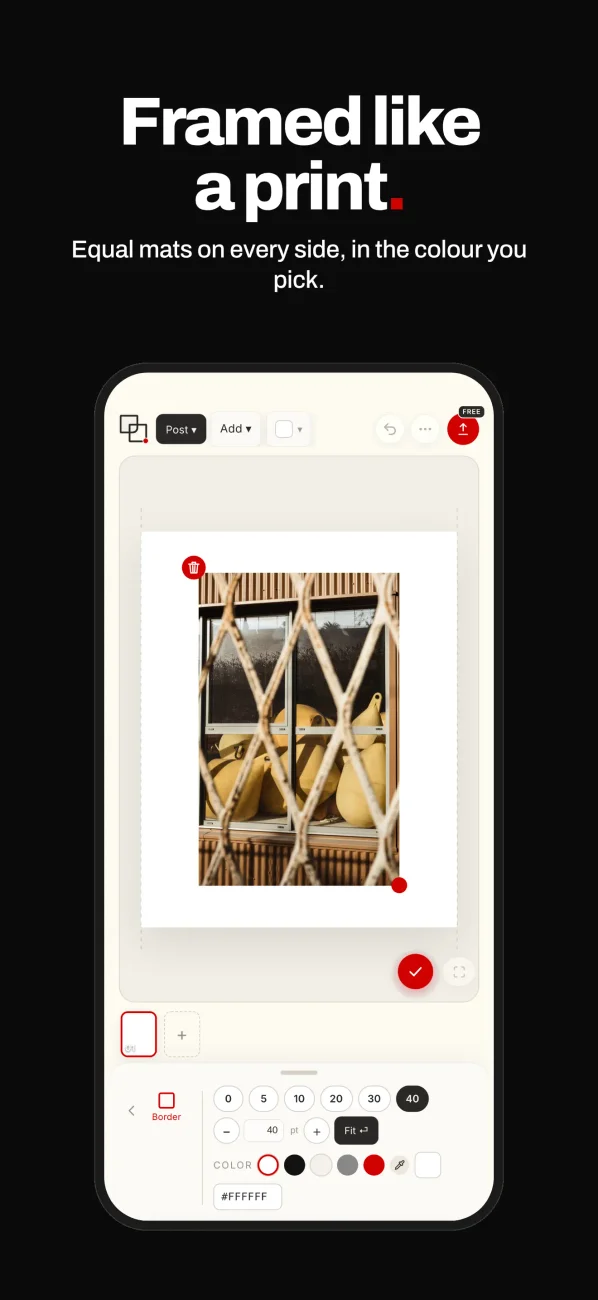
• White borders and gallery frames — equal white mats on every side, in a single tap, like a framed print
• Real typographic control — type that reflows like a word processor, manual line breaks, considered defaults
• Precise photo tools — crop, straighten, zoom, replace, and grid layouts with one clean spacing control
• A photo library — every photo you add is kept, ready to reuse without re-importing
• Cohesive palettes — recolor a single slide or the whole carousel in a tap
PRIVATE BY DESIGN
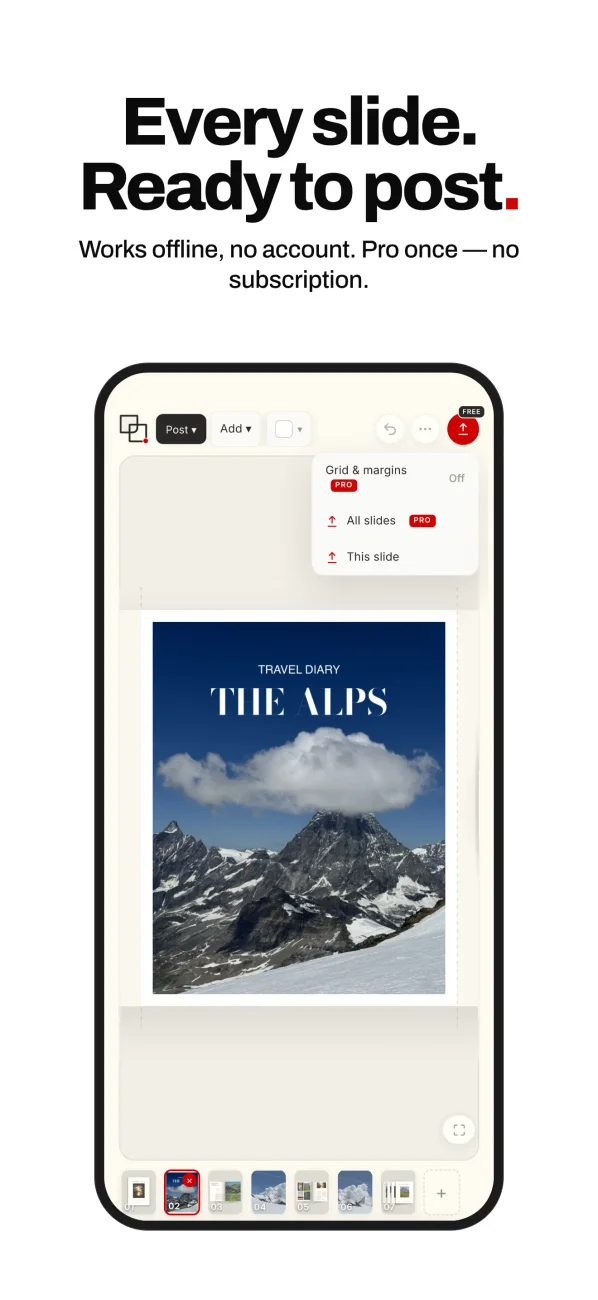
Postfolio works fully offline. No account, no sign-up, no tracking. Your photos never leave your device.
FAIR PRICING
Building and previewing everything is free. Unlock Pro once to export layouts that use Pro designs — a single payment, no subscription, ever. What you buy stays yours.
Built by a photographer after 18 years in the industry, for the hour when the post still isn't ready.
by photographers, for photo lovers
Yang baru
Versi 1.1 · 17/11/2026
New: Post Mixed – portrait and landscape photos in one carousel. The cover sets the frame, every other slide keeps its own format and is exported uncropped. The preview shows the bars exactly as in the feed.
New border tool: an outer margin for this slide or all slides, a fine line around your photo and a passe-partout in any colour – works on templates and panoramas too.
Fill: one tap in the crop bar and the photo fills the whole slide.
Feed break, rebuilt: looks like the real Instagram app now – profile photo, likes and caption included. Edit everything in one panel with a live preview, then cut out the subject with one tap.
New crop bar: double-tap a photo, pick a ratio, rotate, zoom and drag it in the frame.
New start page with photo previews of every layout.
Postfolio now speaks German.
A cleaner bottom bar, an easier delete button, and tips no longer cover the filmstrip.
Privasi aplikasi
Yang dinyatakan Silvan Rapp di App Store tentang cara aplikasi ini menangani data.
-
Data tidak dikumpulkan
Pengembang tidak mengumpulkan data apa pun dari aplikasi ini.
Praktik privasi dapat bervariasi, misalnya berdasarkan fitur yang Anda gunakan atau usia Anda.
Informasi
- Penjual
- Silvan Rapp
- Kategori
- Foto & Video
- Versi
- 1.1
- Diperbarui
- 17/11/2026
- Dirilis
- 26/10/2026
- Ukuran
- 10,3 MB
- Memerlukan
- iOS 15.6 atau yang lebih baru
- Batasan usia
- 4+
- Harga
- Gratis
- Pembelian dalam aplikasi
- Ya
- Bahasa
- Inggris
- Hak cipta
- © 2026 Silvan Rapp
Mungkin Anda juga suka
-
 Seamly Photo Collage MakerFoto & Video
-
 STP Swipeable panorama & gridFoto & Video
-
 Kolase Gambar Layout PanoslicePemotong Foto, Panorama Desain
-
 PanoraSplit for InstagramFoto & Video
-
 PSTR: Carousel & Collage MakerFoto & Video
-
 Carousel Post untuk InstagramScroll Kolase, Tata Letak Foto
-
 Labbet: Photo & Video EditingFoto & Video
-
 Crsel: Carousel, Collage MakerFoto & Video
-
 Fuji X Weekly — Film RecipesFoto & Video
-
 Unfold: Editor Video & FotoTemplat Foto & Video Insta