
Power JSON Editor Mobile
Viewer with jq and Shortcuts
Dirancang untuk iPhone, iPad, iPod touch
Gratis · Pembelian dalam aplikasi
- Batasan usia4+
- KategoriAlat Pengembang
- Pengembang基伟 徐
- BahasaInggris
- Ukuran3,8 MB
Tertaut ke halaman resmi App Store
Download.org tidak menyimpan file Power JSON Editor Mobile apa pun. Tombol ini membuka halaman aplikasi di App Store, tempat 基伟 徐 menerbitkannya. Halaman terakhir diperiksa pada 17/11/2026.
Tangkapan layar
Tentang
Pengembang belum menyediakan teks ini dalam bahasa Anda.
Power JSON Editor Mobile is a JSON editor for app and web developers on iPhone and iPad. Open JSON files from Files or any other app, explore them in a tree, edit them as text, query them with jq, and automate JSON tasks with Shortcuts. It works well with an external keyboard.
√ Document Browser
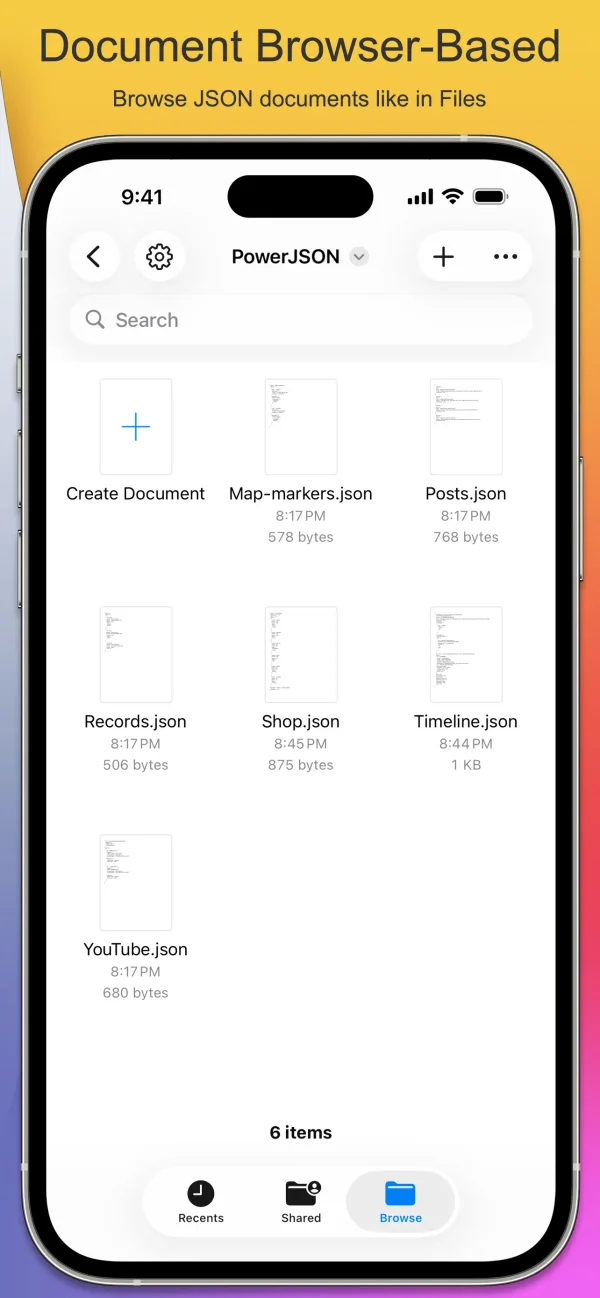
- Browse, create and organize JSON files like in the Files app
- Open JSON files saved by other apps, on your device or in iCloud Drive
- Keep several files open and switch between them
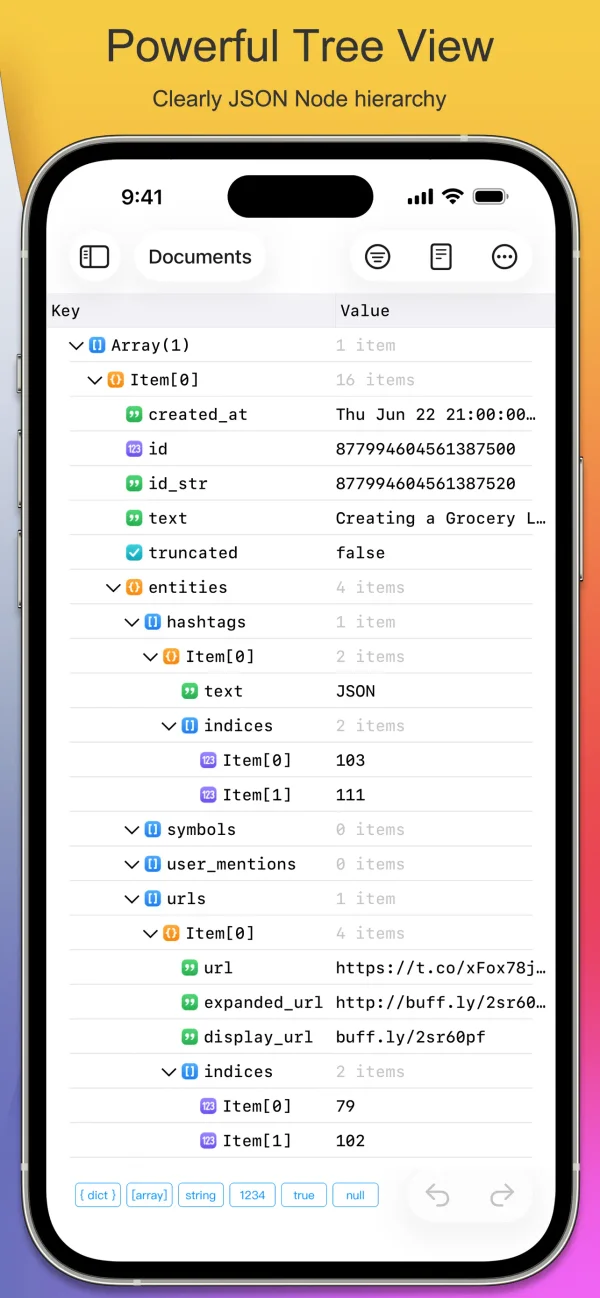
√ Tree Editor
- See the structure of a JSON document in a tree, with the type and number of children of each node
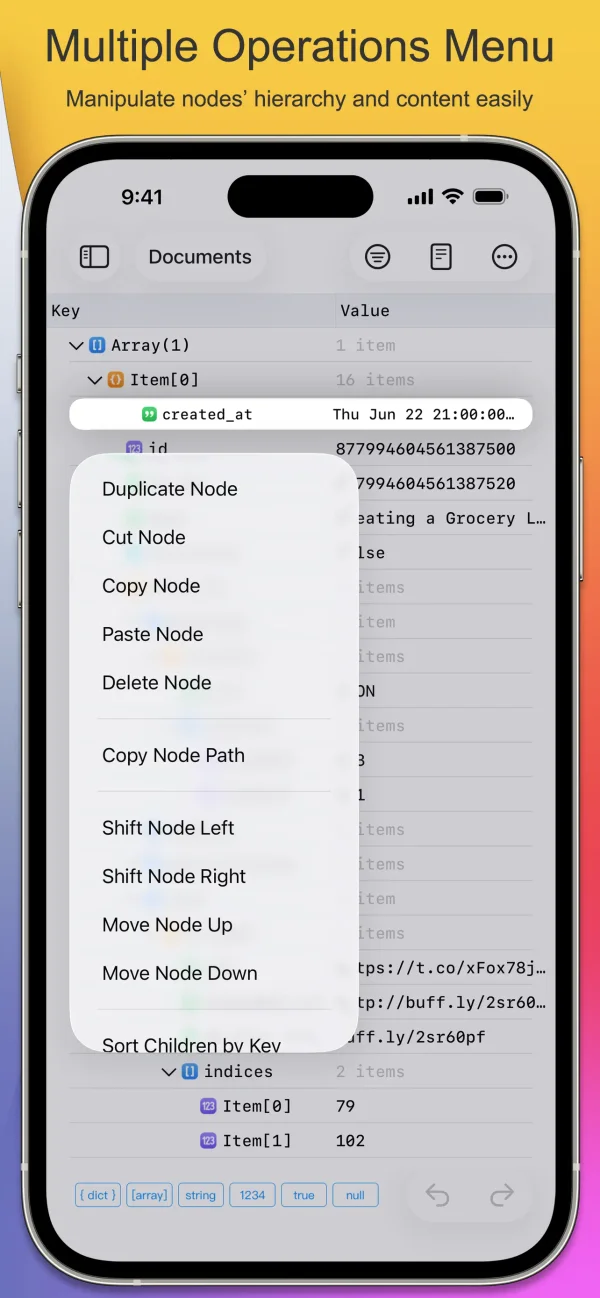
- Add nodes from the toolbar; duplicate, cut, copy, paste, delete, move and sort them from the node menu
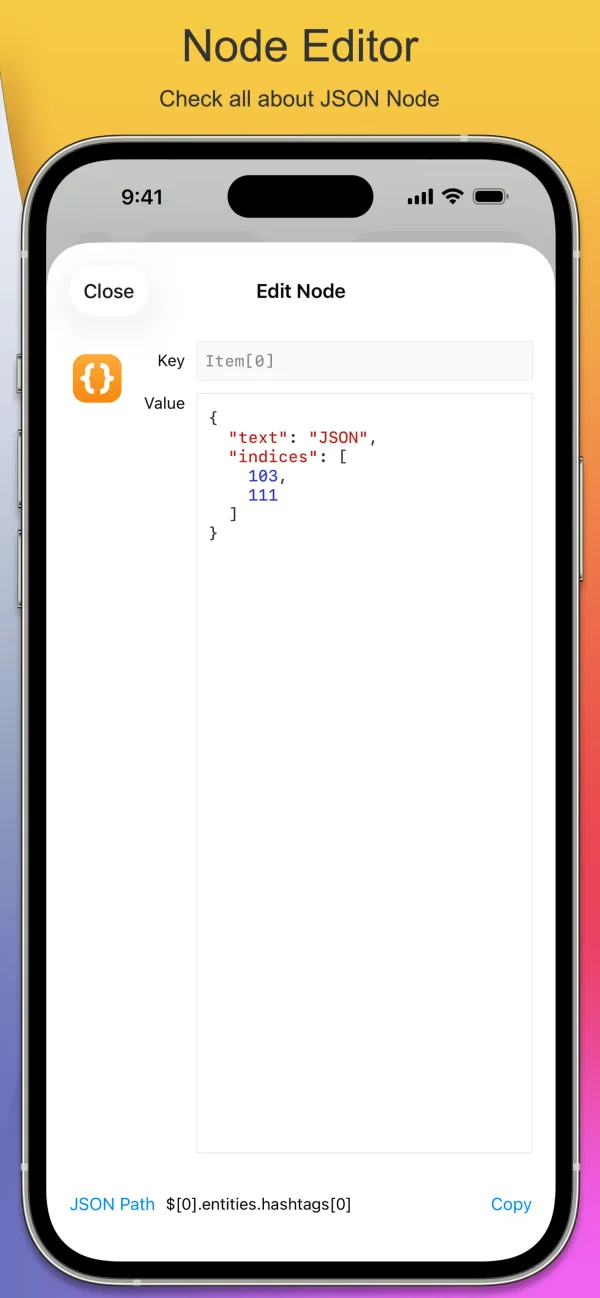
- Copy the JSON path of a node
- Edit a node in its own editor, with syntax highlighting for objects and arrays
- Undo and redo
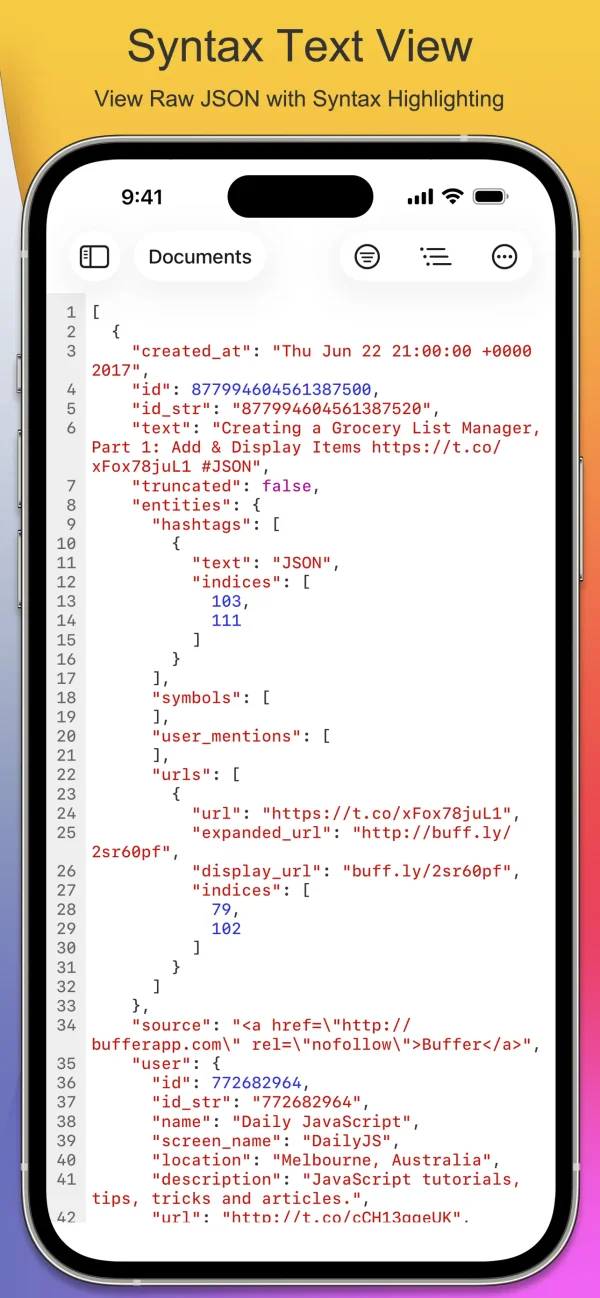
√ Text Editor
- Syntax highlighting that stays fast in large documents
- The first syntax error is marked while you type
- Line numbers, find and replace, and a keyboard bar with JSON keys
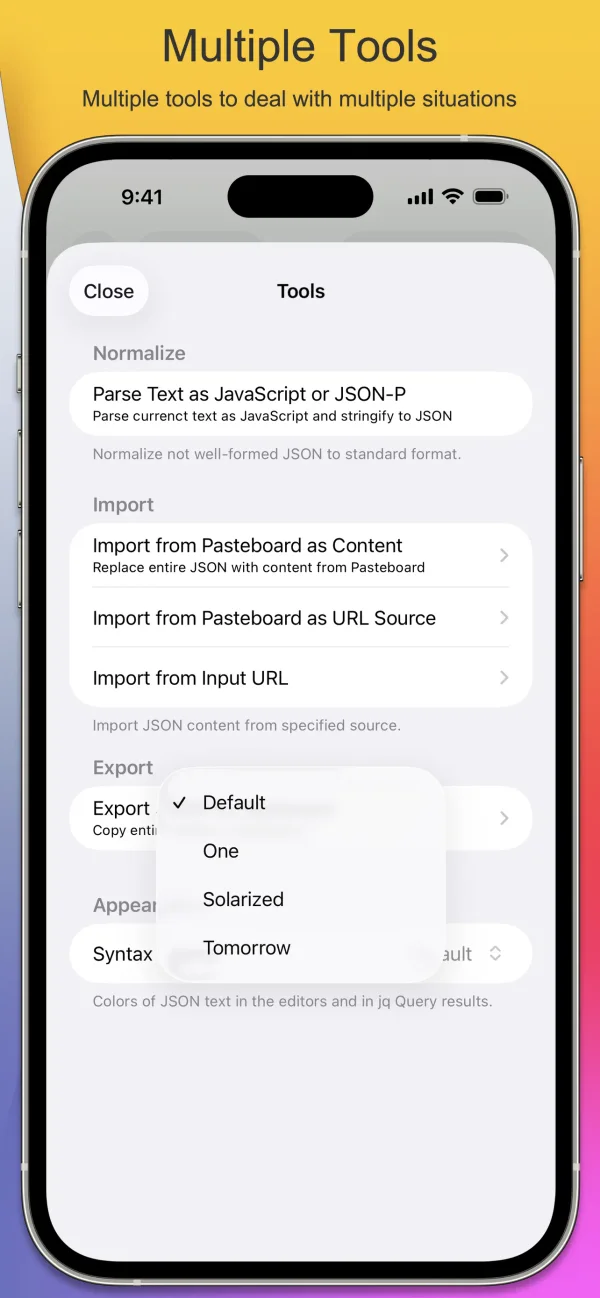
- Syntax themes: Default, One, Solarized and Tomorrow, each in light and dark mode
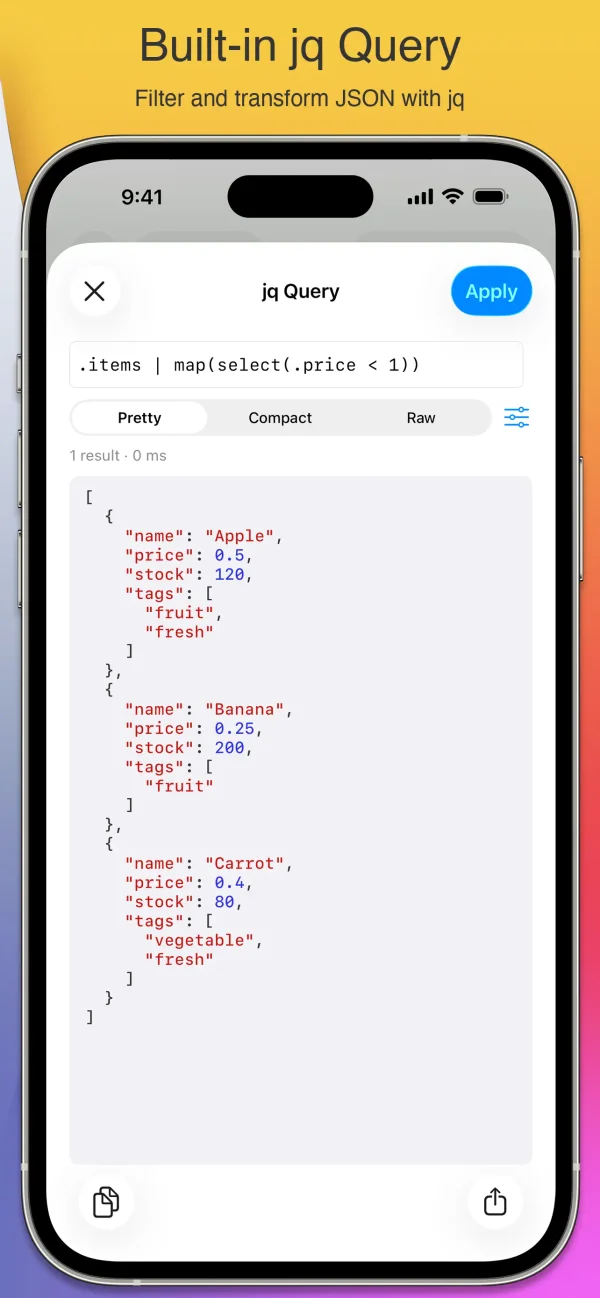
√ jq Query
- Run jq filters on the current document, the result updates as you type
- Pretty, compact or raw output
- Copy or share the result, or apply it to the document
- Large numbers keep their exact digits
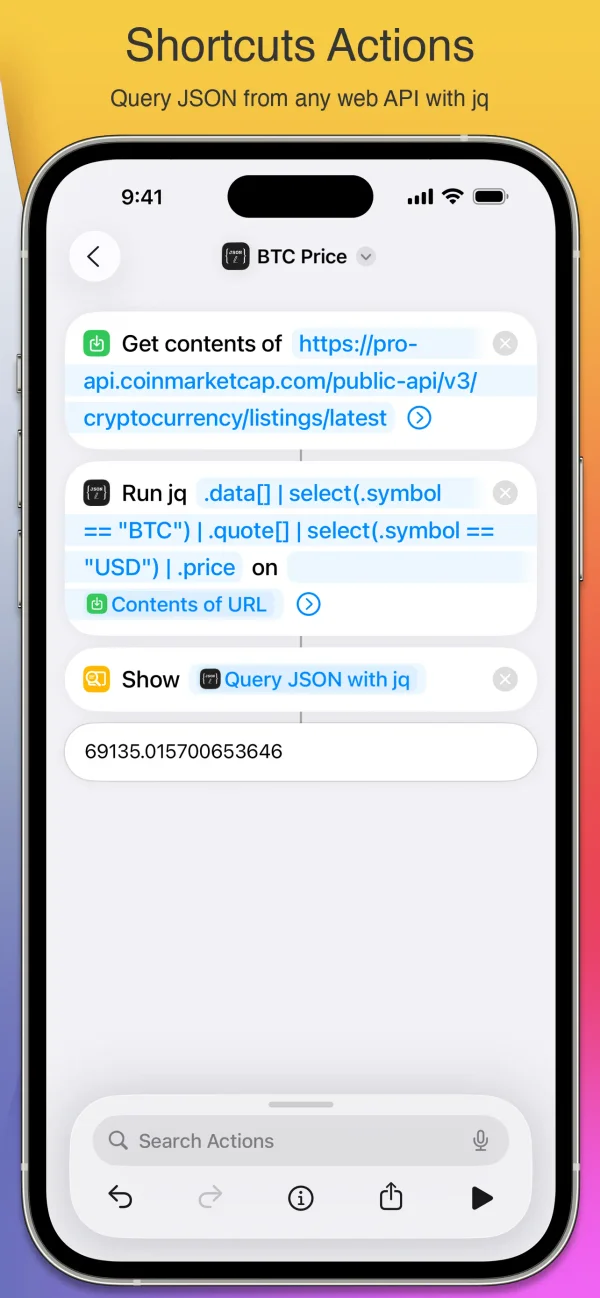
√ Shortcuts Actions
- Query JSON with jq, Get Value from JSON, Format JSON, Minify JSON, Validate JSON, Convert JSON to CSV and Repair JSON
- Actions run in the background without opening the app
- Combine them with Get Contents of URL to read values from any web API
- Ask Siri or use Spotlight to query, format, minify and validate JSON
√ Tools
- Format, minify and sort the keys of a document
- Import JSON from the pasteboard or from a URL, export it to the pasteboard
- Parse JavaScript object literals and JSON-P into JSON
√ Keyboard Ready
- Cmd+J jq Query, Cmd+Option+T switch between tree and text, Cmd+Option+F format, Cmd+Option+M minify, Cmd+Option+K sort keys, Cmd+F find
Viewing JSON, jq Query, copying JSON and the Shortcuts actions are free. Saving changes, the import tools, syntax themes and editor settings require the Full Version in-app purchase.
For more information, visit https://powerjsonapp.com/
Yang baru
Versi 1.9.0 · 14/11/2026
New
- jq Query, free for everyone: run jq filters on the current document with live results, then copy, share or apply the result (Cmd+J)
- Shortcuts actions, free for everyone: Query JSON with jq, Get Value from JSON, Format JSON, Minify JSON, Validate JSON, Convert JSON to CSV and Repair JSON. They run in the background without opening the app
- Siri and Spotlight shortcuts for querying, formatting, minifying and validating JSON
- Syntax themes: choose Default, One, Solarized or Tomorrow in Tools
- Format JSON, Minify JSON, Sort Keys and Copy JSON in the More menu, with keyboard shortcuts
Improvements
- Syntax highlighting in the node editor and in jq Query results
- Faster syntax highlighting in the text editor for documents of any size, and the first syntax error is marked while you type
- Large numbers keep their exact digits when formatting or querying
- Compact icon buttons in the navigation bar; on iPhone, Find and Replace moved into the More menu
- ":" and "," keys in the keyboard bar of the text editor
- Search highlights are readable in Dark Mode
- Export JSON to Pasteboard in Tools no longer needs the Full Version
- Buying and restoring the Full Version use the current App Store purchase system; purchases approved through Ask to Buy or made on another device unlock the app right away
- PowerJSON now requires iOS 15 or later
Fixes
- Documents opened with an empty tree on iOS 26
- The add-node buttons and the keyboard bar did not fit the screen on iOS 26
- An extra tab bar appeared above the editor on iPadOS 18 and later
- The unlock prompt did not appear when using tools in the free version
- A possible crash when autosaving a document without content
Privasi aplikasi
Yang dinyatakan 基伟 徐 di App Store tentang cara aplikasi ini menangani data.
-
Data tidak dikumpulkan
Pengembang tidak mengumpulkan data apa pun dari aplikasi ini.
Praktik privasi dapat bervariasi, misalnya berdasarkan fitur yang Anda gunakan atau usia Anda.
Informasi
- Penjual
- 基伟 徐
- Kategori
- Alat Pengembang
- Versi
- 1.9.0
- Diperbarui
- 14/11/2026
- Dirilis
- 14/3/2021
- Ukuran
- 3,8 MB
- Memerlukan
- iOS 15.0 atau yang lebih baru
- Batasan usia
- 4+
- Harga
- Gratis
- Pembelian dalam aplikasi
- Ya
- Bahasa
- Inggris
- Hak cipta
- © 2026 TickPlant.com
Mungkin Anda juga suka
-
 JSON Editor MobileAlat Pengembang
-
 JSONEditor - JSON ViewerAlat Pengembang
-
 JSON UtilitiesAlat Pengembang
-
 Secure TerminalAlat Pengembang
-
 CodeMaster - Mobile Coding IDEEditor kode, SSH & SFTP
-
 SQLite Mobile ClientAlat Pengembang
-
 Json Viewer SimpleAlat Pengembang
-
 Flutter UI TemplatesAlat Pengembang
-
 Easy CSV Editor MobileAlat Pengembang
-
 Python RecipesAlat Pengembang