Presentation Pointer: Clicker
Laser & Slide Remote, Mac & PC
Dirancang untuk iPhone, iPad
Rp 39ribu · Pembelian dalam aplikasi
- Batasan usia4+
- KategoriBisnis
- PengembangSensonet
- BahasaInggris+ 13 lainnya
- Ukuran3,6 MB
Tertaut ke halaman resmi App Store
Download.org tidak menyimpan file Presentation Pointer: Clicker apa pun. Tombol ini membuka halaman aplikasi di App Store, tempat Sensonet menerbitkannya. Halaman terakhir diperiksa pada 23/11/2026.
Tangkapan layar

Tentang
Pengembang belum menyediakan teks ini dalam bahasa Anda.
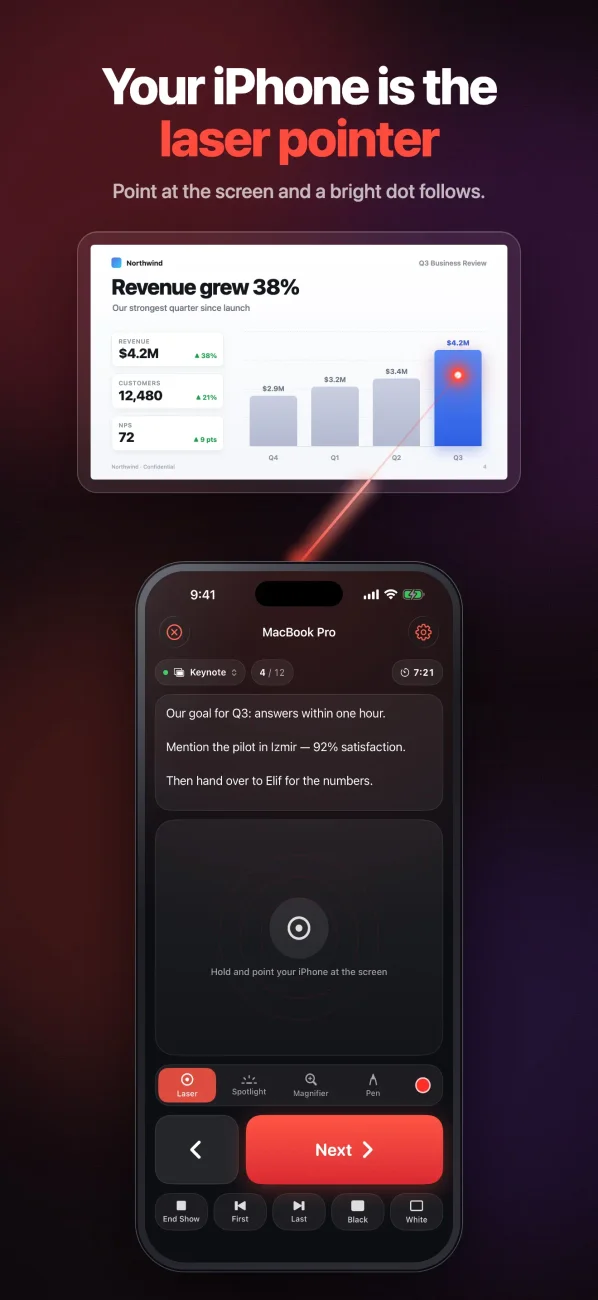
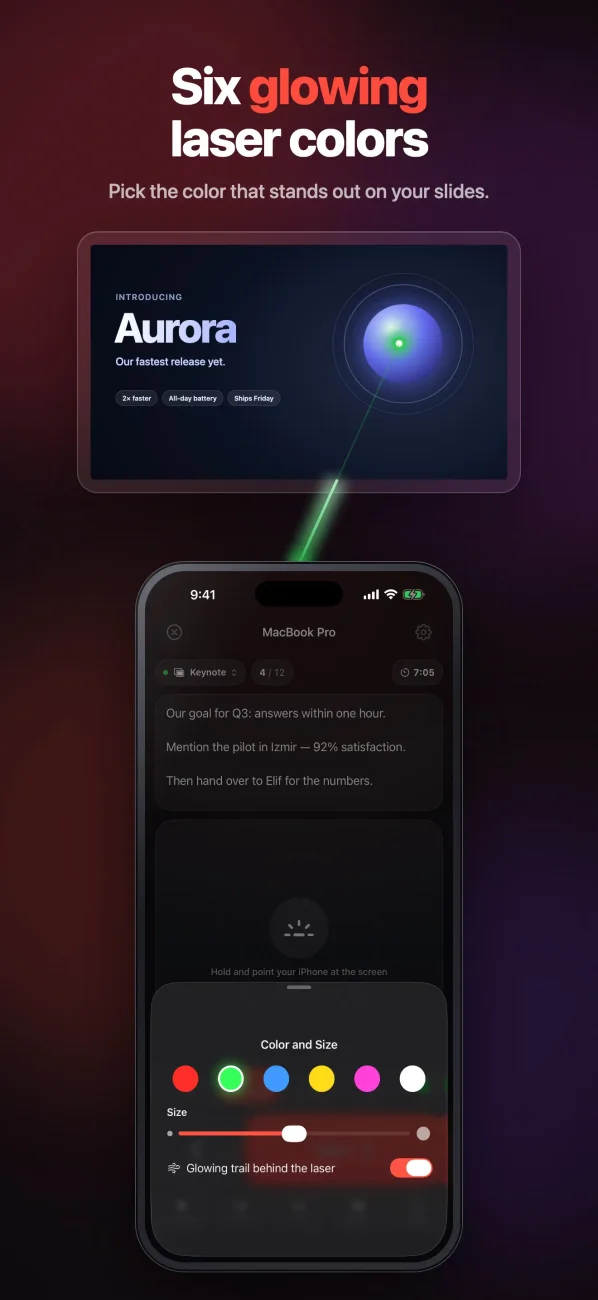
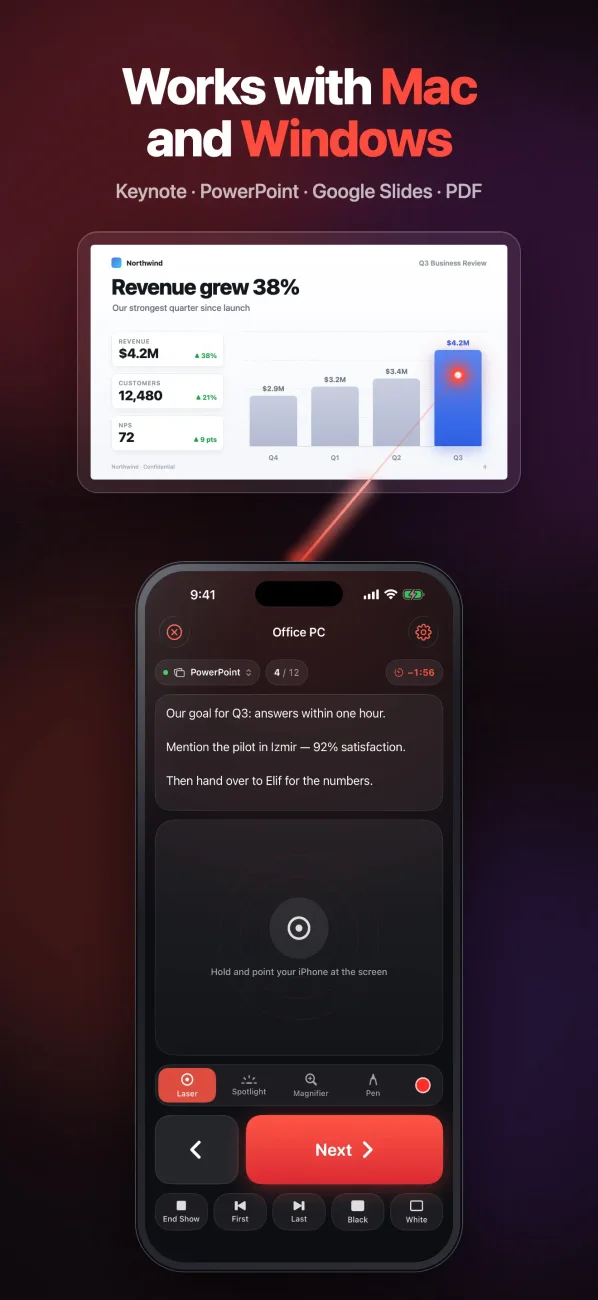
Turn your iPhone into a laser pointer and slide clicker for Keynote, PowerPoint, Google Slides and PDFs on your Mac or Windows PC.
POINT AT ANYTHING
Hold the pad and point your iPhone at the screen: a bright laser dot follows your hand. It appears on the screen your audience sees, even in Zoom, Teams and Meet screen shares, where a real laser can't be seen.
CHANGE SLIDES
• Next, previous, first and last slide; start and end the show
• Jump to any slide
• Black or white screen to pause your audience's attention
PRESENTER TOOLS
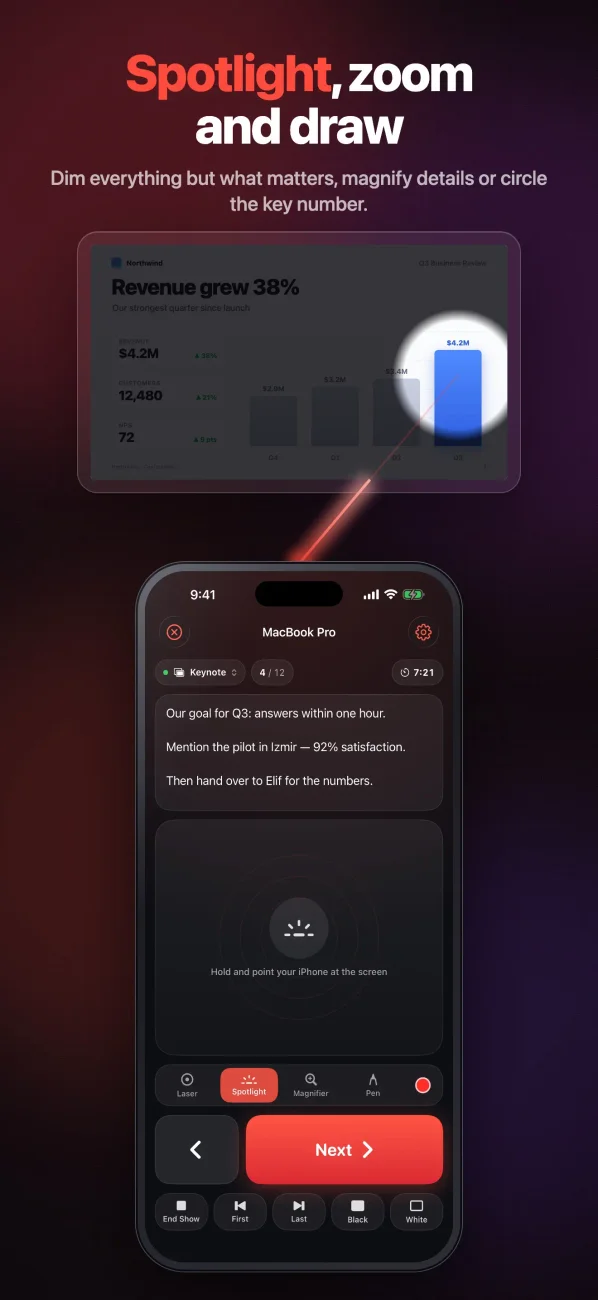
• Spotlight, magnifier and pen
• Six laser colors with a glowing trail
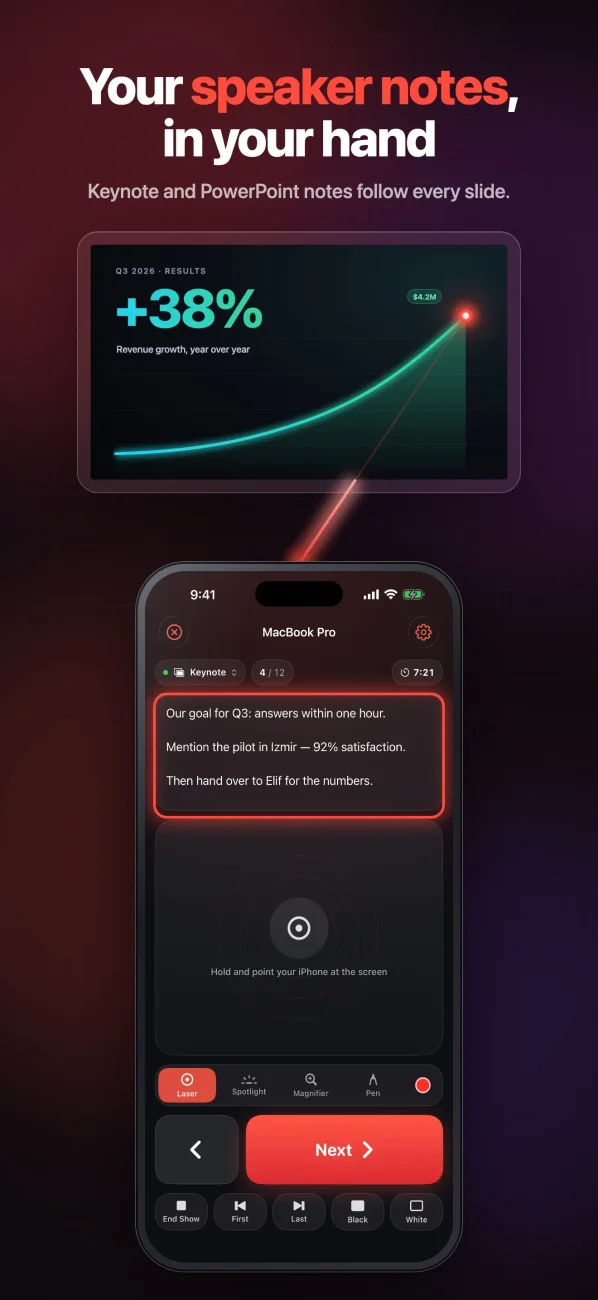
• Speaker notes and slide numbers on your iPhone
• A talk timer that taps your wrist at 5 minutes, 1 minute and time's up
• Apple Watch clicker
PRIVATE AND SECURE
Your iPhone pairs with your computer using a code you check on both screens, and every connection is encrypted. No accounts, no ads, no tracking.
GET STARTED
1. Download the free Presentation Pointer for Mac or Windows from theappverdict.com/apps/presentation-pointer
2. Open it on your computer and on your iPhone, on the same Wi-Fi
3. Check the code and present
One purchase, everything included: no subscriptions and no in-app purchases.
Terms of Use: https://www.apple.com/legal/internet-services/itunes/dev/stdeula/
Privacy Policy: https://theappverdict.com/apps/presentation-pointer/
Yang baru
Versi 2.1 · 18/11/2026
Everything is now included with the app: spotlight, magnifier, pen, speaker notes, timer alerts, all laser colors and the Apple Watch clicker. No free-try limits and no subscriptions.
Still subscribed to Pro from version 2.0? You can cancel it in Settings.
Privasi aplikasi
Yang dinyatakan Sensonet di App Store tentang cara aplikasi ini menangani data.
-
Data tidak dikumpulkan
Pengembang tidak mengumpulkan data apa pun dari aplikasi ini.
Praktik privasi dapat bervariasi, misalnya berdasarkan fitur yang Anda gunakan atau usia Anda.
Informasi
- Penjual
- SENSONET BILISIM TEKNOLOJILERI ELEKTRONIK YAZILIM SANAYI VE TICARET LTD STI
- Kategori
- Bisnis
- Versi
- 2.1
- Diperbarui
- 18/11/2026
- Dirilis
- 27/1/2017
- Ukuran
- 3,6 MB
- Memerlukan
- iOS 17.0 atau yang lebih baru
- Batasan usia
- 4+
- Harga
- Rp 39ribu
- Pembelian dalam aplikasi
- Ya
- Bahasa
- Inggris, Dansk (Denmark), Belanda, Suomi (Finlandia), Prancis, Jerman, Italia, Jepang, Korea, Portugis, Rusia, Spanyol + 2 lainnya
- Hak cipta
- © 2026 Sensonet
Mungkin Anda juga suka
-
 Presentation Remote ControllerBisnis
-
 Gba Goal PlannerProduktivitas
-
 Deskcenter ExchangeBisnis
-
 Breach Plan Connect®Bisnis
-
 vConnect Video ConferencingBisnis
-
 Category Tabs for Google KeepProduktivitas
-
 AI Mastery CenterBisnis
-
 NHLA Member CommunityBisnis
-
 TAB ConnectBisnis
-
 Retirement Saving CalculatorKeuangan