Presentation Pointer: Clicker
Laser & Slide Remote, Mac & PC
Designed for iPhone, iPad
$1.99 · In-app purchases
- Age rating4+
- CategoryBusiness
- DeveloperSensonet
- LanguagesEnglish+ 13 more
- Size3.6 MB
Links to the official App Store page
Download.org hosts no file of Presentation Pointer: Clicker. The button opens its official App Store page, published by Sensonet. Listing last checked on Nov 23, 2026.
Screenshots

About
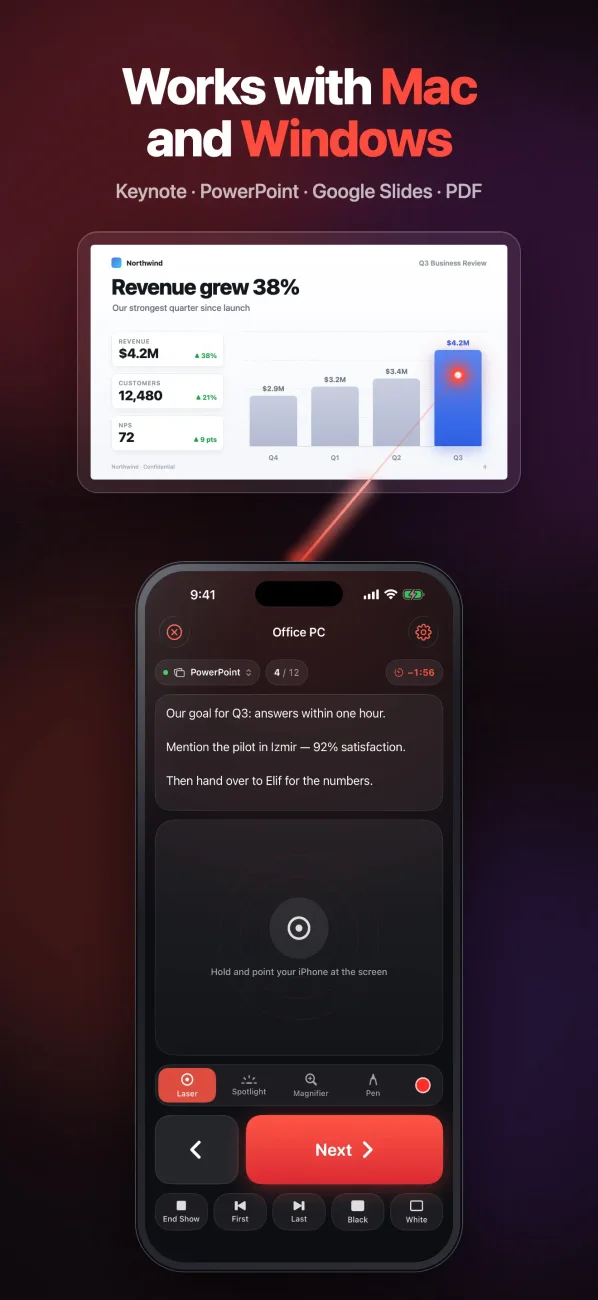
Turn your iPhone into a laser pointer and slide clicker for Keynote, PowerPoint, Google Slides and PDFs on your Mac or Windows PC.
POINT AT ANYTHING
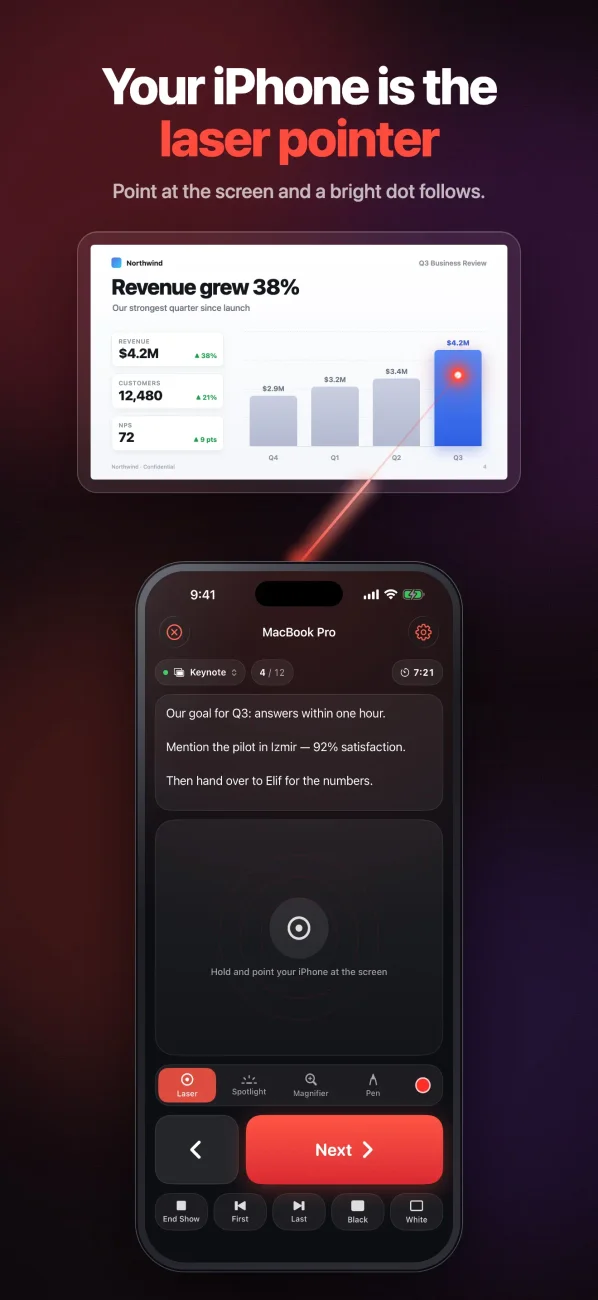
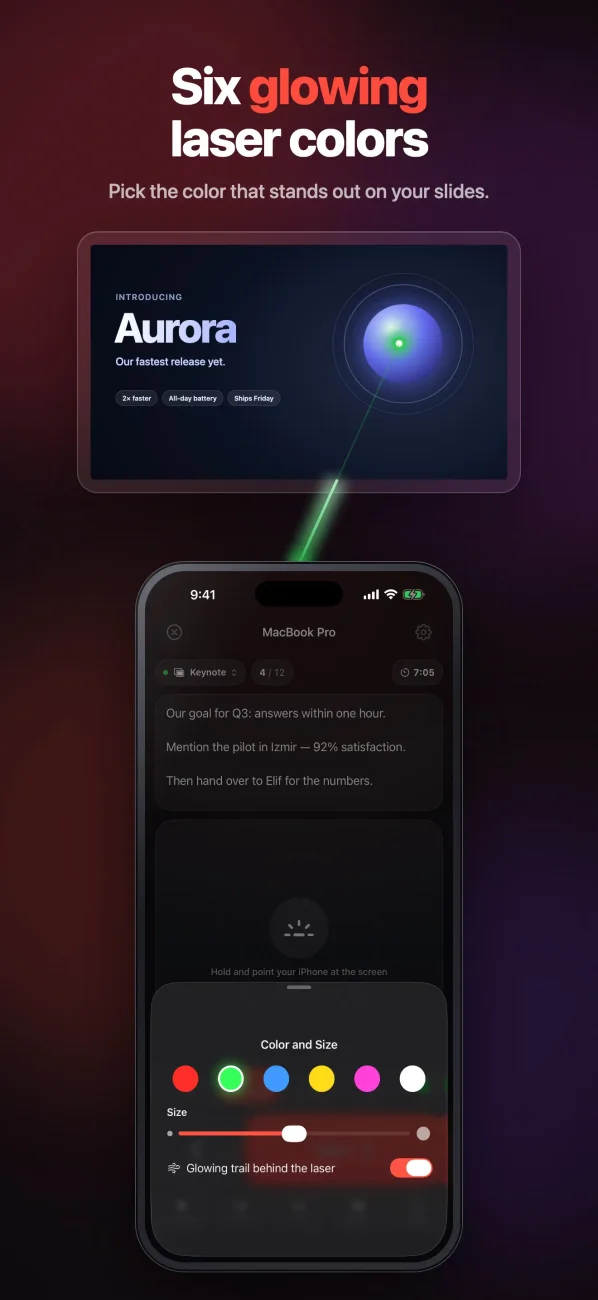
Hold the pad and point your iPhone at the screen: a bright laser dot follows your hand. It appears on the screen your audience sees, even in Zoom, Teams and Meet screen shares, where a real laser can't be seen.
CHANGE SLIDES
• Next, previous, first and last slide; start and end the show
• Jump to any slide
• Black or white screen to pause your audience's attention
PRESENTER TOOLS
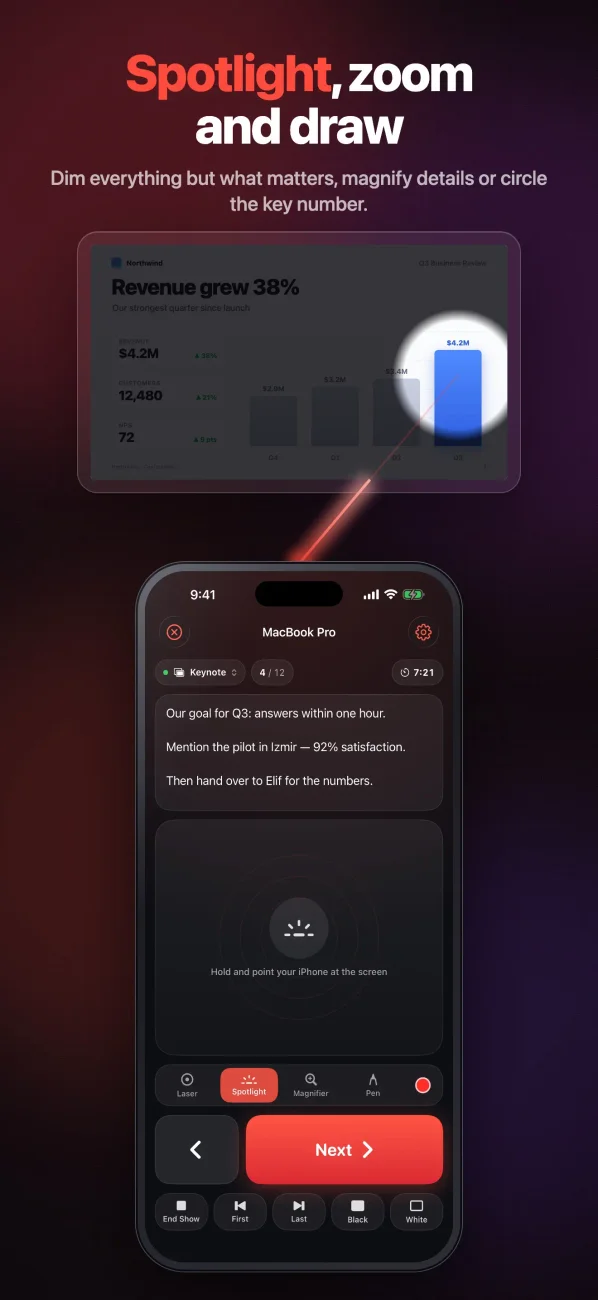
• Spotlight, magnifier and pen
• Six laser colors with a glowing trail
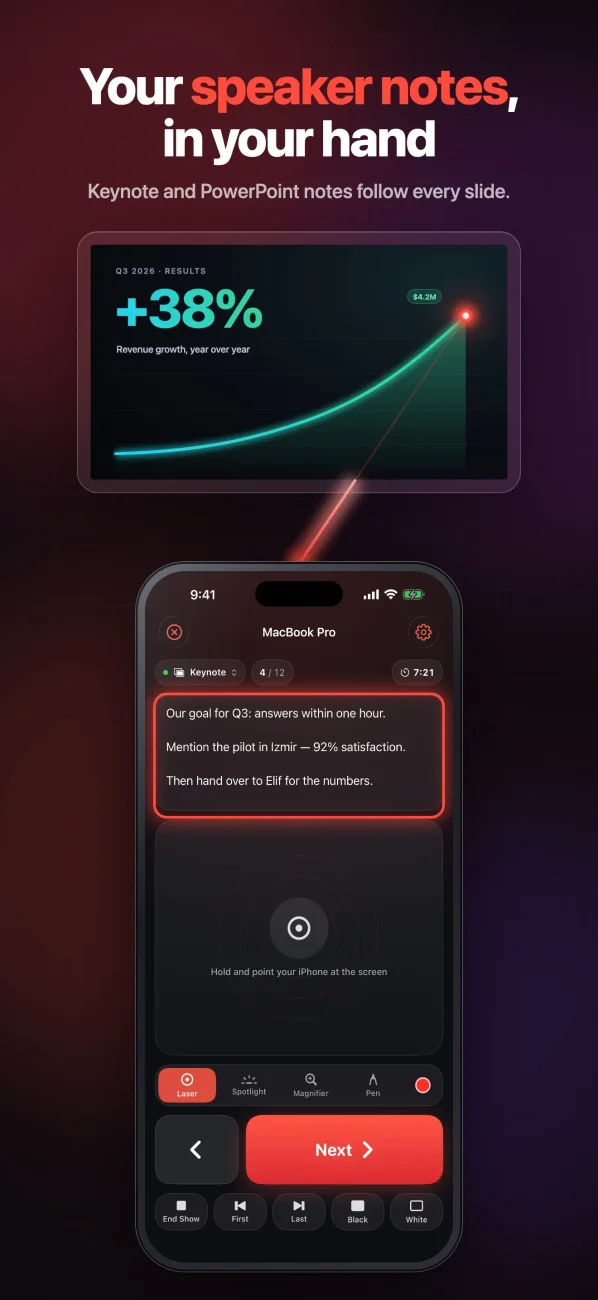
• Speaker notes and slide numbers on your iPhone
• A talk timer that taps your wrist at 5 minutes, 1 minute and time's up
• Apple Watch clicker
PRIVATE AND SECURE
Your iPhone pairs with your computer using a code you check on both screens, and every connection is encrypted. No accounts, no ads, no tracking.
GET STARTED
1. Download the free Presentation Pointer for Mac or Windows from theappverdict.com/apps/presentation-pointer
2. Open it on your computer and on your iPhone, on the same Wi-Fi
3. Check the code and present
One purchase, everything included: no subscriptions and no in-app purchases.
Terms of Use: https://www.apple.com/legal/internet-services/itunes/dev/stdeula/
Privacy Policy: https://theappverdict.com/apps/presentation-pointer/
What’s new
Version 2.1 · Nov 18, 2026
Everything is now included with the app: spotlight, magnifier, pen, speaker notes, timer alerts, all laser colors and the Apple Watch clicker. No free-try limits and no subscriptions.
Still subscribed to Pro from version 2.0? You can cancel it in Settings.
App privacy
What Sensonet declares on the App Store about how this app handles data.
-
Data not collected
The developer does not collect any data from this app.
Privacy practices may vary, for example with the features you use or your age.
Information
- Seller
- SENSONET BILISIM TEKNOLOJILERI ELEKTRONIK YAZILIM SANAYI VE TICARET LTD STI
- Category
- Business
- Version
- 2.1
- Updated
- Nov 18, 2026
- Released
- Jan 27, 2017
- Size
- 3.6 MB
- Requires
- iOS 17.0 or later
- Age rating
- 4+
- Price
- $1.99
- In-app purchases
- Yes
- Languages
- English, Danish, Dutch, Finnish, French, German, Italian, Japanese, Korean, Portuguese, Russian, Spanish + 2 more
- Copyright
- © 2026 Sensonet
You might also like
-
 Presentation Remote ControllerPhoto album internet projector
-
 Gba Goal PlannerGoal Planner
-
 Deskcenter ExchangeBusiness
-
 Breach Plan Connect®Breach Response Plan
-
 vConnect Video ConferencingBusiness
-
 Category Tabs for Google KeepBest organize your Keep notes
-
 AI Mastery CenterAI in Business
-
 NHLA Member CommunityConnect with NHLA Members
-
 TAB ConnectBusiness
-
 Retirement Saving CalculatorRetirement Planning